
Selecting the ideal GBC shredder for your workspace is a balancing act between operational efficiency, document security, and physical capacity. In any busy office or school environment, document destruction is a daily necessity to protect sensitive information, comply with data privacy regulations, and manage paper waste. However, choosing a model without analyzing your specific workload can lead to persistent operational bottlenecks. An underpowered machine will struggle with frequent paper jams, overheat quickly, and require constant emptying, while an oversized commercial unit will unnecessarily consume valuable office space and budget.
To make an informed decision, you must evaluate how your daily document volume translates into two primary specifications: sheet capacity and bin size. These two metrics dictate how quickly you can destroy documents and how much maintenance the machine requires during operation. By aligning these specifications with the number of active users and the nature of your daily paperwork, you can select a reliable machine that integrates seamlessly into your office workflow.
Understanding Sheet Capacity vs. Bin Size
Sheet capacity refers to the maximum number of paper sheets that a shredder can pull through its cutting cylinders in a single pass. It is important to understand that manufacturers establish these limits under controlled testing conditions, typically using standard paper weights such as 70 gsm or 80 gsm. In a real-world office setting, the paper you shred is rarely uniform. Documents often consist of heavier letterhead, textured stock, or multiple pages stapled together, all of which increase the physical thickness of the pass. Consequently, if a machine has a stated capacity of 10 sheets, shredding 10 sheets of heavy 80 gsm paper or folded documents will strain the motor and dull the blades much faster than shredding lighter paper. Operating a shredder consistently at its absolute maximum capacity increases friction, generates excess heat, and elevates the risk of paper jams.
Products mentioned in this guide
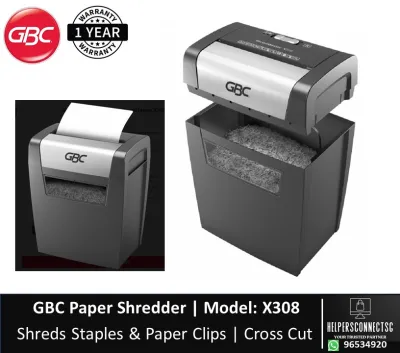
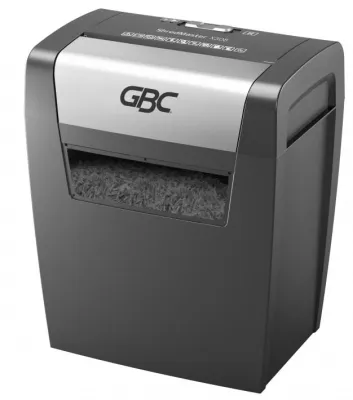
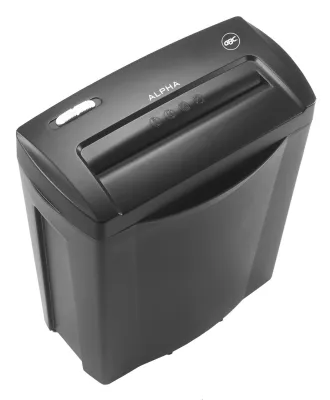
Prices are valid at publication and may change. Please refer to the product page for the latest price.
Bin size, measured in liters, determines the volume of shredded waste the machine can hold before it requires emptying. There is a direct relationship between bin volume and your daily workflow continuity. If you select a shredder with a high sheet capacity but a disproportionately small bin, you will find yourself constantly interrupting your work to empty the waste basket. This mismatch creates a significant bottleneck in shared workspaces where multiple employees need to destroy documents quickly.
Furthermore, the physical footprint of the machine is directly tied to its bin capacity. Larger bins require a larger cabinet, which can be a critical constraint in compact office layouts. In many urban office environments, floor space is at a premium, making it necessary to balance the desire for a large, high-capacity bin with the physical space available next to desks or in common printing areas. Additionally, the type of cut highly influences how quickly a bin fills up. Strip-cut shredders produce long, voluminous ribbons that fill up a bin rapidly with a lot of trapped air, whereas cross-cut and micro-cut machines produce much smaller particles that pack together densely, allowing the bin to hold significantly more shredded paper before reaching capacity.
Matching Capacity Tiers to Your Daily Workload
To simplify the selection process, office workloads can generally be categorized into three distinct user tiers, each requiring a specific range of sheet capacities and bin volumes.

For personal or desk-side use, typically serving a single user, a compact shredder is highly appropriate. These units are designed for light, intermittent tasks, such as destroying occasional receipts, utility bills, or sensitive correspondence. A personal shredder generally offers a sheet capacity of 5 to 10 sheets per pass and a bin volume of 10 to 20 liters. Because these machines are engineered for low-volume tasks, they feature smaller motors and compact frames that fit neatly under a desk or in a corner without occupying valuable floor space. They are ideal for home offices, executive suites, or individual workstations where document destruction is an occasional task rather than a continuous daily chore.
In a small office or departmental setting with 2 to 5 active users, the volume of paper increases, requiring a more robust machine. For these environments, a shared shredder with a sheet capacity of 10 to 20 sheets per pass and a bin volume of 20 to 40 liters is recommended. This tier balances a moderate physical footprint with the durability needed to handle multiple shredding tasks throughout the day. These machines are typically placed in a central location, such as next to a shared printer or filing cabinet, allowing easy access for the team. They are designed to handle the daily output of a small business or administrative department without requiring constant maintenance or causing excessive noise disruptions in the workspace.
For large offices, corporate departments, or school administrative centers with 6 or more users, high-capacity commercial shredders are essential. These heavy-duty machines are built to handle continuous, high-volume shredding tasks without frequent interruptions. They typically feature manual sheet capacities of 20 or more sheets per pass, or they utilize advanced auto-feed technology that allows users to stack 100 to 600 sheets into a tray and walk away while the machine processes the stack automatically. To support this high throughput, commercial units are equipped with large bins of 50 liters or more, minimizing the frequency of emptying. They also feature heavy-duty, continuous-run motors designed to operate for extended periods without overheating.
When selecting a model within these tiers, it is crucial to verify exact model availability, specific sheet limits, and current pricing in S$ directly on the manufacturer’s official site or through authorized retailers in Singapore. This ensures you receive accurate, up-to-date specifications and local pricing before finalizing your purchase.
Key Specifications to Verify Beyond Basic Capacity
While sheet capacity and bin size are the primary metrics to consider, several secondary specifications heavily influence a shredder’s performance, security, and suitability for your office environment.
First, you must evaluate the security cut type, which determines how small the paper is shredded. Shredders are classified by security levels, ranging from basic strip-cut (P-2) to high-security micro-cut (P-5 or higher). Strip-cut models cut paper into long vertical strips, which offers basic low-level security but results in high-volume waste that fills bins quickly. Cross-cut models (P-3 or P-4) slice paper diagonally and vertically, creating small confetti-like pieces that offer excellent security for standard business documents while compressing well inside the bin. Micro-cut models reduce paper to tiny, unreadable particles, providing maximum security for highly confidential financial or legal documents. Because micro-cut particles are so small, they pack together with virtually no air pockets, allowing you to fit up to four times as many shredded sheets into the same bin volume compared to a strip-cut model.
Second, pay close attention to the machine’s continuous run time and required cool-down period. Every shredder motor generates heat during operation. Light-duty models may only run continuously for 2 to 10 minutes before their thermal overload protection triggers, requiring a cool-down period of 20 to 40 minutes to prevent motor damage. If your office regularly performs bulk shredding sessions, such as end-of-month archiving cleanouts, a short run time will cause frustrating delays. For high-volume environments, look for commercial-grade models with continuous-duty motors that can run indefinitely or for extended periods without needing to stop and cool down.
Third, verify the media handling capabilities of the cutting blades. Office documents are frequently bound with staples or paper clips, and modern workflows often require the destruction of non-paper materials like expired credit cards, laminated sheets, or optical media such as CDs and DVDs. You must review the product label and manufacturer instructions strictly to confirm what materials the blades can safely cut. Forcing staples, heavy paper clips, or thick plastic cards through a shredder that is not explicitly rated for them can chip or dull the cutting cylinders, strain the drive gears, and void the manufacturer’s warranty.
Pre-Purchase Checklist for Your Office Setup
Before purchasing a GBC shredder, use this practical checklist to ensure the chosen model fits your physical workspace and operational requirements safely:
- Measure Physical Space: Verify the physical dimensions of the shredder against the allocated floor or desk space. Ensure there is at least 10 to 15 centimeters of clearance around the ventilation grates to prevent heat buildup. Also, confirm there is sufficient physical clearance to pull out or swing open the waste bin comfortably for emptying.
- Check Electrical Compatibility: Ensure the shredder's power requirements are compatible with your office outlets. In Singapore, office equipment must comply with local electrical safety standards and feature appropriate plug configurations. High-capacity commercial shredders draw significant current during operation; they should be plugged directly into a dedicated wall outlet rather than a shared extension cord or power strip to avoid tripping circuit breakers.
- Review Warranty and Local Support: Examine the manufacturer's warranty terms, noting the coverage duration for both the motor and the cutting cylinders. Verify the availability of local service support options in Singapore to ensure prompt assistance, replacement parts, or professional maintenance if the machine requires servicing.
- Establish a Maintenance Routine: To maintain smooth operation and prevent paper jams, shredder blades must be oiled regularly. Check whether the model requires liquid shredder oil or convenient oiling sheets, and factor these consumables into your ongoing operational budget.
Frequently Asked Questions (FAQ)
Can I shred more sheets than the stated capacity if the paper is thin?
No, you should always adhere strictly to the manufacturer’s stated sheet capacity, regardless of the paper thickness. While thin paper, such as lightweight receipts or 60 gsm tracing paper, may physically fit through the feed slot in slightly larger quantities, exceeding the stated limit is highly discouraged. The manufacturer’s sheet capacity is carefully calibrated to protect the internal drive gears, motor, and cutting cylinders from excessive torque and mechanical strain. Overloading the feed mechanism increases the risk of severe paper jams, accelerates wear on the cutting blades, and can lead to premature motor burnout, which may void your warranty. To prolong the lifespan of your shredder, it is best practice to shred slightly below the maximum stated capacity.
How often should I empty the shredder bin to prevent jams?
To maintain optimal performance, you should monitor the bin’s fill level regularly and empty it before the shredded waste reaches the top of the bin or touches the underside of the cutting head. If the bin is allowed to overfill, shredded paper can back up into the cutting cylinders, causing severe jams that are difficult to clear and potentially damaging the blades or motor. Many GBC shredders are equipped with built-in bin-full indicators or infrared sensors that automatically alert you when the waste reaches capacity. If your model does not have an automated sensor, perform a quick visual check before starting any large shredding task to ensure there is sufficient space for the waste.

Community discussion
Share your experience or ask a question. Comments are reviewed before publication.