
Selecting the right shredder machine for your office is a balance between data security, operational speed, and maintenance convenience. If your primary task is destroying high volumes of non-sensitive drafts quickly, a strip-cut machine offers rapid processing and high bin capacity. For everyday business operations handling client details or financial records, a cross-cut machine provides a practical middle ground of security and speed. When dealing with highly confidential legal, HR, or proprietary data, a micro-cut machine is essential to reduce documents to unreadable, microscopic particles. Matching the machine’s specifications to your office’s daily document volume and compliance requirements ensures smooth workflows without security gaps or frequent mechanical jams.
Understanding Cut Types and Document Security
To make an informed choice, it is helpful to understand how each cutting mechanism physically alters paper. A strip-cut shredder machine operates like a series of parallel shears, slicing a single sheet of paper vertically into long, continuous ribbons. While this process is fast, it produces relatively large pieces that can, with enough patience and motivation, be reassembled. This makes strip-cut models suitable primarily for low-security documents, such as junk mail, generic internal memos, or rough drafts that contain no identifying personal or corporate information.
In contrast, a cross-cut shredder machine uses two counter-rotating shafts with interlocking blades to cut paper both vertically and horizontally. This dual-action cutting process transforms a single sheet of paper into hundreds of short, rectangular confetti-like pieces. Because the paper is cut in two directions, reconstructing a document becomes exponentially more difficult and time-consuming. This level of security is generally considered the baseline standard for modern offices handling everyday business communications, invoices, and basic employee records.
Products mentioned in this guide
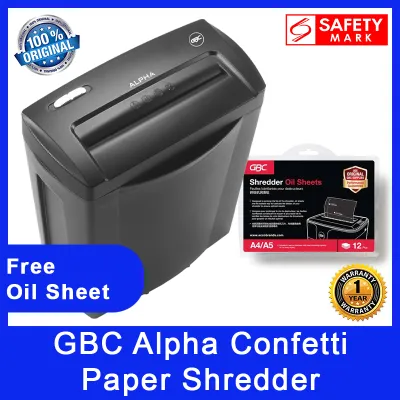
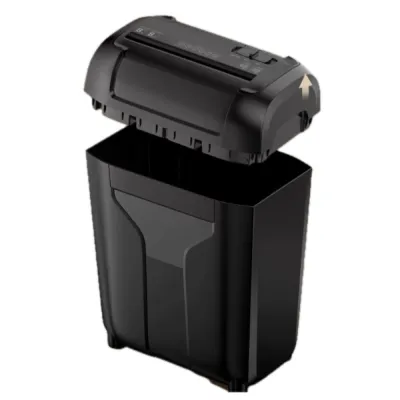
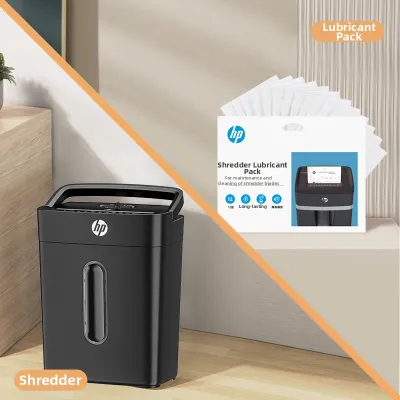
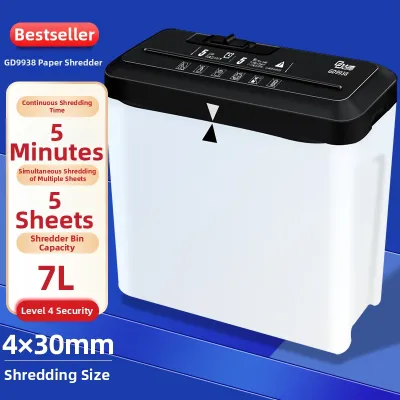
![[SG In stock] Office shredder household electric shredder household shredder A6 A4 6UPZ](https://img.lazcdn.com/g/p/441b05f3d219c5c50d13f83454f29486.jpg_webp_400x400q80.jpg_.webp)
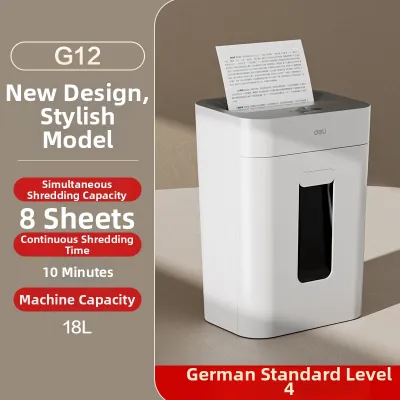
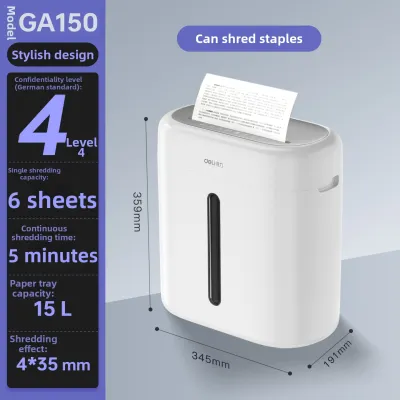
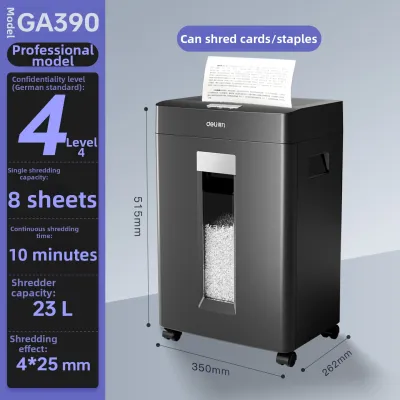
Prices are valid at publication and may change. Please refer to the product page for the latest price.
For maximum security, a micro-cut shredder machine utilizes highly precise, heavy-duty cutting cylinders to reduce paper to tiny, diamond-shaped or rectangular particles. A single sheet of paper processed through a micro-cut machine is typically divided into thousands of minuscule fragments, making manual or digital reconstruction virtually impossible. This level of destruction is critical for organizations handling highly sensitive intellectual property, medical records, legal documents, or classified financial data.
Rather than relying solely on visual descriptions, you should verify the official security rating of any shredder machine before purchasing. The international standard DIN 66399 classifies shredder security levels from P-1 to P-7, based on the maximum surface area of the shredded particles. Strip-cut machines generally fall under levels P-1 to P-2, cross-cut machines typically span levels P-3 to P-4, and micro-cut machines cover levels P-5 to P-7. Always check the manufacturer’s product label or technical specification sheet to confirm the exact DIN level matches your organization’s data protection policies.
Balancing Speed, Bin Capacity, and Workflow
When selecting a shredder machine, security must be balanced against daily operational efficiency. The physical size of the shredded particles directly influences how quickly a machine can process paper and how often the waste bin must be emptied. Strip-cut machines, because they perform fewer cuts per sheet, generally offer higher sheet capacities per pass and faster throughput speeds. If your staff frequently needs to destroy thick stacks of non-sensitive documents in a single session, a strip-cut model minimizes waiting times and keeps the workflow moving.

However, the larger strips produced by these machines do not compress well, meaning the waste bin fills up rapidly with loose, springy paper ribbons. This requires frequent trips to the recycling bin, which can disrupt a busy office. Cross-cut and micro-cut machines, while processing fewer sheets per pass due to the increased mechanical resistance of cutting in multiple directions, produce much smaller particles. These tiny pieces compress naturally under their own weight inside the bin, allowing you to fit significantly more shredded paper into the same volume of space.
To optimize your office workflow, you must also evaluate the machine’s duty cycle and sheet capacity as stated in the manufacturer’s specifications. The duty cycle refers to the continuous run time a shredder can sustain before its motor overheats and requires a cooling-off period. High-volume offices should look for machines with extended or continuous-duty motors to avoid frustrating downtime. Forcing a machine beyond its rated sheet capacity or duty cycle not only risks motor burnout but also increases the frequency of paper jams, which can halt office productivity entirely.
Practical Factors for Shared Office Spaces
Deploying a shredder machine in a shared office environment requires careful consideration of physical and environmental factors. Noise level is a primary concern, especially in open-plan offices or quiet co-working spaces. Some shredders are engineered with insulated casings or specialized motor mounts to dampen operational noise, while budget models can be loud enough to disrupt nearby phone calls and meetings. Checking the manufacturer’s decibel rating on the product specification sheet can help you select a model that maintains a peaceful working environment.
The physical footprint and mobility of the machine also dictate where it can be safely placed. In compact commercial offices, a bulky shredder can block walkways or create safety hazards. Choosing a model with heavy-duty casters allows staff to easily roll the machine between different departments or store it in a utility closet when not in use. Additionally, you should verify that the machine’s power requirements align with standard office outlets and that it features a sufficiently long power cord for flexible placement.
Maintenance is another critical factor in ensuring the longevity of your office shredder. All shredder machines, particularly cross-cut and micro-cut models, accumulate paper dust and adhesive residue over time. Regular blade lubrication is essential to maintain smooth operation, prevent jams, and protect the motor from strain. You should review the manufacturer’s recommended oiling schedule and procedures, as some machines require specialized shredder oil sheets while others use liquid lubricant applied directly to the blades. Selecting a model with intuitive jam-clearing features, such as an automatic reverse function, can save staff from tedious manual troubleshooting.
Finally, energy efficiency should not be overlooked in a shared workspace where the machine may sit idle for long periods. Look for shredders equipped with automatic start and stop sensors that activate the blades only when paper is inserted. Sleep modes or automatic power-down features further reduce standby energy consumption, helping your business lower its utility costs and support corporate sustainability initiatives.
Which Shredder Machine Should You Choose?
To determine the ideal shredder machine for your office, you should establish a clear decision framework based on your primary document types, volume, and regulatory obligations. If your office primarily handles non-confidential materials, such as shipping labels, generic packaging inserts, or public marketing drafts, a strip-cut shredder is often the most practical choice. This option provides the fastest processing speeds and the largest effective bin capacity, making it highly efficient for high-volume, low-risk disposal tasks.
For standard corporate environments where employees handle everyday business documents, client correspondence, internal emails, and basic financial reports, a cross-cut shredder is the recommended standard. It offers a reliable balance of security and operational speed, ensuring that sensitive business information is sufficiently obscured to prevent casual data theft. This type of machine is highly versatile and fits seamlessly into the daily routines of most professional offices, accounting firms, and administrative departments.
If your organization operates in highly regulated sectors—such as finance, healthcare, legal services, or human resources—a micro-cut shredder is the only choice that guarantees compliance with strict data privacy laws. These machines are designed to handle highly sensitive documents, including payroll records, medical histories, proprietary research, and strategic business plans. The microscopic particles produced by a micro-cut machine ensure that confidential data remains entirely irrecoverable, protecting your business from devastating data breaches and legal liabilities.
Before making a final purchase, always verify if your specific industry regulations or internal corporate data policies mandate a minimum security level. For example, certain government contracts or international data protection standards require a minimum of DIN P-4 or P-5 security for document destruction. Aligning your equipment selection with these formal compliance frameworks ensures that your office remains fully protected and legally compliant.
Frequently Asked Questions (FAQ)
Can I shred credit cards or CDs in any cut type?
Not all shredder machines are designed to handle hard plastics like credit cards, identification badges, or CDs. Attempting to force these materials through a standard paper-only shredder can dull or chip the cutting blades, strain the motor, and void the manufacturer’s warranty. You must check the product label, user manual, or manufacturer specifications to verify if the machine has a dedicated media slot or explicitly supports plastic destruction. Many modern office shredders feature separate cutting shafts and collection bins specifically designed to handle plastic media safely without damaging the primary paper blades.
How often should I empty the bin and lubricate the blades?
The frequency of bin emptying and blade lubrication depends heavily on your office’s usage patterns and the shredder’s cut type. As a general rule, you should perform visual checks of the waste bin daily and empty it before the shredded paper reaches the cutting head, as overfilled bins can cause severe paper jams and motor strain. For blade lubrication, cross-cut and micro-cut machines require more frequent oiling than strip-cut models due to the higher friction generated by their complex cutting mechanisms. Always consult your machine’s user manual for the manufacturer’s recommended oiling frequency, and use only approved shredder lubricants to ensure optimal performance and longevity.
Community discussion
Share your experience or ask a question. Comments are reviewed before publication.