
Selecting the right A3 laminator comes down to matching four critical technical specifications to your daily workload: maximum pouch thickness (measured in microns), warm-up and processing speeds, the number of internal rollers, and the presence of a reliable jam release mechanism. While an A3 machine naturally accommodates larger documents, its performance depends entirely on how these specifications handle your specific paper types and laminating frequency.
Decoding Pouch Thickness and Micron Ratings
Laminating pouches are measured in microns (often abbreviated as “mic” or “µm”), which refers to the thickness of a single plastic sheet. When reviewing an A3 laminator, you will find a maximum thickness rating, typically ranging from 75 microns up to 250 microns. It is vital to remember that a pouch consists of two layers, so a 125-micron rating means the machine can process a pouch that is 125 microns per side, totaling 250 microns of plastic plus the paper insert.
Standard office documents, notices, and classroom worksheets usually require basic, flexible protection. For these everyday tasks, a laminator that supports up to 80 or 100 microns per side is generally sufficient. This thickness keeps the document pliable while shielding it from dust, light moisture, and general handling.
Products mentioned in this guide
![[SG] Aurora A4/A3 Laminator with free A4 pouch | LM4231H / LM3231H [Evergreen Stationery]](https://img.lazcdn.com/g/p/7b2b08d6b08ceeefef45053321586356.jpg_400x400q80.jpg_.webp)
![[SG] GBC Inspire Plus A4/A3 Laminator + FREE 100pcs A4 Laminating Pouch | WHILE STOCKS LAST [Evergreen Stationery]](https://img.lazcdn.com/g/p/2a4715d31debd35f8897e5c972d306d7.jpg_400x400q80.jpg_.webp)
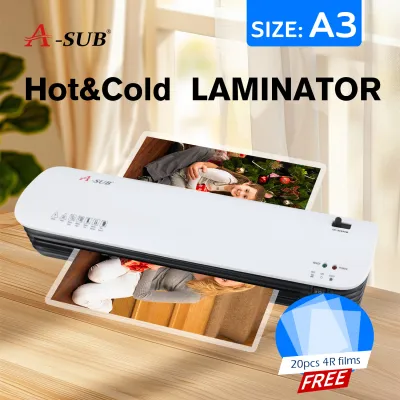

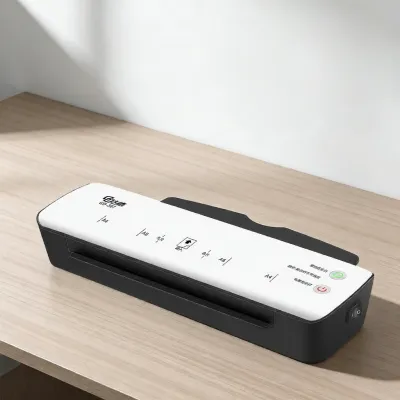
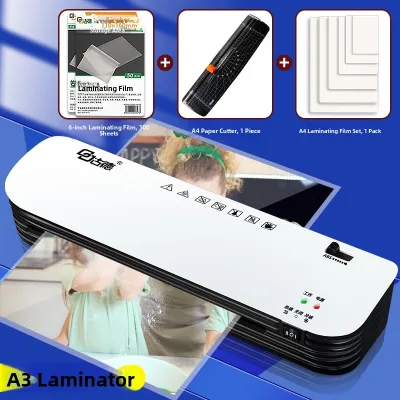
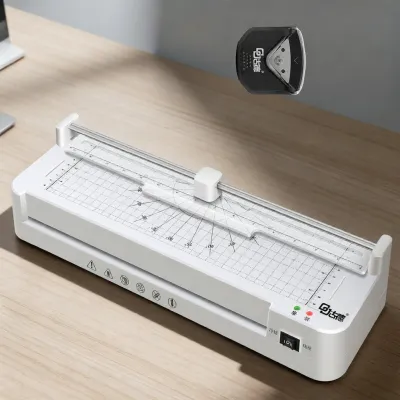
Prices are valid at publication and may change. Please refer to the product page for the latest price.
For items that require rigid protection or face frequent handling, such as outdoor signage, menus, or instructional cards, you will need a machine capable of handling 125 to 250 microns. Thicker pouches provide a sturdy, cardboard-like stiffness that prevents bending and offers superior durability against wear and tear.
Attempting to feed a thick pouch into a machine rated only for thin materials is a primary cause of severe jams and permanent roller damage. The heating elements in a low-capacity laminator cannot melt the adhesive on a thick pouch properly, leading to cloudy finishes, incomplete sealing, or a sticky mess wrapped around the internal rollers. Always verify the maximum micron limit on the product specification sheet before purchasing your supplies.
Evaluating Warm-Up Time and Laminating Speed
A laminator’s efficiency is determined by two distinct time metrics: the initial warm-up time and the continuous processing speed. Warm-up time is the duration the machine takes to heat its internal elements to the correct operating temperature from a cold start. This can range from under a minute on premium models to over five minutes on basic, budget-friendly units.

Once the machine is ready, the laminating speed dictates how quickly a document passes through the rollers. This speed is usually measured in millimeters per minute (mm/min). While a faster throughput speed is highly desirable for high-volume tasks, it requires a machine with precise temperature control to ensure the heat penetrates the plastic evenly without causing unsightly bubbling or warping.
If your daily routine involves laminating single sheets sporadically throughout the day, a rapid warm-up feature is highly beneficial. It prevents you from waiting around for the machine to heat up for a single task. Conversely, if you tend to process large batches of documents all at once, a fast continuous processing speed is more critical than a quick initial warm-up.
Understanding Roller Systems and Jam Release Mechanisms
The internal roller system is the heart of any laminator, directly influencing the quality and smoothness of the finished product. Entry-level A3 laminators typically use a two-roller system, where one pair of rollers simultaneously heats and compresses the pouch. While sufficient for occasional use, two-roller systems are more prone to slight wrinkling or uneven sealing on larger A3 sheets.
Advanced machines utilize four, six, or even more rollers. In a four-roller system, the first pair of rollers melts the adhesive with consistent heat, while the second pair compresses and cools the pouch to ensure a perfectly flat, crystal-clear finish. Multi-roller systems distribute heat much more evenly, which is particularly important when working with large A3 formats where temperature fluctuations can cause warping.
Even with careful feeding, occasional misfeeds can occur. A manual jam release lever or a dedicated reverse button is an essential safety feature to look for in the specifications. This mechanism disengages the rollers, allowing you to pull a misaligned pouch backward out of the entry slot safely before the adhesive melts completely and ruins the internal heating elements.
When comparing models, also check the exact entry width specified by the manufacturer. While designed for A3 paper, the entry slot should ideally measure slightly wider than the standard 297 mm width of an A3 sheet. A small margin of extra space, such as a 320 mm entry width, makes it much easier to feed large pouches straight without catching the edges on the sides of the machine.
Matching Specifications to Your Lamination Tasks
To choose the right A3 laminator, you must align these technical specifications with your actual workspace and usage patterns. For light home use, crafting, or occasional office tasks, a compact two-roller machine with a moderate warm-up time and a maximum thickness rating of 100 to 125 microns offers an economical and practical solution.
In contrast, high-volume environments like schools, busy offices, or copy shops demand a heavy-duty four-roller or six-roller machine. These professional units should support up to 250-micron pouches, offer fast processing speeds, and feature robust jam-prevention systems to handle continuous daily operation without overheating or slowing down your workflow.
Because A3 laminators are physically larger than standard A4 models, it is wise to check the product’s physical footprint and weight before purchasing. Ensure you have a stable, flat surface with adequate ventilation space around the machine. Additionally, verify the power requirements to ensure your workspace electrical outlets can safely support the machine’s heating elements.
Finally, if you plan to protect heat-sensitive items such as thermal paper receipts, certain photographs, or delicate art prints, verify that the laminator includes a dedicated cold lamination setting. Cold lamination relies solely on pressure from the rollers and specialized self-adhesive pouches, preventing heat damage to sensitive inks and materials.
Frequently Asked Questions (FAQ)
Can I laminate smaller documents in an A3 laminator?
Yes, you can easily process smaller document sizes, such as A4, A5, or ID cards, in an A3 laminator. The key is to ensure the pouch is fed straight into the entry slot, sealed edge first. If recommended by the manufacturer, use a carrier sheet or built-in alignment guides to prevent the smaller pouch from shifting or feeding at an angle, which can cause wrinkles.
Is a cold lamination setting necessary for an A3 laminator?
A cold lamination setting is only necessary if you intend to process heat-sensitive materials. Standard laser-printed office documents and heavy cardstock handle hot lamination well. However, thermal papers, certain glossy photographs, and delicate inks can melt or discolor under heat, making a dedicated cold setting essential for those specific applications.

Community discussion
Share your experience or ask a question. Comments are reviewed before publication.