
Selecting the ideal laminator machine involves balancing your specific document protection needs with the technical capabilities of the device. Whether you are preserving delicate family photographs at home, preparing reusable teaching aids for a bustling classroom, or securing high-priority corporate documents, the right machine ensures professional results without risking damage to your valuable papers. By evaluating key factors such as heating mechanisms, pouch thickness compatibility, and processing speeds, you can select a machine that fits seamlessly into your workflow and physical workspace.
Understanding Laminator Types and Core Specifications
To make an informed decision, you must first understand the fundamental differences between thermal and cold lamination. Thermal laminators use heat-activated adhesives to seal documents. This process is highly effective for standard paper, cardstock, and durable printed materials, creating a rigid, permanent bond. However, the high temperatures involved can damage heat-sensitive items. For thermal paper (such as receipts), glossy photographs, or documents printed with delicate inks, cold lamination is the safer alternative. Cold laminators rely on pressure-sensitive adhesives that seal without heat, preserving the integrity of sensitive media. Many modern machines offer dual-mode functionality, allowing you to switch between hot and cold settings depending on the project.
Pouch thickness, typically measured in microns, is another critical specification that dictates the rigidity and durability of your laminated items. Standard pouches range from 75 microns (lightweight protection for basic documents) to 250 microns (heavy-duty, rigid protection for menus or outdoor signs). Before purchasing a machine, verify its maximum pouch thickness capacity. A basic home model might only support up to 100 or 125 microns, whereas professional-grade office machines can easily handle 250-micron pouches. Choosing a machine with a wider thickness range provides greater versatility for diverse projects.
Products mentioned in this guide
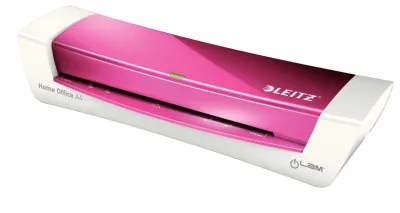
![[SG] Aurora A4/A3 Laminator with free A4 pouch | LM4231H / LM3231H [Evergreen Stationery]](https://img.lazcdn.com/g/p/e9380a4387732b31c8219f5ec66c95da.jpg_400x400q80.jpg_.webp)
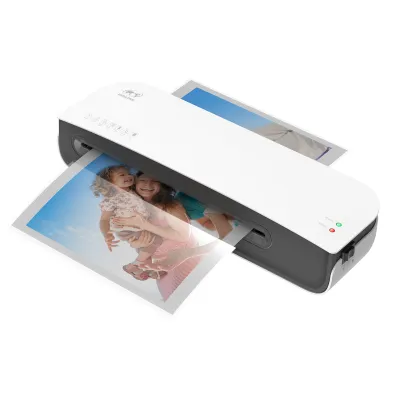
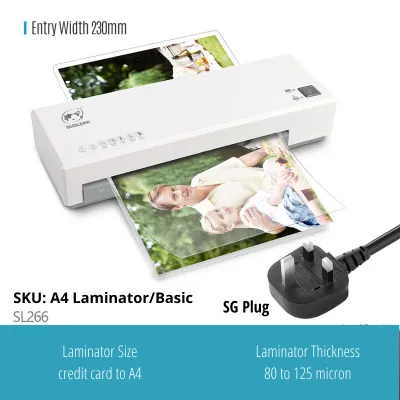
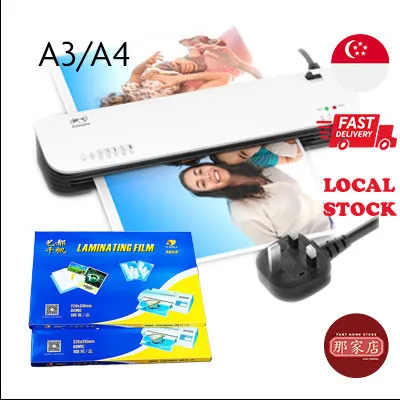

Prices are valid at publication and may change. Please refer to the product page for the latest price.
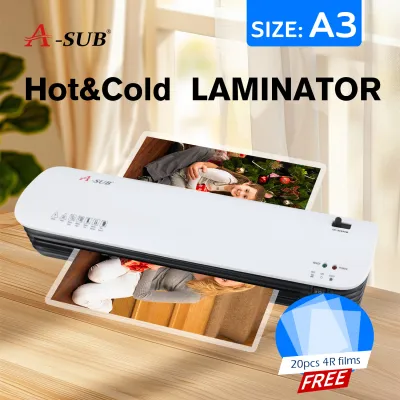
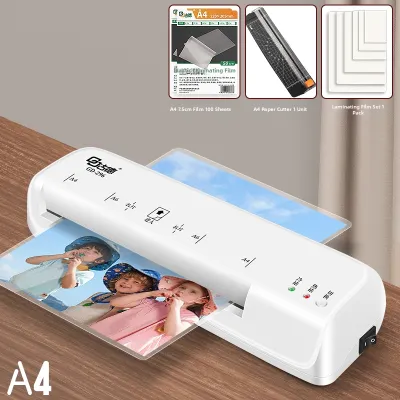
Physical entry width is the final core specification to consider. Laminator machines are generally categorized by their maximum document width, with A4 and A3 being the most common standards. An A4 laminator is compact and suitable for standard letters, photos, and small flashcards. An A3 laminator, however, features a wider entry slot that accommodates larger posters, ledger sheets, and multiple smaller items fed side-by-side. When selecting a machine, always check the physical entry slot dimensions to ensure it can accommodate your largest anticipated projects without folding or jamming.
Matching the Machine to Your Specific Use Case
Selecting the right laminator machine requires a realistic assessment of your usage frequency, volume, and operational environment. A machine designed for occasional home use will quickly fail if subjected to the continuous, high-volume demands of a school or corporate office. Conversely, investing in a heavy-duty industrial laminator for occasional crafting is an unnecessary expense that takes up valuable desk space. Understanding how motor durability, thermal stability, and physical footprint align with your daily routine is key to making a sustainable purchase.

Home Crafting and Occasional Use
For hobbyists, crafters, and families, a compact and straightforward laminator machine is usually the most practical choice. Home projects typically involve laminating recipe cards, children’s drawings, or occasional photographs. These tasks do not require continuous operation, meaning a basic model with a standard warm-up time of three to five minutes is perfectly adequate. Home users should prioritize machines with a small physical footprint that can be easily stored in a drawer or closet when not in use, keeping countertops clear in compact living spaces.
When choosing a home laminator, look for models that support standard pouch thicknesses, such as 75 to 125 microns. This range is ideal for preserving lightweight paper and photos without requiring excessive power consumption. Since home use is intermittent, a machine with a simple one-button interface and a reliable manual jam-release lever will provide excellent utility without the complexity or cost of professional-grade settings.
Classroom Materials and High-Volume School Projects
Educators face unique challenges that demand robust, high-performance laminating solutions. Teachers frequently need to laminate large batches of flashcards, classroom rules, and interactive learning aids that must withstand daily handling by young children. For these high-volume tasks, a laminator with a fast warm-up time—ideally under two minutes—and a high continuous run time is essential. Standard home models often require cool-down periods after 20 to 30 minutes of use, which can severely disrupt a teacher’s preparation time.
Classroom environments also benefit from machines with wider entry slots, such as A3 models, which allow for the lamination of large educational posters and classroom displays. Because school materials are handled frequently, the ability to process thicker, more durable pouches (up to 175 or 250 microns) is highly advantageous. Additionally, robust jam-prevention features and quick-release mechanisms are crucial in busy school settings where multiple staff members share the same equipment, reducing downtime and maintenance headaches.
Office Document Protection and Professional Binding
In a corporate or professional office setting, efficiency, speed, and flawless output quality are the primary considerations. Office laminators are used for client-facing presentations, official certificates, reference guides, and archival documents that require a pristine, bubble-free finish. To meet these demands, professional machines feature heavy-duty motors and advanced multi-roller systems (often utilizing four or six rollers) that distribute heat and pressure evenly, eliminating wrinkles and silvering.
Office-grade laminators should offer adjustable temperature and speed controls, allowing users to customize the settings based on the specific paper stock and pouch thickness being used. Quick processing speeds are vital for minimizing wait times in shared workspaces. Furthermore, features like rapid warm-up times, automated settings, and heavy-duty construction ensure the machine can handle daily, multi-user operation without overheating or degrading in performance over time.
Key Features to Evaluate Before Buying
Beyond the core specifications, several functional features can significantly enhance the usability, safety, and longevity of your laminator machine. The most critical of these is anti-jam technology. Document jams occur when a pouch is fed at an angle, is folded, or has excess adhesive that wraps around the internal rollers. A reliable manual release lever or a dedicated reverse button allows you to disengage the rollers and safely pull the stuck pouch backward out of the machine. This feature prevents permanent damage to the internal heating elements and rollers, saving both your document and your investment.
Visual and audio indicators are also highly valuable for ensuring consistent results. Operating a thermal laminator before it has reached its optimal temperature can lead to incomplete sealing, cloudy patches, and loose edges. Modern machines feature clear LED indicator lights or audible beeps that signal when the rollers are fully heated and ready for use. Some advanced models also include temperature warning indicators to alert you if the machine is overheating, allowing you to pause operation before damage occurs.
Safety should always be a priority, especially for machines that generate significant heat. An auto-shutoff function is an essential safety feature that automatically powers down the heating elements after a set period of inactivity, typically 30 minutes. This not only prevents potential fire hazards in busy environments but also reduces standby energy consumption and protects the internal components from prolonged thermal stress, ultimately extending the operational lifespan of the machine.
Consumables and Ongoing Maintenance
To achieve professional results and keep your laminator machine operating smoothly, you must select compatible consumables and perform regular maintenance. Always match the pouch thickness to your machine’s specific capabilities; using a pouch that is too thick can cause the machine to jam or fail to seal properly, while a pouch that is too thin may warp under high heat. Additionally, verify whether your machine requires a carrier sheet—a protective sleeve that holds the pouch as it passes through the rollers. Carrier sheets prevent excess adhesive from squeezing out of the pouch edges and sticking to the rollers, which is a primary cause of internal buildup and subsequent jams.
Routine cleaning of the internal rollers is essential for maintaining high-output quality. Over time, microscopic traces of adhesive accumulate on the rollers, leading to sticky residue that can catch future documents or cause cloudy streaks on your laminated items. To clean the rollers, run a manufacturer-approved cleaning sheet or a clean sheet of uncoated cardstock through the machine while it is still warm but turned off. The cardstock will absorb excess adhesive buildup. Never use sharp metal objects, abrasive pads, or harsh chemical solvents to clean the rollers, as these can permanently scratch the silicone coating and ruin the machine’s feeding mechanism.
Proper storage of your unused laminating pouches is also vital, particularly in humid climates. High humidity can introduce moisture to the adhesive layer of the pouches, leading to bubbling, cloudiness, or poor adhesion during the thermal sealing process. Store your pouches in a cool, dry place, preferably inside a sealed plastic container or a resealable bag with a desiccant pack. Keep them flat to prevent curling, bending, or static cling, which can make feeding the pouches into the machine difficult and increase the risk of misfeeds.
Building Your Shortlist: A Pre-Purchase Checklist
Before finalizing your purchase from a local stationery supplier or online marketplace, compile a checklist to ensure the machine meets all your practical requirements. Start by verifying the maximum pouch thickness and document width against your actual project needs. If you plan to laminate heavy-duty signs or thick cardstock, ensure the machine supports at least 150 to 250 microns. Confirm that the physical entry width matches your largest documents, keeping in mind that an A3 machine offers the flexibility to handle smaller sizes as well.
Next, evaluate the physical dimensions and weight of the machine. Measure your designated desk or cabinet space to ensure the laminator fits comfortably without blocking ventilation ports. If you plan to store the machine away between uses, look for lightweight models with integrated cable management and compact profiles.
Consider the ongoing cost of consumables. Calculate the price of compatible laminating pouches and carrier sheets in S$ to ensure the long-term operating costs align with your budget. While budget-friendly machines may seem appealing initially, proprietary pouch requirements can increase long-term expenses. Finally, review the warranty terms and confirm the local availability of authorized service centers or replacement parts in Singapore. Purchasing from established brands with local support ensures you can easily resolve any technical issues or source replacement parts if needed.
Frequently Asked Questions (FAQ)
Can I laminate items with uneven surfaces or thick textures?
Standard pouch laminators are designed for flat, uniform paper products and lightweight cardstock. Attempting to laminate items with uneven surfaces, such as pressed flowers, fabric, or thick textured crafts, can trap air pockets around the raised areas, resulting in unsightly bubbles and an incomplete seal. Furthermore, feeding excessively thick or rigid items into the machine can damage the internal rollers or cause a severe jam. Always check the manufacturer’s specifications for the maximum allowable document thickness, and consider alternative preservation methods, such as cold self-adhesive sheets or shadow boxes, for highly textured items.
What should I do if a pouch gets stuck inside the machine?
If a pouch becomes stuck, act quickly but calmly to prevent damage to the machine. Immediately turn off the power and unplug the unit from the wall outlet to stop the heating elements. If your machine is equipped with a manual release lever or a reverse button, engage it to disengage the rollers, then gently and evenly pull the pouch backward out of the entry slot. Never use sharp objects like scissors, knives, or paperclips to pry a stuck pouch out, as these will permanently scratch the delicate silicone rollers and void your warranty. If the pouch cannot be easily removed, consult the manufacturer’s troubleshooting guide or contact a local service center.
Is it safe to leave a thermal laminator plugged in when not in use?
It is not recommended to leave a thermal laminator plugged in and powered on when it is not actively in use. Older models or basic machines without an auto-shutoff feature can continue to draw significant electrical power and generate intense heat, posing a potential fire hazard and causing unnecessary wear on the internal heating elements. Even if your machine has an automatic shutoff function, it is best practice to turn off the power switch, allow the unit to cool down completely for at least 30 minutes, and then unplug it from the wall. This practice prevents electrical surges from damaging the circuitry and eliminates standby power consumption.
Community discussion
Share your experience or ask a question. Comments are reviewed before publication.