
The Little Prince EZ-Link card is a fully functional contactless stored-value card that operates seamlessly across Singapore’s transit and retail payment networks. While its charming, limited-edition artwork makes it a highly sought-after collectible, its internal technology is identical to any standard adult EZ-Link card. This means you can use it daily to pay for public transport, purchase groceries, dine at food courts, and settle parking fees. Understanding where and how to use this card ensures you can enjoy its whimsical design while navigating your daily commute and shopping routines with ease.
Navigating Public Transit and Commuting
Using your themed card for daily travel is straightforward because it integrates directly into the national ticketing system. The card functions on all public buses, Mass Rapid Transit (MRT) trains, and Light Rail Transit (LRT) lines across the island. There is no special activation required for transit use; as long as the card has a sufficient monetary balance, it is ready to use the moment you step onto a bus or pass through an MRT gantry.
To initiate a journey, simply tap the card flat against the designated scanning surface on the entry gantry or bus card reader. A successful tap is indicated by a green light and a single beep, alongside a screen display showing your remaining card balance. It is important to hold the card steady for a brief second rather than swiping it quickly, as this ensures the reader can establish a stable connection with the internal antenna.
Products mentioned in this guide
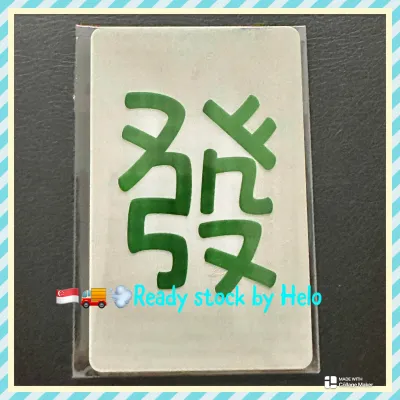
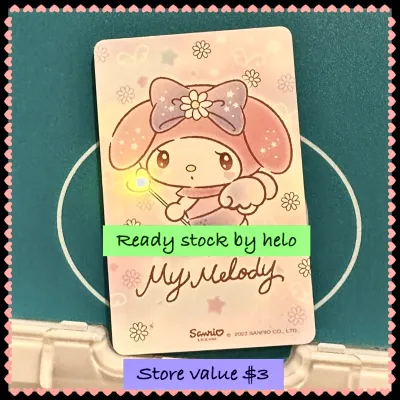
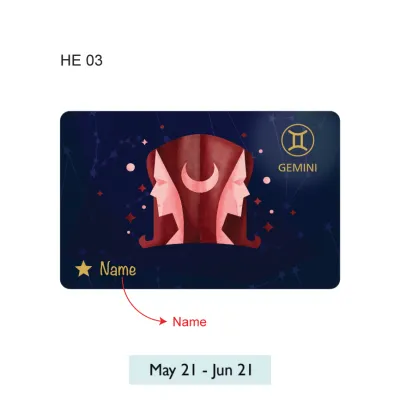
![[Exp: March 2030] Brand New EZ-Link Ezlink Blue Sanrio Hello Kitty 50th Anniversary EZ-Link Card Blue (Non SimplyGo)](https://img.lazcdn.com/g/ff/kf/Sffe01e531df94563abf64ba29a6c06d0N.jpg_400x400q80.jpg_.webp)
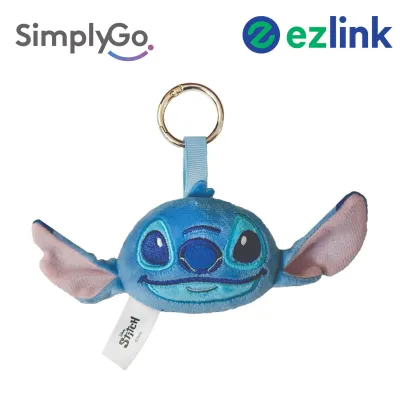
Prices are valid at publication and may change. Please refer to the product page for the latest price.
When exiting a station or alighting from a bus, you must tap out at the exit reader. Singapore uses a distance-based fare system, meaning your fare is calculated based on the exact distance traveled between your entry and exit points. Failing to tap out properly can result in the system charging you the maximum possible fare for that route on your next journey. Tapping out also displays the exact fare deducted for that trip and your updated remaining balance, helping you keep track of your travel expenses in real time.
You can easily identify compatible transit points by looking for the standard transit logos displayed prominently on the physical barriers and readers. These universal symbols confirm that the reader is active and connected to the central transit payment network. Because the card relies on standard radio-frequency identification (RFID) technology, you do not need to remove it from a thin wallet or cardholder to scan it, provided there are no other contactless payment cards nearby to cause signal interference.
Paying at Retail and Convenience Stores
Beyond the transit gates, this card serves as a convenient cashless payment method at thousands of retail outlets, convenience stores, and dining establishments. Major convenience store chains across the island accept these cards for quick transactions, making it easy to purchase snacks, drinks, or daily essentials without fumbling for cash or waiting for credit card authorization.

Supermarkets, neighborhood grocery stores, and select food courts also support this payment method. At food courts, you can tap your card at participating hawker stalls or central payment terminals to settle your bill instantly. Additionally, many automated vending machines, photo booths, and self-service kiosks are equipped with compatible card readers, allowing you to make small purchases with a simple tap.
To verify whether a merchant accepts your card, look for the official payment network decal or logo displayed near the cash register, on the payment terminal, or at the storefront entrance. If the logo is present, you can inform the cashier that you wish to pay using your stored-value card before tapping it on the terminal. The transaction is processed instantly, and the amount is deducted directly from your card’s balance.
While acceptance is widespread, some merchants may enforce specific transaction limits or policies. For instance, certain retailers might implement a minimum spend requirement for contactless card payments to cover administrative costs. Additionally, stored-value cards cannot be used to purchase restricted goods, such as tobacco products or specific age-restricted items, depending on individual merchant licensing and local regulations. It is always a good practice to confirm these details with the cashier before initiating a transaction.
Verifying Acceptance and Tracking Transactions
Keeping a close eye on your card’s balance and transaction history is essential for smooth daily use. You can check your current balance at any physical ticketing machine located inside MRT stations and bus interchanges. These self-service terminals provide a clear breakdown of your remaining funds and allow you to view a list of your most recent journeys and retail purchases.
For a more convenient digital option, you can register your card on official transit companion mobile applications. By scanning the unique identification number printed on the back of your card into the app, you can monitor your balance directly from your smartphone. This digital connection allows you to view detailed transaction logs, tracking exactly where and when your card was tapped, which is highly useful for budgeting and verifying merchant charges.
Reviewing your transaction history regularly helps you confirm that payments were processed correctly. If you notice an unexpected deduction or if a transaction fails at a retail counter despite the presence of an official acceptance logo, you should take immediate steps to resolve the issue. In such cases, it is best to obtain a physical receipt from the merchant if possible, and then contact either the merchant’s customer service or the official card issuer’s helpline to report the discrepancy.
When using mobile apps to track your card, keep in mind that transaction records may sometimes take a few minutes to update, especially after retail purchases. If your phone is equipped with Near Field Communication (NFC) capabilities, you can also use compatible apps to read the card’s chip directly by placing the card against the back of your phone, providing an instant, offline balance check wherever you are.
Managing Top-Ups and Card Limitations
To ensure your card is always ready for use, you must maintain a positive balance. You can top up your card using several convenient methods across the island. Physical ticketing machines at MRT stations and bus interchanges accept debit cards, credit cards, and mobile payment options for top-ups. Additionally, you can visit the customer service counters of major convenience stores to add funds, though a small service fee may apply for over-the-counter top-ups at certain locations.
For a completely digital top-up experience, you can utilize official mobile applications on NFC-enabled smartphones. This feature allows you to transfer funds directly from your bank account or credit card to your physical card by holding the card against your phone’s NFC reader during the transaction. This eliminates the need to queue at physical machines, allowing you to add funds on the go before boarding a bus or entering a train station.
It is important to be aware of the card’s inherent limitations and terms of use. Every themed card has a specific lifespan, typically lasting up to five years from the date of manufacture. You can find the exact expiry date printed on the back of the card or by checking it at a ticketing machine or via the official mobile app. Additionally, the initial purchase price of these collectible cards often includes a non-refundable card cost, meaning only the remaining stored value can be refunded if you choose to surrender the card.
Proper physical care is vital to preserving both the functionality and the beautiful artwork of your card. The card contains an internal microchip and a delicate antenna embedded within the plastic layers. To prevent damage, avoid bending, twisting, or exposing the card to extreme heat or moisture. Using a protective, clear card sleeve can shield the printed design from scratches and fading caused by daily friction, ensuring that the charming illustrations remain vibrant throughout the card’s operational life.
Frequently Asked Questions (FAQ)
Can I use the Little Prince EZ-Link card for ERP and car parks?
Yes, you can use the card for motoring-related payments, including Electronic Road Pricing (ERP) and parking fees, provided your vehicle is equipped with a compatible In-Vehicle Unit (IU). For older, standard IUs, you can insert the card directly into the slot to allow automatic deductions as you pass through ERP gantries or enter compatible car parks. For newer dual-mode IUs or at car parks that utilize contactless tap-and-go readers at the exit barriers, you can either keep the card in the unit or tap it physically against the reader to settle the parking charges.
Does the special design affect where the card is accepted?
No, the special design does not affect card acceptance in any way. The thematic artwork is printed solely on the exterior plastic casing of the card, while the internal RFID chip and antenna conform to the exact same technical standards as standard, plain-colored transit cards. Any merchant, transit gantry, or payment terminal that accepts standard stored-value cards will accept your themed card without issue, allowing you to enjoy the unique design without sacrificing any functional convenience.

Community discussion
Share your experience or ask a question. Comments are reviewed before publication.