
Your physical EZ-Link card is far more than just a ticket for the MRT and public buses. Across Singapore, this reloadable contactless card serves as a versatile micro-payment tool accepted at thousands of retail outlets, dining establishments, vending machines, and government facilities. By understanding where and how to use your card for everyday purchases, you can streamline your daily transactions and reduce the need to carry loose change or multiple payment cards.
Using a transit card for retail payments offers a fast, secure, and cashless alternative for small-value transactions. Whether you are grabbing a quick snack at a convenience store, paying for a meal at a neighborhood food court, or settling fees at a public facility, a simple tap is often all it takes to complete your purchase.
Exploring Non-Transit Payment Categories in Singapore
The network of merchants accepting contactless transit cards extends deep into the daily lives of residents and visitors. One of the most common places to use your card is within the retail sector, particularly at major convenience store chains, neighborhood minimarts, and select supermarket outlets. These locations are fully equipped to handle rapid contactless transactions, making them ideal for quick stops to buy daily essentials, newspapers, or snacks.
Products mentioned in this guide

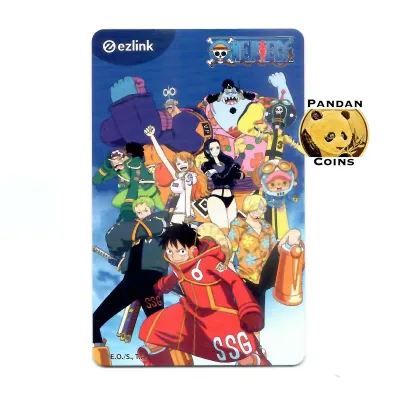
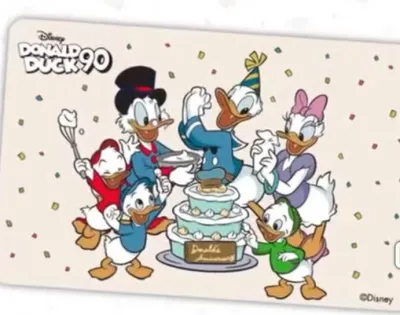
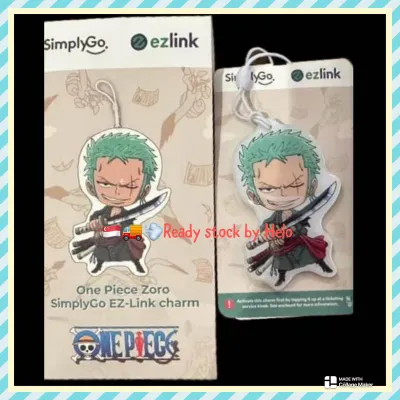
Prices are valid at publication and may change. Please refer to the product page for the latest price.
Food and beverage outlets represent another massive category of acceptance. Many air-conditioned food courts, modern hawker centers, and casual dining restaurants feature unified payment terminals that support transit card payments. This setup allows diners to pay for their meals quickly without handling physical cash, which improves hygiene and speeds up service during busy lunch hours.
Automated self-service machines have also widely adopted this payment method. You can use your card at various beverage and snack vending machines located in public parks, office buildings, and transit stations. Additionally, self-service photo booths, automated laundry kiosks, and select parking management systems accept contactless transit cards for seamless, unattended payments.
Beyond shopping and dining, several leisure, entertainment, and public venues support these transactions. This includes public swimming complexes, active recreation hubs, and selected tourist attractions where entry fees or equipment rentals can be settled at the counter. To ensure a merchant currently accepts this payment method, it is always best to verify the active merchant directory through official digital channels before visiting.
Identifying EZ-Link Acceptance at Checkout
Before you present your card at the counter, a few quick visual checks can confirm whether the merchant supports contactless transit payments. The most reliable indicator is the presence of the official blue and yellow logo or decal displayed prominently near the cash register, on the storefront window, or directly on the payment terminal itself. Merchants who actively accept the card usually make these decals highly visible to guide customers.

Another key indicator is the design of the payment terminal. Modern point-of-sale systems often feature a dedicated contactless reader, which may display a digital screen showing various payment icons, including the transit card symbol. If the terminal screen is active, it will often cycle through the accepted payment methods or display a clear prompt when the cashier initiates the transaction.
When in doubt, a simple verbal confirmation with the service staff is the most practical approach. Asking the cashier if they accept transit card payments before they ring up your items prevents delays and ensures a smooth checkout process. Staff members are well-trained on their store’s accepted payment modes and can quickly advise you on their system’s compatibility.
For those who prefer to plan ahead, digital tools offer an easy way to locate participating merchants. The official mobile application and website feature searchable directories and interactive maps. By using these tools, you can filter merchants by category or location, allowing you to identify nearby shops, cafes, and services where you can use your card before you even leave your home.
Steps to Complete a Retail Transaction
Executing a non-transit payment with your physical card is a straightforward process, but following a few simple steps ensures the transaction goes through without a hitch. First, inform the cashier of your intended payment method before they finalize the bill. This step is crucial because the cashier must manually select the correct payment option on their point-of-sale system to activate the contactless reader.
Once the cashier prepares the system, look for the active prompt on the payment terminal. The terminal screen will typically display the total amount due and signal that it is ready for your card. At this point, retrieve your card from your wallet or cardholder rather than tapping your entire wallet against the reader.
Removing the card prevents a common issue known as card clash. Card clash occurs when a reader detects multiple contactless cards—such as credit cards, debit cards, or other transit cards—at the same time, resulting in an error or an unintended charge to the wrong card. Holding your single card flat and steady against the designated reading area ensures a clean, successful scan.
Hold the card in place for a couple of seconds until you hear a distinct confirmation beep or see a green indicator light on the terminal. The screen will display a message confirming that the transaction is successful, often showing the exact amount deducted alongside your remaining card balance. Once you see this confirmation, you can safely remove your card.
Finally, always request a physical or digital receipt for your records. While the transaction is entirely digital, having a receipt allows you to verify that the correct amount was deducted. It also serves as a helpful reference if you need to track your daily micro-spending or resolve any transaction discrepancies with your bank or the merchant later on.
Managing Balances and Spending Limits
To enjoy uninterrupted shopping, keeping a close eye on your card balance is essential. Unlike credit cards, a reloadable contactless card relies entirely on pre-funded balances. You can check your current balance instantly using the NFC reader on your smartphone via the official mobile app, or by placing your card on a general ticketing machine at any MRT station or bus interchange.
When topping up your card, keep in mind that minimum top-up limits apply depending on the channel you choose. For instance, topping up at a self-service transit station machine may require a different minimum amount compared to topping up at a convenience store counter. Planning your top-ups ensures you always have a sufficient buffer for both transit rides and retail purchases.
It is also important to understand that these cards have built-in financial boundaries designed to protect your funds. Standard cards typically have a maximum storage limit, which prevents you from loading excessive amounts of money onto a single card. Additionally, individual merchants or the card issuer may impose daily spending limits or single-transaction caps to minimize financial risk if the card is lost or stolen.
Lastly, be aware of the refund policies associated with contactless card purchases. If you need to return a product purchased with your card, merchants generally cannot refund the transaction amount directly back to your physical card balance. Instead, the merchant will typically offer an alternative resolution, such as store credit, a product exchange, or a cash refund, in accordance with their standard return policy.
Troubleshooting Failed Payments
Even with a reliable system, you may occasionally encounter a failed transaction at the checkout counter. If the terminal displays an error message or fails to register your card, the first step is to adjust your physical tap. Ensure the card is completely flat against the reader and hold it still for a few seconds, as waving the card too quickly can interrupt the data transfer.
If the transaction fails due to an insufficient balance prompt, you will need to provide an alternative payment method to complete your purchase. To avoid this inconvenience, try to maintain a habit of checking your balance regularly. If a top-up machine is nearby, you can quickly add funds to your card before attempting the transaction again.
Terminal timeouts and reader errors can also cause disruptions. If the merchant’s terminal freezes or takes too long to process, ask the cashier to cancel and reset the transaction on their system. Tapping your card on a frozen terminal can lead to confusion regarding whether the payment actually went through, so waiting for a clean system reset is always the safest approach.
In rare instances, your card balance might be deducted even though the merchant’s system registers the transaction as a failure. If this occurs, do not panic. Request a printed receipt or slip from the merchant showing the failed transaction status, and note down the exact time and location. You can then submit a claim through the official customer service hotline or mobile app, providing the receipt details to initiate a balance adjustment or refund process.
Frequently Asked Questions (FAQ)
Can I use my physical EZ-Link card to pay for online shopping?
Physical transit cards cannot be directly tapped against a computer or mobile screen to complete online purchases. However, you can check if specific local digital wallets or mobile payment applications allow you to link your physical card or use a digital version of the card for online transactions. Always verify the accepted payment gateways of individual online marketplaces or e-commerce platforms during checkout to see if they support these digital integrations.
Do I earn reward points when using EZ-Link for retail purchases?
Standard physical cards do not automatically accumulate retail loyalty points on their own during transactions. To earn rewards, you generally need to register your card details on the official mobile application’s loyalty program. Alternatively, you can look into using specific co-branded cards or linking your card to credit card auto-top-up features that offer specialized points, rebates, or cashback benefits. Be sure to verify the active terms and conditions with your specific card issuer or the official app.
Community discussion
Share your experience or ask a question. Comments are reviewed before publication.