
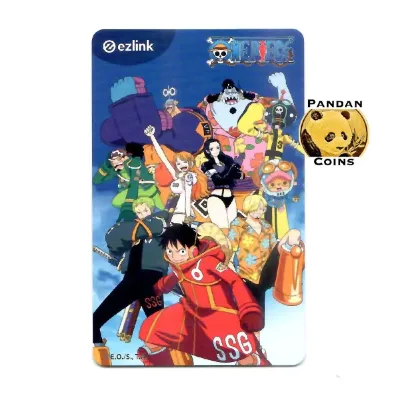
Your limited-edition One Piece EZ-Link card is more than just a collector’s item; it is a fully functional contactless smart card designed for daily transactions across Singapore. Built on the national CEPAS (Contactless e-Purse Application System) standard, this card allows you to seamlessly pay for public transit, road tolls, parking, groceries, and meals at thousands of merchants island-wide. Whether you are commuting to work, grabbing food at a hawker centre, or stocking up on daily essentials, your card offers a convenient, cash-free payment experience. Understanding where and how to tap your card ensures you get the most utility out of your favorite Straw Hat Crew design while avoiding common transaction errors.
Navigating Public Transit: Using Your One Piece EZ-Link Card on MRT, LRT, and Buses
Singapore’s public transportation network relies heavily on contactless payments, and your One Piece EZ-Link card is fully compatible with every MRT line, LRT loop, and public bus route. Because the card uses standard CEPAS technology, fare gates and card readers process it in the exact same manner as a regular transit card. You do not need to perform any special registration to begin using it for your daily commute; simply top up the stored value and tap to ride.
To ensure correct fare deductions and avoid penalty charges, you must follow the standard tap-in and tap-out protocol. When entering an MRT or LRT station, tap your card flat against the gantry reader and wait for the green light or confirmation screen before walking through. When exiting, tap the card again at the exit gantry. For public buses, tap the card on the reader located at the front entrance when boarding, and tap again on the reader at the rear exit when alighting. Failing to tap out on a bus or at a train station results in the system charging you the maximum possible fare for that route.
Products mentioned in this guide
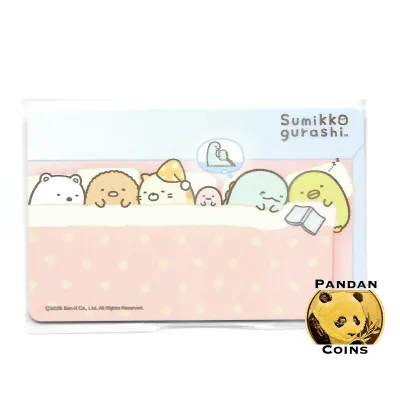
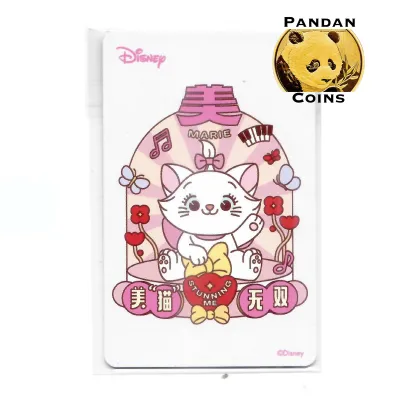
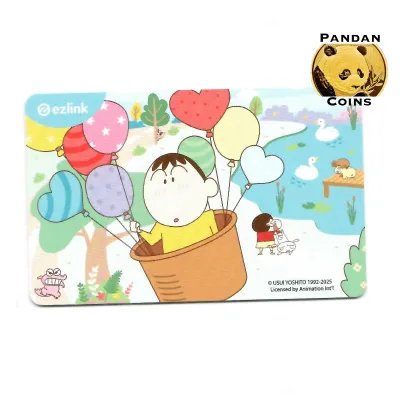
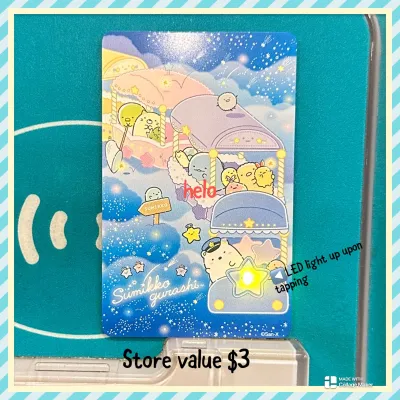
Prices are valid at publication and may change. Please refer to the product page for the latest price.
Commuting during peak hours requires quick and efficient taps to keep the crowd moving. For the best results, hold your card flat and steady against the reader for a split second rather than quickly waving it. Avoid ‘card clash’ by keeping your transit card separate from other RFID or NFC-enabled cards, such as credit cards, office access passes, or other travel cards. Stacking multiple cards together in a wallet confuses the reader, leading to read errors, failed gantry openings, or accidental double-billing on the wrong card.
It is also helpful to understand the distinction between standard stored-value CEPAS cards and open-loop contactless bank cards, which operate under the SimplyGo system. While both payment methods are accepted at transit readers, your physical EZ-Link card processes transactions directly from its stored-value chip. If a reader prompts you to select a payment type or displays an error, ensure you are presenting only your physical anime-themed card to the sensor. Keeping your card in a dedicated, easily accessible pocket of your bag or wallet makes daily commuting smooth and hassle-free.
Paying for Groceries, Convenience Stores, and Meals
Beyond transit, your card serves as a versatile micro-payment tool for daily retail purchases. Major supermarket chains across Singapore have integrated CEPAS readers into their point-of-sale systems, allowing you to tap and pay for groceries in seconds. You can use your card at household names like FairPrice, Sheng Siong, Cold Storage, and Giant. This is particularly convenient at self-checkout kiosks, where you can scan your items, select the EZ-Link payment option on the screen, and tap your card to complete the transaction without handling cash.

For quick stops and late-night runs, convenience stores provide seamless support for contactless card payments. Outlets such as 7-Eleven and Cheers widely accept the card for snacks, drinks, emergency toiletries, and quick meals. The transaction speed at these convenience stores is incredibly fast, making it an ideal payment method when you are in a rush. Simply inform the cashier that you wish to pay via EZ-Link before tapping your card on the external terminal.
Dining out in Singapore is another area where your card proves highly practical. Many food courts, such as Kopitiam and Food Junction, feature stall terminals that accept contactless payments. Additionally, an increasing number of traditional hawker centres have adopted unified digital payment terminals under national initiatives, many of which support physical CEPAS cards. Fast-food chains like McDonald’s, KFC, and Subway also support card payments at both their manned counters and self-service ordering kiosks, allowing you to secure your meal with a simple tap.
To verify whether a particular merchant accepts your card, look for the official EZ-Link, NETS, or CEPAS logos displayed on or near the payment terminals at checkout. If you do not see a logo, you can always ask the cashier if they accept contactless transit card payments. While there are rarely minimum spend requirements for using your card, it is best suited for small-to-medium transactions. If a terminal appears unresponsive or fails to read your card, double-check that the merchant’s terminal is active and that your card has sufficient funds to cover the total purchase amount.
Covering Taxis, Private Hire, and Motoring Expenses
For point-to-point travel and motoring, your card offers valuable utility, though there are specific limitations and operational guidelines to keep in mind. If you prefer taking taxis, you can use your card to pay for fares with major operators like ComfortDelGro, Prime Taxi, and Trans-Cab. Most of these vehicles are equipped with in-cabin payment terminals that support contactless transit cards. However, because payment systems can vary between individual vehicles and taxi companies, it is highly recommended to confirm card acceptance with the driver before starting your journey. Additionally, be aware that taxi operators may apply a small administrative surcharge or service fee for card-based transactions.
When it comes to private hire vehicle services, such as Grab, Gojek, Tada, or Ryde, physical transit cards cannot be tapped directly inside the vehicle. These platforms rely primarily on digital payment profiles linked within their respective mobile applications. If you wish to use your stored-value card funds for these rides, you must check if the specific app allows you to link your card as a payment source, or rely on alternative payment methods. Always verify your active payment method in the app before booking a ride to avoid payment disputes at the end of your trip.
For drivers and motorcyclists, your card is highly useful for managing daily road expenses. It is fully compatible with Singapore’s Electronic Road Pricing (ERP) gantries and the Electronic Parking System (EPS) found in most public and private car parks. To use your card for these motoring charges, simply insert it into your vehicle’s In-vehicle Unit (IU) or the newer dual-mode On-Board Unit (OBU) installed in your vehicle. The system will automatically deduct the correct toll or parking fee as you drive through the gantries or exit the car park.
Crucially, you must ensure that your card has a sufficient monetary balance before driving through an ERP zone or entering a parking facility. Because motoring deductions happen automatically and in real-time, the system cannot process a transaction if your balance is too low, which can result in administrative fines or gate failures at car park exits. Since you cannot top up your card while driving, keeping a healthy buffer on your card is essential for a stress-free drive.
Using Vending Machines and Self-Service Kiosks
Unattended retail is another convenient domain where your card shines. Automated vending machines dispensing canned drinks, bottled water, snacks, and even hot meals are common sights in MRT stations, shopping malls, schools, and office buildings. The vast majority of modern vending machines in Singapore are equipped with contactless card readers that accept CEPAS cards. To make a purchase, simply select your desired item on the machine, wait for the payment terminal to prompt you, and tap your card against the reader to complete the transaction.
Beyond food and beverage dispensers, you can use your card at various other self-service kiosks across the island. This includes automated coin laundromats, digital photo booths, and select self-service rental lockers located in public spaces. These automated services are designed for rapid, low-value transactions, making the tap-and-go nature of a transit card the perfect fit. It eliminates the need to carry pocketfuls of heavy coins or search for exact paper notes.
If you encounter an issue where a vending machine or kiosk repeatedly rejects your card tap, a quick troubleshooting check is usually all that is needed. Unlike manned retail counters, automated machines rarely display detailed error messages when a transaction fails; they may simply flash a red light or show a generic ‘transaction declined’ message. In most cases, this is due to an insufficient card balance. You can verify your remaining funds at a nearby MRT ticketing machine or by using a mobile app on your smartphone before attempting the transaction again.
Managing Your Balance and Topping Up on the Go
To maintain the daily usability of your card across transit, retail, and motoring, keeping a close eye on your balance and knowing how to top up efficiently is essential. Singapore offers a wide array of physical top-up locations to suit your convenience. You can add value to your card at any General Ticketing Machine (GTM) or Passenger Service Centre located inside MRT and LRT stations. Additionally, checkout counters at major convenience stores like 7-Eleven and Cheers, as well as customer service booths at selected supermarkets, can process top-ups for you. Keep in mind that retail top-ups may sometimes carry a nominal service fee, whereas station machines are free of extra charges.
For a modern and highly convenient alternative, you can manage your card digitally using the official EZ-Link mobile application on an NFC-enabled smartphone. By placing your physical card against the back of your phone, the app can instantly read the internal chip to display your current balance, transaction history, and card expiry date. You can also use the app to top up your card balance directly using debit cards, credit cards, or local digital payment methods, saving you from having to queue at physical machines during your commute.
To completely eliminate the worry of running out of funds, you can set up the auto-top-up service (often referred to as EZ-Reload) via the mobile app. Once activated and linked to your preferred bank account or credit card, your card will automatically reload with a pre-selected amount whenever the balance falls below zero or a specific threshold during transit or retail taps. This ensures you never face a rejected gantry tap or an awkward moment at a supermarket register due to low funds.
Finally, protecting the physical integrity of your card is vital to ensuring its long-term functionality. While the limited-edition One Piece artwork is durable, the card’s internal components are delicate. Inside the plastic card lies a thin copper antenna and a microchip that communicate wirelessly with payment terminals. Bending the card, sitting on it while it is in your back pocket, exposing it to extreme heat, or suffering deep scratches can fracture this internal antenna. Once the antenna is damaged, payment readers and top-up machines will no longer be able to detect the card, requiring you to replace it. Keeping your card in a protective sleeve or a rigid wallet slot will keep both the stylish anime design and the internal hardware in pristine condition.
Frequently Asked Questions (FAQ)
Does the One Piece artwork affect where I can tap or my payment success?
No, the custom artwork is purely cosmetic. The internal CEPAS chip and antenna function exactly like those in standard cards, meaning it is accepted at all official terminals. The design does not grant exclusive store discounts unless explicitly tied to a specific promotional event.
What should I do if a terminal repeatedly rejects my card?
First, inspect the card for physical damage such as deep creases or cracks. If it looks fine, check your balance to ensure you have sufficient funds. If the card fails to read across multiple different terminals despite having a positive balance, the internal antenna may be broken. You should visit an EZ-Link Ticket Office or Passenger Service Centre at an MRT station to diagnose the card, arrange for a replacement, and transfer any remaining balance.
Can I use my One Piece EZ-Link card for payments outside Singapore?
No, the card is designed strictly for domestic use within Singapore’s transit and retail networks. It cannot be used for public transport systems or retail purchases in other countries, even if those overseas merchants display generic contactless payment symbols.

Community discussion
Share your experience or ask a question. Comments are reviewed before publication.