
Your EZ-Link card is far more than just a ticket for the MRT and public buses. Across Singapore, this ubiquitous stored-value card functions as a highly versatile cashless payment method accepted at thousands of retail outlets, food and beverage establishments, supermarkets, and automated service kiosks. While it was originally developed to streamline daily commutes, the card has evolved into a reliable micro-transaction tool that lets you tap and pay in seconds, offering a fast and convenient alternative to physical cash, credit cards, or mobile banking apps.
For many residents and visitors in Singapore, carrying a physical card remains a preferred way to manage small daily expenses without the hassle of unlocking a smartphone, scanning QR codes, or waiting for credit card terminals to process. From grabbing a quick breakfast at a local bakery to restocking your office stationery supplies, understanding where and how to use your card can significantly streamline your daily routines. By recognizing the extensive network of participating merchants, you can maximize the utility of the card already sitting in your wallet.
Dining and Food Courts: Paying for Meals with EZ-Link
Using your stored-value card to pay for meals is one of the most practical ways to speed up your dining experience in Singapore. In fast-paced food environments where long queues are common during peak lunch and dinner hours, a quick tap-and-go transaction keeps service lines moving smoothly.
Products mentioned in this guide
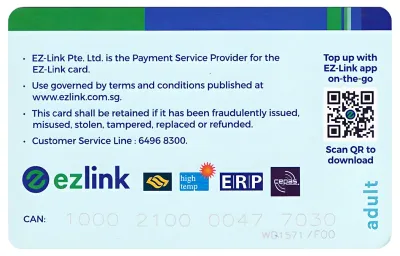
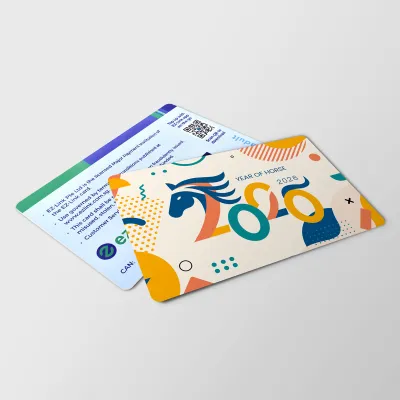
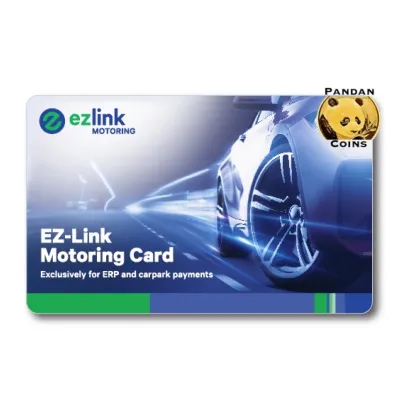
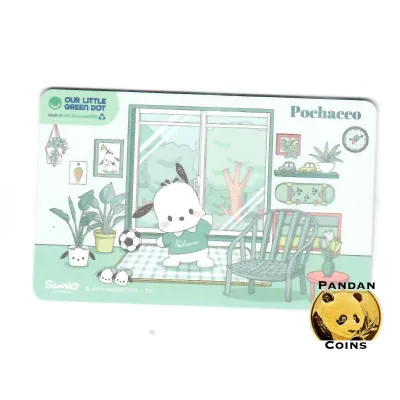
Prices are valid at publication and may change. Please refer to the product page for the latest price.
Fast Food and Quick Bites
Many major fast-food chains and quick-service restaurants located in shopping malls, commercial districts, and transit hubs across Singapore accept the card as a standard payment method. When ordering at self-service kiosks or directly at the cashier counter, you can select the stored-value card option on the payment screen and tap your card on the designated reader to complete your order. This is particularly convenient at popular outlets like McDonald’s, KFC, and Subway, where quick transactions are essential for busy commuters grabbing a meal on the go. Before ordering, look for the familiar blue-and-yellow payment terminal or the merchant decal displayed on the counter to confirm acceptance.
Food Courts and Hawker Centres
In food courts and modernized hawker centres, cashless payments have become increasingly common, and many stalls now support card transactions. Major food court operators, including Kopitiam, Food Republic, and Food Junction, feature centralized payment systems or unified card readers at individual stalls that accept transit cards. At modernized hawker centres managed by the National Environment Agency (NEA), individual stallholders often display a unified SGQR label or a dedicated terminal that supports various cashless payment modes, including stored-value cards. Because acceptance can still vary from stall to stall, it is always best to check the displayed payment decals at the front of the stall or ask the vendor before placing your order.
Cafes, Bakeries, and Beverage Kiosks
For your morning coffee run or an afternoon snack, tapping your card is often the fastest way to pay at local bakeries and beverage kiosks. Popular bakery chains such as BreadTalk and PrimaDéli, alongside major bubble tea outlets like KOI and LiHO, widely accept the card for quick purchases. This payment method eliminates the need to handle small change for minor transactions, making it simple to grab a bun, a sliced cake, or a refreshing beverage while navigating through transit stations or shopping centres on your daily commute.
Retail and Convenience: Everyday Shopping with EZ-Link
Beyond dining, your card serves as a convenient digital wallet for everyday retail purchases. This is especially useful for small-scale shopping trips where you want to avoid the friction of cash handling or the processing times associated with standard credit card transactions.

Convenience Stores and Supermarkets
Major convenience store chains, including 7-Eleven and Cheers, are fully integrated into the payment network, allowing you to pay for snacks, drinks, newspapers, and emergency personal care items with a single tap. This convenience extends to selected supermarkets and grocery outlets across the island, where you can use your card at self-checkout counters for small basket sizes. Tapping your card at these locations is ideal when you are purchasing just a few items, helping you bypass the longer queues at cash-handling registers and complete your grocery run in a fraction of the time.
Bookstores, Stationery, and Office Supplies
For students, educators, and working professionals, popular bookstore and stationery chains like Popular Bookstore accept the card, making it highly convenient to stock up on school and office essentials. When shopping for stationery items like notebooks, sketchpads, or pens, it is wise to verify the physical specifications and compatibility of the tools in-store before completing your purchase. For instance, check the paper weight (GSM) to ensure bleed resistance and smooth ink flow, especially if you plan to use heavy gel pens, markers, or fountain pens. Testing the drying speed and water resistance of different pen tips on a trial pad can prevent smudging and ensure the ink matches your writing style. Since stationery performance depends heavily on the specific combination of paper and ink, taking a moment to test these qualities in the aisle ensures you get the best value before tapping your card at the cashier.
Pharmacies and Health & Beauty
Routine health and wellness shopping is also streamlined through card acceptance at major pharmacy and personal care chains, such as Guardian and Watsons. Whether you need to purchase over-the-counter medications, daily vitamins, skincare products, or travel-sized toiletries, you can easily tap your card at the checkout counter. This is highly beneficial for quick, mid-day shopping trips in commercial districts or transit stations, allowing you to complete your purchase and return to your schedule without delay.
Lifestyle and Services: Expanding Your EZ-Link Usage
As Singapore continues to expand its cashless ecosystem, various lifestyle venues, entertainment outlets, and automated self-service facilities have integrated card payment options to improve user convenience.
Entertainment, Attractions, and Vending Machines
Your card can be used at selected entertainment venues, public swimming complexes, tourist attractions, and community facilities to pay for admission fees or equipment rentals. Additionally, the card is widely accepted at thousands of automated vending machines scattered across MRT stations, HDB void decks, and shopping malls. Whether you are purchasing a cold canned drink, a quick snack, or even small toys and novelties from automated dispensers, tapping your card eliminates the hassle of finding exact coins or dealing with crumpled paper notes that vending machines might reject.
Self-Service Laundries and Smart Lockers
Practical daily services have also embraced cashless card payments to reduce operational friction. Many self-service laundromats (coin laundries) and smart parcel lockers, such as those used for parcel collection or short-term luggage storage, feature payment terminals compatible with transit cards. This allows you to pay for laundry cycles, detergent dispensers, or locker rental fees quickly and securely. By using your card at these automated kiosks, you do not have to worry about carrying heavy bags of coins or searching for a money-changing machine nearby.
How to Verify if a Merchant Accepts EZ-Link
While the merchant network is extensive, acceptance can occasionally change due to updated payment partnerships, terminal upgrades, or individual store policies. To avoid any inconvenience at the checkout counter, there are several reliable ways to verify if a merchant accepts your card before you make a purchase.
First, look for physical decals and signage at the storefront or near the payment terminal. Participating merchants typically display the official blue-and-yellow logo or a clear “Accepts EZ-Link” sign on their cash registers, self-ordering kiosks, or entry doors. On unified payment terminals (such as those displaying the SGQR label), you can check the list of supported payment icons at the bottom of the placard to see if the logo is included.
Second, you can utilize the official EZ-Link mobile application on your smartphone to locate nearby participating merchants. The app features a comprehensive merchant directory and an interactive map that highlights retail, F&B, and service outlets in your immediate vicinity that accept the card. This digital directory is regularly updated and serves as a highly reliable tool when you are exploring unfamiliar neighborhoods or shopping complexes.
Finally, if you are uncertain, simply ask the cashier or store assistant before they begin scanning your items. A quick verbal confirmation ensures that the terminal is active and fully functional, preventing any awkwardness or delays if you need to switch to an alternative payment method like cash or a digital bank transfer.
Tips for Managing Your EZ-Link Balance for Daily Spending
To ensure a seamless payment experience at retail and dining outlets, active balance management is essential. Unlike transit gantries, which display your remaining balance every time you tap out, retail terminals may not always show your balance until after a transaction is attempted, making proactive tracking important.
- Set Up Auto Top-Up: To prevent the embarrassment of a declined transaction due to insufficient funds, consider linking your card to the Auto Top-Up service (formerly known as EZ-Reload). This service automatically triggers a pre-selected top-up amount (such as S$20 or S$30) from your linked credit card, debit card, or GIRO-enabled bank account whenever your card balance falls below a certain threshold. This ensures your card is always funded and ready for daily micro-transactions.
- Use the Official Mobile App: Downloading the official mobile app allows you to register your physical card and monitor your transactions in real time. By using an NFC-enabled smartphone, you can tap your card against the back of your phone to instantly check your current balance, view your detailed non-transit transaction history, and track your daily spending habits.
- Keep an Alternative Payment Mode Ready: While the card is highly reliable, it is always wise to carry a backup payment method, such as a small amount of physical cash or a debit card. This ensures you can complete your purchase smoothly in the rare event of a terminal malfunction, a temporary network outage, or if a specific merchant has recently updated their payment systems.
Frequently Asked Questions (FAQ)
Can I use my physical EZ-Link card for online shopping?
No, physical cards cannot be used directly for online shopping on e-commerce platforms or digital marketplaces. The physical card is designed specifically for point-of-sale, tap-and-go transactions at brick-and-mortar stores, transport gates, and physical vending machines. For online purchases, you must rely on standard digital payment options, such as credit cards, debit cards, bank transfers, or mobile wallets integrated into the specific online platform.
Is there a minimum spend when using EZ-Link at retail stores?
While the card system itself does not impose a minimum spend limit for transactions, individual merchants, food stalls, or small retail shops may establish their own minimum purchase requirements (such as S$2 or S$5) to offset terminal processing fees. It is always highly recommended to check with the cashier or look for counter signage regarding minimum spend policies before completing a small purchase.

Community discussion
Share your experience or ask a question. Comments are reviewed before publication.