
Understanding the NetFlash Card's Role in Gift and Retail Payments
A NetFlash card serves as a versatile, reloadable payment companion designed to streamline your daily retail purchases and gift-giving strategies in Singapore. As a stored-value or prepaid card, it bridges the gap between cash transactions and digital payments, offering a secure, self-contained way to manage your shopping budget. By loading a specific budget onto the card, you can easily control your spending on non-essential categories like stationery, hobbies, and lifestyle gifts without exposing your primary bank accounts to security risks.
Understanding the underlying network of your NetFlash card is crucial because this framework dictates where you can use it. Some reloadable cards operate on open-loop networks backed by major global payment processors like Visa or Mastercard, allowing them to be accepted at almost any merchant terminal supporting those brands. Others function on closed-loop or proprietary networks, such as local networks like NETS, restricting their use to participating merchants and designated point-of-sale terminals. To determine your card’s capabilities, examine the card or its packaging for official network logos, which serve as the primary indicator of its compatibility.
For consumers in Singapore, using a dedicated reloadable card provides an elegant solution for organizing discretionary spending. Whether you are allocating a monthly budget for your child’s school supplies, setting aside funds for professional office organization, or collecting balances to purchase gift vouchers, this card keeps your funds consolidated. It acts as a dedicated wallet, helping you avoid overspending while navigating the retail landscape of Singapore’s shopping hubs.
Products mentioned in this guide
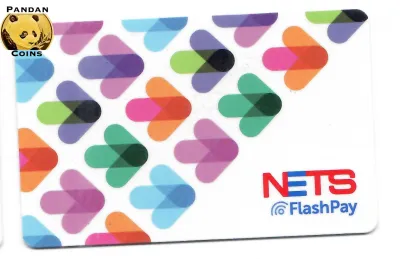
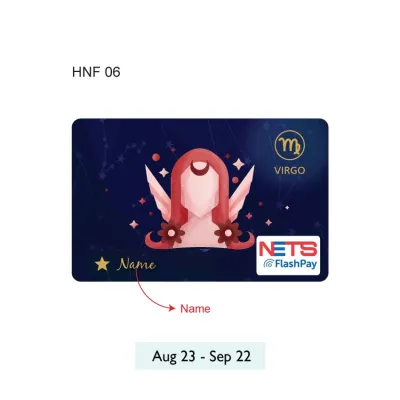
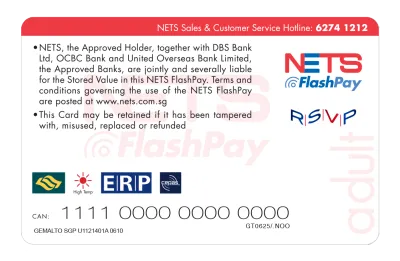
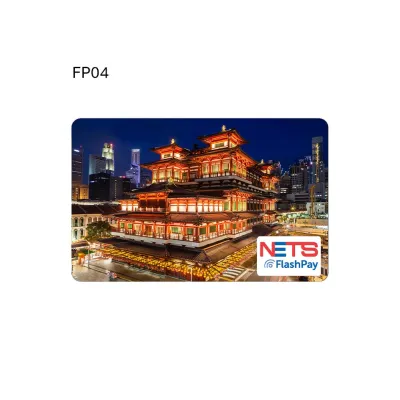
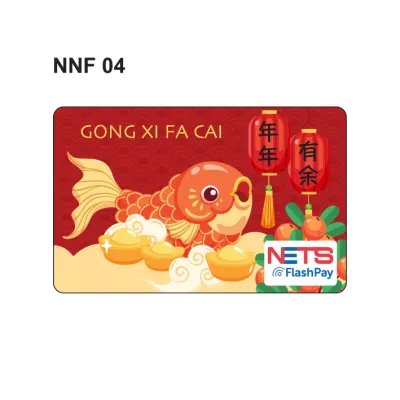

Prices are valid at publication and may change. Please refer to the product page for the latest price.
Practical Use Cases for the NetFlash Card
The utility of a NetFlash card shines brightest when applied to specific, planned shopping scenarios, particularly in the realms of personal organization, creative hobbies, and thoughtful gifting. By dedicating this card to targeted retail categories, you can navigate specialized stores with a clear financial boundary, ensuring your hobbies and administrative needs remain fully funded but strictly budgeted.

Buying Gift Cards and Digital Vouchers
One of the most effective ways to utilize your NetFlash card is as a stepping stone to purchase brand-specific gift cards or digital vouchers. Many retail counters, customer service desks, and digital kiosks across Singapore allow customers to use reloadable prepaid cards to buy gift cards for popular bookstores, specialty cafes, or lifestyle boutiques. This secondary purchasing strategy is highly beneficial for budgeting, allowing you to lock in funds for specific merchants or package them as personalized gifts for friends and family.
When planning to buy secondary gift cards with your NetFlash card, verify the merchant’s specific payment policies beforehand. Some retail outlets and automated kiosks enforce strict anti-fraud policies that restrict the purchase of gift cards or cash-equivalent vouchers to cash or direct debit cards only. To avoid disappointment at the counter, check with the retail staff or read the posted terms of service at the kiosk to confirm whether prepaid or reloadable cards are accepted for voucher transactions. Additionally, keep an eye out for seasonal promotions where purchasing a store gift card with your prepaid card might yield bonus loyalty points or promotional discounts.
Shopping for Stationery and Office Supplies
For students, remote professionals, and creative artists, the NetFlash card is an excellent tool for managing purchases of stationery and office supplies. Singapore boasts a diverse array of stationery retailers, ranging from massive bookstore chains like Popular to specialized art supply depots and minimalist lifestyle boutiques. Whether you are preparing for a new academic term, upgrading your home office setup, or replenishing your collection of professional-grade drafting tools, using a dedicated reloadable card keeps these recurring expenses organized and transparent.
When shopping for stationery, the compatibility of your tools and materials is critical to achieving the best results, and your NetFlash card allows you to purchase these items systematically. For instance, when buying high-quality notebooks and writing instruments, factors such as paper smoothness, bleed resistance, drying speed, water resistance, and erasability depend heavily on the exact combination of ink and paper material. Because these performance characteristics vary, use the store’s tester units to conduct an observable trial on a sample sheet before committing to a purchase. Check how a gel pen’s ink behaves on a specific paper weight; a quick smudge test will reveal the drying speed, while inspecting the reverse side of the page will help you verify bleed resistance.
Furthermore, always verify technical specifications and dimensions to ensure your new supplies fit your existing tools. If you are purchasing refills for multi-pens, mechanical pencil lead, or binder rings, check the exact millimeter measurements and standards printed on the packaging to guarantee compatibility. For digital stationery accessories, such as stylus tips or tablet screen protectors, verify the device model numbers carefully, as even minor variations can render a product unusable. Using your NetFlash card for these precise purchases ensures that your stationery budget is spent only on items that have been fully verified for your specific creative or professional workflow.
How to Verify Accepted Merchants and Payment Terminals
To ensure a seamless checkout experience and avoid the minor embarrassment of a declined transaction, you must know how to verify whether a merchant accepts your NetFlash card before you reach the register. Merchant payment systems in Singapore are highly advanced but can vary significantly from one storefront to another, making a proactive check essential.
Look for Visual Network Decals
The fastest way to confirm compatibility is to look for visual cues at the store’s entrance, windows, or directly on the payment terminal at the cash register. If your NetFlash card is co-branded with a major payment network like Visa, Mastercard, or NETS, look for the corresponding colored decals. Most retail shops prominently display these logos to inform customers of their accepted payment methods. If you do not see the matching logo, it is highly likely the terminal cannot process your card, even if the store accepts other digital payment forms.
Consult Official Issuer Directories
For absolute certainty, consult the official website or dedicated mobile application provided by the NetFlash card issuer. These digital platforms maintain real-time, searchable databases of authorized merchant partners and retail locations across Singapore. Because merchant agreements and payment networks can update periodically, checking the official directory is the most reliable way to find out if a specific bookstore, art shop, or lifestyle boutique is currently accepting the card.
Assess Terminal and Kiosk Compatibility
Even if a retailer generally accepts your card’s payment network, specific point-of-sale terminals within the store might have different configurations. For example, older payment terminals or certain self-checkout kiosks may not be programmed to accept reloadable prepaid cards, or they might require a physical chip insert rather than a contactless tap. If you are using a self-service kiosk and encounter an error, locate a manned counter and ask the cashier to process the card manually through their primary terminal, as these systems often have broader processing capabilities.
Stay Aware of Dynamic Contract Changes
Keep in mind that merchant acceptance is not permanently fixed. Retailers frequently upgrade their point-of-sale hardware or renegotiate their payment processing contracts, which can temporarily or permanently alter which cards they accept. If you are planning a major purchase, such as a bulk order of office supplies or high-end fountain pens, a quick call to the store or a polite question to the staff before you begin shopping can save you significant time and effort.
Reloading and Balance Management for Different Shopping Needs
Maintaining a clear understanding of your NetFlash card’s balance and knowing how to top it up efficiently are vital for a hassle-free shopping experience. Proper balance management ensures that you always have sufficient funds ready for your purchases while protecting your money from unnecessary risks.
Check Your Balance Regularly
Before heading out to the shops, always verify your current available balance using the official channels provided by the card issuer. Most issuers offer convenient digital methods, such as a mobile app, a secure web portal, or an SMS inquiry service. Some cards may also allow balance checks at local ATMs or designated self-service kiosks. Knowing your exact balance down to the cent prevents the inconvenience of a declined transaction at the checkout counter, especially when purchasing precise amounts of stationery or multiple gift vouchers.
Utilize Convenient Reloading Channels
When your balance runs low, you can replenish your funds through several authorized reloading channels in Singapore. These typically include online bank transfers, mobile banking apps, or physical top-up stations located at transit hubs, convenience stores, and participating retail outlets. Always consult the official terms and conditions of your NetFlash card to identify the exact locations of these top-up points and to check if any administration or processing fees apply to specific reloading methods, allowing you to choose the most cost-effective option.
Match Your Balance to Your Shopping Scenarios
Adopt a strategic approach to funding your card based on your immediate shopping goals. For daily, low-value purchases—such as replacing a worn-out ballpoint pen, buying a roll of washi tape, or grabbing a quick notebook—keep a modest balance of S$10 to S$20 on the card. Conversely, if you are planning a major haul, such as purchasing professional art portfolios, bulk printer paper, or high-value gift vouchers for a celebration, calculate the total cost in advance and load the precise amount needed shortly before making the transaction.
Prioritize Card Security and Loss Prevention
Because reloadable prepaid cards often function similarly to cash, protecting your physical card is paramount. If your NetFlash card is lost or stolen, any unregistered funds remaining on the card may be permanently unrecoverable. Check if your card issuer offers a registration feature that links the card to your identity; this registration often allows you to lock or freeze the card remotely via an app or customer service hotline, safeguarding your remaining balance and allowing for a replacement card to be issued.
Common Limitations and Checkout Troubleshooting
Even with careful preparation, you may occasionally encounter friction when using a reloadable card at a retail counter. Understanding the common limitations of prepaid cards and knowing how to troubleshoot issues systematically will help you resolve checkout problems quickly and calmly.
Be Mindful of Transaction and Balance Limits
Prepaid cards are subject to specific regulatory and issuer-imposed limits that differ from standard bank accounts. These can include maximum daily spending limits, caps on the total balance the card can hold at any one time, or restrictions on the number of times you can reload the card within a 24-hour period. If you are attempting a large purchase, such as high-end executive stationery or a stack of digital gift vouchers, ensure that the total transaction cost does not exceed these predefined thresholds, which you can verify in your card’s terms of service.
Utilize Split Payments for Insufficient Balances
If the cost of your stationery haul or gift card purchase exceeds the remaining balance on your NetFlash card, you do not necessarily have to abandon the transaction. Many retailers in Singapore support split-payment methods, allowing you to exhaust the remaining funds on your reloadable card and pay the outstanding balance using cash, a credit card, or a mobile payment app. Before the cashier begins scanning your items, politely ask if their system supports split tender, and clearly state the exact amount you wish to charge to your NetFlash card first.
Follow a Systematic Troubleshooting Checklist
If your card is declined during checkout, run through a quick diagnostic checklist to identify the cause:
- Check the balance: Open your issuer's app to confirm that the funds have cleared and are available.
- Verify activation: Ensure that a newly purchased or recently reloaded card has been fully activated and is ready for use.
- Inspect physical condition: Look for dirt, scratches, or damage to the card's chip or magnetic stripe that might prevent the terminal from reading it.
- Confirm terminal network: Double-check that the merchant's terminal actually supports the specific card network.
Know When to Stop and Seek Help
If your card continues to be declined after multiple attempts despite having sufficient funds and a compatible terminal, do not repeatedly swipe or tap the card. Continuous failed attempts can trigger automated security protocols, causing the merchant’s terminal or the card issuer to flag the transaction as suspicious and lock your card entirely. Instead, use an alternative payment method to complete your purchase, keep your receipt, and contact the NetFlash customer support team later to investigate the technical error or security block.
Frequently Asked Questions (FAQ)
Can I use the NetFlash card for online stationery and gift card purchases?
Online acceptance of your NetFlash card depends entirely on whether the e-commerce platform’s payment gateway supports the specific network your card operates on. If your card features a major payment logo like Visa or Mastercard, you can generally use it for online purchases by entering the card number, expiry date, and security code at checkout. Before purchasing online stationery or digital gift cards, ensure that your card is enabled for online transactions through your issuer’s mobile app or security settings.
What should I do if my transaction is declined at a physical store?
If your transaction is declined at a physical store, first check your card balance using your issuer’s app or SMS service to ensure sufficient funds. If the balance is adequate, ask the cashier to try inserting the card’s chip instead of tapping, or attempt the transaction on a different terminal. If the payment still fails, use an alternative payment method like cash or a personal debit card to complete your purchase, and contact the NetFlash customer support line later to resolve the issue.

Community discussion
Share your experience or ask a question. Comments are reviewed before publication.