
Selecting the right paper for your home or office printer involves more than just picking up the first ream you see on the shelf. The key to finding the perfect balance between crisp text, vibrant colors, and smooth printer operation lies in understanding a single, standardized metric: Grams per Square Meter, commonly abbreviated as GSM. This measurement dictates how a sheet of paper feels, how much ink it can absorb without warping, and whether your double-sided documents will remain legible.
When you choose a paper weight, you are directly influencing the final presentation of your work. A standard document printed on the wrong weight can suffer from ink bleeding, excessive show-through, or frequent printer jams. By matching the GSM to your specific printing tasks, you ensure professional results and protect your office equipment from unnecessary wear and tear.
Understanding Paper GSM: What the Numbers Actually Mean
Grams per Square Meter (GSM) is the universal standard used to measure the density and weight of paper. Specifically, it represents the physical weight of a single sheet of paper measuring exactly one square meter. Because it measures weight relative to a fixed area, GSM provides a reliable way to compare different paper types regardless of their final cut size, whether you are using standard A4 sheets or larger poster formats.
Products mentioned in this guide

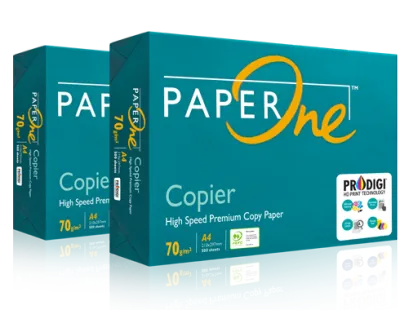
![PaperOne™ Copier Paper 70gsm / 75gsm Copy Paper A4 [2 Reams]](https://img.lazcdn.com/g/p/f3cf1c76beaab92a1010bb2f08235177.jpg_400x400q80.jpg_.webp)
![PaperOne™ Digital Premium Quality 85gsm / 80gsm Carbon Neutral Copy Paper A4 [1 Box]](https://img.lazcdn.com/g/p/314e28db684b5a59446140a7a613d0c3.jpg_400x400q80.jpg_.webp)
![PaperOne™ All Purpose Premium Quality 80gsm Copy Paper A4 [2 Reams]](https://img.lazcdn.com/g/p/6fe22f63efd1aeac13600887dc29a7da.jpg_400x400q80.jpg_.webp)
Prices are valid at publication and may change. Please refer to the product page for the latest price.
A common misconception is that GSM is a direct measurement of paper thickness. While heavier papers are often thicker, GSM actually measures density. Two different types of paper with the exact same GSM can have different physical thicknesses depending on how tightly the wood fibers are compressed during manufacturing and whether any specialized coatings have been applied to the surface.
Generally, a higher GSM number indicates a sturdier, more opaque sheet with greater opacity. Conversely, a lower GSM number means the paper is lighter, more flexible, and more translucent. It is also important to separate GSM from other paper specifications like brightness or whiteness. Brightness refers to how much light reflects off the paper surface, whereas GSM strictly concerns the weight and density of the paper structure itself.
How Paper Weight Affects Print Quality and Handling
The weight of your paper plays a critical role in how it interacts with ink or toner. When printing text-heavy documents with standard inkjet or laser printers, light ink coverage is easily managed by most paper weights. However, when you introduce heavy ink coverage, such as color charts, images, or solid backgrounds, lower GSM papers can quickly become saturated. This saturation leads to warping, cockling, or ink bleeding through to the other side of the sheet.

Opacity is another vital factor influenced by GSM, especially for double-sided printing. If you attempt to print on both sides of a lightweight sheet, the text and images from the reverse side will often show through, making the document difficult to read. Choosing a higher GSM provides the necessary density to block light, ensuring that double-sided prints remain clean, distinct, and highly legible.
Beyond the visual aspect, paper weight significantly affects the tactile experience and physical handling of your documents. Heavier papers offer greater stiffness and a premium feel, which immediately conveys quality and professionalism when handed to a client or colleague. Lightweight papers, while highly functional for quick drafts, tend to feel flimsy and are more prone to tearing or creasing during handling.
Matching GSM to Your Printer and Document Type
For everyday office tasks, high-volume copying, and internal memos, paper weights ranging from 70gsm to 80gsm are the industry standard. These papers are lightweight, highly flexible, and cost-effective for printing large volumes of text-only documents. They feed smoothly through high-speed office copiers and are ideal for temporary files that do not require long-term durability.
When your work demands a more professional presentation, upgrading to 100gsm or higher is highly recommended. This weight class is ideal for client proposals, formal letters, resumes, and marketing brochures. The increased density supports moderate color printing and double-sided layouts without compromising readability, giving your documents a polished, executive appearance.
Before purchasing heavier paper stocks, it is essential to verify your printer’s maximum media weight capacity. Standard home and office printers have physical limitations on the thickness and stiffness of paper they can reliably pull through their feed rollers. Attempting to feed paper that exceeds these manufacturer specifications can result in persistent paper jams, misfeeds, or even permanent damage to the internal feeding mechanisms.
A Practical Guide to Selecting the Right Copy and Print Paper
To make an informed purchase, establish a clear decision-making process based on your specific printing environment. Start by reviewing the technical manual of your printer to identify the supported GSM range for each input tray. Many printers feature a dedicated manual feed slot or bypass tray designed specifically to handle heavier paper weights that cannot navigate the tight curves of the standard paper cassette.
Next, evaluate the visual and physical requirements of your project. If you are printing double-sided reports with color graphics, prioritize paper with a higher GSM and high opacity ratings. For standard black-and-white text drafts, a standard 80gsm paper will serve you well while keeping operational costs manageable. Always check the product packaging for key specifications, including the GSM rating, sheet dimensions, and compatibility with inkjet or laser technologies.
If you are planning a large-scale printing project or switching to a new paper brand, consider purchasing a single small pack first. Conducting a trial run allows you to observe how the paper feeds through your specific printer model, how quickly the ink dries on the surface, and whether the final tactile feel meets your expectations. Testing beforehand prevents costly bulk-purchasing mistakes and ensures consistent print quality.
Frequently Asked Questions (FAQ)
Is higher GSM paper always better for everyday printing?
No, higher GSM paper is not always the best choice for routine office tasks. While heavier paper feels more premium, it comes with higher purchasing costs and takes up significantly more storage space in your filing cabinets. Additionally, using heavy paper for high-volume printing can strain standard office printers, leading to frequent paper jams and slower print speeds. For everyday text documents, standard 70gsm or 80gsm paper remains the most practical and cost-effective option.
Can I use photo paper GSM ratings to judge standard copy paper?
Directly comparing the GSM of photo paper to standard copy paper can be highly misleading. Photo paper is engineered with specialized chemical coatings, multiple ink-reception layers, and unique base materials that add significant weight without necessarily matching the stiffness or behavior of uncoated copy paper. When selecting paper, always evaluate photo paper and standard copy paper within their respective product categories rather than relying solely on cross-category GSM comparisons.

Community discussion
Share your experience or ask a question. Comments are reviewed before publication.