
Selecting the right printer paper involves understanding a key metric: GSM, or grams per square meter. This measurement determines the weight, density, and overall feel of the paper, directly influencing how your printed documents look and handle. Choosing the correct GSM ensures your daily office prints remain crisp, your client proposals feel professional, and your office printer avoids frustrating paper jams.
Understanding GSM: What It Actually Measures
GSM stands for Grams per Square Meter. It is a metric measurement of paper density and substance, representing the weight of a single sheet of paper measuring exactly one square meter.
While it is easy to conflate weight with thickness, GSM measures density rather than physical thickness, which is technically referred to as caliper. Two different types of paper can have the exact same GSM but different physical thicknesses depending on how tightly the wood fibers are compressed during the manufacturing process.
Products mentioned in this guide

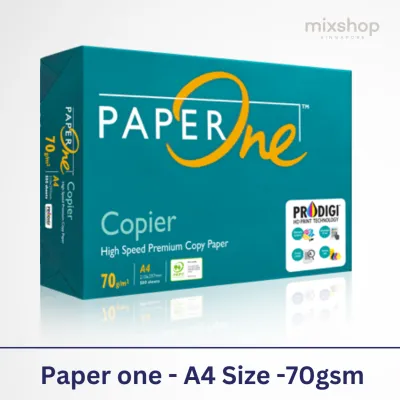
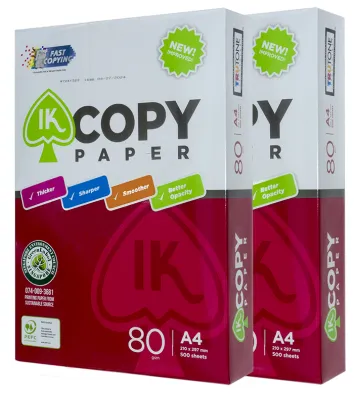
![PaperOne™ Copier Paper 70gsm / 75gsm Copy Paper A4 [1 Box]](https://img.lazcdn.com/g/p/62f961291078a3b12171dd45eea2a9a4.jpg_400x400q80.jpg_.webp)
![PaperOne™ All Purpose Premium Quality 80gsm Copy Paper A4 [2 Reams]](https://img.lazcdn.com/g/p/6fe22f63efd1aeac13600887dc29a7da.jpg_400x400q80.jpg_.webp)
Prices are valid at publication and may change. Please refer to the product page for the latest price.
Generally, a higher GSM correlates with greater opacity, meaning less light passes through the sheet. This characteristic makes heavier paper ideal for double-sided printing, as it prevents the text on the reverse side from showing through.
However, a common misconception is that a higher GSM automatically guarantees a brighter or smoother sheet. Brightness, which is how much light the paper reflects, and smoothness are determined by chemical additives, bleaching processes, and surface coatings rather than the weight of the paper itself.
How Different Paper Weights Affect Your Printing
Paper weights generally fall into distinct categories, each suited to specific office and home printing tasks. Understanding these categories helps you avoid wasting premium paper on draft documents or using thin paper for important presentations.

Standard everyday weights typically range from 70 GSM to 80 GSM. This lightweight paper is the workhorse of most offices, making it the ideal choice for high-volume copying, single-sided text documents, internal memos, and draft printing. It is highly cost-effective and feeds smoothly through high-speed office copiers.
Premium or presentation weights usually span from 90 GSM to 120 GSM. This category offers a more substantial feel and improved opacity, making it suitable for double-sided printing, color graphics, and external correspondence. Documents like client proposals, resumes, and formal letters printed on 100 GSM paper convey a sense of quality and professionalism.
Cardstock and specialty weights start around 160 GSM and can exceed 250 GSM. These heavy, rigid sheets are reserved for book covers, postcards, brochures, and craft projects. Because of their stiffness, they require careful handling and specific printer settings to avoid feeding issues.
How to Choose the Right GSM for Your Printing Tasks
To choose the right paper weight, start by matching the document type and your target audience to the appropriate category. For internal drafts and quick reference sheets, standard 70 or 80 GSM paper is perfectly adequate. For client-facing proposals, marketing materials, or formal reports, upgrading to 100 or 120 GSM ensures your work leaves a lasting, positive impression.
Next, always verify your printer’s hardware capabilities. Before loading heavy paper, check the manufacturer’s specifications for the maximum supported GSM. Standard office printers and home inkjets often struggle with sheets heavier than 120 GSM in their main paper trays, which can lead to misfeeds, roller damage, and persistent paper jams.
Finally, consider the ink or toner coverage of your print job. High-density color graphics and heavy ink loads deposit significant moisture onto the page. If you use lightweight paper for these tasks, the paper is highly susceptible to curling, cockling (wrinkling), or severe bleed-through. Opting for a heavier 100 to 120 GSM paper provides the structural integrity needed to absorb heavy ink without warping.
Practical Tips for Buying and Testing Printer Paper
When shopping for printer paper, read the packaging labels carefully. Look beyond the prominent GSM rating to check for brightness levels (often rated from 80 to 100) and the finish type, such as matte, glossy, or uncoated. These factors work in tandem with the paper weight to determine the final print quality.
Instead of purchasing bulk cartons immediately, buy a single small ream to test in your specific printer. Run a trial print to evaluate feed reliability, duplex (double-sided) performance, and how well your printer’s ink or toner adheres to the surface. This step prevents costly purchasing mistakes and ensures compatibility with your hardware.
Proper storage is essential to maintain the paper’s integrity, especially in humid environments. High humidity causes paper fibers to absorb moisture from the air, which increases the effective weight of the sheet and leads to curling and frequent printer jams. Keep your paper sealed in its original moisture-resistant wrapper until you are ready to load it into the printer, and store the packages in a cool, dry cupboard.
Frequently Asked Questions (FAQ)
Can I use heavy paper in a standard home inkjet or laser printer?
Yes, but you must stay within the limits specified in your printer’s manual. Most standard home printers can handle paper up to 120 GSM from the main tray. For heavier media like cardstock, look for a rear-feed slot or a manual-feed tray. These alternative inputs provide a straighter, flatter paper path, which minimizes bending and prevents the paper from getting stuck around the internal rollers.
Does a higher weight always prevent ink bleed-through?
While a higher GSM provides more physical barrier and opacity, it does not guarantee complete protection against bleed-through on its own. The paper’s surface coating and internal sizing (the chemical treatment applied during manufacturing to control water absorption) play an equally critical role. If you apply heavy wet ink from an inkjet printer onto an uncoated, highly absorbent heavy paper, the ink may still feather and bleed through the fibers. For heavy ink coverage, look for paper specifically rated for inkjet use or sheets with a treated surface.
Community discussion
Share your experience or ask a question. Comments are reviewed before publication.