
Managing daily expenses in Singapore requires a reliable and versatile payment method that keeps pace with a fast-moving lifestyle. The NETS FlashPay card serves as a highly practical, contactless stored-value card designed to simplify everyday transactions across a diverse range of local scenarios. From boarding public transport to paying for your morning coffee, this multi-purpose card eliminates the need to carry pocketfuls of loose change or repeatedly swipe credit cards for small-value purchases.
Understanding where and how you can utilize this payment medium helps you streamline your daily routines and avoid unnecessary payment friction. Because Singapore features a highly integrated cashless ecosystem, a single reloadable card can carry you through transport networks, retail outlets, dining establishments, and motoring checkpoints. By familiarizing yourself with the specific use cases, limitations, and maintenance steps of your card, you can maximize its utility and ensure seamless transactions wherever you go.
Navigating Public Transport and Daily Commutes
One of the primary functions of the NETS FlashPay card is facilitating smooth travel across Singapore’s highly efficient public transportation network. Commuters can use the card to pay for journeys on the Mass Rapid Transit (MRT) system, the Light Rail Transit (LRT) system, and all public bus services. This integration allows you to transition between different modes of transport without needing to purchase separate single-trip tickets or navigate complex ticketing machines during peak hours.
Products mentioned in this guide
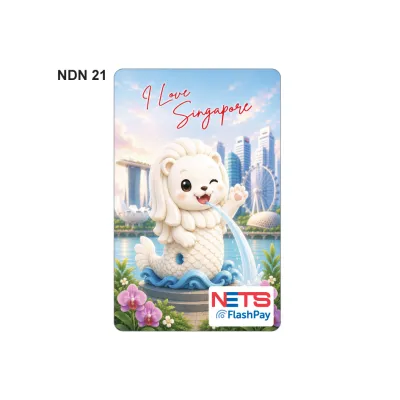
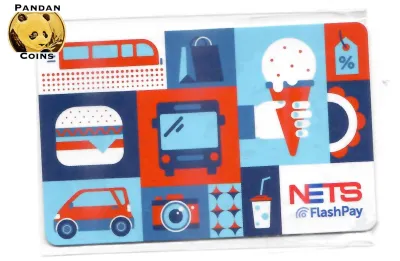
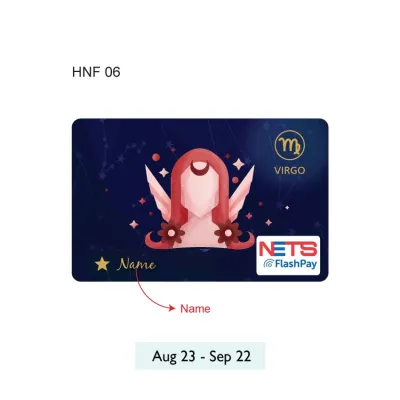
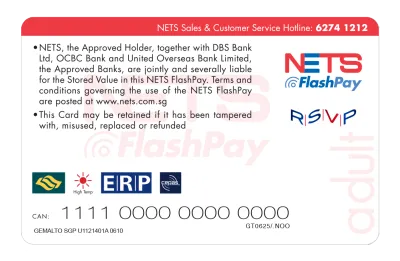

Prices are valid at publication and may change. Please refer to the product page for the latest price.
To ensure your card is accepted at the transit gantries, you should visually verify the card reader’s compatibility before tapping. Look for the distinct NETS FlashPay logo or the universal contactless symbol displayed on the card reader at the MRT station gates or bus boarding panels. Tapping your card firmly against the designated blue reader area will register your entry or exit, automatically calculating and deducting the correct distance-based fare from your stored value.
As Singapore continues to modernize its transit ticketing infrastructure, legacy card systems are undergoing gradual transitions. You should check the latest official guidelines from the Land Transport Authority (LTA) or SimplyGo regarding legacy card compatibility and potential account-based transitions. Because transit policies and card support frameworks can change, verifying updates directly from official transport portals ensures you do not face unexpected entry issues at the gantries.
Maintaining a sufficient balance is critical to avoiding transit penalties or travel disruptions. If your card’s stored value falls below the minimum required entry fare, the transit gantry will display an error message and refuse to open, requiring you to step aside and top up your card. Keeping a comfortable buffer on your card prevents these minor inconveniences and helps maintain the flow of commuters behind you.
Paying for Groceries, Retail, and Dining
Beyond public transit, the card is widely accepted across a vast network of brick-and-mortar retail establishments, supermarkets, and dining venues. When shopping for daily essentials, you can use the card at major supermarket chains, local convenience stores, and neighborhood minimarts. This makes it an incredibly convenient tool for quick, low-value purchases where counting out cash or waiting for credit card authorization would otherwise slow down the checkout line.

To complete a transaction, always look for the blue-and-white NETS terminal or specific FlashPay acceptance decals prominently displayed at the checkout counter. When you are ready to pay, inform the cashier that you wish to use FlashPay, then tap your card on the contactless terminal reader. The transaction is processed almost instantly, providing a secure and hygienic way to pay for your items without physical contact.
While acceptance is widespread in modern retail environments, some smaller independent merchants, traditional market stalls, or hawker centre vendors may have different payment preferences. Some of these micro-merchants may enforce minimum spend requirements for card transactions or prefer alternative digital payment methods like QR codes. It is always wise to verify payment acceptance with the merchant or check the terminal screen before placing your order.
This cross-scenario compatibility means you can seamlessly transition from buying groceries in the morning to enjoying a meal at a participating food court or casual dining outlet in the afternoon. By carrying a single card, you reduce the clutter in your wallet while retaining the ability to cover a broad spectrum of retail and dining expenses throughout the day.
Handling ERP and Car Park Payments for Drivers
For motorists in Singapore, the card serves as a vital tool for managing road tolling and parking fees. The card is fully compatible with the Electronic Road Pricing (ERP) system and electronic car park gantries across the island. This integration allows drivers to navigate toll roads and parking facilities without worrying about manual payment slips or cash top-ups at exit booths.
To use the card for motoring payments, you must ensure it is properly inserted into your vehicle’s In-Vehicle Unit (IU). Drivers must verify that their specific generation of IU is fully compatible with the card type, as older or newer units may have different card reading specifications. The card should be inserted securely with the electronic chip facing the correct direction, as indicated by the diagram on your physical IU device.
Maintaining an adequate balance on your motoring card is essential to avoid costly administrative fines. If you pass through an active ERP gantry with an insufficient balance or an improperly inserted card, the system will record a violation, resulting in a notification and an administrative fee. Similarly, entering or exiting an electronic car park with low funds can cause the exit gantry to remain closed, creating traffic build-up behind your vehicle.
To prevent these issues, drivers should make a habit of checking their IU display panel regularly. The screen displays your current card balance briefly upon starting the vehicle and whenever you pass through a payment gantry. If you hear a warning tone or see a low-balance alert on your IU display, plan a stop at a convenient top-up location before your next journey.
Using Vending Machines and Self-Service Kiosks
Unattended payment terminals represent another convenient use case where the card shines. You can use your card to pay at various self-service kiosks, including automated laundromats, beverage vending machines, public photocopying stations, and self-service luggage lockers. These machines are designed for rapid, self-guided transactions, making contactless cards the ideal payment method.
Because unattended machines are managed by various independent operators, not all units support every type of contactless card. Before attempting to make a purchase, check the machine’s payment panel for the official logo. If the logo is present, select your desired item or service on the screen, wait for the payment prompt, and tap your card on the designated reader area to complete the transaction.
If you encounter an issue where the machine fails to read your card, there are a few simple troubleshooting steps you can take without damaging the card. Gently wipe the physical contact chip with a clean, dry cloth to remove any accumulated dust or oils, and try repositioning the card flat against the reader. If the machine continues to reject the card, check your balance at a nearby terminal to confirm the card is active and carries sufficient funds.
Understanding Payment Limitations and Exclusions
While the card is highly versatile for physical, face-to-face transactions in Singapore, it does have specific boundaries and limitations. The card generally cannot be used for online shopping or e-commerce transactions, unless it is specifically integrated with a supported digital wallet that explicitly permits online processing. You should always verify the terms of your digital wallet before attempting online purchases.
Furthermore, the card is strictly designed for domestic use within Singapore and cannot be used for overseas transactions or payments in foreign countries. It also does not support peer-to-peer (P2P) fund transfers, meaning you cannot transfer money directly from your card to another individual’s card or bank account. The card operates on a local, closed-loop network tailored specifically for immediate merchant transactions.
It is also important to remember that this card is a stored-value medium and does not function as a credit facility. Because there is no overdraft protection, any transaction that exceeds your current available balance will be immediately declined. Additionally, the funds loaded onto the card cannot be withdrawn as physical cash from standard bank automated teller machines (ATMs), making it a dedicated spending tool.
Managing Top-Ups, Balances, and Card Expiry
Keeping your card funded and active is straightforward, thanks to a wide variety of physical top-up channels available across the island. You can add value to your card at local bank ATMs, AXS stations, transit ticketing machines, and cashier counters at participating retail outlets. You should verify the specific top-up limits, accepted payment modes, and any potential convenience fees at these locations before initiating a transaction.
Monitoring your remaining balance is simple and can be done at various daily touchpoints. Your balance is displayed on transit readers every time you tap out of an MRT station or exit a public bus. You can also check your balance at any physical top-up machine, automated kiosk, or via official mobile applications designed to read contactless cards using your smartphone’s near-field communication (NFC) capabilities.
Like all physical smart cards, these cards have a finite lifespan and will eventually reach their expiry date. You can check the expiry date printed on the back of your physical card or view it on a transit terminal screen. When your card expires, the stored funds are not lost; you can claim a refund or transfer the remaining balance to a new card by following the official procedures set by the issuer, though administrative fees may apply depending on current policies.
Frequently Asked Questions (FAQ)
What happens to the remaining balance if my card expires?
The stored value on your card does not disappear when the card reaches its expiry date. To retrieve these funds, you must follow the official refund or transfer procedures outlined by the card issuer. This typically involves visiting a designated customer service center, transit ticket office, or using an authorized terminal to transfer the balance to a active replacement card. Be sure to check the issuer’s current terms, as administrative fees may apply to balance refunds or transfers.
Can I link my reloadable card to mobile payment apps?
Linking a physical stored-value card directly to mobile payment platforms for contactless smartphone payments depends entirely on the specific mobile wallet and the card’s generation. Some mobile wallets allow you to register or top up physical cards, while others require a dedicated digital version of the card. You should consult the official compatibility list and user guides of your preferred mobile payment app to verify if your specific card can be integrated.

Community discussion
Share your experience or ask a question. Comments are reviewed before publication.