
When selecting paper for large-format printing, 80gsm A3 paper stands out as the standard workhorse for offices, design studios, and copy shops. The term “80gsm” refers to the paper’s weight and density, indicating that a square meter of this paper weighs exactly 80 grams. For an A3 sheet, which is twice the size of standard A4 paper, this weight offers a familiar, reliable balance of flexibility and structural integrity. Understanding how this weight translates to real-world performance helps you avoid common printing pitfalls, ensure compatibility with your office equipment, and achieve clean, professional results for your documents.
Decoding 80gsm: What the Weight Means for A3 Paper
To understand what 80gsm means, it is helpful to look at the acronym itself: Grams per Square Meter (GSM). This metric measures the density or basis weight of the paper rather than the weight of an individual sheet. Because GSM is a measure of density, a single sheet of A3 paper does not weigh 80 grams. Instead, because an A3 sheet measures 297mm by 420mm (exactly one-eighth of a square meter), a single sheet of 80gsm A3 paper actually weighs approximately 10 grams.
It is also important to distinguish between paper weight and physical thickness, often referred to as caliper. While GSM measures mass per unit area, the actual thickness of 80gsm paper can vary slightly depending on the manufacturing process, fiber composition, and surface finishes. For instance, highly calendered (smoothed) paper might feel thinner and denser than a rougher, more porous sheet of the same weight.
Products mentioned in this guide
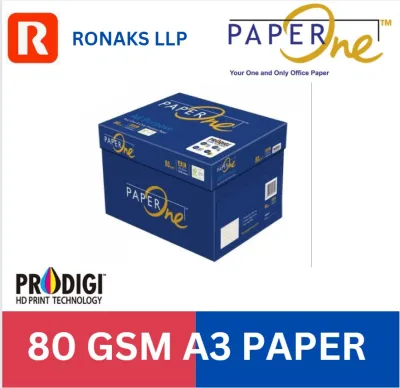
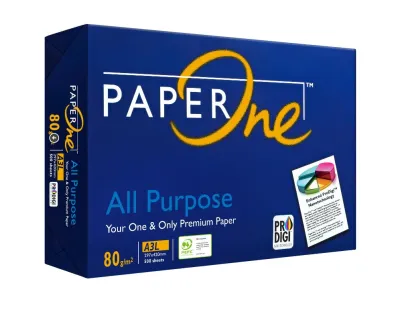
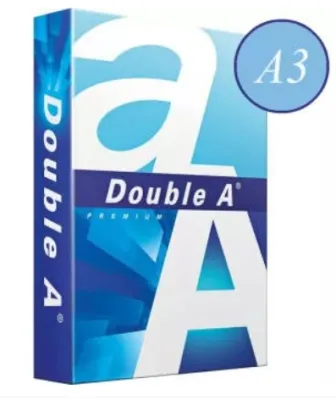
Prices are valid at publication and may change. Please refer to the product page for the latest price.
When you hold an A3 sheet of 80gsm paper, it feels substantially more substantial and heavier in hand than an A4 sheet of the exact same GSM. This tactile difference is entirely due to the doubled surface area. The larger dimensions mean the sheet has more total mass, which affects how it drapes, folds, and feeds through printing machinery.
Print Quality and Durability: What to Expect from 80gsm
Evaluating how 80gsm A3 paper handles ink and toner is crucial before committing to a large print run. At this weight, the paper offers moderate opacity. When printing standard text documents or simple line drawings, you can expect clean, sharp results with minimal show-through. However, if you plan to print double-sided documents with heavy ink coverage, such as full-color charts or photographic elements, there is a noticeable risk of ink show-through (ghosting) or even bleed-through, depending on the ink type and printer settings.

For text-heavy reports, architectural schematics, and black-and-white line drawings, 80gsm is highly suitable. It provides a crisp background that keeps fine lines legible. Conversely, for high-coverage color graphics, marketing posters, or detailed photographic portfolios, a heavier stock is generally preferred to prevent the paper from warping or buckling under the moisture of heavy inkjet saturation.
In terms of durability, 80gsm paper handles basic folding, scoring, and binding well. It is flexible enough to be folded into brochures or bound into multi-page reports without cracking along the seams. However, for large-format presentations or office posters that will be handled frequently or hung on walls, 80gsm may lack the stiffness required to resist curling and tearing over time.
Printer Compatibility: Avoiding Jams and Feed Issues
Before purchasing a ream of A3 80gsm paper, verifying that your office printer or copier can physically accommodate these dimensions is the first essential step. Not all standard office printers support A3 media; you must check the physical paper tray dimensions and ensure the device has an adjustable guide or a dedicated bypass tray designed for 297mm by 420mm sheets.
Next, consult your printer’s user manual to verify the supported GSM range. While 80gsm is the standard default weight for most office copiers, some compact or specialized printers have strict upper or lower limits for paper thickness. Feeding paper that falls outside these specifications can lead to frequent paper jams, misfeeds, or premature wear on the rubber feed rollers.
To optimize print quality and prevent feeding issues, adjust your printer settings before sending a job. Most modern print drivers allow you to select the specific paper type (such as “Plain Paper”) and weight profile (such as “75-90 gsm”). Correctly configuring these settings ensures the printer applies the appropriate amount of heat and pressure during the toner fusing process or adjusts the ink drying time, resulting in smudge-free prints and smooth paper passage.
80gsm vs. Other Weights: Making the Right Choice
Choosing the right paper weight involves balancing cost, print quality, and presentation needs. Comparing 80gsm to lighter and heavier alternatives can help you determine if it is the optimal choice for your specific project.
Lighter options, such as 70gsm paper, are often selected for high-volume, everyday internal drafting and utility printing. Using 70gsm can save a few S$ on large-scale print runs and allows you to fit more sheets into a standard printer tray. However, 70gsm paper is thinner, more prone to jamming in high-speed machines, and has lower opacity, making it less suitable for double-sided printing or client-facing documents.
Heavier options, such as 100gsm or 120gsm paper, are ideal for premium client presentations, certificates, and documents requiring heavy ink saturation. These heavier weights offer superior opacity, a luxurious tactile feel, and excellent resistance to curling. The trade-off is a higher cost per sheet and reduced tray capacity.
| Paper Weight | Best Use Cases | Key Advantages | Limitations |
|---|---|---|---|
| 70gsm | Internal drafts, high-volume utility prints | Cost-effective, high tray capacity | Low opacity, prone to curling |
| 80gsm | Standard office documents, reports, line drawings | Balanced cost and durability, highly compatible | Moderate opacity, limited heavy ink support |
| 100gsm – 120gsm | Premium presentations, color graphics, certificates | Excellent opacity, premium feel, durable | Higher cost, lower tray capacity |
Frequently Asked Questions (FAQ)
Is 80gsm A3 paper suitable for double-sided printing?
Yes, 80gsm A3 paper can be used for double-sided (duplex) printing, but its suitability depends on the content. For standard text-based documents and simple line drawings, it performs reliably. However, because 80gsm paper has moderate opacity, heavy color graphics or dark images may show through to the other side. To minimize this, test a single sheet with your specific design first, and consider adjusting your printer’s density settings to reduce the amount of ink or toner applied.
Will 80gsm paper jam my standard A3 printer?
Generally, no. 80gsm is the standard weight for most office and commercial A3 printers, meaning they are optimized to feed this weight smoothly. To prevent jams, always check your printer manual for the maximum tray capacity and avoid overfilling. If you experience feeding issues, ensure the paper guides in the tray are snugly aligned against the stack, or try using the manual feed or bypass tray for smoother paper passage.

Community discussion
Share your experience or ask a question. Comments are reviewed before publication.