
When purchasing office supplies, you will inevitably encounter the term “gsm” printed on almost every ream of paper. If you are looking for standard office or home printing paper, a4 paper 80gsm is the most common specification you will find. Understanding what this measurement means and how it affects your documents is key to choosing the right paper for your daily needs.
In simple terms, 80gsm represents the weight and density of the paper, serving as the universal standard for everyday printing. It offers a reliable balance of thickness, opacity, and cost-effectiveness. Whether you are printing standard business contracts, school essays, or double-sided reports, this weight ensures your documents look professional without causing frequent printer issues.
What "A4 Paper 80gsm" Actually Means for Your Printing
The acronym “gsm” stands for grams per square meter. This metric measures the density and weight of the paper stock. It is a common misconception that a single sheet of A4 paper weighs 80 grams. In reality, the weight refers to a sheet of paper measuring exactly one square meter.
Products mentioned in this guide
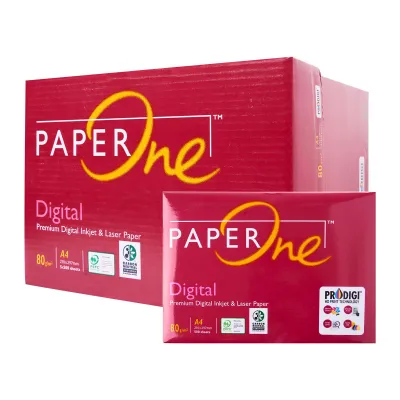
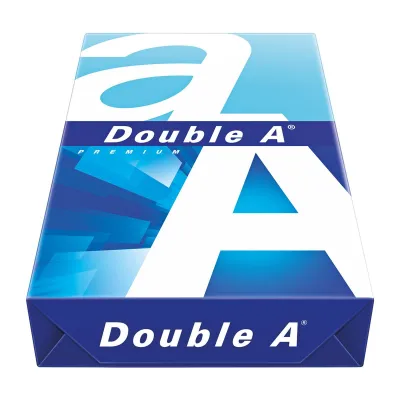
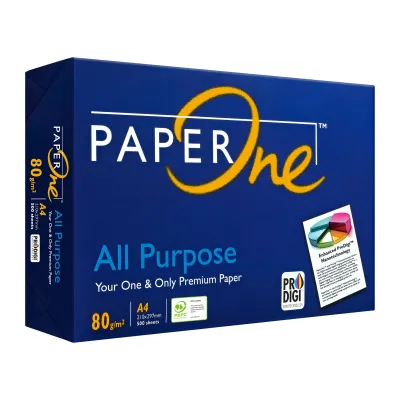
Prices are valid at publication and may change. Please refer to the product page for the latest price.
Because the international A-series paper sizing system is highly standardized, we can calculate the exact weight of a single sheet of A4 paper. An A0 sheet of paper measures exactly one square meter. An A4 sheet is precisely one-sixteenth the size of an A0 sheet. Therefore, to find the weight of a single sheet of 80gsm A4 paper, you divide 80 by 16, which equals exactly 5 grams. Knowing this makes it easy to estimate the weight of physical mail or documents when calculating postage costs.
Beyond weight, gsm directly influences three critical physical traits of the paper:
- Caliper (Thickness): A standard sheet of 80gsm paper typically measures between 100 and 110 microns in thickness. This provides a substantial feel without being too stiff to pass through standard printer rollers.
- Opacity: Opacity refers to how much light passes through the sheet. At 80gsm, paper generally achieves an opacity rating of 90% to 92%, which is the baseline requirement for legible double-sided printing.
- Stiffness: The structural integrity of the paper fibers prevents the sheet from sagging or curling easily when handled or fed through a machine.
While heavier paper is often associated with higher quality, it is not always the best choice. Heavier weights cost more, take up more storage space, and can cause feeding issues in standard office equipment. 80gsm serves as the optimal middle ground, delivering professional quality at an affordable price point.
Real-World Performance: Duplex Printing, Ink, and Jamming
How paper behaves inside a printer depends heavily on its weight and surface composition. When using a4 paper 80gsm, you can expect reliable performance across various printing tasks, though certain ink and hardware factors will influence your final results.

Double-Sided (Duplex) Printing
One of the main reasons offices standardize on 80gsm paper is its suitability for double-sided printing. Because the paper has sufficient density, text printed on one side does not easily show through to the other. This visual bleed-through, often called “ghosting,” is a common issue with lighter 70gsm papers. While 80gsm handles dry laser toner exceptionally well on both sides, heavy liquid ink from inkjet printers may still produce minor show-through if the document contains dark, solid color blocks.
Ink and Toner Absorption
Laser printers use heat to fuse dry plastic toner powder onto the surface of the paper. Because toner does not wet the fibers, 80gsm paper handles complex laser-printed text and sharp line graphics beautifully. Inkjet printers, however, spray liquid ink that must be absorbed and dried by the paper fibers. The surface smoothness and fiber density of standard 80gsm paper allow standard black-and-white text to dry quickly without feathering. If you plan to print dense, full-color graphics, you should perform a quick trial print to verify that the ink dries fast enough to prevent smudging.
Paper Jams and Feedability
Printer feed mechanisms rely on the paper having a specific amount of stiffness to travel smoothly through the internal rollers. Flimsy paper can easily buckle, crumple, or double-feed, leading to frustrating paper jams. The structural stiffness of 80gsm paper allows it to resist bending as it is pulled from the tray and guided through the tight turns of the printer’s paper path. This reliability is especially important for high-speed office copiers that process dozens of pages per minute.
Tactile Feel and Professionalism
The weight of a document is often the first thing a client or colleague notices when you hand them a physical copy. A document printed on 80gsm paper feels crisp, clean, and durable. It does not limp or tear as easily as economy-grade paper, helping you present a more polished and professional image.
80gsm vs. 70gsm and Heavier Weights: Which Scenario Fits?
Choosing the right paper weight requires balancing your budget against your performance needs. While 80gsm is highly versatile, other weights may be better suited for specific tasks.
| Paper Weight | Primary Characteristics | Best Use Cases | Duplex Suitability | Relative Cost |
|---|---|---|---|---|
| 70gsm | Lightweight, thin, high show-through | High-volume internal drafts, packing slips, single-sided scratch pads | Poor (highly prone to ghosting) | Low / Economy |
| 80gsm | Standard thickness, balanced opacity, reliable feeding | Everyday business letters, standard contracts, double-sided reports, general office copy | Good (excellent for laser, moderate for inkjet) | Moderate / Standard |
| 100gsm to 120gsm | Thick, premium feel, high opacity, bright white finish | Formal proposals, resumes, letterheads, presentation handouts, color brochures | Excellent (handles heavy ink and toner) | High / Premium |
70gsm (Economy/Draft)
This weight is designed primarily for high-volume, single-sided printing where minimizing paper costs and saving physical storage space are your main priorities. Because it is thin, 70gsm paper is highly prone to paper jams in older machines and is not recommended for double-sided printing due to severe text show-through.
80gsm (Standard/Versatile)
This is the default choice for most businesses and homes. It successfully balances cost, professional presentation, and mechanical reliability. It is the ideal weight for external communications, standard legal contracts, and everyday multi-page reports.
100gsm to 120gsm+ (Premium/Presentation)
These heavyweight papers are reserved for documents that need to make an impact. They feature a smooth, bright surface that makes colors pop and text look incredibly sharp. Use these weights for resumes, formal business proposals, or marketing materials. However, avoid using them for standard multi-page documents, as they will quickly fill up your binders and increase mailing costs.
Verifying Printer Compatibility and Storing Paper in Humid Climates
Before purchasing a large quantity of 80gsm paper, you should confirm that your printing equipment is compatible and understand how to store the paper to maintain its quality.
Checking Printer Specifications
Almost every modern home and office printer is designed to handle 80gsm paper as its standard operating medium. However, if you are using an older, highly compact, or specialized machine, it is always wise to double-check. Look at the specifications label on the back of your printer or consult the user manual under “Supported Media Weights.” Most standard machines support a range of 60gsm to 105gsm in the main paper tray.
Paper Tray Capacity
Because 80gsm paper is slightly thicker than 70gsm economy paper, a full ream of 500 sheets will take up more physical height in your paper tray. When loading your printer, pay close attention to the maximum fill line marked on the inside of the paper cassette. Overloading the tray can cause the feed rollers to grab multiple sheets at once, resulting in immediate jams.
Moisture and Storage in Humid Climates
Paper is highly hygroscopic, meaning it naturally absorbs moisture from the surrounding air. In tropical environments like Singapore, where relative humidity levels are consistently high, unprotected paper can quickly degrade. When paper fibers absorb moisture, they expand unevenly. This causes the edges of the sheets to wavy or curl, which dramatically increases the risk of paper jams, misfeeds, and ink smudging.
To keep your paper in optimal condition, practice these simple storage habits:
- Keep it sealed: Do not open a new ream of paper until you are ready to use it. The packaging wrapper is lined with a moisture-resistant barrier designed to protect the paper.
- Store it flat: Always store your paper boxes and reams flat on a shelf or pallet. Storing reams on their edges can cause the paper to warp under its own weight.
- Keep it off the floor: Avoid placing paper boxes directly on concrete floors, as moisture can seep up through the ground and ruin the bottom reams.
- Load only what you need: Only load enough paper into your printer tray to last for two or three days. Leaving a large stack of paper exposed to humid air inside an idle printer will eventually cause curling and feeding issues.
Frequently Asked Questions (FAQ)
Is 80gsm paper thick enough to prevent ink from bleeding through?
For standard text documents and light color graphics, 80gsm paper is highly effective at preventing ink bleed-through. However, if you are using a liquid-ink inkjet printer to print high-density, full-page photos or saturated color graphics, the ink may saturate the fibers and show through to the other side. For heavy-ink applications, using specialized matte or glossy photo paper is recommended.
Why does my 80gsm paper keep jamming even though my printer supports it?
The most common cause of paper jams with standard 80gsm paper is moisture absorption from the air, which causes the sheets to stick together and curl. To resolve this, remove the paper stack from the tray and gently fan the edges to separate the sheets and introduce air. Additionally, ensure that the paper guides inside the tray are adjusted snugly against the stack without squeezing or bending the paper.

Community discussion
Share your experience or ask a question. Comments are reviewed before publication.