
Selecting the right copy printing paper is essential for achieving clean prints and keeping your office equipment running smoothly. The key to making this choice lies in understanding “GSM,” the standard metric used to measure paper weight and density. Choosing the correct weight ensures your documents look professional, prevents costly printer jams, and keeps your office budget on track.
Whether you are printing high-volume internal drafts, official contracts, or premium client proposals, matching the paper weight to the specific task is crucial. In Singapore’s humid climate, this decision becomes even more important, as paper weight and storage directly impact how well your sheets feed through a printer. By understanding how GSM translates to real-world performance, you can confidently select the perfect paper for any document type.
What GSM Actually Means on Copy Printing Paper Packaging
When shopping for copy printing paper, the most prominent specification on the packaging is usually a number followed by “GSM,” which stands for “Grams per Square Meter.” This metric unit represents the weight of a single sheet of paper measuring exactly one meter by one meter. Because it measures weight per unit area, GSM serves as a universal standard for comparing the density and substance of different paper products.
Products mentioned in this guide



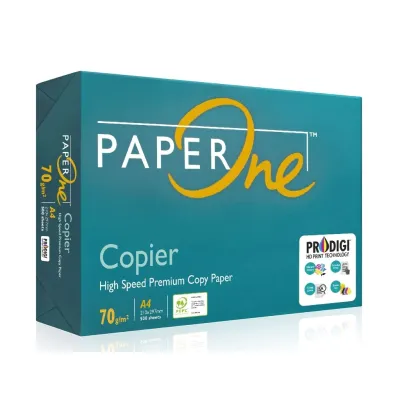
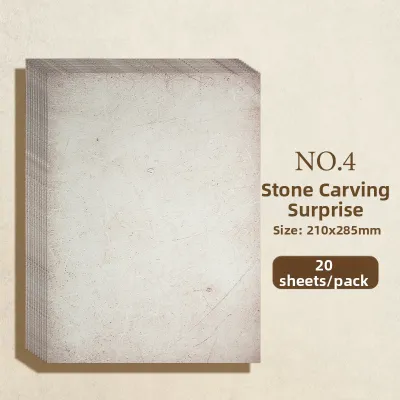
Prices are valid at publication and may change. Please refer to the product page for the latest price.
A common misconception is that GSM is a direct measurement of paper thickness. While a higher GSM generally correlates with thicker paper, the manufacturing process plays a major role. For instance, paper undergoes calendering, where raw paper fibers are pressed between heavy rollers to smooth out the surface. High calendering pressure compresses the fibers, making the paper denser and smoother but physically thinner, even though its GSM remains high.
To read packaging labels confidently, look for the GSM rating alongside the sheet dimensions, such as A4 (the standard size used in Singapore offices) or A3. A package labeled “A4 Copy Paper 80 GSM” means that if you were to assemble enough sheets to cover one square meter, that paper would weigh exactly 80 grams. Understanding this allows you to gauge the density, stiffness, and general feel of the paper before you purchase.
How Paper Weight Affects Print Quality and Printer Performance
The weight of your copy printing paper directly influences how ink or toner behaves on the page and how smoothly the paper travels through your printer’s internal machinery. Selecting the wrong weight can lead to poor presentation or printer issues.

Opacity and show-through are heavily dependent on GSM. Opacity refers to how much light is blocked by the paper. Lower GSM papers are translucent, causing double-sided prints to suffer from severe show-through. Higher GSM papers contain more fibers per square inch, offering the opacity needed to keep text on both sides crisp and legible.
Stiffness and feed reliability are equally critical for daily operations. Printers rely on friction rollers to pull paper through a precise path. Light paper (under 70 GSM) lacks stiffness and easily wrinkles or double-feeds. Conversely, heavy paper (over 100 GSM) resists bending around tight rollers, causing roller slippage and mechanical jams.
The physical weight of a document also influences how recipients perceive your business. Lightweight sheets can make a formal contract feel temporary. A substantial, heavier sheet conveys quality and professionalism, making it ideal for external client presentations.
Which GSM Rating Fits Your Document Type?
Choosing the right copy printing paper weight requires balancing the document’s purpose, your audience, and whether you print on one or both sides.
70 GSM: Everyday Drafts and Internal Documents
For high-volume office tasks, 70 GSM paper is highly economical. It is ideal for single-sided drafts, internal memos, and daily note-taking. While thinner sheets save physical storage space in filing cabinets, they have low opacity and are prone to curling under heavy ink coverage, making them unsuitable for double-sided printing.
80 GSM: Standard Office Use and Double-Sided Printing
The universal benchmark is 80 GSM paper, offering an ideal balance of cost, quality, and reliability. It is the default choice for standard contracts, reports, and daily correspondence. This weight provides sufficient opacity for double-sided printing and feeds smoothly through standard office copiers and home inkjets without requiring custom settings.
100+ GSM: Premium Reports, Certificates, and Presentations
For formal proposals, presentations, resumes, and certificates, upgrading to 100 GSM or 120 GSM paper is recommended. This premium range features a smooth finish and a substantial weight that commands respect. It offers excellent opacity for heavy color graphics with zero show-through. Because this paper behaves like light cardstock, verify your printer’s maximum weight limits and consider using a manual bypass tray to prevent jams.
How to Check Printer Compatibility and Prevent Paper Jams
To get the best results, you must match your paper weight to your hardware capabilities and handle it correctly for your local environment.
First, check your printer’s specifications in the user manual under “Media Handling” or “Supported Paper Weights.” While standard office multi-function printers often support up to 120 GSM, compact home models may top out around 90 GSM. Exceeding these limits causes roller wear, fuser errors, and persistent paper jams.
Second, consider the paper path. Bottom-loading trays force paper to make a sharp 180-degree turn, which is difficult for stiff, high-GSM sheets. For weights over 100 GSM, use the rear feed or manual bypass tray if available. This provides a straighter path, reducing strain on the rollers.
Third, account for local humidity, which is especially critical in Singapore’s tropical climate where relative humidity regularly exceeds 80%. Uncoated copy printing paper is highly hygroscopic, absorbing moisture from the air. Damp paper loses stiffness, curls, and sticks together, causing multi-sheet feeds. To prevent this, store paper in its original moisture-resistant wrapper and only load what you need for immediate print jobs.
Fourth, adjust your driver settings. When printing on 100+ GSM paper, change the “Paper Type” setting in your print menu to “Heavy Paper” or “Thick.” This slows down the feed speed and increases fuser temperature, ensuring toner fuses completely to the dense fibers without smudging.
Quick Guide: Matching Paper Weight to Your Printing Needs
This table outlines the ideal paper weight for common document types to help you make a quick decision.
| Document Type | Recommended GSM | Key Benefit |
|---|---|---|
| Internal Drafts & Memos | 70 GSM | Highly cost-effective; reduces physical filing bulk |
| Contracts & Letters | 80 GSM | Universal printer compatibility; ready for double-sided printing |
| Client Proposals & Reports | 100 GSM | Premium tactile feel; excellent opacity for color graphics |
| Certificates & Cover Pages | 120+ GSM | Prestigious, heavy feel; highly durable and rigid |
Frequently Asked Questions (FAQ)
Is higher GSM always better for everyday printing?
No, higher GSM is not always better for daily office tasks. While heavier paper feels premium and has higher opacity, it is significantly more expensive and adds unnecessary weight and bulk to your physical archives. Additionally, using heavy paper for routine print jobs increases the wear and tear on your printer’s rollers and raises the risk of paper jams if your hardware is not rated for thick media. For everyday printing, standard 80 GSM paper remains the most efficient and reliable choice.
Can I use the same GSM rating for photo paper and copy paper?
No, you should not treat them as interchangeable. GSM only measures the weight of the paper per square meter; it does not account for surface coatings, fiber composition, or manufacturing treatments. A 200 GSM photo paper features specialized chemical coatings designed to absorb liquid inkjet inks without warping, whereas a 200 GSM uncoated copy paper or cardstock lacks these coatings and will cause photo inks to pool or smudge. Always select your paper based on both its GSM and its specific surface treatment.
Community discussion
Share your experience or ask a question. Comments are reviewed before publication.