
70 GSM A4 paper is a lightweight, cost-effective printing medium designed primarily for high-volume, everyday office tasks where heavy paper is unnecessary. The term “GSM” stands for grams per square meter, which measures the density and weight of the paper rather than its direct thickness. If you are looking for an economical option for printing draft documents, internal memos, or single-sided black-and-white texts, 70 GSM paper offers a practical solution that reduces bulk and saves storage space. However, determining whether it fits your specific printing needs depends on your printer’s capabilities, your document type, and whether you require double-sided printing.
Understanding the 70 GSM Specification
To understand what 70 GSM means, it helps to look at how paper weight is calculated. Grams per Square Meter (GSM) represents the weight of a single sheet of paper measuring one square meter. Therefore, a sheet of 70 GSM paper is lighter than standard 80 GSM paper because it contains less fiber mass per unit of area. This difference in mass directly influences the physical characteristics of each sheet you handle.
When comparing 70 GSM to the more common 80 GSM paper, you will notice observable differences in thickness, stiffness, and opacity. A 70 GSM sheet feels noticeably thinner and more flexible. Because there is less fiber density, the paper is also more translucent, meaning light passes through it more easily. This lower opacity is a key physical trait to keep in mind when planning your print jobs.
Products mentioned in this guide
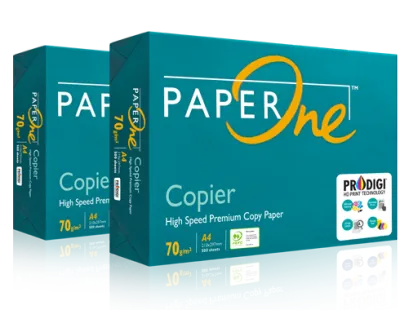
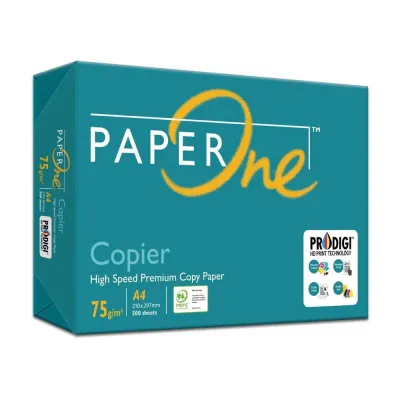
![PaperOne™ Copier Paper 70gsm / 75gsm Copy Paper A4 [1 Box]](https://img.lazcdn.com/g/p/62f961291078a3b12171dd45eea2a9a4.jpg_400x400q80.jpg_.webp)

![[SG]Perfect Print A4 Size 70gsm White Copier Paper [Evergreen Stationery] (5 Reams per Carton) | MAX 2 CARTONS/ORDER](https://img.lazcdn.com/g/p/5b68d91431474af3ae7b65825324d08d.png_400x400q80.png_.webp)
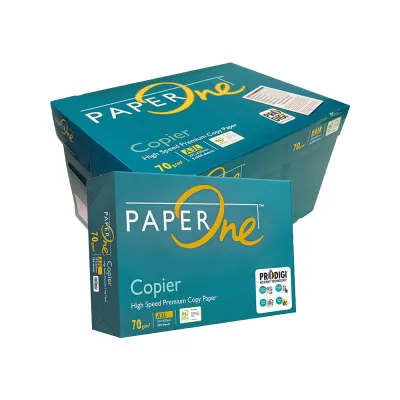
Prices are valid at publication and may change. Please refer to the product page for the latest price.
The lighter weight of 70 GSM paper has a compounding effect when handled in bulk. A standard ream of 500 sheets of 70 GSM paper is lighter and less bulky than an equivalent ream of 80 GSM paper. For offices that go through dozens of boxes of paper monthly, this reduction in weight makes physical handling, lifting, and shelf storage much easier. It also reduces shipping weight, which can lower procurement costs when ordering paper supplies in large quantities.
Best Use Cases for 70 GSM A4 Paper
Because of its lightweight nature, 70 GSM A4 paper is highly suited for specific, high-volume applications where premium presentation is not a priority. It is an excellent choice for printing internal office memos, rough drafts, and daily worksheets. If your work involves printing out long reference documents, emails, or data sheets that will only be read once and then recycled, this paper weight provides a highly efficient option.

High-volume black-and-white copying is another area where 70 GSM paper excels. Standard laser printers and copiers can process these sheets quickly, making them ideal for high-speed runs of text-heavy documents. Using lighter paper for these tasks helps keep your operational costs low while still delivering clear, readable text.
However, the physical limitations of 70 GSM paper become apparent when attempting double-sided printing. Because the paper is thinner and less opaque, ink from high-speed inkjet printers or heavy toner from laser printers can easily show through to the opposite side. This “show-through” effect can make reading double-sided documents difficult. If you plan to print on both sides, it is highly recommended to test a single sheet first to evaluate the level of ink show-through before running a large batch.
You should generally avoid using 70 GSM paper for formal external communications, such as client contracts, business proposals, resumes, or official certificates. The thinner texture lacks the tactile premium feel that recipients often associate with professional quality. Additionally, high-density color images, charts, and photos will saturate the thin fibers, causing the paper to warp, wrinkle, or bleed, making it unsuitable for image-heavy presentations.
Checking Printer Compatibility and Handling
Before purchasing 70 GSM paper in bulk, you must verify that your office or home printer is designed to handle lighter media. Every printer has a specified “Supported Paper Weight” range, which you can find in the user manual or on the manufacturer’s official specifications page. While most modern office copiers and laser printers easily accommodate weights from 60 GSM to 120 GSM, some consumer-grade printers are optimized strictly for 80 GSM paper and may struggle with lighter sheets.
Older printers or machines with high page counts require extra attention. Over time, the rubber feed rollers inside a printer wear down, losing their grip and flexibility. When these worn rollers attempt to pull thin 70 GSM paper from the tray, they are more likely to experience misfeeds, multi-sheet feeding, or paper jams. Keeping your printer’s rollers clean and serviced is essential for maintaining smooth paper feed performance with lighter media.
Environmental factors also play a significant role in how thin paper behaves inside a printer. In humid climates, such as in Singapore, paper fibers readily absorb moisture from the air. Because 70 GSM paper has less structural stiffness, it is highly susceptible to curling when exposed to humidity or the intense heat of a laser printer’s fuser unit. To prevent feeding issues, always check that the paper is flat before loading it into the tray. Store your unused paper in its original moisture-resistant wrapper and keep it in a cool, dry cupboard rather than leaving loose sheets exposed to the air.
How to Decide Between 70 GSM and 80 GSM
Choosing between 70 GSM and 80 GSM A4 paper comes down to balancing cost, volume, and the desired presentation quality. If your primary goal is to manage office expenses and optimize storage space, 70 GSM is the logical choice for bulk, daily printing. The cumulative savings on paper costs and shipping fees can be substantial over a year, especially for schools, tuition centres, and administrative offices that print thousands of pages weekly.
On the other hand, if your documents are intended for clients, partners, or formal presentations, the tactile feel of the paper becomes a critical factor. Selecting 80 GSM or heavier paper provides a stiffer, more substantial texture that conveys attention to detail and professionalism. For resumes, legal documents, and marketing materials, the extra thickness is well worth the marginal increase in cost.
When evaluating paper options, do not assume that a lighter weight automatically makes a product more environmentally friendly. While producing lighter paper uses fewer raw wood fibers per sheet, the overall environmental impact depends heavily on the manufacturer’s sourcing and production practices. Instead of relying on paper weight alone, look for recognized environmental and forestry labels on the packaging, such as FSC (Forest Stewardship Council) or PEFC certifications, to verify that the paper is sourced from responsibly managed forests.
Frequently Asked Questions (FAQ)
Will 70 GSM paper jam my printer?
Paper jams are unlikely to occur if your printer’s specifications explicitly support 70 GSM paper and the sheets are stored and handled correctly. Jams are usually caused by environmental factors like humidity-induced curling, worn printer feed rollers, or misaligned paper guides in the tray. To minimize the risk of jamming, store your paper in a dry place, fan the sheets gently before loading them, and ensure the paper guides are snugly adjusted against the stack.
Can I print photos on 70 GSM A4 paper?
No, 70 GSM A4 paper is not suitable for printing high-quality photos or heavy color graphics. Because the paper is thin and highly absorbent, the large volume of ink required for photos will saturate the fibers, causing the paper to buckle, wrinkle, and bleed through to the back. For photos and image-heavy documents, you should use dedicated photo paper or heavier cardstock designed to handle high ink density without warping.

Community discussion
Share your experience or ask a question. Comments are reviewed before publication.