
The GBC ShredMaster X312 is a compact utility shredder designed for small offices, home workspaces, and school environments. To determine if this machine fits your daily workflow, you must evaluate its sheet capacity, material compatibility, and run-time limits against your typical document volume. Understanding how to read its specifications and operate it within its designed boundaries will ensure reliable performance and prevent premature motor wear.
Sheet Capacity and Run Time: Interpreting the Limits
When selecting a paper shredder, the rated sheet capacity is a critical specification to verify. For the GBC ShredMaster X312, this rating indicates the maximum number of standard sheets you can feed into the entry slot at once. You can locate this number on the product packaging, the user manual, or the safety label printed on the top housing.
It is important to distinguish between maximum theoretical capacity and recommended daily operational limits. The maximum capacity typically refers to standard 80 gsm paper under ideal conditions. In a practical office setting, factors like paper weight, moisture, creases, and staple placement can reduce the actual number of sheets you should feed at once. Operating slightly below the maximum limit helps maintain a smooth feed rate and extends blade life.
Products mentioned in this guide
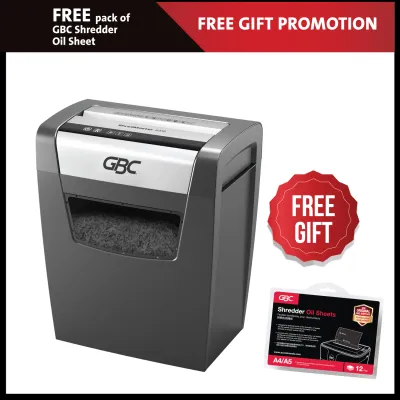
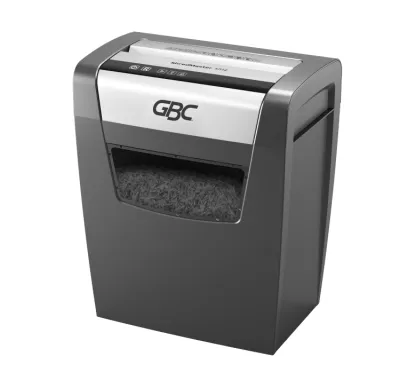
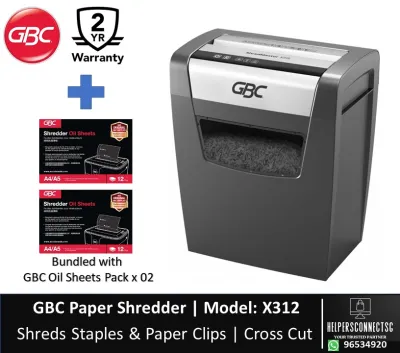
Prices are valid at publication and may change. Please refer to the product page for the latest price.
Continuous run time is another vital parameter to check before starting a large shredding project. Every compact shredder has a duty cycle, which is the amount of time the motor can run continuously before requiring a cool-down period. Exceeding this run time triggers the internal thermal overload protection, shutting down the unit to prevent overheating. Always allow the machine to cool down completely for the duration specified in the manual.
Material Compatibility: Checking Non-Paper Feed Options
Before feeding anything other than standard paper into your shredder, verify what materials the cutting cylinders are engineered to handle. Many modern office shredders feature physical icons embossed near the feed slot to indicate compatibility with items like staples, paperclips, or credit cards. Checking these icons on the GBC ShredMaster X312 housing prevents accidental damage to the precision steel cutters.

Mixing incompatible materials or inserting them into the wrong slot can cause irreversible damage to the cutting mechanism and will typically void the manufacturer’s warranty. While some shredders can easily slice through standard staples, others require you to remove all metal fasteners beforehand. If the machine has a dedicated slot for plastic cards, always use that specific entry point rather than the main paper feed.
You should also review the manufacturer’s explicit exclusions to avoid sticky or dense materials that can foul the blades. Common items to keep away from the feed slot include adhesive labels, thick cardboard, plastic sleeves, and laminated sheets. The adhesive backing on labels can melt under cutter friction, leaving a sticky residue that attracts paper dust and eventually jams the mechanism.
Cut Type and Security Level: Matching Your Privacy Needs
The cut type of a shredder directly determines the level of security it provides for your sensitive documents. By examining the waste bin contents or checking the product specification sheet, you can identify whether the machine produces strip-cut, cross-cut, or micro-cut particles. Cross-cut shredders like the X312 slice paper both horizontally and vertically, turning a single sheet into hundreds of tiny, unreadable pieces.
These cut sizes correspond to standardized DIN 66399 security levels, which range from P-1 for general documents to P-7 for highly classified data. A standard cross-cut machine typically offers a P-3 or P-4 security level, making it highly suitable for confidential business records, financial statements, and personal identification documents. Matching the security level to your privacy requirements ensures compliance with data protection guidelines.
Keep in mind that smaller cut sizes have a direct impact on your daily maintenance routine. Micro-cut and high-security cross-cut particles pack more densely, which means you will need to empty the waste bin less frequently than you would with bulky strip-cut waste. However, the extra cutting action required for smaller particles can sometimes reduce the overall feed speed and sheet capacity.
Bin Capacity and Footprint: Fitting Your Workspace
Before positioning the shredder, measure your available desk or floor space against the unit’s physical dimensions. Proper placement requires a flat, stable surface with sufficient clearance around the ventilation grates to prevent heat buildup. In compact Singapore offices or home study corners, finding a model that slides neatly under a desk can save valuable floor space.
The volume of the waste bin determines how often you will need to interrupt your work to empty the shredded paper. For a personal or small office shredder, a bin capacity of around 15 to 20 litres is common, balancing a compact footprint with practical utility. If you shred documents daily, estimating your weekly waste volume will help you decide if the bin size matches your routine.
You should also check the design of the waste bin mechanism to ensure easy disposal. Some models feature a convenient pull-out drawer that allows you to empty the waste without moving the heavy motor housing. Other compact designs use a lift-off head, where the entire cutting unit must be lifted off the bin; ensure you have a clear space to set the head down safely.
Safety and Anti-Jam Features: Protecting the Motor
Modern shredders incorporate several safety and mechanical protections to safeguard both the user and the internal components. One of the most common features to verify is an auto-reverse or manual reverse function. If you accidentally feed too many sheets at once, the machine will detect the resistance and allow you to reverse the rollers, backing the paper out safely.
Thermal overload protection is another critical safety system built into the motor. If the shredder runs continuously for too long or faces excessive resistance, an internal sensor will automatically shut off power to prevent electrical damage. If this occurs, turn the power switch to the off position, unplug the unit, and let it rest for the recommended cooling period before attempting to use it again.
Finally, look for physical safety locks or child-safe switches on the control panel. These features allow you to disable the power completely when the machine is not in use, preventing accidental activation by children, pets, or cleaning staff in shared environments. Always locate these controls and make it a habit to engage them whenever the shredder is left unattended.
Frequently Asked Questions (FAQ)
Can I shred envelopes with plastic windows?
Check your user manual for explicit instructions regarding mixed-material mail. Generally, shredding envelopes with plastic windows is not recommended unless the manufacturer specifically states it is safe. The plastic film can melt or stretch around the cutting cylinders, while the adhesive on the envelope flap can leave a sticky residue that accumulates over time, trapping paper dust and eventually causing the blades to bind.
How do I clear a paper jam safely?
To clear a paper jam safely, first use the reverse function on the control panel to back the paper out of the feed slot. If the paper remains stuck, turn off the power switch and unplug the unit from the wall outlet before taking any further action. Never insert fingers, scissors, or metal tools into the cutting cylinders, as this can cause severe injury or permanently damage the blades.

Community discussion
Share your experience or ask a question. Comments are reviewed before publication.