
The core difference between paper shredder cut types lies in the shape and size of the shredded particles, which directly determines how difficult it is to reconstruct a document. Choosing between strip-cut, cross-cut, and micro-cut depends entirely on the sensitivity of the information you need to destroy and your daily processing volume.
Balancing security with operational efficiency is key. A machine that is too slow can disrupt your daily workflow, while one that offers insufficient security might leave sensitive personal or business data vulnerable to recovery. Understanding how these cutting mechanisms function allows you to make an informed decision that protects your privacy without overcomplicating your daily routine.
Understanding the Three Main Shredder Cut Types
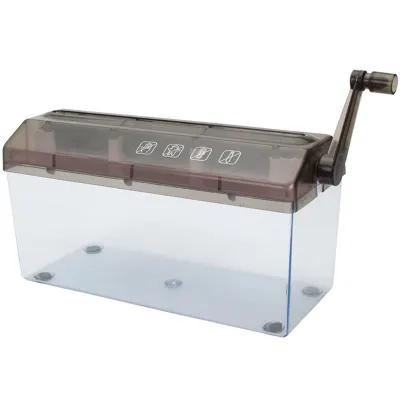
Strip-cut shredders represent the most basic level of document destruction. These machines use single, straight-cut blades to slice paper vertically into long, continuous ribbons. Because the blades only cut in one direction, the processing speed is generally very fast, allowing you to feed multiple sheets quickly. However, because the resulting strips remain relatively wide and intact, reconstructing the original document is physically possible with enough time and patience.
Products mentioned in this guide
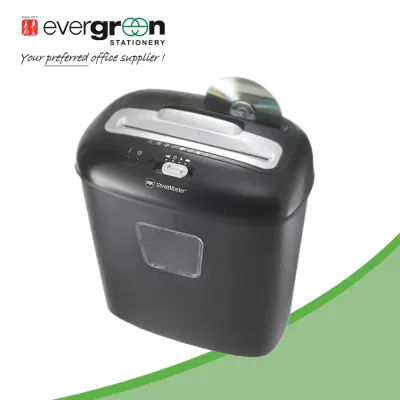
![[SG] Original Aurora AS800CD Plastic Paper Shredder Machine 8 sheet Cross cut (Able to Shred CDs) [Evergreen Stationery]](https://img.lazcdn.com/g/p/0cd07fe2a1ba74eeb42f61baa8c305df.jpg_400x400q80.jpg_.webp)
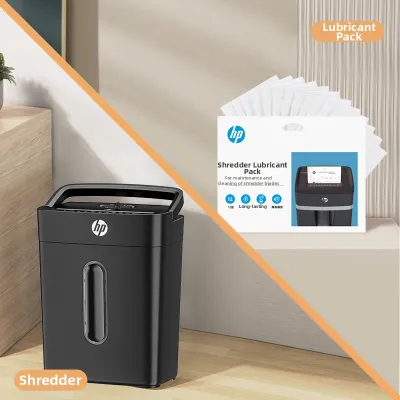
![[SG] A4 Multi-Functional Electric Paper Shredder with Built-in Basket](https://img.lazcdn.com/g/p/e13a5b4a0cd7800074c9a408a1f0b8e7.jpg_400x400q80.jpg_.webp)
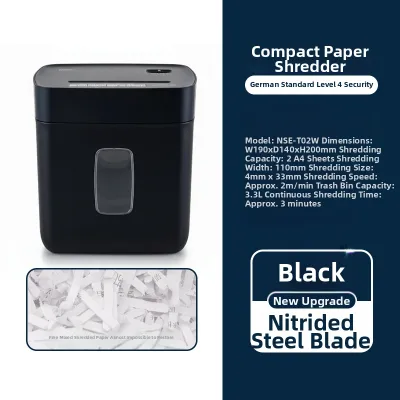
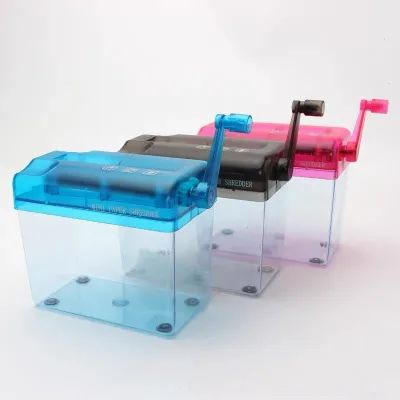
Prices are valid at publication and may change. Please refer to the product page for the latest price.
Cross-cut shredders offer a significant step up in security by cutting paper from two different angles. The internal blades slice the paper both vertically and horizontally, transforming a single sheet of paper into small, confetti-like pieces. This dual-action cutting mechanism makes document reconstruction extremely difficult. For most standard office environments and households, this style provides a practical balance between processing speed and data protection.
Micro-cut shredders provide the highest level of security by reducing paper to tiny, dust-like particles. Using highly precise, interlocking blades, these machines cut a single sheet of paper into thousands of minuscule pieces that are virtually impossible to reassemble. While this offers unmatched peace of mind, the intensive cutting process typically results in slower processing speeds and smaller sheet capacities per pass. The motor must work harder to achieve this level of destruction, which influences the machine’s overall duty cycle.
Matching Cut Types to Your Document Sensitivity
To choose the right shredder, you must evaluate the sensitivity of the documents you handle daily. Low-sensitivity documents, such as junk mail, basic drafts, and non-confidential flyers, do not require high-security destruction. For these items, a strip-cut shredder is usually sufficient and highly efficient. It allows you to clear out bulk paper waste rapidly without worrying about slow processing speeds or frequent motor cool-down periods.

Medium-sensitivity documents require a higher level of protection to prevent unauthorized access to personal or business details. Items like bank statements, utility bills, internal office memos, and documents containing personal addresses should be handled with care. A cross-cut shredder provides adequate protection for these home and small office needs. The confetti-sized pieces ensure that casual onlookers cannot easily read or piece together your private financial or personal information.
High-sensitivity documents demand the maximum level of security to prevent serious data breaches and identity theft. This category includes medical records, legal contracts, financial audits, employee records, and documents containing identification numbers. For these materials, a micro-cut shredder is highly recommended. The tiny particles ensure that even sophisticated reconstruction attempts are thwarted, making it the standard choice for legal, medical, and corporate environments handling highly confidential data.
Secondary Specifications That Affect Daily Usability
Beyond the cut type, several secondary specifications directly impact daily usability. Sheet capacity determines how many pages you can feed into the machine at once without causing a jam. While a higher sheet capacity saves time by allowing you to shred thick documents in a single pass, it also typically requires a larger, more powerful machine that may occupy more physical space in your work area.
Bin capacity and run time are equally important. The bin capacity dictates how often you must empty the shredded waste, with micro-cut particles packing down more densely than bulky strip-cut ribbons. Run time, or duty cycle, refers to the continuous operational limit of the motor before it requires a mandatory cool-down period. Heavy-duty users should look for longer run times to avoid frustrating pauses during large shredding tasks.
Material compatibility is another essential feature to verify. Many modern shredders are designed to handle more than just plain paper, with some capable of processing staples, paper clips, credit cards, or even optical discs. However, attempting to shred these materials in a machine not rated for them can quickly dull or damage the cutting blades. Always verify these specific limits via the product manual rather than making assumptions.
Verifying Security Claims and Operational Limits
When shopping for a shredder, it is important to validate the manufacturer’s security claims rather than relying solely on marketing terms. The most reliable way to do this is to inspect the standardized security level labels or certifications printed on the packaging or the device body. These standards, such as the international DIN 66399 standard (ranging from P-1 to P-7), provide an objective measure of the particle size and security level.
If you have the opportunity to see the machine in operation, observe the actual particle size during a test run. This hands-on check allows you to verify if the shredded output matches your expectations. Additionally, pay close attention to the physical build quality of the feed slot and the waste bin, ensuring they fit together securely and operate smoothly.
Finally, always read the user manual thoroughly to understand the specific operational boundaries of your chosen model. Pay close attention to the maximum continuous run time, cool-down requirements, and list of prohibited materials. Adhering strictly to these manufacturer guidelines is the best way to prevent motor burnout, preserve blade sharpness, and ensure your shredder remains a reliable tool.
Frequently Asked Questions (FAQ)
What should I do if my paper shredder jams?
If your paper shredder jams, the first and most important step is to turn off and unplug the machine immediately to ensure your personal safety. Once the power is disconnected, you can safely inspect the feed slot. If the machine features a manual reverse function, plug it back in and use this setting to back the paper out of the blades. Gently pull the stuck paper upward as the blades move backward, following the manufacturer’s instructions. Never use sharp metal objects, scissors, or excessive force to pry paper out, as this can easily bend or permanently damage the delicate cutting cylinders.
Do paper shredders need regular maintenance?
Yes, paper shredders require regular maintenance to preserve their cutting performance and prolong the lifespan of the motor. You should empty the waste bin regularly to prevent shredded paper from backing up into the cutting mechanism, which can cause jams and strain the motor. Additionally, check the user manual for specific blade lubrication instructions. Many manufacturers recommend applying specialized shredder oil or using lubricant sheets after a certain number of operating minutes or bin empties. Finally, keep the machine in a dry environment and avoid shredding damp paper to prevent rust from forming on the steel cutting blades.
Community discussion
Share your experience or ask a question. Comments are reviewed before publication.