
When selecting photo copy paper for your home or office in Singapore, you will inevitably notice a prominent number on the packaging followed by the letters “GSM.” This specification is the single most important factor determining how your paper feels, how it feeds through your printer, and how your printed text or images will look.
GSM stands for “Grams per Square Meter.” It is a metric measurement of paper density and weight, calculated by weighing a single sheet of paper that measures exactly one square meter. While many people associate a higher GSM directly with a thicker sheet of paper, GSM is technically a measure of weight rather than physical thickness (also known as caliper). Two different brands of 80 GSM paper can have slightly different physical thicknesses depending on the wood pulp composition, fiber density, and the manufacturing process used to press the sheets.
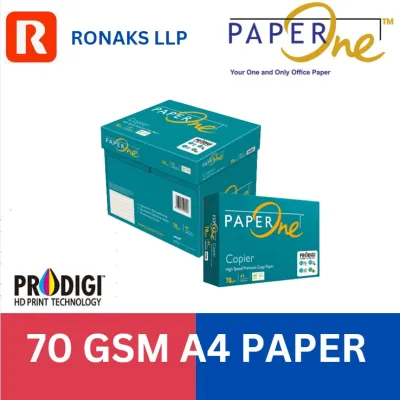
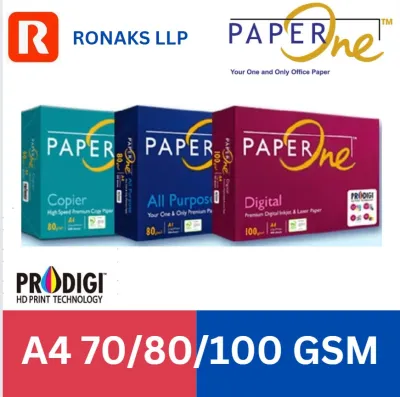
In the stationery market, you will primarily encounter three main weight categories for standard office and home use: 70 GSM, 80 GSM, and 100 GSM or higher. Understanding these categories is essential for choosing the right medium for your specific printing tasks.
Products mentioned in this guide
![PaperOne™ Copier Paper 70gsm / 75gsm Copy Paper A4 [2 Reams]](https://img.lazcdn.com/g/p/f3cf1c76beaab92a1010bb2f08235177.jpg_400x400q80.jpg_.webp)
![[2 Reams 1000 sheets] A4 80Gsm Paperone Copy Paper / Paperone Digital Inkjet & Laser Paper 85gsm A4](https://img.lazcdn.com/g/p/6b30a8abe0e8c9414c33ea8ecc1cc966.jpg_400x400q80.jpg_.webp)
Prices are valid at publication and may change. Please refer to the product page for the latest price.
An interesting and practical way to understand this measurement is to look at standard A4 paper, which is the default size used across Singapore. Because an A4 sheet is exactly one-sixteenth of a square meter, you can easily calculate the physical weight of a single sheet. For example, a single sheet of standard 80 GSM A4 paper weighs exactly 5 grams, while a sheet of 70 GSM A4 paper weighs 4.375 grams. This physical weight directly impacts the paper’s behavior inside your printing equipment.
How Paper Weight Affects Your Printing Results
Opacity and Show-Through
One of the most immediate visual differences between paper weights is opacity. Lower GSM papers are naturally more translucent. If you attempt double-sided printing on 70 GSM paper, the ink or toner from one side will likely show through to the other, making the document difficult to read. For double-sided reports or documents with dense graphics, a higher GSM is necessary to ensure the paper fibers are dense enough to block light and prevent ink bleed-through.
Printer Compatibility and Jams
From a mechanical standpoint, paper weight directly influences how smoothly sheets pass through your printer’s feed rollers. Very thin paper lacks structural rigidity. When the printer’s pickup rollers grab a sheet, the lack of stiffness can cause the paper to crumple, or static electricity may cause multiple sheets to feed simultaneously, resulting in a multi-sheet jam. Conversely, exceptionally thick paper may struggle to bend around the tight paper paths of standard office desktop printers, causing the paper to get stuck mid-cycle.
Tactile Feel and Professional Perception
The physical weight of a document sends an immediate subconscious signal to the recipient. When you hand over a contract, CV, or business proposal printed on flimsy paper, it can feel cheap or rushed. A heavier sheet feels substantial, rigid, and premium. In professional settings, matching the paper weight to the importance of the document is a simple way to elevate your presentation.
Which GSM Should You Choose? A Scenario Guide
Everyday Drafts and Internal Documents (70 GSM)
If you are running a high-volume office or need to print hundreds of pages of internal drafts, single-sided reference guides, or temporary packing slips, 70 GSM photo copy paper is the most cost-effective choice. It is lightweight, uses fewer raw materials, and takes up less physical storage space in your filing cabinets.

However, you should reserve this weight strictly for single-sided, black-and-white text printing. Due to its lower density, high-saturation color prints or double-sided documents will suffer from severe show-through and potential paper warping as the ink dries. It is also more prone to curling under the high heat of laser printers.
Standard Professional and Double-Sided Printing (80 GSM)
For the vast majority of office and home printing tasks, 80 GSM is the industry-standard sweet spot. It offers an optimal balance of cost, physical durability, and opacity. This weight is stiff enough to handle double-sided printing with minimal show-through, making it ideal for standard business letters, contracts, academic essays, and daily reports.
Furthermore, almost every printer on the market—from budget home inkjets to high-speed commercial laser copiers—is mechanically optimized to feed 80 GSM paper without jamming. It provides a smooth surface that ensures fast drying times and clean, sharp text contrast for both pigment-based and dye-based inks.
Premium Presentations and Image-Heavy Documents (100+ GSM)
When you need to make a strong impression or print documents containing heavy color graphics, charts, or photographs, step up to 100 GSM or higher. This weight provides excellent opacity, ensuring that vibrant color inks do not bleed through or warp the page.
It is the perfect choice for client-facing proposals, marketing flyers, corporate newsletters, and official certificates. Keep in mind that heavier paper is thicker, meaning a standard printer tray will hold fewer sheets, and you must verify that your printer’s feed system can handle heavier cardstock-like weights without issues.
Practical Tips for Buying and Storing Paper in Singapore
Before purchasing a bulk carton of premium high-GSM paper, always check your printer’s user manual or the specification label on the machine. Most standard home printers have a maximum supported paper weight, often capping out between 90 GSM and 105 GSM for standard cassette feeds. Attempting to feed heavier sheets through a standard tray can wear down the pickup rollers prematurely.
Singapore’s tropical climate presents unique challenges for paper storage. With average relative humidity levels often exceeding 80% in non-air-conditioned spaces, paper can act like a sponge, absorbing moisture from the air. Damp paper loses its structural stiffness, leading to frequent paper jams, misfeeds, and poor toner adhesion, which can cause printed text to smudge or look faint.
To protect your photo copy paper, keep reams sealed in their original moisture-proof wrappers until you are ready to load them into the printer. Avoid leaving large stacks of paper in an open tray for extended periods if the printer is kept in a non-air-conditioned room. Store your spare reams in a cool, dry cupboard, preferably off the floor, to minimize exposure to ambient humidity.
Frequently Asked Questions (FAQ)
Is a higher GSM always better for photocopy paper?
No, a higher GSM is not universally superior. While heavier paper offers better opacity and a more luxurious tactile feel, it also comes with higher purchasing costs and takes up more physical storage space. Additionally, using excessively heavy paper in a standard printer can strain the feed rollers and heating elements, potentially leading to mechanical wear or frequent paper jams. The best paper weight is always the one that matches your specific printing task and your machine’s mechanical limits.
Can I use 100 GSM paper in a standard home inkjet printer?
Yes, most standard home inkjet printers can handle 100 GSM paper, but you should verify your specific model’s guidelines first. To ensure a smooth printing process with heavier stock, try using the printer’s manual feed slot or rear paper bypass tray if it has one. This provides a straighter paper path, reducing the physical strain on the roller mechanism and minimizing the risk of a jam compared to feeding heavy sheets from a bottom cassette tray.

Community discussion
Share your experience or ask a question. Comments are reviewed before publication.