
Choosing the right A4 paper weight ensures your printed documents look professional, resist ink bleed-through, and feed smoothly. Paper weight is measured in GSM (grams per square meter), indicating density and feel. For everyday office tasks, standard 80gsm paper offers the ideal balance of cost and durability. Lighter 70gsm paper suits high-volume drafts, while heavier 100gsm paper provides the premium, opaque finish required for double-sided reports and client presentations. Matching the correct grammage to your printing task prevents common issues like paper jams, curling, and visible ink show-through.
What GSM Means for A4 Paper
GSM stands for Grams per Square Meter. This metric measures the weight of a single sheet of paper cut to a one-meter by one-meter square, establishing a standardized way to compare paper density across different brands. Rather than measuring physical thickness directly, GSM reflects the mass of the paper fibers packed into that space.
This density directly influences how the paper behaves in a printer and how it feels in your hand. Higher-density papers generally offer greater stiffness, which prevents the sheet from sagging or folding. They also provide higher opacity, meaning that light cannot easily pass through the sheet, making the paper less translucent.
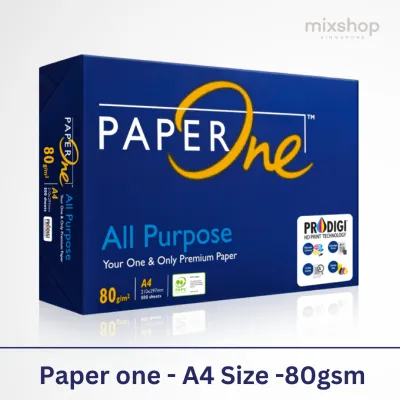
Products mentioned in this guide
![[2 REAMS] A4 PaperOne Copier Papers 80gsm Printing Papers - Plain - Office Supplies](https://img.lazcdn.com/g/p/4423a9fbe2ff198d8701511f17f420ad.png_400x400q80.png_.webp)
![[SG] Perfect Print A4 80gsm White Copier Paper 5 Reams Per Carton [Evergreen Stationery]](https://img.lazcdn.com/g/p/19d31f3b827df3ea5ccc2552bb199b2a.png_400x400q80.png_.webp)
![[Matte 140gsm] A-SUB Double-Sided A4 Matte Fast Dry Photo Paper 140gsm Matte Inkjet Paper 20pcs Photograph Printing A4 Size Matte Coated Paper](https://img.lazcdn.com/g/p/d4afe5896bd407689a53ed730e7217cd.jpg_400x400q80.jpg_.webp)
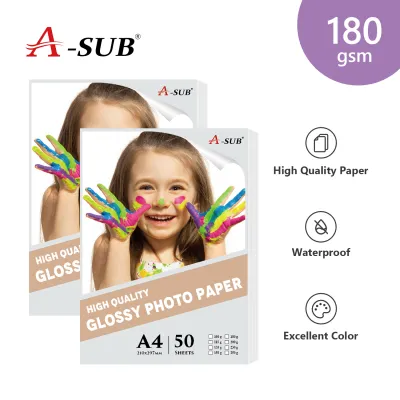
![[Double Matte 250gsm] A-SUB Double-Sided A4 Matte Photo Paper 250gsm Matte Inkjet Paper 20pcs Photograph Printing A4 Size Matte Coated Paper](https://img.lazcdn.com/g/p/68fb693e4992fd613256d5d3d8924a11.jpg_400x400q80.jpg_.webp)
Prices are valid at publication and may change. Please refer to the product page for the latest price.
Furthermore, fiber density affects how the paper absorbs ink. A denser sheet can hold heavier ink coverage without the liquid soaking through to the opposite side or causing the edges to curl. However, a higher GSM does not automatically make a paper superior for every task. Using excessively heavy paper for simple, single-sided text drafts increases operational costs and can cause unnecessary wear on standard office rollers.
Comparing 70gsm, 80gsm, and 100gsm A4 Paper
Understanding the practical differences between the three most common A4 paper weights helps you avoid printing errors and manage your stationery budget effectively.

At the lighter end, 70gsm paper is highly cost-effective and takes up less physical storage space, making it popular for high-volume utility printing. However, because the paper is thin, it carries a higher risk of show-through, where text printed on one side is visible from the back. In humid climates like Singapore, lightweight paper is also particularly susceptible to absorbing moisture from the air, which softens the fibers and can lead to frequent misfeeds or multi-sheet pulls in standard office printers.
The standard baseline for everyday office use is 80gsm paper. This weight is engineered to offer a reliable balance of stiffness and opacity, making it the default choice for single-sided documents, emails, and general correspondence. It is sturdy enough to feed reliably through almost all high-speed copiers and laser printers without jamming, and it resists curling under standard heat-fusing processes.
For premium applications, 100gsm paper provides a noticeably heavier, smoother, and more rigid feel. This weight offers excellent opacity, making it the ideal choice for double-sided (duplex) printing where you need to ensure that text and images on one side do not shadow or bleed through to the other. The added stiffness also gives documents a professional, tactile quality that immediately distinguishes them from standard office printouts.
Before committing to a large print run, you can perform a simple observable check to evaluate paper suitability. Hold a printed sample of the paper up to a light source. If you can clearly read the text from the unprinted side, the paper lacks the opacity required for double-sided printing, and you should step up to a higher GSM. You can also test stiffness by holding a sheet horizontally by one corner; a quality sheet should hold its shape with minimal drooping.
Matching Paper Weight to Your Printing Tasks
Selecting the right paper weight requires matching the document’s purpose with the physical properties of the sheet.
For everyday internal documents, temporary drafts, and high-volume text prints where presentation is not a priority, 70gsm paper is the most economical choice. It is ideal for packing slips, internal checklists, and temporary reference sheets that will be recycled quickly.
Standard business correspondence, academic reports, everyday school assignments, and general office records are best suited for 80gsm paper. This weight ensures that documents look neat, feel professional to the touch, and can be easily filed, stapled, or hole-punched without tearing.
When preparing client-facing proposals, formal contracts, double-sided marketing materials, resumes, or certificates, 100gsm paper is the appropriate standard. The substantial weight of the paper conveys attention to detail and quality, ensuring that your business presentations leave a positive impression.
Your decision should also factor in ink coverage and duplex printing requirements. High-density color graphics, charts, and solid color blocks deposit a significant amount of liquid ink onto the page. If you use lightweight paper for these tasks, the moisture can saturate the thin fibers, causing the paper to warp, buckle, or bleed. For any document featuring heavy ink coverage or requiring double-sided printing, choosing a minimum of 100gsm paper is essential to maintain a flat, clean, and legible final product.
Paper Weight Requirements for A4 Printing Services
When outsourcing your print jobs to professional printing services, clearly communicating your paper specifications is vital to achieving the desired outcome.
Always specify the exact GSM you require rather than using vague terms like “standard” or “premium,” which can vary between service providers. If your project involves a mix of document types—such as a report with a heavy cover and lighter internal pages—clearly outline the GSM required for each section in your order brief.
It is also important to verify that the provider’s equipment is fully compatible with your chosen paper weight. While professional production printers handle a vast range of stocks, extremely heavy or specialized papers may require specific feed settings to prevent alignment issues or smudging. A quick confirmation with the print shop ensures they can run your job smoothly.
Finally, always verify the paper finish alongside the weight, as the combination of the two determines the final look and feel. A 100gsm matte paper will absorb ink differently and feel distinct from a 100gsm glossy or satin-coated sheet. Coated finishes can also affect ink drying times, so discussing these characteristics with your printing service helps prevent smearing and ensures a crisp, professional finish.
Frequently Asked Questions (FAQ)
Can I use 100gsm paper in a standard home printer?
Yes, most modern home inkjet and laser printers can easily handle 100gsm A4 paper for standard print jobs. However, because this paper is stiffer and thicker than standard office paper, it is highly recommended to check your printer manufacturer’s specifications for the maximum supported paper weight. If you experience feeding issues or paper jams when printing on 100gsm paper, try loading the sheets through the manual feed slot or bypass tray rather than the main paper cassette, as this provides a straighter paper path.
Does a higher GSM always mean the paper is thicker?
While a higher GSM generally correlates with a thicker sheet of paper, weight and physical thickness are not identical. GSM measures the mass of the paper per unit area, whereas thickness (often referred to as caliper) is the actual physical distance between the two surfaces of the sheet. Different manufacturing processes, fiber types, and finishes can compress the paper fibers tightly, resulting in a thin but heavy sheet, or leave them loftier, resulting in a thick but lightweight sheet. If physical thickness or bulk is a strict requirement for binding, mailing, or fitting into specific envelopes, you should check both the GSM and the caliper specifications of the paper.

Community discussion
Share your experience or ask a question. Comments are reviewed before publication.