
When selecting paper for your home or office printer, 80gsm A4 paper is the most common and versatile option you will encounter. For standard daily printing, black-and-white copying, and double-sided text documents, 80gsm paper provides an ideal balance of thickness, smooth printer feeding, and cost-efficiency. Understanding how this weight behaves under different printing conditions helps you avoid common issues like paper jams, ink bleed-through, and limp sheets.
What the 80gsm Specification Actually Means
The term “gsm” stands for grams per square meter, which is the standard metric unit used globally to measure paper density and weight. When you purchase a ream of 80gsm A4 paper, the “80gsm” label does not mean that a single A4 sheet weighs 80 grams. Instead, it indicates that a single sheet of this paper measuring exactly one square meter would weigh 80 grams. Because an A4 sheet is exactly one-sixteenth of a square meter, a single sheet of 80gsm A4 paper actually weighs approximately 5 grams.
This weight directly influences the physical feel, stiffness, and thickness of each sheet. Standard 80gsm paper is engineered to feel substantial enough for everyday handling without being overly rigid. It offers a reliable level of stiffness that allows standard office rollers to grip and feed the paper smoothly through the printing path.
Products mentioned in this guide
![PaperOne™ Digital Premium Quality 85gsm / 80gsm Carbon Neutral Copy Paper A4 [1 Box]](https://img.lazcdn.com/g/p/314e28db684b5a59446140a7a613d0c3.jpg_400x400q80.jpg_.webp)
![PaperOne™ All Purpose Premium Quality 80gsm Copy Paper A4 [2 Reams]](https://img.lazcdn.com/g/p/6fe22f63efd1aeac13600887dc29a7da.jpg_400x400q80.jpg_.webp)

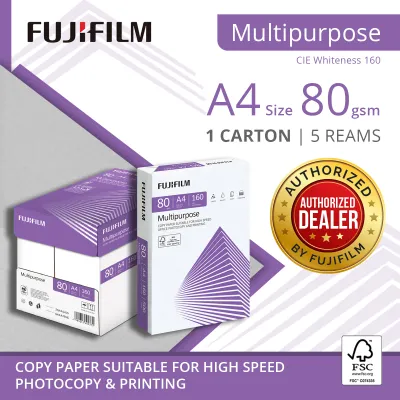

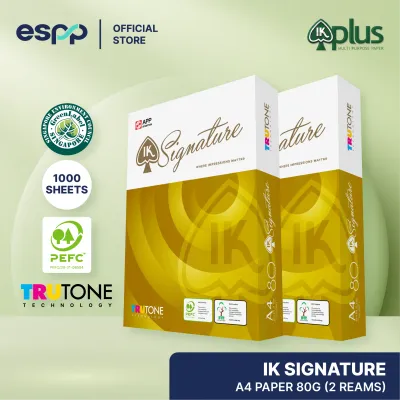

Prices are valid at publication and may change. Please refer to the product page for the latest price.
However, you may notice subtle differences in stiffness and opacity when comparing 80gsm sheets from different manufacturers. These variations occur because paper thickness and density are also affected by the raw wood pulp quality, the pressing process, and the fillers used during manufacturing. Some brands may feel slightly bulkier or more opaque than others despite sharing the exact same 80gsm rating.
Ideal Printing and Copying Tasks for 80gsm Paper
For the vast majority of daily office and home tasks, 80gsm paper is the industry standard for a reason. It is highly suited for printing text-heavy documents, internal memos, emails, and standard double-sided reports. High-volume black-and-white copying also benefits from this weight, as it balances physical durability with a lower cost per sheet compared to heavier alternatives.

From a hardware perspective, 80gsm paper is the baseline weight that printer manufacturers use to calibrate their machines. Whether you are using a standard home inkjet printer or a high-speed office laser copier, 80gsm sheets feed reliably through the paper trays and rollers. The paper is thick enough to withstand the heat of laser fusing units without curling excessively, yet light enough to glide through complex duplexing paths for automatic double-sided printing.
Despite its versatility, 80gsm paper has clear limitations when dealing with heavy ink or high-profile projects. If you are printing high-resolution color graphics, photographs, or documents with solid color blocks, the moisture from inkjet inks can saturate 80gsm paper, leading to warping, wrinkling, or noticeable show-through on the reverse side. For formal client presentations, premium marketing brochures, or resumes, 80gsm paper may feel too casual, lacking the tactile prestige of heavier premium stocks.
How 80gsm Compares to 70gsm and 100gsm Alternatives
Choosing the right paper weight often involves comparing 80gsm against lighter and heavier alternatives to match your specific project requirements.
Lighter paper, typically rated at 70gsm, is a popular choice for high-volume drafting and utility printing where minimizing cost is the primary goal. While 70gsm paper is highly cost-effective and takes up less physical storage space, it is noticeably thinner and more translucent. This makes it prone to significant ink show-through, rendering it unsuitable for double-sided printing. It also has less structural stiffness, which can occasionally lead to more frequent paper jams in older or high-speed office printers.
On the other end of the spectrum, 100gsm or heavier paper represents a premium upgrade. This weight offers a distinct, high-quality feel, excellent stiffness, and superior opacity. It is the preferred choice for client-facing documents, formal proposals, and color-heavy graphics, as it resists ink saturation and show-through. However, heavier paper is more expensive per ream and can bulk up physical filing folders quickly.
To help you decide which weight fits your current task, consider this quick reference guide:
| Paper Weight | Best Suited For | Key Trade-offs |
|---|---|---|
| 70gsm | Internal drafts, single-sided high-volume utility prints, temporary packing slips | Lower cost, but prone to show-through and minor feeding issues |
| 80gsm | Everyday office documents, standard double-sided text, emails, general copying | Excellent balance of cost, feed reliability, and moderate opacity |
| 100gsm+ | Client presentations, resumes, color graphics, formal correspondence | Premium tactile feel and high opacity, but higher cost per sheet |
What Else to Check on the Packaging Before You Buy
While the 80gsm rating tells you the weight of the paper, other specifications printed on the packaging determine the final print quality and handling performance.
First, look for the brightness or whiteness rating, often expressed as a percentage or a CIE whiteness value (such as 150 CIE or 160 CIE). A higher whiteness rating means the paper reflects more light, providing sharper contrast for black text and making colored inks appear more vibrant. If you print a lot of charts or mixed text and graphics, choosing a high-whiteness sheet will make your documents look much cleaner.
Second, check for smoothness indicators or specific surface finishes. Smoother paper allows toner and ink to bond more evenly to the surface, which improves text clarity and reduces the risk of ink smudging or feathering. This is particularly important for inkjet users, where ink absorption speed and surface texture dictate how sharp the final print appears.
Finally, always verify the sheet count per ream (typically 500 sheets) and pay close attention to the packaging material. In humid climates like Singapore, paper easily absorbs moisture from the air, which causes the sheets to warp, curl, and jam inside the printer. Look for reams wrapped in moisture-resistant barrier packaging, and keep the paper sealed until you are ready to load it into your printer tray to maintain its flat, dry state.
Frequently Asked Questions (FAQ)
Is 80gsm thick enough for double-sided printing?
Yes, 80gsm paper is generally thick and opaque enough for standard double-sided text printing. It handles typical black-and-white text on both sides without distracting show-through. However, if your document contains bold headers, dark graphics, or heavy ink coverage, you may notice some shadow showing through to the other side. For highly visual double-sided documents, running a quick test print on a single sheet is recommended to verify if the opacity meets your standards before running a large print job.
Why does my 80gsm paper keep jamming in the printer?
While 80gsm is the ideal weight for standard printer feeds, persistent jams are usually caused by environmental factors or improper handling rather than the paper weight itself. In humid environments, paper sheets can absorb moisture and cling together, causing the printer to pull multiple sheets at once. To prevent this, store your paper in a dry cabinet and fan the edges of the paper stack before loading it into the tray. Additionally, ensure the paper guides in the printer tray are adjusted snugly against the stack to prevent misaligned feeding.

Community discussion
Share your experience or ask a question. Comments are reviewed before publication.