
Finding the perfect to-do list notepad is more than a matter of aesthetic appeal; it is a tactile decision that directly shapes your daily productivity. The ideal notepad paper depends entirely on your writing instrument of choice and your personal preference for tactile feedback versus a smooth, gliding sensation.
When selecting a notepad, you will generally face a trade-off between coated and uncoated papers. Highly coated papers excel at preventing wet inks from bleeding or feathering, but they dry slowly and can feel slippery underfoot. Conversely, uncoated papers offer a satisfying, toothy grip for pencils and ballpoints but can absorb wet inks too quickly, leading to messy, blurred lines.
Rather than relying solely on brand reputation, the most reliable approach is to evaluate specific paper characteristics. Checking product labels for explicit weight specifications and specialized sizing treatments will guide you to a notepad that elevates your daily planning routine.
Products mentioned in this guide
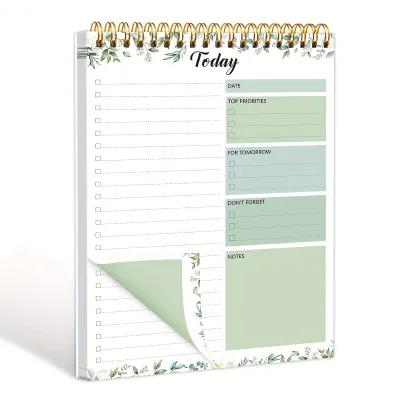
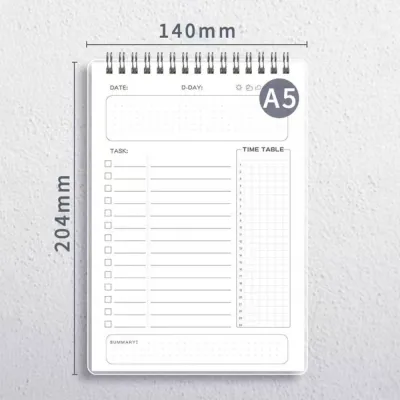
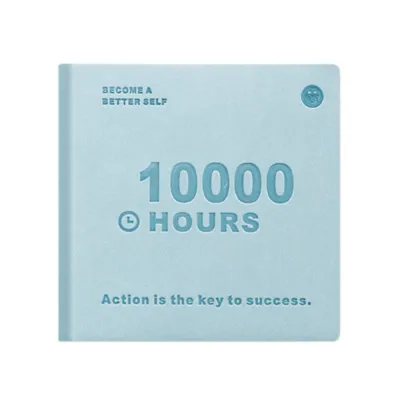
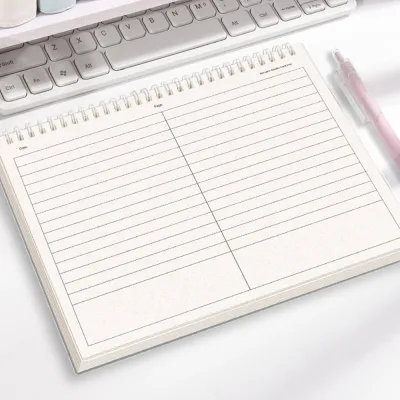
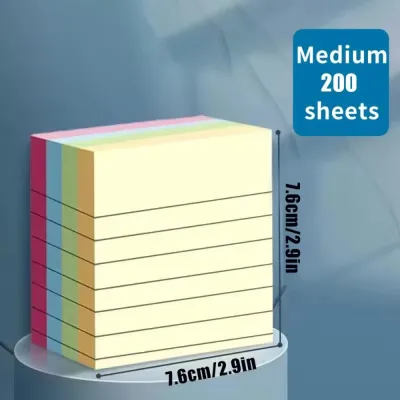
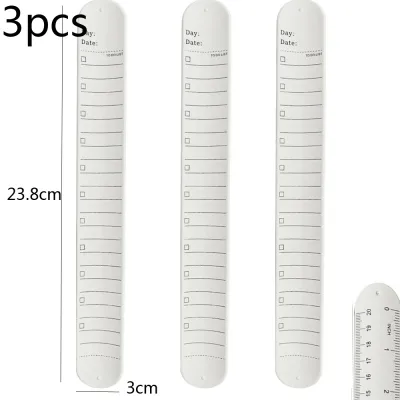
Prices are valid at publication and may change. Please refer to the product page for the latest price.
Core Dimensions for Comparing To-Do List Notepad Paper
Paper Weight (GSM)
Paper weight is measured in grams per square meter (GSM), a metric that tells you the density and thickness of each sheet. For a standard to-do list notepad, GSM typically ranges from a lightweight 60 GSM to a heavy, cardstock-like 120 GSM or more.
Lightweight papers around 60 to 70 GSM are common in budget-friendly, tear-off pads. While these are perfectly adequate for quick pencil scribbles, they are highly susceptible to ghosting—where writing is visible on the reverse side—and outright bleed-through when using wet inks.
If you prefer using both sides of a page or enjoy crossing off tasks with thick, vibrant highlighters, aim for a notepad with at least 80 to 100 GSM. This mid-to-high range provides the structural integrity needed to handle heavy ink saturation without turning your daily checklist into a saturated, illegible mess.
Surface Texture and Sizing
The tactile sensation of writing is determined by the paper’s surface texture and its sizing. Sizing refers to the chemical additives applied during manufacturing to control how much liquid the paper absorbs.
Highly sized, coated papers have a glassy, ultra-smooth finish. This coating acts as a barrier, keeping the ink on top of the paper fibers rather than letting it soak in, which results in incredibly sharp lines and vibrant colors. However, this lack of absorption means ink takes longer to dry, making it prone to smudging.
Uncoated papers retain the natural texture of the wood fibers, offering what stationery enthusiasts call “tooth.” This texture provides resistance against the pen tip, giving you greater control over your handwriting. The trade-off is that unsized fibers act like tiny sponges, drawing ink outward and causing fine lines to spread.
Opacity and Brightness
Opacity refers to how translucent the paper is, which directly affects how much of the next page’s layout you can see. High opacity is essential for double-sided to-do lists, ensuring that tomorrow’s tasks do not distract you from today’s priorities.
Paper brightness and color tone also play a significant role in visual comfort. Bright white paper offers high contrast, making black ink and colorful highlighters stand out vividly, which is excellent for quick scanning of urgent tasks.
However, bright white can cause eye strain under harsh office fluorescent lights or direct sunlight. Cream, ivory, or off-white papers offer a softer contrast that is much gentler on the eyes during long planning sessions, though they may slightly alter the perceived color of your inks.
Matching Paper Characteristics to Your Preferred Pens
Fountain Pens and Wet Inks
Fountain pens and liquid-ink rollerballs deposit a relatively large volume of water-based ink onto the page. To handle this moisture, your to-do list notepad must feature paper with high sizing and a dense fiber structure, typically found in premium 90 to 120 GSM sheets.

Without proper sizing, the ink will experience feathering, where the liquid spreads along the paper fibers, turning sharp letters into fuzzy, spider-like shapes. It will also bleed through to the next sheet, potentially ruining several days of pre-planned tasks underneath.
For these wet writing instruments, look for papers specifically labeled as fountain-pen friendly. These sheets allow the ink to pool slightly on the surface, preserving the crispness of your handwriting and showcasing the unique shading and sheen of your ink.
Gel and Rollerball Pens
Gel pens are incredibly popular for daily task tracking because they offer vibrant colors and a smooth glide. However, because gel ink is water-based and thicker than standard ballpoint ink, it requires a careful balance of absorption and drying speed.
If you use a highly coated paper, gel ink can sit on the surface for a long time without drying. This increases the risk of smudging your tasks as you move your hand across the page—a particular challenge for left-handed writers or anyone jotting down quick notes on the go.
The ideal paper for gel pens is a semi-coated or high-quality uncoated sheet around 80 GSM. This provides enough absorption to dry the ink within a couple of seconds while maintaining enough surface smoothness to prevent the pen tip from skipping or catching on loose fibers.
Ballpoint and Pencils
Standard ballpoint pens and graphite pencils rely on physical friction to transfer their medium to the page. A ballpoint pen requires a certain amount of resistance to make the tiny metal ball roll, while a pencil needs texture to shave off microscopic layers of graphite.
If you try to use a pencil or a cheap ballpoint on an ultra-smooth, heavily coated paper, you may experience skipping or a faint, washed-out line. The pen tip simply glides over the surface without engaging the ink-delivery mechanism.
For these dry writing tools, standard uncoated paper with a noticeable texture is actually superior. It provides the necessary grip to ensure consistent, dark lines, making it an excellent, cost-effective choice for quick, utilitarian daily logging.
Practical Checks for Evaluating Notepads Before Purchase
In-Store Testing
When shopping in a physical stationery store, you can perform a few subtle checks to evaluate paper quality before making a purchase. If a tester pad is available, bring your everyday carry pen and find a small corner to test.
Write a quick checklist and immediately run your finger over the ink to gauge the drying time. Next, flip the page over and hold it up to the store’s lighting to check for ghosting; if you can clearly read what you wrote through the paper, it may not be suitable for double-sided use.
Pay attention to the feedback of the pen. If the tip feels like it is scratching or catching on the paper, or if you notice tiny paper fibers accumulating on your pen nib, the paper is likely low-quality and prone to tearing under pressure.
Online Specification Checks
When purchasing a to-do list notepad online, you cannot touch the paper, so you must rely on technical specifications and user feedback. Always look for the explicit GSM rating in the product description rather than relying on vague terms like “premium quality” or “thick paper.”
Whether you are investing S$5 in a basic tear-off pad or S$25 in a premium desk planner, checking the paper’s origin can be a helpful indicator. In humid climates, paper can absorb ambient moisture from the air, which can exacerbate feathering and bleeding issues in low-quality sheets. Papers manufactured in regions known for high-quality stationery standards often hold up better to humidity.
Scroll down to the customer reviews on e-commerce platforms and use the search function to look for keywords like “bleed,” “ghost,” “highlighter,” or “fountain pen.” Real-world user photos of the back of the pages are incredibly valuable for verifying how the paper handles different ink types.
Binding and Lay-Flat Ability
The overall writing experience is not determined by the paper alone; the construction of the notepad plays a vital role. A notepad with excellent paper can still be frustrating to use if the binding prevents it from lying completely flat on your desk.
For daily task lists, top-bound pads with clean micro-perforations are highly practical, allowing you to tear off completed lists easily. If you prefer a book-style notepad, look for thread-bound or twin-ring spiral bindings that allow the pages to lay flat, ensuring you can comfortably write all the way to the inner margins without fighting the spine.
Decision Framework: Selecting Your Ideal To-Do List Notepad
Choose highly coated, high-GSM notepads if:
- Your primary writing tools are fountain pens, heavy gel pens, or wet rollerballs.
- You rely heavily on color-coded highlighters to categorize and cross off tasks.
- You keep your to-do lists as a permanent, archival record of your productivity and require pristine, double-sided pages with zero ghosting.
Choose standard, uncoated notepads if:
- You prefer the quick, reliable performance of classic ballpoint pens, fine-liners, or pencils.
- You need your ink to dry instantly to prevent smudging during rapid, on-the-go task logging.
- You view your daily checklists as temporary, disposable tools that you tear off and discard at the end of each day.
Verify first if:
- You are planning to purchase a large multi-pack or bulk order online.
- Always buy a single sample pad first to test how your specific pen and ink combination reacts to the paper in your local environment.
- Check the retailer's return policy to ensure you can exchange the product if the paper quality does not meet your writing expectations.
Frequently Asked Questions (FAQ)
Does a higher page count always mean better paper quality?
No, a higher page count simply indicates the physical capacity of the notepad, not the quality of the individual sheets. Manufacturers often fit more pages into a notepad by using thinner, lower-GSM paper to keep the overall thickness and weight manageable. For example, a 100-page notepad using cheap 70 GSM paper will experience significantly more ink bleed-through than a 50-page notepad crafted from high-quality 100 GSM paper. When choosing a notepad, prioritize the paper weight and coating specifications over the sheer volume of sheets.
Are recycled paper notepads suitable for fountain pens?
Generally, standard recycled paper notepads are not ideal for fountain pens or wet inks. The recycling process breaks down wood fibers, resulting in shorter fibers that create a more porous and absorbent paper structure. This lack of density and unpredictable sizing often causes wet inks to feather and bleed excessively. However, some premium eco-friendly brands use specialized manufacturing techniques and heavy sizing to make recycled paper fountain-pen friendly. Always look for explicit product labels indicating compatibility with wet inks before purchasing a recycled paper notepad for fountain pen use.

Community discussion
Share your experience or ask a question. Comments are reviewed before publication.