
When sourcing copy paper for high-volume office printing from a supplier like Sorab Enterprise, the decision between standard and premium paper grades is not merely a matter of price per ream. It requires a systematic evaluation of how physical paper properties interact with your office’s specific printing hardware, document types, and operational workflows. By analyzing key specifications such as grammage, brightness, and opacity, office managers can optimize their printing budgets while maintaining the necessary presentation standards and protecting high-speed multifunction printers from premature wear.
Selecting the right paper grade involves balancing upfront material costs against long-term operational efficiency. While standard paper offers immediate cost savings for everyday drafts, premium paper provides the structural integrity and visual clarity required for client-facing documents and double-sided printing. This guide establishes a practical framework to compare these two categories, helping you make an informed, condition-based purchasing decision for your high-volume printing needs.
Understanding the Core Differences in Paper Specifications
To make an objective comparison between standard and premium copy paper, you must first understand the technical specifications listed on the packaging. These physical and optical properties directly influence how the paper behaves inside your printer and how the final printed document looks to the reader.
Products mentioned in this guide
![PaperOne A4 Printing Paper - All Purpose Paper 80gsm [Available in Single Ream / Box]](https://img.lazcdn.com/g/p/27dcdcd07b80cf8dfb582f4178a0997b.png_400x400q80.png_.webp)



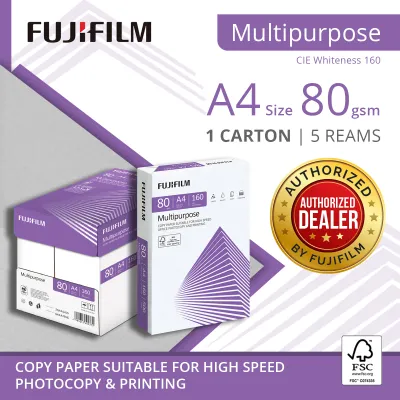
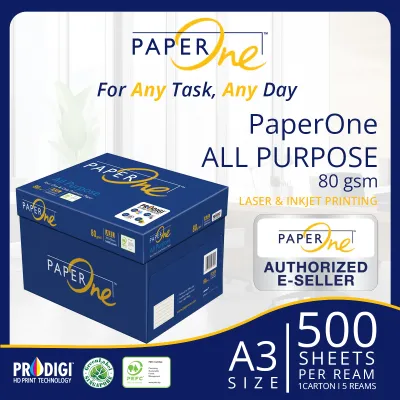
Prices are valid at publication and may change. Please refer to the product page for the latest price.
Basis Weight (GSM)
Grammage, measured in Grams per Square Meter (GSM), indicates the weight and thickness of the paper. Standard copy paper typically ranges from 70 GSM to 80 GSM. This weight is lightweight, highly flexible, and economical for everyday use. Premium copy paper, on the other hand, generally ranges from 80 GSM to 100 GSM or higher. The additional weight of premium paper provides greater stiffness and a more substantial tactile feel, which prevents the paper from bending or tearing easily during high-speed feeding cycles.
Brightness and Whiteness
Paper brightness measures the percentage of blue light reflected from the paper’s surface on a scale of 1 to 100. Standard copy papers usually feature brightness ratings between 88 and 92, which is perfectly adequate for clear black-and-white text. Premium papers often achieve brightness ratings of 96 to 100+ through the use of optical brightening agents and high-quality pulp. This higher brightness increases the contrast between the paper and the toner, making printed text appear sharper and colors look significantly more vibrant and true-to-life.
Opacity
Opacity refers to the paper’s ability to prevent light from passing through it, which is critical for double-sided (duplex) printing. Standard 70 GSM to 80 GSM papers have lower opacity, meaning that text printed on one side is often visible from the other side, a phenomenon known as show-through or ghosting. Premium papers, with their denser fiber structure and higher GSM, offer superior opacity. This ensures that double-sided documents remain clean, legible, and professional, with zero distracting bleed-through.
Evaluating Print Quality and Equipment Compatibility
The interaction between paper and printing hardware is a critical factor in high-volume environments. Using the wrong grade of paper can lead to frequent printer maintenance issues, reduced print quality, and costly downtime.

Hardware Compatibility
Every office printer and high-speed copier has specific Original Equipment Manufacturer (OEM) guidelines regarding supported paper weights. While most modern office machines handle standard 80 GSM paper effortlessly, some high-speed production copiers may struggle with very light 70 GSM paper, leading to feeding errors. Conversely, extremely heavy premium paper (above 100 GSM) may require you to adjust the printer’s tray settings to a “heavy paper” mode to ensure the fuser unit reaches the correct temperature to melt and bond the toner properly.
Jamming and Smoothness
Surface smoothness is a key differentiator between standard and premium paper grades. Premium paper undergoes a more rigorous calendering process, where the paper is pressed between heavy rollers to create a highly uniform, smooth surface. This smoothness reduces friction as the paper travels through the printer’s feed path, significantly lowering the risk of paper jams in high-speed laser printers. Standard paper, which has a slightly rougher texture, can occasionally experience misfeeds or double-feeds, especially when static electricity builds up in the paper tray.
Dust and Lint Accumulation
During the manufacturing of lower-grade standard papers, smaller wood fibers and mineral fillers are often used. As this paper is cut and packaged, it can retain a microscopic layer of paper dust or lint. When run through high-volume printers, this dust sheds and accumulates on the printer’s pickup rollers, separation pads, and fuser assemblies. Over time, this buildup causes the rollers to lose their grip, leading to frequent paper slips, misfeeds, and the need for professional cleaning or parts replacement.
Cost vs. Value Analysis for High-Volume Environments
When managing a high-volume printing budget, looking solely at the purchase price of a carton of paper can be misleading. A true cost-of-ownership analysis must factor in operational efficiency, maintenance, and waste.
Cost Per Page Calculation
To calculate the true financial impact, compare the cost per sheet rather than the total carton price. For example, if a standard carton costs slightly less than a premium carton, the upfront savings per sheet may seem appealing. However, you must weigh this saving against the cost of wasted paper, toner, and employee time spent clearing jams. If standard paper results in a higher rate of discarded prints due to poor duplex legibility or feeding errors, the actual cost per usable page can quickly surpass that of premium paper.
Hidden Operational Costs
Standard paper is often more porous than premium paper. In inkjet printing environments, highly porous paper absorbs more ink, which can lead to feathering (where the ink spreads along the fibers) and higher ink consumption. In laser printing, rougher paper surfaces may require more toner to achieve solid black coverage. Additionally, the labor cost associated with office staff troubleshooting printer jams and waiting for hardware repairs can far outweigh the minor price premium of higher-quality paper.
Storage and Shelf Life in Singapore's Climate
Singapore’s tropical climate, characterized by high relative humidity that often exceeds 80%, poses a unique challenge for paper storage. Paper is highly hygroscopic, meaning it readily absorbs moisture from the surrounding air. When standard paper absorbs moisture, it loses its stiffness, becomes wavy, and is highly prone to curling and jamming inside the printer’s hot fuser unit. Premium papers are typically packaged in moisture-resistant, poly-wrapped reams that protect the sheets from humidity until they are opened. Investing in paper with high-quality packaging is essential for maintaining shelf life in local office environments.
Decision Framework: Which Sorab Enterprise Paper Fits Your Office?
To optimize your stationery budget, you do not need to use a single paper grade for every task. Instead, implement a conditional selection strategy based on your specific office workflows.
Choose Standard Paper If:
- Internal Drafts: Your primary printing consists of internal emails, draft layouts, and temporary reference sheets.
- Single-Sided Printing: You rarely use duplex printing, meaning show-through is not an operational concern.
- High-Volume Transactional Documents: You print high volumes of packing slips, picking lists, or basic text logs where visual presentation is secondary to minimizing upfront material costs.
- Budget Constraints: Your office operates on a strict upfront procurement budget and uses low-speed, robust desktop printers that are less sensitive to paper dust.
Choose Premium Paper If:
- Client-Facing Materials: You frequently print external proposals, contracts, presentations, and marketing collateral where a professional tactile feel and high visual contrast are required.
- Double-Sided (Duplex) Printing: Your office standardizes on double-sided printing to save paper, requiring high opacity to prevent distracting show-through.
- Color-Critical Graphics: You print color charts, diagrams, or high-resolution images that require vibrant color reproduction and sharp detail.
- High-Speed Multifunction Printers: You rely on high-speed, high-volume copiers that require smooth, low-dust paper to maintain peak operational uptime and minimize maintenance cycles.
Verify First If:
- OEM Warranties: Your high-speed production copiers or leased multifunction devices have strict manufacturer warranty clauses regarding the use of approved paper weights or dust-free certifications.
How to Verify Paper Quality Before Bulk Purchasing
Before committing to a large-scale bulk order from Sorab Enterprise, it is highly recommended to perform a series of practical verifications to ensure the paper performs well in your specific office environment.
Sample Testing Protocol
Request a single sample ream of both the standard and premium options you are considering. Run a test batch of at least 100 to 200 sheets through your primary office printers. Test both single-sided and double-sided printing, and closely observe the following:
- Feed Reliability: Note if there are any misfeeds, double-feeds, or static-related sticking in the paper tray.
- Toner Adhesion: Rub a finger firmly across printed text to ensure the toner has fused completely and does not smudge or flake off.
- Duplex Opacity: Hold a double-sided printed sheet up to normal office lighting to evaluate if the text on the reverse side interferes with readability.
Label and Certification Checks
Examine the packaging labels of the sample reams. Look for recognized environmental certifications, such as the Forest Stewardship Council (FSC) or the Programme for the Endorsement of Forest Certification (PEFC), which verify that the paper is sourced from responsibly managed forests. For archival documents or legal contracts, verify that the paper is labeled as “acid-free” (alkaline-buffered), which ensures it will not yellow, become brittle, or degrade over decades of storage.
Supplier Terms and Logistics
When coordinating with Sorab Enterprise, confirm the logistics of your bulk delivery. Ensure that the cartons will be delivered in intact, moisture-sealed shrink-wrap to protect them from humidity during transit and storage. Additionally, clarify the supplier’s return or exchange policy regarding any cartons that arrive with damaged packaging or show signs of moisture exposure.
Frequently Asked Questions (FAQ)
Does higher GSM always mean better print quality?
No, a higher GSM (Grams per Square Meter) does not automatically guarantee better print quality or higher resolution. GSM is strictly a measure of the paper’s weight and thickness, which directly improves stiffness, tactile feel, and opacity (reducing show-through). While these physical properties make the paper feel more premium, the actual print quality—such as text sharpness and color vibrancy—depends more on the paper’s surface smoothness, brightness, and how well its surface sizing chemistry interacts with your printer’s toner or ink.
How does Singapore's humidity affect copy paper storage?
Singapore’s high relative humidity can severely impact copy paper if it is not stored correctly. Paper fibers naturally absorb moisture from the air, causing the edges of the sheets to expand faster than the center. This uneven moisture absorption leads to paper curling, waving, and increased static electricity, which are the primary causes of paper jams and multi-sheet feeding errors in office copiers. To prevent this, store paper cartons in a cool, dry, climate-controlled room off the concrete floor, and keep individual reams sealed in their original moisture-resistant wrappers until the exact moment you load them into the printer tray.
Can I mix standard and premium paper in the same printer tray?
Mixing standard and premium paper grades, or mixing different paper weights, in a single printer tray is not recommended. Office printers rely on precise mechanical sensors and friction rollers calibrated to feed one sheet of a consistent thickness and texture at a time. Mixing papers of different weights (such as 70 GSM and 80 GSM) or different surface smoothness levels can confuse the printer’s feeding sensors, leading to frequent double-feeds, paper jams, and calibration errors during high-volume print runs.

Community discussion
Share your experience or ask a question. Comments are reviewed before publication.