
Choosing between Sorab Enterprise 70gsm and 80gsm copy paper for high-volume office printing requires balancing upfront procurement costs against daily operational performance. For high-volume, single-sided internal documents, 70gsm paper typically offers the highest baseline cost efficiency. Conversely, 80gsm paper provides the necessary opacity, stiffness, and structural integrity required for double-sided printing and professional, client-facing materials. Rather than selecting a single option for all tasks, a strategic approach involves evaluating your office’s specific print jobs, calculating the true cost per sheet, and verifying printer compatibility to optimize your bulk purchasing decisions.
Understanding Paper Weight: 70gsm vs 80gsm Basics
Paper weight is globally measured in grams per square meter (gsm), which represents the weight of a single sheet of paper measuring one square meter. This metric directly correlates with the physical thickness, stiffness, and opacity of the paper. When comparing 70gsm and 80gsm options, the 10-gram difference represents a noticeable shift in structural density. A sheet of 70gsm paper is thinner and more flexible, making it highly suitable for standard, low-ink applications. In contrast, 80gsm paper is the standard benchmark for general office use, offering a more substantial feel and greater resistance to bending.
When handling the two weights, the tactile and structural differences become immediately apparent. Holding a sheet of 70gsm paper up to standard office lighting reveals higher light transmission, meaning text printed on the reverse side will be more visible. The sheet feels lighter and has more drape or flex. An 80gsm sheet feels noticeably crisper, stiffer, and more opaque. This added stiffness is not just about tactile preference; it plays a critical role in how the paper behaves as it travels through the complex internal roller systems of modern office printers.
Products mentioned in this guide
![PaperOne A4 Printing Paper - All Purpose Paper 80gsm [Available in Single Ream / Box]](https://img.lazcdn.com/g/p/27dcdcd07b80cf8dfb582f4178a0997b.png_400x400q80.png_.webp)


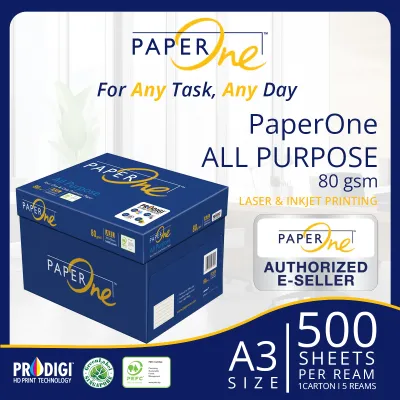
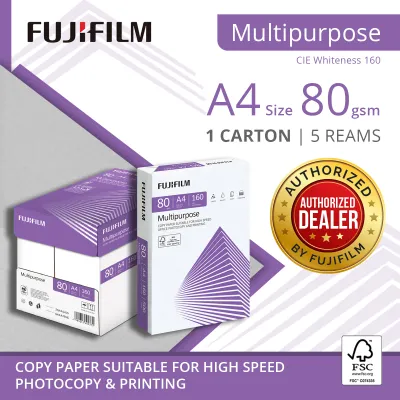

Prices are valid at publication and may change. Please refer to the product page for the latest price.
Before committing to a specific paper weight, it is essential to verify the media compatibility of your office hardware. Every printer manufacturer specifies a supported paper weight range for each input tray, which can typically be found in the user manual or on a specification sticker inside the paper tray door. While most standard office multi-function printers easily accommodate weights from 60gsm up to 120gsm, some high-speed copiers or specialized finishing equipment may have narrower tolerances. Operating outside these recommended ranges can lead to feeding errors and mechanical strain.
Cost Efficiency and Bulk Purchasing Considerations
To determine the true cost efficiency of your paper procurement, you must look beyond the surface price of a single ream. A practical approach involves calculating the cost per sheet in S$ based on direct quotes from your stationery supplier. To do this, divide the total price of a bulk carton or pallet by the total number of sheets contained within it. For example, if a standard carton contains five reams of 500 sheets each, your divisor is 2,500. Performing this calculation for both 70gsm and 80gsm options reveals the exact premium paid for the heavier weight, allowing you to weigh that cost against your actual printing needs.

Physical weight and volume also introduce logistical factors that impact the total cost of ownership, particularly in space-constrained office environments. Singapore’s high relative humidity requires careful consideration of storage conditions. Thinner 70gsm paper is highly sensitive to moisture absorption, which can cause the edges to curl and lead to feeding issues if stored incorrectly. Furthermore, bulk orders of 80gsm paper are approximately 14% heavier than equivalent volumes of 70gsm paper. This weight difference can influence delivery fees, handling requirements, and the maximum load capacity of your office shelving units.
Operational downtime represents a significant hidden cost in high-volume printing environments. If a lighter paper weight causes frequent paper jams, misfeeds, or double-sheet feeding, the minor savings achieved on the initial purchase are quickly offset by lost employee productivity and wasted toner. Additionally, repeated clearing of paper jams can accelerate wear on printer pickup rollers and separation pads, leading to premature maintenance expenses. Evaluating cost efficiency must therefore factor in both the purchase price and the reliable performance of the paper in your specific machinery.
Print Quality and Printer Compatibility
Print quality is heavily influenced by how a paper’s physical properties interact with printer ink or toner. Opacity is a primary consideration, especially for offices looking to reduce paper consumption through double-sided (duplex) printing. Because 70gsm paper is thinner, it has lower opacity, which can result in “show-through” where text or graphics from the reverse side are visible. This can compromise the legibility and professional appearance of duplex documents. The higher density of 80gsm paper provides the necessary opacity to prevent show-through, ensuring clean, readable double-sided prints.
Paper stiffness is equally critical for maintaining feed stability in high-speed office laser printers. As paper passes through a laser printer, it is subjected to high heat and pressure from the fuser unit to permanently bond the toner to the fibers. Thinner 70gsm paper can sometimes curl or warp under this intense heat, increasing the risk of misalignments or exit jams as the sheet leaves the fuser. The superior stiffness of 80gsm paper helps it remain flat and stable throughout the entire paper path, ensuring consistent registration and neat stacking in the output tray.
To safeguard your office equipment and maintain service agreements, always cross-reference your chosen paper weight with the printer manufacturer’s guidelines. Using paper that is too light or too heavy for a specific feed path can lead to persistent feeding issues that may not be covered under standard warranty terms. Many high-speed printers feature specific settings in the print driver where you can select the paper weight (e.g., “Light 60-74g” or “Plain 75-90g”). Correctly configuring these settings adjusts the fuser temperature and roller speed, optimizing print quality and preventing damage to the machine.
Use Case Scenarios: When to Choose Which Weight
Developing a clear framework for paper allocation allows office managers to optimize their stationery budgets without compromising on document quality. Choosing 70gsm paper is highly recommended for high-volume, single-sided printing tasks where the primary goal is minimizing the cost per page. Excellent use cases include daily internal drafts, temporary worksheets, single-sided email printouts, packing slips, and high-volume archival documents that will be filed away immediately. For these applications, the lighter weight performs adequately while delivering maximum cost savings.
Conversely, 80gsm paper should be the default choice for any document that represents your organization to external clients, partners, or stakeholders. This includes client-facing proposals, official contracts, double-sided reports, presentations, and formal correspondence. The extra weight and stiffness of 80gsm paper convey a sense of professionalism and quality that 70gsm cannot match. Furthermore, any document intended for double-sided printing should utilize 80gsm to ensure text legibility is not compromised by show-through.
Before finalizing a bulk order, always verify if your specific printer model or specialized printing tasks require alternative media. For example, documents containing heavy graphics, solid color blocks, or high ink saturation may require even heavier paper, such as 100gsm or 120gsm, to prevent paper cockling (wrinkling) and ink bleed-through. By matching the paper weight to the specific requirements of each print job, you can maintain high standards of presentation while keeping everyday operational costs as low as possible.
How to Verify Paper Quality Before Bulk Ordering
Committing to a large-scale bulk purchase of copy paper without prior testing can lead to costly procurement errors. To mitigate this risk, always start by purchasing a single sample ream of both the 70gsm and 80gsm options from your supplier. Run a series of test print runs on your primary office machines, utilizing both single-sided and double-sided settings. Observe how the paper feeds, check for any signs of curling or static buildup, and evaluate the print clarity and opacity under standard office lighting conditions.
During your evaluation, pay close attention to the physical packaging and the condition of the paper edges. High-quality copy paper should be wrapped in moisture-resistant packaging to protect the sheets from environmental humidity during transit and storage. Inspect the cut edges of the paper; they should be clean, sharp, and free of paper dust. Rough or poorly cut edges can cause individual sheets to cling together, which is a common cause of multi-sheet feeding and subsequent paper jams in high-speed copiers.
Finally, clarify the return and exchange policies with your stationery supplier before placing a bulk order. A reputable supplier should offer clear terms regarding the return of unopened cartons in the event of batch-specific manufacturing defects or transit damage. Understanding these policies beforehand provides an essential safety net, ensuring that your organization’s investment in printing supplies remains protected and that your daily office operations can continue without interruption.
Frequently Asked Questions (FAQ)
Does 70gsm paper cause more paper jams in standard office printers?
Paper jams are rarely caused by the weight of 70gsm paper alone, as most modern office printers are fully rated to handle this thickness. Instead, jams are typically triggered by environmental factors, poor paper storage, or hardware maintenance issues. Thinner paper is more susceptible to absorbing moisture from the air in humid environments, which softens the fibers and causes the paper to curl or stick together. To minimize jamming risks, store your paper in its original moisture-barrier wrapping until it is ready to be loaded into the printer, fan the stack gently before placing it in the tray, and ensure the printer’s pickup rollers are regularly cleaned to remove dust and debris.
Is 80gsm copy paper inherently more eco-friendly than 70gsm?
No, the environmental impact of copy paper is determined by its raw material sourcing, manufacturing processes, and chemical treatments rather than its physical weight. While it is true that 70gsm paper uses slightly fewer wood fibers per sheet than 80gsm, this resource saving is only one part of the ecological equation. To assess the true sustainability of your paper, look for recognized forestry certification labels on the packaging, such as the Forest Stewardship Council (FSC) or the Programme for the Endorsement of Forest Certification (PEFC). These certifications guarantee that the wood pulp was harvested from responsibly managed forests. Additionally, consider choosing paper that features recycled content or is processed using chlorine-free bleaching methods.

Community discussion
Share your experience or ask a question. Comments are reviewed before publication.