
Selecting the right paper weight is a balance between cost, presentation quality, and printer compatibility. The term “GSM” stands for grams per square meter, which measures the density and thickness of the paper. Choosing between 70gsm, 80gsm, and 100gsm depends entirely on what you are printing, how the document will be handled, and the capabilities of your office or home printer. Matching the weight to the task ensures professional results while preventing frustrating paper jams and ink bleed-through.
Diagnosing Your Printing Needs: Key Factors to Consider
Before purchasing a ream of paper, evaluate the primary purpose of your document. Internal drafts, quick reference lists, and high-volume training manuals do not require the same tactile weight as client-facing proposals, legal contracts, or formal presentations. Matching the paper’s weight to its destination helps optimize your stationery budget while maintaining a professional image.
Next, consider the ink coverage and whether you plan to print on both sides of the sheet. High-density color graphics, charts, and heavy text blocks require a more opaque paper to prevent the ink from showing through on the reverse side. Thinner paper lacks the opacity needed for double-sided printing, which can render your documents messy and difficult to read.
Products mentioned in this guide
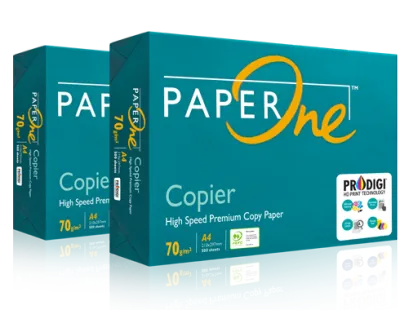
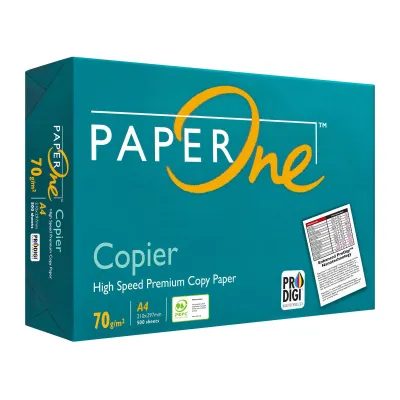
Prices are valid at publication and may change. Please refer to the product page for the latest price.
Finally, verify your printer’s physical limitations by consulting the manufacturer’s user manual. Every printer has specific limits regarding the maximum paper weight it can reliably pull through its rollers. You should check the supported tray capacities and identify whether your device features a manual feed slot or a straight-through paper path designed for heavier stocks.
70gsm Paper: When to Use It for Everyday Tasks
At 70gsm, paper is lightweight, thin, and highly economical, making it a practical choice for high-volume, utility-driven printing. This weight is suitable for printing rough drafts, internal email threads, temporary packing slips, and archival documents where minimizing physical storage space is a priority. Because it is thinner, a ream of 70gsm paper takes up less vertical space on office shelves and reduces overall mailing costs when sending large document packets.

However, this lighter weight comes with distinct limitations that you must observe during daily use. It offers low opacity, meaning that double-sided printing will almost certainly result in distracting ink show-through, especially when using inkjet printers or high-yield toner. Additionally, 70gsm paper has a delicate tactile feel and is prone to tearing or creasing under frequent physical handling, making it less suitable for client-facing materials.
Before committing to 70gsm paper for your office, perform an actionable check on your printer’s feeding mechanism. Some modern high-speed office copiers have pickup rollers calibrated for standard weights; they may occasionally grab multiple sheets of 70gsm paper at once, leading to frequent multi-feeding or mid-job jams. Testing a small batch first will help you verify if your specific hardware handles lightweight sheets smoothly.
80gsm Paper: The Standard for Professional and External Documents
At 80gsm, you reach the universal standard for office and home printing, offering a reliable balance of durability, opacity, and cost-efficiency. This weight is the default choice for standard professional correspondence, client reports, legal contracts, and everyday business documents. It provides a clean, professional appearance that feels substantial enough to hold without immediately bending or tearing under normal handling.
Upgrading from 70gsm to 80gsm is highly recommended when your documents are intended for external eyes or require moderate double-sided printing. The increased density of 80gsm paper significantly reduces ink show-through, allowing you to print text on both sides of the page comfortably. It also withstands the heat of laser printers much better, resisting the curling that often plagues lighter sheets after they pass through the fuser unit.
A major advantage of 80gsm paper is its near-universal compatibility with printing hardware. Whether you are using a basic home inkjet printer, a compact laser printer, or a high-volume commercial copier, 80gsm paper is the baseline standard around which these machines are engineered. You can load it into any standard paper tray without adjusting software settings or worrying about specialized feed paths.
100gsm Paper: Elevating Presentations and Premium Prints
When you need to make a strong impression or handle heavy ink coverage, 100gsm paper provides the premium thickness and opacity required. This heavier stock is ideal for presentation handouts, formal certificates, marketing flyers, resumes, and documents featuring rich color graphics or high-resolution images. The substantial weight immediately signals quality to the recipient, giving your printed materials a professional, tactile edge.
However, printing on 100gsm paper requires careful consideration of your printer’s paper handling capabilities. Because the sheets are thicker and stiffer, they do not bend as easily around the tight rollers found in standard consumer printers. To prevent misfeeds and jams, you may need to bypass the main paper cassette and utilize the printer’s manual feed tray or rear slot, which typically offers a straighter paper path.
You must also weigh the practical trade-offs associated with premium paper weights. A ream of 100gsm paper is noticeably more expensive per sheet than standard 80gsm paper, and it takes up significantly more storage space on your shelves. Additionally, older or basic home printers may struggle to pull the heavier sheets consistently, meaning this weight is most suitable for targeted, high-impact tasks rather than everyday office drafts.
Quick Diagnostic Checklist: Matching Weight to Your Specific Task
To simplify your selection process, use this diagnostic matrix to match your immediate printing task with the most appropriate paper weight:
- Everyday internal drafts, emails, and single-sided utility lists: Use 70gsm paper to maximize cost savings and save storage space.
- Standard business letters, contracts, invoices, and double-sided text documents: Use 80gsm paper for a professional feel and reliable printer performance.
- Client presentations, color brochures, resumes, and graphic-heavy reports: Use 100gsm paper to ensure high opacity, vibrant color reproduction, and a premium tactile experience.
If you notice troubleshooting signals during your print runs, your paper weight may be mismatched with your settings or hardware. For instance, if your paper curls excessively or shows significant ink bleed, you may need to upgrade to a heavier weight or adjust your printer’s media settings. Frequent jams with heavier paper usually indicate that the printer is trying to pull the sheet too quickly through a curved path.
To resolve these issues, always adjust your printer’s software settings when switching between different paper weights. When loading 100gsm paper, open your print dialog box and change the paper type from “Plain Paper” to “Heavy,” “Thick,” or “Cardstock.” This adjustment instructs the printer to slow down the feed speed and optimize the fuser temperature, ensuring the toner adheres correctly without causing a jam.
Frequently Asked Questions (FAQ)
Can I use 100gsm paper in a standard home printer?
Yes, most standard home printers can handle 100gsm paper, but compatibility depends entirely on your specific model’s maximum supported paper weight. You should check the manufacturer’s specifications in your user manual to verify the upper limit. If your printer struggles to feed 100gsm paper from the main tray, try loading the sheets into the manual feed slot or rear paper tray, which provides a straighter path that reduces the risk of jamming.
Does higher GSM always mean better print quality?
Not necessarily, as print quality depends on the interaction between the paper’s surface coating, the ink type, and your printer’s capabilities rather than weight alone. While 100gsm paper offers superior opacity and prevents ink bleed-through on graphic-heavy documents, standard 80gsm paper is often optimal for crisp, everyday text. For high-quality photo printing, a specialized coated paper is more important than simply choosing a heavier plain paper.
How do I prevent paper jams when switching between 70gsm and 100gsm?
To prevent jams, always update the paper type setting in your printer driver to match the loaded weight, which adjusts the roller pressure and fuser temperature. Before placing a new stack of paper into the tray, fan the edges gently to eliminate static cling and prevent the rollers from grabbing multiple sheets. Finally, adjust the paper guides in the tray so they rest snugly against the stack without pinching or bending the edges.
Community discussion
Share your experience or ask a question. Comments are reviewed before publication.