
Smart notebooks have transformed how we archive handwritten notes, but the writing experience itself depends heavily on the physical paper quality. Unlike traditional paper, which relies on raw wood pulp to absorb ink instantly, smart notebooks utilize specialized synthetic or coated sheets designed to balance ink retention with easy erasability. Choosing the right smart notebook requires comparing how these unique materials interact with your favorite pens, how they handle local environmental factors like humidity, and how their physical texture translates to digital scans.
How Smart Notebook Paper Differs from Standard Notebooks
To understand smart notebook paper, one must look beyond standard cellulose. Traditional notebooks use porous wood-pulp paper that draws ink deep into its fibers. In contrast, smart notebooks generally employ one of two distinct material technologies: synthetic paper (often made from polyester or stone-derived calcium carbonate) or specially coated cellulose paper. These materials are engineered specifically to facilitate either wet-erase capabilities or precise digital tracking via embedded dot grids or micro-patterns.
Synthetic papers are entirely non-porous. Because the ink cannot penetrate the surface, it sits on top of the page until it dries. This non-porous barrier is what allows you to wipe the page clean with a damp cloth without warping the sheet. Coated cellulose papers, on the other hand, retain a traditional paper core but feature a specialized chemical coating. This coating slows down ink absorption just enough to allow specialized erasable pens to be rubbed away with friction, while still offering a feel that closely resembles standard stationery.
Products mentioned in this guide
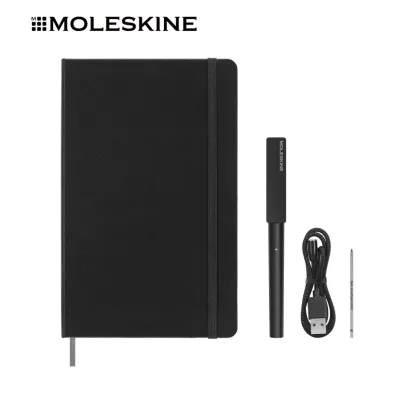
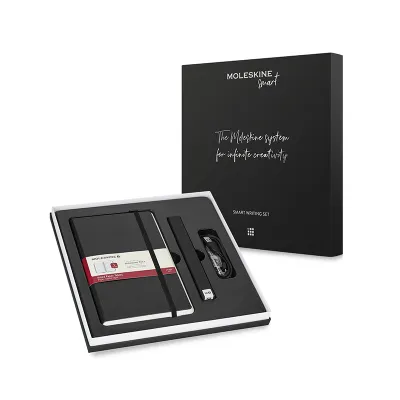

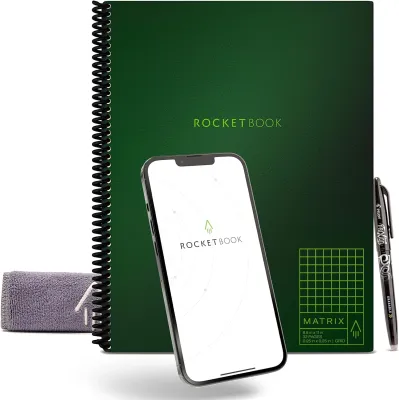
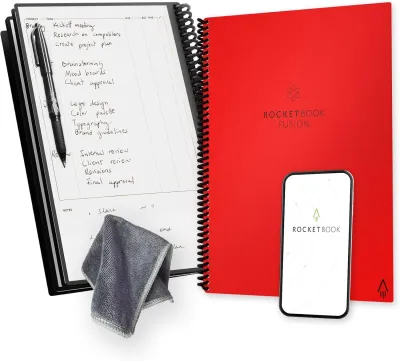
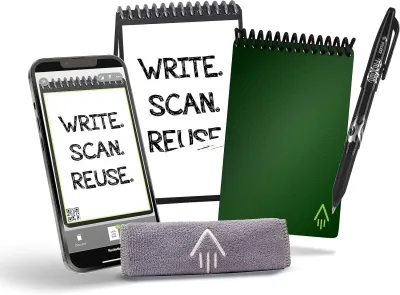
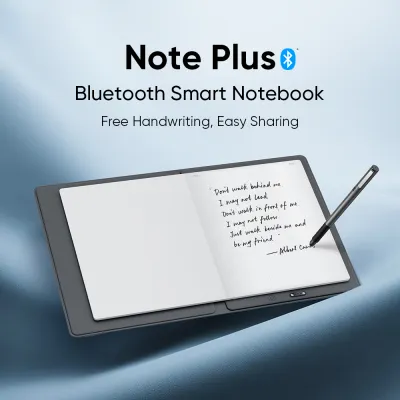
Prices are valid at publication and may change. Please refer to the product page for the latest price.
These material compositions directly dictate the baseline thickness, texture, and ink absorption limits of your notebook. Synthetic sheets feel distinctly plastic-like or rubbery, requiring specific ink formulations to prevent smearing. Coated papers feel more familiar to traditional writers but have a limited lifespan, as the protective coating can eventually wear down after repeated erasing cycles. Understanding these physical differences is the first step in finding a notebook that matches your writing style.
Assessing Paper Thickness, Weight, and Durability
When evaluating smart notebook paper, standard measurements like grams per square meter (GSM) do not translate directly from traditional paper. Synthetic papers often feel significantly thicker, heavier, and more rigid than standard cellulose sheets of the exact same GSM rating. This structural rigidity is a byproduct of the polymers or stone dust used in their manufacturing, giving the pages a vinyl-like heft that resists tearing even under heavy pressure.

To prevent issues like bleed-through and ghosting, you must perform simple, observable checks when setting up a new notebook. Because synthetic paper is completely non-porous, true bleed-through (where ink penetrates to the opposite side of the sheet) is virtually impossible. However, ghosting—where the shadow of your writing is visible through the page—can still occur if the sheet is thin or highly translucent. When testing wet inks, such as gel pens or rollerballs, write a few test lines and hold the page up to a light source to check for shadow depth before committing to a full page of notes.
Durability is another critical factor, particularly in warm, humid environments like Singapore. High humidity can cause standard paper to absorb moisture, leading to page curling, soft edges, and structural weakening. Synthetic smart notebook pages excel here, as they are completely waterproof and impervious to atmospheric moisture. However, they can still suffer from folding endurance issues; sharp creases in synthetic paper are often permanent and can disrupt the scanning alignment. Coated cellulose papers are more susceptible to humidity-induced curling over time, making it essential to store them flat in dry, well-ventilated spaces to preserve their flat profile and scanning compatibility.
Evaluating Surface Texture and Writing Feedback
The tactile sensation of pen meeting paper—often referred to as writing feedback—is highly subjective but crucial for long-term comfort. Smart notebooks present a stark contrast in surface texture. Synthetic pages offer an ultra-smooth, almost frictionless surface. Writing on these pages feels akin to gliding a pen across a sheet of glass or polished plastic. While this minimizes physical resistance, it can make fine motor control more difficult for those accustomed to the natural bite of traditional paper.
Conversely, coated cellulose papers retain a subtle, microscopic texture. This texture provides a slight drag, offering the familiar tactile feedback that helps stabilize your hand during fast writing sessions. Without this feedback, some writers experience increased hand fatigue, as they must grip the pen more tightly to control its glide across an ultra-smooth synthetic surface.
To find your preference, conduct simple observable checks for surface friction and acoustic feedback. When trialing a notebook, write a few rapid loops and listen closely. A high-pitched scratching sound or a distinct tactile drag indicates a textured, coated paper that mimics traditional wood pulp. A silent, effortless glide indicates a synthetic surface. If your writing style involves heavy pressure or rapid cursive, a textured surface will generally provide better control, whereas print writers or those who prefer effortless, light strokes may favor the ultra-smooth synthetic alternative.
Matching Paper Types to Your Preferred Pens and Inks
A smart notebook is only as good as its compatibility with your writing instruments. Many smart notebooks are designed to work in tandem with proprietary erasable pens, which utilize thermochromic inks. These inks become transparent when exposed to friction-generated heat. On synthetic paper, these pens glide effortlessly, but the color vibrancy can sometimes appear slightly muted or translucent compared to how they look on standard paper. This is because the ink sits in a thin layer on top of the non-porous surface rather than soaking into the fibers.
If you prefer standard gel or ballpoint pens, synthetic surfaces present a significant challenge: drying time. Because the surface is non-porous, standard gel inks cannot sink in and must dry purely through evaporation. This can take anywhere from several seconds to a few minutes, posing a high risk of smudging, especially for left-handed writers. Ballpoint pens, which use thicker, oil-based inks, dry faster but can leave deep physical indentations on soft synthetic pages if you write with a heavy hand.
Fountain pens require even greater caution. On coated cellulose papers, fountain pen inks are prone to feathering (where the ink spreads along the fibers) or pooling (where the ink collects in wet droplets on the coating). Furthermore, the extended dry times on coated surfaces can lead to accidental transfers when you close the notebook. If you plan to use a fountain pen, verify the ink’s behavior by testing a small dot in an inconspicuous corner. Look for clean line definition and monitor how many seconds it takes for the ink to become completely smudge-resistant before writing extensive notes.
Decision Framework: Choosing the Right Paper for Your Setup
To finalize your choice, align your notebook selection with your primary writing tools and daily habits using this structured framework.
Choose synthetic-page smart notebooks if:
- Your primary writing instruments are proprietary erasable pens or wet-erase markers.
- You prioritize an ultra-smooth, frictionless writing glide and want the ability to wipe pages completely clean with a damp cloth hundreds of times.
- You work in humid environments where paper durability, water resistance, and tear prevention are critical.
Choose coated-cellulose smart notebooks if:
- You prefer the classic, textured feedback of traditional paper and want to minimize hand fatigue during long writing sessions.
- You occasionally use standard gel pens, ballpoints, or fine-liner pens and require faster drying times to prevent smudging.
- You prefer a notebook that looks and feels like a standard journal while still offering digital scanning capabilities.
Verify first if:
- The notebook's scanning app requires specific page borders or high-contrast dot grids to align and capture your notes accurately.
- The manufacturer's pen-paper bundles are readily available for purchase locally, as replacing proprietary pens or refills can incur high shipping fees if not stocked by local stationery distributors.
- The physical dimensions and binding style (such as spiral-bound or thread-bound) fit comfortably within your daily carry bag or desk setup.
Frequently Asked Questions (FAQ)
Does paper texture affect the quality of scanned digital notes?
Yes, paper texture and surface finish directly impact how scanning apps capture your notes. Ultra-smooth synthetic pages often have a semi-gloss or satin finish that can reflect overhead light, causing harsh glare in digital scans. This glare can obscure handwriting, making it difficult for optical character recognition (OCR) software to transcribe your notes. To optimize scan quality, avoid scanning under direct, harsh sunlight or bright desk lamps. Instead, position your notebook in diffuse, indirect light, and tilt your smartphone slightly to eliminate hot spots while keeping the page flat.
How do I clean smudges off synthetic smart notebook pages without damaging the coating?
To clean smudges, oils, or dried erasable ink from synthetic pages, use a soft, slightly damp microfiber cloth. Gently wipe the surface in circular motions without applying excessive pressure. Avoid using harsh household solvents, isopropyl alcohol, or abrasive erasers, as these chemical agents can strip away the specialized coating that enables erasability and scanning alignment. Always allow the pages to air-dry completely before closing the notebook or writing on them again, ensuring no moisture remains trapped between the sheets.

Community discussion
Share your experience or ask a question. Comments are reviewed before publication.