
Quick Answer: Which System Fits Your Commute?
Navigating the public transport network in Singapore requires a reliable payment method. The choice between SimplyGo and EZ-Link depends on your daily habits, financial preferences, and eligibility for concession rates. If you prefer to consolidate your travel expenses directly onto your existing bank cards or mobile wallets without the hassle of manual top-ups, SimplyGo offers a streamlined, account-based solution. Conversely, if you rely on physical concession cards, require strict budget control through pre-funded balances, or frequently shop at local merchants that only accept traditional stored-value cards, the classic EZ-Link system remains highly practical. Before committing to one system, it is essential to verify your specific card type, check for potential bank transaction fees, and confirm your concession status to ensure a seamless daily commute.
How SimplyGo and EZ-Link Actually Work
To make an informed choice, you must understand the underlying technology that powers each system. SimplyGo operates on an account-based ticketing model. When you tap a SimplyGo-compatible card or mobile device at a bus or MRT gantry, the system records your entry and exit points on a back-end server. Instead of deducting the fare instantly from the card itself, the system aggregates your transit fares over a specific period—typically daily or every few days—and bills the total amount directly to your linked debit card, credit card, or digital wallet.

In contrast, the traditional EZ-Link system relies on a card-based, stored-value model. The monetary balance is stored directly on the physical microchip of the card. When you tap at a gantry, the reader instantly calculates the distance-based fare and deducts it from the card’s balance in real time. This means you must proactively monitor your balance and top up the card at ticketing machines, convenience stores, or via compatible mobile applications before your balance falls below the minimum travel threshold.
Products mentioned in this guide
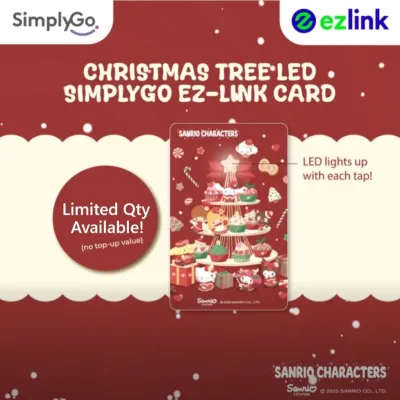
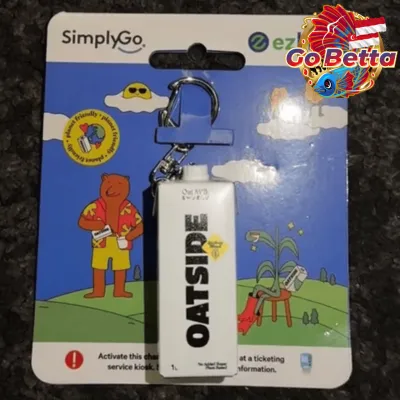





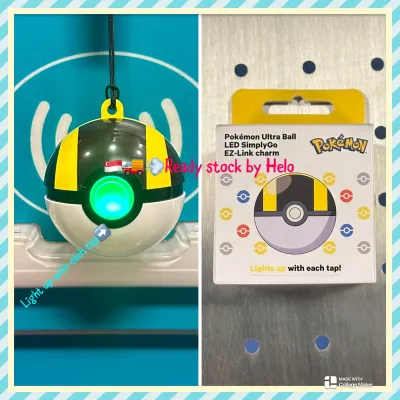
Prices are valid at publication and may change. Please refer to the product page for the latest price.
While both systems utilize the same distance-based fare structure set by the transit authorities, their operational differences affect how you interact with the gantries. With SimplyGo, the gantry screen displays a generic “SimplyGo” message rather than your remaining balance, as the transaction is processed on the backend. With EZ-Link, the gantry screen immediately displays your remaining card balance and the exact fare deducted for that specific trip, providing instant physical feedback.
Key Factors to Evaluate Before You Choose
Concession Fares
If you qualify for concession fares—such as students, senior citizens, national servicemen, or persons with disabilities—your choice is heavily guided by your concession card status. You must verify whether your specific concession card has been transitioned to the SimplyGo framework or if it still operates on the classic stored-value system. While many concession cards can now be managed via the SimplyGo app to allow for remote top-ups and usage tracking, some users prefer to keep their cards on the traditional stored-value system to view their remaining balance instantly at the gantry. Always check the latest guidelines from the transit authority to confirm which system supports your specific concession profile.
Retail and Non-Transit Spending
Your daily routine likely extends beyond buses and trains to include quick stops at convenience stores, hawker centers, and supermarkets. Traditional EZ-Link cards are widely accepted at a broad network of local merchants, school canteens, and specific carparks that utilize dedicated stored-value payment terminals. SimplyGo, being tied to standard credit, debit, and NETS networks, relies on standard merchant point-of-sale terminals. While credit and debit cards are accepted almost universally at major retail chains, some smaller local merchants or older parking gantries may only accept physical stored-value cards. Evaluating where you shop most frequently will help you determine which card format offers the greatest convenience.
Foreign Card Surcharges
For tourists, short-term visitors, or residents using foreign-issued credit or debit cards, payment processing costs are a crucial consideration. When using a foreign-issued card via SimplyGo, the transit authority or your bank may apply administrative surcharges or foreign currency transaction fees. These fees can accumulate daily, potentially making your commute more expensive than expected. On the other hand, purchasing a physical EZ-Link card and topping it up with cash or local payment methods at ticketing machines may incur a one-time card cost but can shield you from recurring foreign transaction fees.
Expense Tracking
The way you monitor your personal finances should influence your choice of transit payment. SimplyGo provides excellent digital integration, allowing you to view your complete journey history, exact fares, and billing statements directly through your bank’s mobile app or the official transit app. This is ideal for those who prefer paperless tracking and consolidated monthly statements. Traditional EZ-Link cards require you to check your balance at physical ticketing machines, card readers, or by tapping the card against an NFC-enabled smartphone running the transit app. If you prefer to keep your transit budget strictly separated from your primary bank accounts, the manual top-up nature of EZ-Link acts as a natural budgeting tool.
The Decision Framework: Which Card to Tap?
Choose SimplyGo (Bank Card) if:
- You want to minimize pocket clutter: You can leave physical transit cards at home and use your existing contactless debit card, credit card, or smartphone mobile wallet to pass through the gantries.
- You prefer automated payments: You want to eliminate the need to queue at physical ticketing machines or worry about running out of stored-value balance mid-journey.
- You want consolidated financial statements: You prefer having your transit fares billed directly alongside your daily retail purchases on a single bank statement.
Choose EZ-Link (Stored Value) if:
- You require strict budget control: You prefer to allocate a specific, pre-funded amount of money for transport each month, preventing accidental overspending.
- You rely on specific physical concession cards: Your daily commute depends on a concession card that is optimized for or restricted to the traditional stored-value system.
- You frequently visit local micro-merchants: You regularly make purchases at hawker stalls, school canteens, or older parking lots that exclusively accept physical stored-value cards.
Verify First if:
- You are using a foreign-issued payment card: You must check with your card issuer regarding foreign transaction fees and verify the current daily administrative surcharges applied to foreign cards at transit gantries.
- You are traveling with dependents: Ensure that each traveler has a unique, individual card or device, as multiple commuters cannot share a single contactless bank card or mobile wallet on the same journey.
Setup, Verification, and Troubleshooting
Before heading to the transit gantry, perform a quick visual check on your physical bank card. Look for the contactless indicator symbol—which resembles four radiating waves—to confirm that your card is equipped with contactless payment technology. If you plan to use a mobile wallet, ensure that your debit or credit card is successfully registered and activated within your device’s payment application.
To unlock the full benefits of digital tracking, download the official transit application on your smartphone. Register an account and link your chosen payment cards. This registration allows you to view detailed trip breakdowns, track fare deductions, and generate official receipts for travel claims. You can also link multiple family cards to a single profile, making it easier to manage transport expenses for children or elderly relatives.
If you experience a failed tap at the gantry, remain calm and step aside to avoid blocking other commuters. A common cause of failure is “card clash,” which occurs when you tap a wallet or cardholder containing multiple contactless cards simultaneously. The reader becomes confused by the competing signals and denies entry. To prevent this, always remove your specific transit card or bank card from your wallet before tapping, or use a dedicated mobile device. Additionally, verify that your linked bank card has not expired, is not temporarily blocked, and has sufficient credit or funds available to cover the journey.
Frequently Asked Questions (FAQ)
Can I use both SimplyGo and EZ-Link on the same journey?
No, you must never mix payment systems on a single journey. The transit network calculates fares based on the exact entry and exit points recorded by a single payment source. If you tap in with a SimplyGo-enabled bank card and tap out with a physical EZ-Link card, the system will treat these as two separate, incomplete journeys. This will result in both cards being charged the maximum possible fare for the route. Always ensure you tap in and tap out with the exact same physical card or mobile device.
What happens if my SimplyGo bank card is declined at the gantry?
If your bank card is declined, the gantry gates will not open, and the reader may display an error message. This typically happens due to insufficient funds in your linked bank account, a temporary hold placed by your bank, or card expiration. To resolve this quickly and avoid delaying other commuters, step out of the queue and use an alternative payment method, such as a physical stored-value card or a different registered mobile wallet card. You can check the status of your declined card by logging into your bank’s mobile app or contacting your card issuer.
Are there any differences in refund processes for overcharges?
Yes, the dispute and refund processes differ based on the system you use. For SimplyGo transactions, you can file a claim directly through the official transit mobile app or website, where your digital journey history is logged. The transit authority will review the backend data and process approved refunds directly back to your linked bank account. For traditional EZ-Link cards, you can submit claims via the transit app, at physical ticketing machines, or by visiting a customer service center at designated transit hubs. When filing any dispute, always note down the exact date, time, and the specific entry and exit stations to ensure a swift verification process.

Community discussion
Share your experience or ask a question. Comments are reviewed before publication.