
GSM, or Grams per Square Meter, is the standard metric unit used to measure the weight and density of paper. Rather than measuring the physical thickness of a sheet, GSM indicates the mass of a single square meter of that specific paper. Understanding this specification is essential when selecting printer paper, as it directly influences how ink behaves on the page, how durable the finished document remains, and whether the sheet can pass through your printer’s internal rollers without causing a mechanical jam.
Choosing the correct paper weight is a balance between the visual demands of your print job and the physical capabilities of your office hardware. While heavier paper offers a more premium feel and better resistance to ink bleed-through, lighter paper remains the standard for high-volume, everyday tasks. By matching the GSM to your specific project, you can optimize both print quality and operational efficiency.
Understanding GSM: The Measure of Paper Density
Grams per Square Meter (GSM) serves as the universal standard for identifying paper weight. It is calculated by weighing a single sheet of paper that measures exactly one meter by one meter. Because this measurement focuses on mass rather than physical thickness, or caliper, it provides a highly reliable indicator of how dense and sturdy the paper fibers are.
Products mentioned in this guide
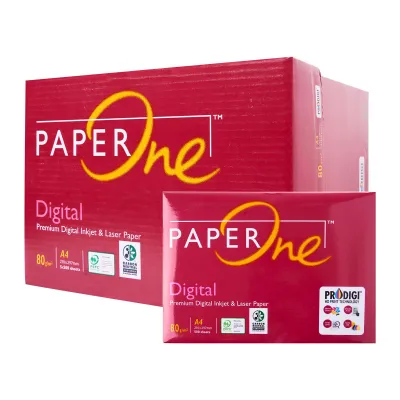
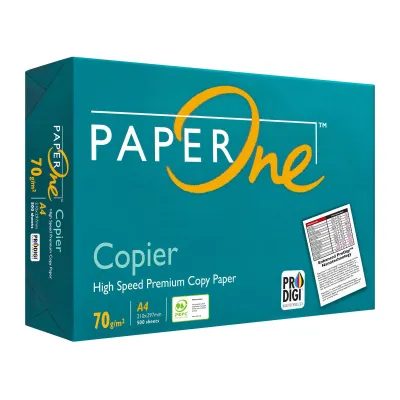
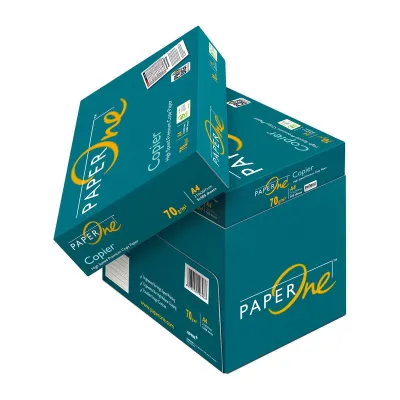
Prices are valid at publication and may change. Please refer to the product page for the latest price.
A higher GSM rating generally correlates with increased paper stiffness, greater opacity, and a more substantial tactile feel. When you hold a sheet of high-GSM paper, it resists bending and feels noticeably heavier in the hand. However, thickness and density are not identical; two different paper types with the same GSM can have slightly different physical thicknesses depending on the manufacturing process and the types of wood pulp or alternative fibers used.
It is also important to distinguish paper weight from other visual and tactile properties. Specifications such as brightness, whiteness, and surface finish operate independently of GSM. For instance, you can find a highly reflective, bright white paper in both a lightweight 70 GSM format and a heavy 120 GSM format. Understanding these distinctions helps you evaluate paper labels accurately when shopping.
How Paper Weight Affects Print Quality and Durability
The weight of your printer paper plays a critical role in how ink or toner interacts with the surface. On lower GSM paper, the fibers are less dense, which increases the risk of ink absorption issues like bleed-through or show-through. This is particularly problematic during double-sided printing, where text or images from one side can easily be seen on the reverse, reducing overall readability.

Heavier paper significantly improves the structural durability and lifespan of your documents. High-GSM sheets offer superior tear resistance and can withstand frequent handling, making them ideal for archival purposes, reference manuals, and official records. Furthermore, the physical weight of a document contributes to its perceived professionalism, leaving a stronger impression on clients and partners during presentations.
However, using heavier paper requires careful attention to hardware compatibility. Every printer has a maximum supported GSM limit dictated by its internal paper path and roller mechanism. Exceeding this limit can lead to frequent paper jams, feed errors, and potential damage to the rubber rollers or the fuser unit in laser printers. Stiff paper may fail to bend around tight curves inside compact desktop printers, resulting in mid-print stalls.
Matching Paper Weight to Your Printing Tasks
To achieve the best results, you should align your paper selection with the specific requirements of your print job. Standard everyday printing typically relies on paper weights between 70 GSM and 80 GSM. This range is highly suitable for high-volume office printing, internal drafts, emails, and basic note-taking. It is cost-effective, takes up less physical storage space, and runs smoothly through almost all standard office copiers.
For professional correspondence, reports, and double-sided documents, upgrading to 90 GSM or 100 GSM is highly recommended. This intermediate weight provides a more substantial feel and offers the opacity needed to minimize show-through when printing on both sides. It is the preferred choice for client-facing letters, resumes, and formal proposals where presentation matters.
Specialty applications and heavyweight needs require 120 GSM and above. This category includes presentation covers, certificates, brochures, and high-quality photo prints. Because these sheets are thick and rigid, they require a printer capable of handling heavy media.
Before purchasing bulk paper, always verify your printer’s compatibility using this practical checklist:
- Consult the user manual or manufacturer's specification sheet to find the maximum supported paper weight (usually listed under "Media Specifications").
- Check if your printer features a bypass tray or a straight-through paper path, which often supports higher GSM weights than the standard paper cassette.
- Conduct an observable trial by testing a single pack of your chosen paper weight to ensure smooth feeding and clean ink drying before investing in large quantities.
Other Key Specifications to Check Before Buying
While GSM is a primary factor in paper selection, other specifications must be verified to ensure a successful print run. First, confirm the paper size and format compatibility. In Singapore, A4 is the standard dimension for business and academic documents, whereas Letter size is predominantly used in North American markets. Ensure your printer trays are adjusted correctly to match the exact dimensions of your chosen paper.
Brightness and whiteness levels also affect the final visual output. Brightness measures the amount of blue light reflected from the paper surface, typically rated on a scale up to 100. Higher brightness levels provide sharper contrast, making text appear crisper and colors more vibrant. Whiteness refers to the shade of the paper, which can lean toward warm, neutral, or cool blue tones depending on your aesthetic preference.
Finally, consider the surface finish and its compatibility with your specific printer technology. Uncoated paper is the standard choice for text-heavy documents, as it absorbs standard inks quickly. Matte and glossy finishes are excellent for image-heavy layouts, but they require specific coatings. Always check whether a specialty paper is rated for inkjet printers, laser printers, or both, as using the wrong type can lead to smudging, poor ink adhesion, or heat damage to the printer’s internal components.
Frequently Asked Questions (FAQ)
Can I use high GSM paper in any standard home printer?
No, standard home printers have physical limitations based on their paper path design. Many compact home models feed paper through a tight U-bend, which can easily jam if the paper is too stiff or thick. Always consult your device’s user manual or manufacturer specifications to verify the maximum supported GSM before attempting to print on heavy cardstock or specialty media.
Is higher GSM always better for everyday office printing?
Not necessarily. While heavier paper feels more premium, using high GSM paper for routine tasks increases purchasing costs, adds physical bulk to your filing cabinets, and can accelerate wear on your printer’s feeding rollers. For everyday internal drafts and high-volume printing, standard 70 to 80 GSM paper remains the most practical, cost-effective, and environmentally friendly option.

Community discussion
Share your experience or ask a question. Comments are reviewed before publication.