
Selecting the right photocopy paper involves understanding a simple three-letter acronym: GSM. When standing in the stationery aisle or browsing an online marketplace, you will primarily encounter three options: 70gsm, 75gsm, and 80gsm. Choosing the correct weight is not about finding a single universal winner, but rather matching the paper’s physical properties to your specific printer, budget, and document goals.
What GSM Means for Photocopy Paper
GSM stands for grams per square meter. This metric measures the density and weight of the paper rather than its physical thickness alone. If you were to cut a sheet of paper to exactly one square meter, its weight in grams would equal its GSM rating.
A higher GSM number indicates a heavier sheet of paper. While heavier paper often feels thicker and stiffer, the actual thickness can vary slightly depending on how the manufacturer compresses the wood fibers during production. Therefore, GSM is the most reliable standard for comparing paper weight across different brands.
Products mentioned in this guide
![PaperOne™ Copier Paper 70gsm / 75gsm Copy Paper A4 [1 Box]](https://img.lazcdn.com/g/p/62f961291078a3b12171dd45eea2a9a4.jpg_400x400q80.jpg_.webp)
![PaperOne™ Copier Paper 80gsm Copy Paper A4 [2 Reams]](https://img.lazcdn.com/g/p/0eb80601f7c5c82b1f75200b439c7562.jpg_400x400q80.jpg_.webp)
![PaperOne™ Digital Premium Quality 85gsm / 80gsm Carbon Neutral Copy Paper A4 [1 Box]](https://img.lazcdn.com/g/p/314e28db684b5a59446140a7a613d0c3.jpg_400x400q80.jpg_.webp)

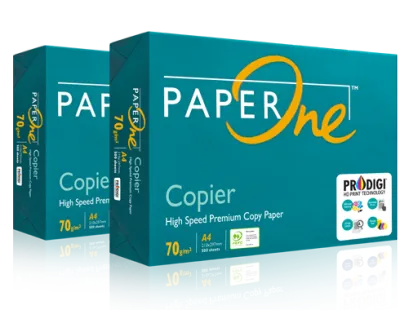

![PaperOne™ Digital Premium Quality 100gsm Copy Paper A4 [2 Reams]](https://img.lazcdn.com/g/p/19b942556bf5e935f0ea0c7e4750b7df.jpg_400x400q80.jpg_.webp)
Prices are valid at publication and may change. Please refer to the product page for the latest price.
It is a common misconception that a higher GSM automatically translates to better quality for every printing task. In reality, the ideal paper weight depends entirely on the job at hand. Using heavy paper for temporary internal drafts can unnecessarily increase your office expenses, while using paper that is too thin for client presentations can make your business look less professional.
Comparing 70gsm, 75gsm, and 80gsm Paper
To make an informed decision, it helps to understand how the three most common weights perform in daily office and home environments.

At 70gsm, photocopy paper is light, thin, and highly economical. This weight is suitable for high-volume printing, such as internal drafts, temporary worksheets, and everyday notes that will be discarded quickly. Because it is thinner, a ream of 70gsm paper takes up less physical storage space. However, the lighter weight means it has lower opacity, making it prone to ink show-through. Some older or high-speed office copiers may also experience more frequent paper jams with 70gsm paper because the thin sheets can crumple easily under high heat and roller pressure.
At 75gsm, you find the standard middle ground for general office and home use. This weight offers a practical balance of cost, opacity, and feeding reliability. It is thick enough to pass smoothly through most standard desktop printers without jamming, yet light enough to keep bulk purchasing costs manageable. If your daily printing consists of a mix of single-sided text documents, emails, and basic reports, 75gsm paper provides a reliable, everyday solution.
At 80gsm, the paper feels noticeably more substantial and professional. This is the standard weight for official correspondence, client-facing materials, and formal reports. The primary advantage of 80gsm paper is its high opacity, which makes it a practical choice for double-sided (duplex) printing. It prevents ink or toner from showing through to the reverse side, ensuring your documents remain clean and legible. The extra weight also gives the paper a premium feel that leaves a positive impression on clients and partners.
Matching Paper Weight to Your Printer and Tasks
Choosing the right paper weight requires looking at your hardware and your printing habits. Before purchasing cartons of paper, always check your printer’s user manual or the specification label located on the machine. Printers have specific mechanical limits, and using paper outside the supported GSM range can lead to persistent feeding issues or roller wear.
Next, evaluate how often you utilize double-sided printing. If your office defaults to duplex printing to save paper, investing in 80gsm paper is highly practical. Using 70gsm paper for double-sided printing often results in a messy appearance, as the text from the back side shadows through to the front, reducing readability.
Finally, consider the long-term cost-per-sheet trade-off. While saving a few S$ per carton by choosing 70gsm paper is tempting for large organizations, you must weigh this against the potential cost of printer downtime and wasted sheets from paper jams. For critical business operations, a mix of 75gsm for general use and 80gsm for external communications often provides the most cost-effective balance.
Troubleshooting Weight-Related Printing Issues
Using the wrong paper weight can lead to several frustrating printing issues that disrupt your workflow. Understanding these problems can help you quickly identify when a change in paper weight is necessary.
Paper jams are the most common symptom of a weight mismatch. When paper is too thin, such as 70gsm in a high-speed copier, the sheets can easily crumple or double-feed as they pass through the rollers. Conversely, if you attempt to feed paper that is too thick through a compact home printer, the rollers may fail to grab the sheet entirely, leading to feed errors.
Show-through and bleed-through are common aesthetic issues. If you notice that ink from your inkjet printer is soaking through to the back of the page, or if toner creates a dark shadow on the reverse side, your paper is likely too thin for the ink volume. Upgrading to a heavier weight or adjusting your printer’s print quality settings to use less ink can resolve this issue.
In warm, humid climates like Singapore, environmental factors play a significant role in paper behavior. Thin paper absorbs moisture from the air more rapidly, which can lead to curling and static buildup. When humid paper passes through the hot fuser of a laser printer, it is highly prone to warping. To prevent this, store your paper in a cool, dry place, keep reams sealed until ready for use, and ensure your printer’s paper-type settings match the actual GSM of the loaded media.
Frequently Asked Questions (FAQ)
Can I use 80gsm paper in any standard home printer?
Most modern home printers can easily handle 80gsm paper, as it is the standard weight for everyday printing. However, some compact, portable, or older inkjet models may have tighter roller tolerances. If you cannot find your printer’s manual to verify the supported GSM range, it is wise to test a single ream before purchasing a large multi-ream carton.
Does a higher GSM guarantee that ink will not bleed through?
While a higher GSM generally improves paper opacity and reduces show-through, it does not completely guarantee that ink will not bleed. Bleed-through is also heavily influenced by the paper’s surface coating, sizing, and the type of ink used. For heavy ink applications, such as color charts or high-density graphics, look for paper packaging that explicitly states it is optimized for inkjet printing or double-sided use, in addition to checking the GSM.

Community discussion
Share your experience or ask a question. Comments are reviewed before publication.