
Choosing the right copy paper for your office or home printer involves balancing print quality, machine reliability, and overall cost. While PaperOne A4 80gsm is widely recognized for its consistent thickness and smooth finish, the optimal brand for your needs depends heavily on your specific printing volume and document requirements. High-volume internal drafts may not require the same premium characteristics as client-facing presentations, making alternative brands a viable option for budget-conscious users.
While PaperOne is a popular choice in Singapore due to its reliable performance in high-speed machines, other brands on the market may offer competitive bulk pricing or different brightness levels. Before committing to a large purchase, it is always wise to check your printer’s manual to verify its optimal paper weight and dust tolerance. This guide will help you evaluate the core specifications of A4 80gsm paper so you can make an informed decision.
Key Factors to Compare When Buying A4 80gsm Copy Paper
Brightness and Opacity
When evaluating copy paper, the CIE whiteness rating printed on the packaging is a key specification to check. A higher CIE number indicates a brighter, whiter sheet, which provides sharper contrast for printed text and vibrant colors. Opacity is equally critical, especially if you frequently print double-sided documents. Low-opacity paper allows text to show through to the reverse side, which looks unprofessional and reduces readability.
Products mentioned in this guide
![PaperOne™ All Purpose Premium Quality 80gsm Copy Paper A4 [2 Reams]](https://img.lazcdn.com/g/p/6fe22f63efd1aeac13600887dc29a7da.jpg_400x400q80.jpg_.webp)

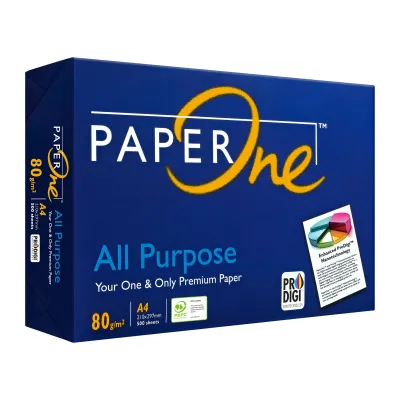
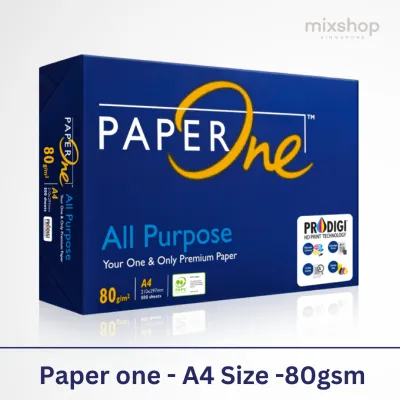
![PaperOne™ Digital Premium Quality 85gsm / 80gsm Carbon Neutral Copy Paper A4 [1 Box]](https://img.lazcdn.com/g/p/314e28db684b5a59446140a7a613d0c3.jpg_400x400q80.jpg_.webp)
![[2 Reams 1000 sheets] A4 80Gsm Paperone Copy Paper / Paperone Digital Inkjet & Laser Paper 85gsm A4](https://img.lazcdn.com/g/p/6b30a8abe0e8c9414c33ea8ecc1cc966.jpg_400x400q80.jpg_.webp)
![PaperOne A3 A4 A5 Printing Paper | Double A A4 Printing Paper | Fujifilm A4 Printing Paper [70gsm | 80gsm | 100gsm]](https://img.lazcdn.com/g/p/60f9096753eaa3525ca43e2d0ec6e4ce.png_400x400q80.png_.webp)
Prices are valid at publication and may change. Please refer to the product page for the latest price.
Surface Smoothness and Dust
Smooth paper reduces friction as sheets travel through the printer’s internal rollers, ensuring a consistent feed. Conversely, rough paper can cause misfeeds and accelerate the wear of rubber pickup rollers. Additionally, lower-quality papers often shed microscopic paper dust during the cutting and printing processes. Over time, this dust accumulates on optical sensors and rollers, leading to frequent paper jams and requiring professional maintenance.
Moisture Content and Curling
Singapore’s tropical climate features high relative humidity, which poses a unique challenge for paper storage and usage. Paper is naturally hygroscopic, meaning it absorbs moisture from the surrounding air. When paper absorbs moisture unevenly, it tends to curl, which dramatically increases the risk of jamming inside hot laser printers. High-quality 80gsm paper is engineered with controlled moisture levels and protective packaging to resist curling in humid environments.
Printer Compatibility
Laser and inkjet printers have fundamentally different paper requirements. Laser printers use heat and pressure to fuse dry toner powder onto the page, requiring paper that can withstand high temperatures without warping. Inkjet printers spray liquid ink, which requires a paper surface that absorbs moisture quickly without feathering or bleeding. A versatile 80gsm paper should perform reliably across both technologies, but you must verify how the paper interacts with your specific ink or toner type.
PaperOne vs. Competitors: Comparing Core Specifications
Reading the Label
When comparing PaperOne to other brands, start by analyzing the packaging labels for environmental certifications and manufacturing standards. Look for certifications such as PEFC (Programme for the Endorsement of Forest Certification) or FSC (Forest Stewardship Council), which indicate sustainable raw material sourcing. Additionally, check the exact grammage tolerance; premium brands maintain strict quality control to ensure every sheet is exactly 80gsm, whereas budget brands may have wider variations.

Evaluating "Jam-Free" Guarantees
Many manufacturers print “99.99% Jam-Free” or similar claims on their packaging. It is important to understand that these guarantees are typically based on tests conducted under controlled laboratory conditions using brand-new printers. To evaluate these claims in your own office, purchase a single ream of the competitor brand and run a test batch of 100 sheets through your printer’s duplex feeder to observe if the sheets feed smoothly.
Visual and Tactile Checks
You can perform several simple physical tests without specialized equipment. Hold a single sheet of PaperOne and a competitor sheet up to a bright light source to compare their opacity; the sheet that lets less light through will handle double-sided printing better. Feel the edges of the paper; clean, precision-cut edges prevent sheets from sticking together due to interlocking paper fibers. Finally, gently flex the sheet to assess its stiffness, as stiffer paper feeds more reliably through complex paper paths.
Evaluating Value: Price per Ream and Bulk Purchasing
Cost per Sheet Calculation
To determine the true value of your paper purchase, calculate the cost per sheet rather than just looking at the total price of the ream. Divide the price of a 500-sheet ream in S$ by 500. For example, if a premium ream costs S$6.50, the cost per sheet is S$0.013. If a budget brand costs S$5.00, the cost per sheet is S$0.010. While a difference of S$0.003 per sheet seems negligible, it adds up significantly over thousands of prints.
Factoring in Delivery Fees
Paper is exceptionally heavy, with a standard carton of five reams weighing approximately 12.5 kilograms. When purchasing from online marketplaces or e-commerce platforms, shipping fees can quickly erase any savings gained from a lower unit price. Always calculate the total landed cost, including delivery charges, when comparing online sellers against local stationery shops that might offer free delivery for minimum order values.
Bulk vs. Retail
Buying by the carton (usually containing five reams of 500 sheets each) or by the pallet is highly cost-effective for businesses. Local stationery stores in Singapore often charge a premium for single reams to cover retail overhead. If you have adequate dry storage space, purchasing cartons from commercial office suppliers yields a much lower cost per ream. However, avoid over-purchasing if you cannot store the paper in a climate-controlled environment, as moisture absorption over time will degrade the paper’s performance.
Decision Framework: Which Brand Should You Buy?
Choose PaperOne if:
- You operate high-speed laser printers that require consistent feed reliability.
- You frequently print double-sided documents and need reliable opacity to prevent show-through.
- You require professional-looking presentations and client-facing documents with sharp text contrast.
Choose Alternative Brands if:
- Your printing consists primarily of internal drafts, packing slips, or temporary documents where visual perfection is unnecessary.
- You want to minimize your cost per sheet and overall office supply expenses.
- You require specialized, ultra-bright paper for specific inkjet graphic prints.
Verify First if:
- You are introducing a new paper brand to your office workflow; always purchase a single ream to test for dust accumulation, curling, and feeding reliability in your specific printer models.
- You notice a white powdery residue on your printer's pickup rollers, which indicates the paper is shedding excessive dust.
Frequently Asked Questions (FAQ)
Does 80gsm paper prevent ink bleed-through better than 70gsm?
Yes, 80gsm paper is physically thicker and denser than 70gsm paper, which naturally provides better resistance to ink bleed-through. However, weight is not the sole factor. Bleed-through also depends on the paper’s sizing (the chemical treatment applied during manufacturing to control water absorption) and the type of ink used. For example, wet liquid inks from inkjet printers or heavy gel pens are more likely to bleed than dry toner from laser printers. To ensure clean prints, test your preferred writing instruments or printer settings on a sample sheet to observe the drying speed and bleed resistance.
How should I store A4 copy paper to prevent printer jams?
To maintain optimal paper quality and prevent feeding issues, always keep unused paper in its original moisture-proof wrapper. This wrapper is specifically designed with an inner barrier that protects the paper from ambient humidity. Store the reams completely flat on a shelf or pallet rather than standing them vertically, which can cause the edges to warp. Keep your storage area cool and dry, away from direct sunlight, open windows, or direct drafts from air-conditioning vents, as rapid temperature and humidity fluctuations will cause the paper to curl and jam during printing.

Community discussion
Share your experience or ask a question. Comments are reviewed before publication.