
Quick Answer: Matching PaperOne Weights to Your Print Jobs
Selecting the ideal paper weight is a balance between cost, visual presentation, and machine compatibility. When choosing the right paper one a4 paper for your home or office, matching the paper’s thickness to your specific task ensures clean prints and reliable printer operation.
- Choose 70gsm paper if your primary goal is high-volume, text-only printing. This weight is highly economical and ideal for internal drafts, daily office memos, and archival documents. Because the sheets are thinner, you can store more printed pages in a single binder or filing cabinet, saving valuable physical storage space.
- Choose 80gsm paper if you need a versatile, multi-purpose standard for everyday business and academic documents. This is the universal baseline for standard office copiers and laser printers. It provides the necessary structural stiffness for smooth double-sided printing of text and light graphics, making it suitable for client proposals, letters, and training manuals.
- Choose 100gsm paper if you require a premium, high-impact presentation. This heavy-duty weight is designed for documents that demand a professional, substantial feel, such as corporate portfolios, formal certificates, marketing flyers, and reports with heavy double-sided ink or toner coverage. The added thickness virtually eliminates show-through, ensuring crisp visual contrast.
Your final decision should always take into account your printer’s maximum media weight capacity and the expectations of your target audience. Utilizing a paper weight that is too heavy or too light for your hardware can lead to feeding issues, while using an inappropriate weight for your documents can affect how clients perceive your brand.
What 70gsm, 80gsm, and 100gsm Actually Mean for Your paper one a4 paper
To make an informed decision, it is helpful to understand the technical measurements behind paper manufacturing. The term GSM stands for “grams per square meter.” This is the standard metric unit used globally to measure the density and weight of paper products. Because an individual A4 sheet measures exactly 210 mm by 297 mm, it represents precisely 1/16th of a square meter. Consequently, a single sheet of 80gsm paper weighs approximately 4.99 grams, while a 70gsm sheet weighs about 4.37 grams, and a 100gsm sheet weighs 6.24 grams.
Products mentioned in this guide

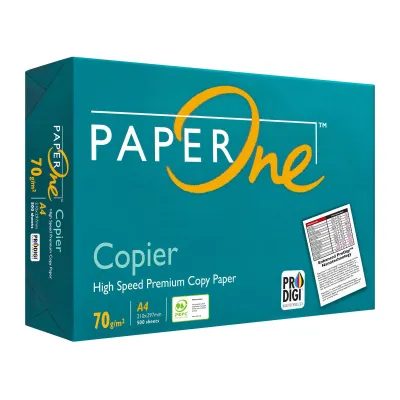
![PaperOne™ Copier Paper 70gsm / 75gsm Copy Paper A4 [1 Box]](https://img.lazcdn.com/g/p/62f961291078a3b12171dd45eea2a9a4.jpg_400x400q80.jpg_.webp)
![PaperOne™ All Purpose Premium Quality 80gsm Copy Paper A4 [2 Reams]](https://img.lazcdn.com/g/p/6fe22f63efd1aeac13600887dc29a7da.jpg_400x400q80.jpg_.webp)


![PaperOne A3 A4 A5 Printing Paper | Double A A4 Printing Paper | Fujifilm A4 Printing Paper [70gsm | 80gsm | 100gsm]](https://img.lazcdn.com/g/p/e6656a7d0c70606a115a8596caf6a15d.png_400x400q80.png_.webp)
Prices are valid at publication and may change. Please refer to the product page for the latest price.

This weight difference directly correlates with the physical thickness, stiffness, and opacity of each sheet. Thicker paper contains more compressed wood fibers per square inch, which creates a denser barrier against light and liquid.
- 70gsm physical profile: This paper is thin, lightweight, and highly flexible. When you hold a single sheet, it bends easily under its own weight. Its thinner profile means a standard ream of 500 sheets is physically shorter than heavier weights, allowing more sheets to fit into standard shipping cartons and storage shelves.
- 80gsm physical profile: As the global office standard, this weight offers a balanced structural profile. It possesses enough rigidity to remain flat when pushed through high-speed printer rollers, yet it remains flexible enough to pass through complex paper paths without jamming. It provides standard opacity, meaning text printed on one side is only faintly visible from the back under normal lighting.
- 100gsm physical profile: This weight borders on light cardstock in terms of stiffness and tactile presence. It feels robust, resists bending, and remains completely flat even when subjected to high-temperature fusing in laser printers. The high fiber density blocks almost all light, providing excellent opacity.
It is important to note that while GSM indicates weight and thickness, it is distinct from optical brightness and whiteness. Brightness refers to how much blue light the paper reflects, which is measured on a separate percentage scale (such as CIE whiteness). When purchasing your paper, check the specific packaging labels for these optical ratings, as a 70gsm sheet and a 100gsm sheet from the same product line can share identical brightness levels despite their physical differences.
How the Three Weights Compare on Key Printing Metrics
To evaluate how these three paper weights perform under daily operational demands, we must examine their performance across several key physical and mechanical metrics. The interaction between your printer’s consumables and the paper fibers determines the final visual quality.
Opacity and Show-Through
Opacity is the measure of how much light is prevented from passing through the paper. When printing double-sided documents, high opacity is crucial to prevent “show-through,” which is the distracting visual ghosting of text or images from the reverse side.
- 70gsm: This weight has the lowest opacity. If you print on both sides, the text from the back page will be clearly visible, making the document difficult to read. It is best reserved for single-sided applications.
- 80gsm: This standard weight handles double-sided printing of standard monochrome text quite well. However, if you print bold headings, dark borders, or solid charts, some show-through will occur.
- 100gsm: This weight offers superior opacity. It is engineered to block light effectively, making it the premier choice for double-sided documents containing rich color graphics, dark backgrounds, or dense text layout.
Ink Absorption and Bleed
Bleed-resistance and drying speed are highly dependent on the specific combination of paper fibers, ink formulas, and printer technology. When liquid ink from an inkjet printer hits the paper, the fibers absorb the liquid carrier.
- 70gsm: With fewer fibers to distribute the liquid, heavy inkjet printing can quickly oversaturate the sheet. This causes the paper to warp, a phenomenon known as cockling, and can result in the ink bleeding through to the other side or spreading along the fibers, which blurs the edges of your text.
- 80gsm: This weight provides a reliable absorption rate for standard inkjet and laser printing. It handles modest ink coverage without warping, though high-density color prints may still cause slight fiber distortion.
- 100gsm: The dense fiber network of 100gsm paper absorbs liquid ink efficiently, allowing the ink to dry quickly on the surface without penetrating through the sheet or causing the paper to buckle. It is ideal for high-saturation color prints.
Stiffness and Printer Feeding
Stiffness is critical for the mechanical handling of paper inside printing machinery. Printers use rubber pickup rollers to grab a sheet from the tray and push it through the paper path.
- 70gsm: Because this paper is highly flexible, it can occasionally buckle or curl when exposed to the high heat of laser fuser units. In older printers with worn pickup rollers, 70gsm paper is more susceptible to double-feeding (pulling multiple sheets at once) or folding inside the machine, resulting in accordion-style jams.
- 80gsm: This weight is the engineered sweet spot for office copiers. Its stiffness is optimized to feed smoothly through high-speed, automated document feeders and duplexing units without curling or jamming.
- 100gsm: While highly stable, the stiffness of 100gsm paper can present challenges for basic, compact home printers that feature tight, U-turn paper paths. If the printer's rollers are not designed to bend heavier media, the paper may fail to make the turn, leading to stubborn feed errors.
Tactile Feel and Professionalism
The physical weight of a document creates an immediate subconscious impression on the person holding it. When you hand a client or stakeholder a document, the stiffness and texture of the paper communicate attention to detail and quality.
- 70gsm: This paper feels thin, light, and utilitarian. It sends a message of cost-consciousness and temporary use, which is excellent for internal work but less suitable for formal external communication.
- 80gsm: This weight feels professional, clean, and standard. It is the expected norm for business correspondence and does not distract the reader in any way.
- 100gsm: This paper feels luxurious, heavy, and premium. The smooth, rigid texture immediately elevates the perceived value of the report, proposal, or certificate, making it feel like a high-quality publication.
Best Use Cases for Each PaperOne A4 Weight
To maximize your stationery budget and ensure high-quality output, match each paper weight to the specific task and environment where it performs best.
70gsm for High-Volume Drafts and Internal Memos
The 70gsm variant is the ultimate efficiency champion for businesses and educational institutions that handle massive volumes of printed text. It is designed for high-speed, single-sided printing where the primary goal is information distribution rather than visual presentation.
- Internal Drafts and Proofreading: When printing long manuscripts, code repositories, or preliminary financial spreadsheets for quick review, 70gsm keeps costs low.
- High-Volume Archiving: For legal, medical, or accounting offices that must maintain physical backup records, 70gsm is highly advantageous. Because the sheets are thinner, a file folder containing 70gsm paper is significantly thinner and lighter than one containing heavier paper, allowing you to fit more records into your filing cabinets.
- Daily Note-Taking and Scratch Pads: It is perfect for printing temporary worksheets, daily schedules, or creating scratch pads for brainstorming sessions.
By utilizing 70gsm for these utility tasks, organizations can significantly reduce their overall paper spend and minimize their physical storage footprint.
80gsm for Standard Office Documents and Presentations
The 80gsm paper is the versatile workhorse of the modern office. It is the default choice for any document that will be shared with colleagues, clients, or external partners during regular business operations.
- Daily Business Correspondence: Letters, invoices, purchase orders, and standard contracts look clean and professional on 80gsm paper.
- Meeting Handouts and Proposals: When presenting standard business reports or training materials that contain a mix of text and simple charts, 80gsm provides excellent readability and a reliable feel.
- Academic Assignments: It is the preferred weight for school essays, research papers, and homework submissions, as it feeds reliably through both student-grade home printers and high-volume school copiers.
Keeping your printer trays stocked with 80gsm paper ensures that you are always ready for standard print jobs without needing to constantly adjust printer settings.
100gsm for Premium Reports, Certificates, and Double-Sided Prints
The 100gsm paper is reserved for high-stakes documents where the physical quality of the paper directly reflects the prestige of the content or the brand presenting it.
- Executive Reports and Corporate Portfolios: Annual reports, high-end business plans, and portfolios designed for investors or board members benefit immensely from the substantial feel and high opacity of 100gsm paper.
- Marketing Flyers and Brochures: If you are printing promotional flyers, product catalogs, or event programs in-house, 100gsm ensures that rich color images do not cause the paper to warp or show through to the other side.
- Certificates and Diplomas: Award certificates, course completion documents, and formal letters of appreciation require a heavy, rigid paper that feels durable and worthy of being framed.
- Graphic Design Proofs: Creative professionals use 100gsm to print high-resolution design concepts, layouts, and photographs, as the paper fibers can support dense ink coverage without compromising detail.
Investing in 100gsm paper for these key touchpoints ensures that your physical documents leave a memorable, high-quality impression on your audience.
Printer Compatibility and Handling Tips for Different Weights
Using different paper weights successfully requires proper hardware management and correct storage techniques, especially when dealing with specialized or heavier media.
Checking Hardware Limits
Before loading 100gsm paper into your printer, you must verify its media handling capabilities. Every printer has a maximum supported paper weight, which is detailed in the manufacturer’s specification sheet under “Supported Media Weights” or “Paper Handling Specifications.”
While almost all office copiers can easily handle up to 120gsm or higher, many compact home inkjet printers are optimized for 80gsm paper and may struggle with anything above 90gsm. Attempting to force heavy 100gsm paper through an incompatible printer can wear out the pickup rollers, cause frequent paper jams, or damage the internal feeding mechanisms.
Adjusting Printer Settings
To achieve optimal print quality, you must configure your printer driver settings to match the paper weight you are using. When you send a document to print, access the “Printer Properties” or “Preferences” menu and locate the “Paper Type” or “Media Type” setting.
- For 70gsm and 80gsm: Select "Plain Paper" or "Standard." This ensures standard printing speeds and normal toner fusing temperatures.
- For 100gsm: Change the setting to "Heavy," "Thick," or "Premium Plain Paper." On laser printers, this setting instructs the machine to slow down the feeding speed as the paper passes through the fuser unit. This extra time allows the fuser to apply more heat, ensuring that the dry toner melts completely and bonds securely to the thicker paper fibers. On inkjet printers, it adjusts the ink deposition rate to prevent pooling and smudge marks.
Storage in Humid Climates
Paper is highly hygroscopic, meaning it naturally absorbs moisture from the surrounding air. In tropical environments like Singapore, where the relative humidity frequently exceeds 80%, improper paper storage is the leading cause of printer jams, curling, and poor print quality.
When paper fibers absorb excess moisture, they expand unevenly. This causes the edges of the paper to become wavy, leading to friction issues inside the printer tray and causing multiple sheets to stick together. To protect your paper, implement the following storage protocols:
- Keep Reams Sealed: Leave paper reams in their original, moisture-proof wrappers until you are ready to load them into the printer. These wrappers are specially lined to block humidity.
- Store Flat and Elevated: Always store paper cartons flat on a shelf or cabinet. Avoid storing them directly on concrete floors, as moisture can seep up through the box.
- Use Controlled Environments: Store your paper in an air-conditioned room or a dry storage cabinet where humidity levels are lower and more stable.
- Empty the Printer Tray: Do not leave loose paper sitting in the printer's open paper tray overnight. Load only the amount of paper you expect to use for the day's print jobs, and return any unused sheets to a sealed container or drawer.
How to Test and Verify Your Choice Before Buying in Bulk
Purchasing paper in bulk cartons is highly cost-effective, but making a large investment without verification can lead to costly compatibility issues. To ensure you select the perfect weight for your specific printing ecosystem, follow a structured testing process.
First, purchase a single ream of your target paper weight. Because smoothness, drying speed, and bleed resistance depend entirely on the specific combination of your printer’s ink or toner and the paper’s fiber structure, an on-site trial is the only way to guarantee performance.
Once you have the test ream, run a diagnostic print test using your standard document templates. Your test file should include:
- A double-sided text page to visually inspect the level of show-through and verify if the text remains highly readable on both sides.
- A high-coverage graphic element, such as a colored chart or a dark header bar, to check for paper warping (cockling) and to observe how quickly the ink dries without smudging.
- A multi-page feeding test where you run a continuous print job of 30 to 50 sheets to verify that your printer's feeding mechanism handles the paper weight smoothly without double-feeding or jamming.
Finally, evaluate the physical feel of the printed output. Hand the sample to colleagues or stakeholders to verify that the tactile weight meets their expectations for the document’s intended purpose. Once you have observed and verified these performance metrics on your own hardware, you can confidently proceed with a bulk carton purchase.
Frequently Asked Questions (FAQ)
Can I use 100gsm PaperOne in a standard home inkjet printer?
Yes, but compatibility depends on your specific printer model. You must check your printer’s manual to verify its maximum supported paper weight. While many standard home printers support up to 100gsm, some entry-level models are limited to 90gsm. If your printer supports 100gsm but has a curved paper path, using the manual feed slot or rear tray (if available) can help prevent jams by providing a straighter feeding path.
Does a higher GSM mean the paper is brighter or whiter?
No. GSM measures physical weight and thickness, not optical properties. Brightness and whiteness are independent optical specifications determined by the manufacturing process and the use of optical brightening agents. PaperOne products maintain high brightness levels across all weights, but a 100gsm sheet is not inherently whiter than a 70gsm sheet; it is simply thicker and heavier.
Why does my 80gsm paper keep jamming in the office printer?
Frequent jamming with standard 80gsm paper is typically caused by environmental moisture absorption, worn pickup rollers, or incorrect tray adjustments. In humid climates, paper left in the tray overnight absorbs moisture, causing it to curl and stick together. To resolve this, store your paper in a dry environment, fan the sheets before loading them to break static cling, and ensure the paper guides in the printer tray are adjusted snugly against the stack without squeezing it too tightly.

Community discussion
Share your experience or ask a question. Comments are reviewed before publication.