
Selecting the right office stationery is a balance between print quality, machine reliability, and budget. In Singapore, where home offices and corporate workspaces alike rely on crisp, professional documentation, PaperOne has established itself as a leading brand for copy and print paper. However, choosing the correct paper weight—measured in grams per square meter (gsm)—can be confusing when faced with the three primary options: 70gsm, 80gsm, and 100gsm.
The ideal paper weight is determined by your specific printing applications, your printer’s mechanical capabilities, and your budget. While lighter paper helps reduce operational costs for high-volume printing, heavier paper offers the thickness and opacity required for double-sided documents and premium presentations. Matching the right grammage to your specific task ensures that your documents look professional while preventing costly printer jams and ink saturation issues.
Quick Answer: Which PaperOne A4 Weight is Right for You?
To make an efficient and cost-effective decision, you can evaluate your printing needs based on three core criteria: document formality, print volume, and whether you require double-sided printing. Each weight in the PaperOne A4 lineup is engineered for specific use cases, allowing you to optimize your office supplies based on daily tasks.
Products mentioned in this guide
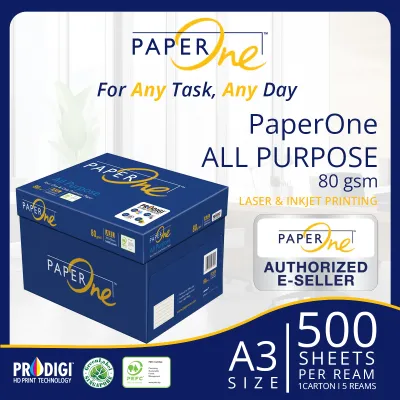
![PaperOne™ All Purpose Premium Quality 80gsm Copy Paper A4 [1 Box]](https://img.lazcdn.com/g/p/287f7942800722dd8239ab45c8063dae.jpg_400x400q80.jpg_.webp)
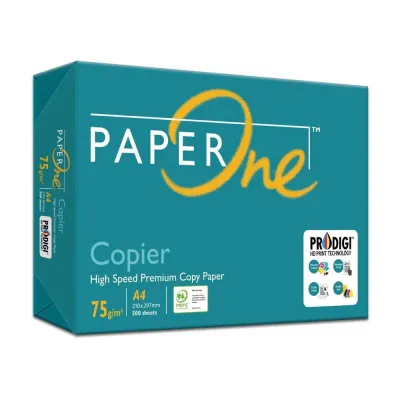
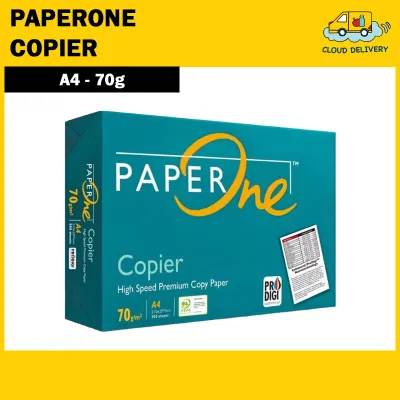
![PaperOne™ Copier Paper 70gsm / 75gsm Copy Paper A4 [1 Box]](https://img.lazcdn.com/g/p/62f961291078a3b12171dd45eea2a9a4.jpg_400x400q80.jpg_.webp)


![PaperOne™ Digital Premium Quality 85gsm / 80gsm Carbon Neutral Copy Paper A4 [1 Box]](https://img.lazcdn.com/g/p/314e28db684b5a59446140a7a613d0c3.jpg_400x400q80.jpg_.webp)
Prices are valid at publication and may change. Please refer to the product page for the latest price.
Choose PaperOne A4 70gsm if:
- You primarily print high-volume daily drafts, internal emails, or temporary reference sheets.
- Your print jobs are almost exclusively single-sided to avoid text showing through the page.
- You want to minimize your paper procurement costs and reduce storage bulk.
- You are printing simple, text-based black-and-white documents with low ink or toner coverage.
Choose PaperOne A4 80gsm if:
- You need a versatile, all-purpose paper for standard office correspondence, school worksheets, and general business documents.
- You regularly print double-sided (duplex) documents and require reliable opacity to keep text legible on both sides.
- You want a balanced cost-to-quality ratio that works seamlessly across standard laser and inkjet printers.
- You are preparing external correspondence, client invoices, or reports that require a professional look and feel.
Choose PaperOne A4 100gsm if:
- You are printing premium presentations, marketing collateral, design portfolios, or official certificates.
- Your documents contain heavy ink coverage, high-density color graphics, charts, or photographs.
- You want to convey a sense of luxury, prestige, and high quality through a thick, stiff, and highly opaque sheet.
- You are printing high-end double-sided documents where absolutely zero show-through is acceptable.
Ultimately, the best paper weight for your workspace depends on the mechanical specifications of your printing hardware and the final destination of your documents. Using a premium paper for a disposable draft is a waste of resources, while using a lightweight draft paper for an important business proposal can compromise your professional image.
Understanding Paper Weights: 70gsm vs 80gsm vs 100gsm
To understand why different paper weights behave differently in your printer, it helps to understand what “gsm” actually means. Grams per square meter (gsm) is the standard metric unit used to measure the density and weight of paper. It is calculated by weighing a single sheet of paper that is exactly one square meter in size.

Because an A4 sheet is precisely 1/16th of an A0 sheet (which is exactly one square meter), we can easily calculate the physical weight of an individual sheet. A single sheet of PaperOne A4 80gsm paper weighs exactly 5 grams, whereas a 70gsm sheet weighs 4.375 grams, and a 100gsm sheet weighs 6.25 grams. While these fractional differences seem minuscule for a single page, they compound significantly when handling a full ream of 500 sheets or a carton of five reams.
As the gsm rating increases, the paper becomes physically thicker, stiffer, and more opaque. This is because more wood pulp fibers and fillers are packed into the same surface area during the manufacturing process. PaperOne utilizes high-quality, renewable plantation fibers and advanced manufacturing techniques to ensure excellent surface smoothness and brightness across all weights, but the physical density of the sheet changes the way light and ink interact with the paper.
| Paper Weight (GSM) | Relative Thickness | Opacity Level | Typical Feel | Primary Use Case |
|---|---|---|---|---|
| 70gsm | Thin / Lightweight | Moderate | Light and flexible; standard draft feel | High-volume single-sided printing, internal drafts, and emails |
| 80gsm | Medium / Standard | High | Crisp, sturdy, and professional | Standard office printing, duplex documents, and client reports |
| 100gsm | Thick / Premium | Very High | Heavy, smooth, luxurious, and rigid | Presentations, color graphics, certificates, and legal documents |
While PaperOne maintains strict quality control and uniform surface treatments across its entire range, the physical properties of the paper change noticeably as you move up the weight scale. Understanding these physical differences is key to choosing the right product for your specific printing environment.
Key Comparison Dimensions for Everyday Printing
When evaluating paper for everyday office or home use, you must look beyond how the paper feels in your hand. The physical weight of the paper directly influences how it interacts with printer ink, toner, and the internal feeding mechanisms of your printing hardware.
Opacity and Double-Sided Printing
Opacity refers to the measure of light that is prevented from passing through a sheet of paper. High opacity is essential for double-sided (duplex) printing, as it prevents the text or images printed on one side from showing through on the reverse side. This phenomenon is known as “show-through” or “shadowing.”
PaperOne 70gsm paper has the lowest opacity of the three weights. When printed with standard black text, a subtle shadow of the writing is visible on the opposite side. If you attempt to print double-sided documents with dark text, charts, or graphics on 70gsm paper, the reverse side can become difficult to read, making the document look messy and unprofessional. Therefore, 70gsm is best reserved for single-sided printing.
In contrast, PaperOne 80gsm offers a significant step up in opacity. It is engineered to handle standard double-sided text printing with minimal show-through, making it the industry standard for duplex office printing. For documents with heavy color graphics, dark backgrounds, or high-density toner, PaperOne 100gsm provides the maximum possible opacity. The thick fiber matrix of 100gsm paper ensures that even saturated colors and bold graphics do not bleed or show through, maintaining a clean and legible presentation on both sides of the page.
Printer Compatibility and Jamming Risks
Every printer has specific mechanical tolerances regarding the weight of paper it can reliably feed through its paper path. Standard office photocopiers and heavy-duty laser printers are designed to handle a wide range of paper weights, but smaller home inkjet printers or compact laser printers often have tighter physical limitations.
PaperOne 70gsm and 80gsm papers are highly flexible and are universally compatible with virtually all home and office printers. They easily glide through the curved paper paths of standard printers without causing mechanical resistance. However, if your printer’s friction feed rollers or separation pads are worn out, ultra-thin 70gsm paper can occasionally suffer from “multi-sheet feeding,” where the printer accidentally pulls two or three sheets at once, resulting in a paper jam.
PaperOne 100gsm paper is significantly stiffer and heavier. While this stiffness gives the paper a premium feel, it can pose challenges for older or entry-level printers that utilize a tight, circular “C-path” paper feed. Stiff 100gsm paper resists bending around these tight rollers, which can lead to misfeeds, paper skewing, or stubborn jams. If you plan to use 100gsm paper, it is crucial to verify your printer’s maximum supported media weight, which is typically listed in the user manual under paper handling specifications.
Ink Absorption and Paper Curling
Different printing technologies place different physical demands on paper. Inkjet printers deposit liquid, water-based inks onto the paper surface, while laser printers use heat and pressure to melt dry plastic toner particles onto the paper fibers. How the paper handles these processes depends heavily on its weight and density.
When liquid ink is sprayed onto thin 70gsm paper, the cellulose fibers absorb the moisture and expand. This uneven expansion causes the paper to buckle, wrinkle, or curl—a physical reaction known as “cockling.” If you print high-density color graphics or charts on 70gsm paper, the sheet can emerge from the printer wet, wavy, and physically distorted.
PaperOne 100gsm paper contains a much higher concentration of wood fibers, allowing it to absorb liquid ink much more effectively without losing its structural integrity. It resists cockling and wrinkling, ensuring that color-heavy prints remain perfectly flat and dry quickly. In laser printing, the intense heat of the fuser unit (which can exceed 180°C) vaporizes any residual moisture inside the paper. Lightweight 70gsm paper is highly susceptible to thermal curling when subjected to this heat, whereas 100gsm paper has the structural weight and rigidity to resist curling, emerging flat and smooth from the output tray.
Cost and Value: Is Heavier Paper Worth the Price?
When purchasing paper for an office or educational institution, cost is always a primary consideration. PaperOne pricing scales directly with the weight of the paper, as heavier paper requires more raw wood pulp, energy, and processing time to manufacture.
Generally, PaperOne 70gsm is the most economical option, offering the lowest price per ream. It is typically sold in bulk cartons of five reams (2,500 sheets total) and is the preferred choice for budget-conscious organizations that go through thousands of pages of printed material every week. PaperOne 80gsm carries a moderate price premium over 70gsm, representing the standard mid-range investment. PaperOne 100gsm is positioned as a premium specialty product and commands a significantly higher price per ream, reflecting its specialized manufacturing process and superior physical attributes.
To determine if heavier paper is worth the investment, you should calculate the true cost of your printing operations rather than simply comparing the upfront price of a ream. Using the wrong paper weight can introduce hidden costs that quickly erode any initial savings:
- The Cost of Jams and Downtime: If you use cheap, thin paper in a high-speed office copier that is optimized for 80gsm paper, frequent paper jams can lead to wasted toner, ruined sheets, and lost employee productivity.
- The Cost of Professional Credibility: Sending a major business proposal, legal contract, or client presentation printed on flimsy 70gsm paper can subtly signal a lack of professionalism or attention to detail. In a competitive business environment like Singapore, the minor savings of using cheaper paper are easily outweighed by the potential loss of a client's trust.
- The Cost of Wasted Ink: Printing double-sided on 70gsm paper often results in illegible documents due to bleed-through, forcing users to reprint the documents single-sided, which effectively doubles both paper and ink consumption.
For most offices, the most cost-effective approach is a mixed-purchasing strategy. By purchasing PaperOne 70gsm in bulk for daily internal drafts, standard monochrome printing, and temporary reference sheets, you can keep your baseline operating costs low. At the same time, you can stock a smaller inventory of PaperOne 80gsm for general external correspondence and a few reams of PaperOne 100gsm specifically reserved for final presentations, formal proposals, and client-facing documents. This hybrid approach ensures that you never waste premium paper on temporary tasks, while always having the right weight available when quality matters.
How to Choose Based on Your Printer and Use Case
To finalize your purchase decision and ensure a smooth printing experience, follow this practical, step-by-step selection process.
Step 1: Check your printer’s specifications
Before purchasing any paper, locate your printer’s user manual or visit the manufacturer’s website to check the supported paper weight range. Most standard office printers can easily handle media weights ranging from 60gsm up to 120gsm, but some compact home printers may cap their automatic double-sided (duplex) printing capability at 90gsm.
If you plan to use PaperOne 100gsm, check if your printer features a rear-feed tray or a manual bypass slot. These feed paths are typically straighter and bypass the tight internal rollers of the main paper cassette, making them the safest and most reliable option for feeding heavier, stiffer paper sheets without risking a jam.
Step 2: Audit your typical print jobs
Analyze the nature of your daily printing tasks to determine which weight will be used most frequently. You can categorize your printing habits using the following guidelines:
- High-volume, text-only, single-sided printing: Opt for PaperOne 70gsm to maximize your budget and reduce physical storage space.
- Standard office documents, letters, reports, and moderate double-sided printing: Choose PaperOne 80gsm as your default, everyday paper for a professional, reliable result.
- Color-rich presentations, marketing materials, certificates, and heavy double-sided printing: Invest in PaperOne 100gsm to ensure maximum opacity, vivid color reproduction, and a luxurious tactile feel.
Step 3: Consider storage and local climate
Paper is highly hygroscopic, meaning it naturally absorbs moisture from the surrounding air. In Singapore’s tropical climate, where relative humidity levels are consistently high, proper paper storage is critical to maintaining print quality and preventing printer jams.
When paper absorbs moisture, its fibers swell, causing the sheets to lose their stiffness and become wavy. This dampness can lead to severe paper curling under the intense heat of a laser printer’s fuser, resulting in frequent feeding errors and jams. To protect your PaperOne paper, always store unopened reams flat in a dry, cool environment, preferably in an air-conditioned room. Keep the paper sealed in its original moisture-proof wrapper until you are ready to load it into the printer. Only load the amount of paper you expect to use within a few days, and store any remaining loose sheets in an airtight plastic container to keep them dry.
By matching the paper weight to the lifecycle of your document—using lightweight 70gsm for disposable, short-term drafts and heavy 100gsm for long-term, high-impact archival documents—you can optimize your printing efficiency, protect your hardware, and present your work in the best possible light.
Frequently Asked Questions (FAQ)
Can I use 100gsm PaperOne in a standard home inkjet printer?
Yes, you can use PaperOne 100gsm in most standard home inkjet printers, but you must first verify your printer’s maximum paper weight capacity in the user manual. Home printers with a straight rear-feed tray handle 100gsm paper exceptionally well because the stiff sheets do not have to bend around tight internal rollers. If your printer only has a bottom paper cassette with a tight U-turn path, ensure the printer is rated to handle paper up to 100gsm to prevent feeding errors and physical paper jams.
Does PaperOne 80gsm prevent ink bleed-through better than 70gsm?
Yes, PaperOne 80gsm provides significantly better resistance to ink bleed-through and show-through than 70gsm paper. Because the 80gsm sheet is physically thicker and has a higher fiber density, it offers greater opacity and a more robust structure to absorb liquid ink or toner. This makes 80gsm the recommended minimum weight for reliable, high-quality double-sided (duplex) printing, ensuring that text remains perfectly legible on both sides of the page.

Community discussion
Share your experience or ask a question. Comments are reviewed before publication.