
Quick Answer: When to Choose PaperOne 80gsm A4 Over Alternatives
PaperOne 80gsm A4 is a reliable, mid-tier copy paper engineered for everyday office and home printing. It strikes an optimal balance between cost efficiency and reliable feeding, making it a highly suitable choice for high-volume printing of standard text documents, reports, and double-sided internal paperwork.
However, it is not a universal solution. You should choose premium brands for critical client-facing presentations requiring higher brightness, and economy brands for internal drafts where basic functionality suffices. Keep in mind that actual performance depends heavily on your specific printer model and environmental humidity, which we address in the testing section below.
Core Quality Metrics: What to Look for in 80gsm Copy Paper
Understanding the technical characteristics of copy paper allows you to make an informed decision rather than simply buying the cheapest ream on the shelf. While the “80gsm” label indicates the weight (grams per square meter), it does not fully define how the paper will perform under different printing technologies. To evaluate any brand effectively, you must look at specific physical attributes that impact printer health and visual output.
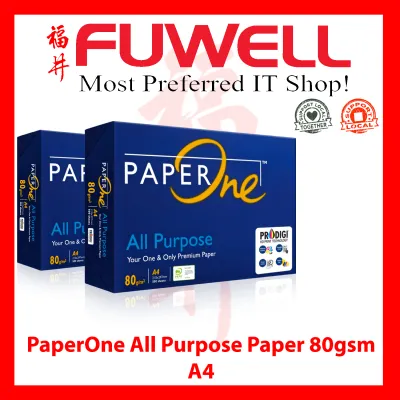
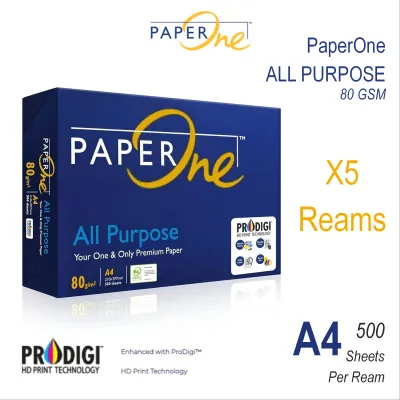
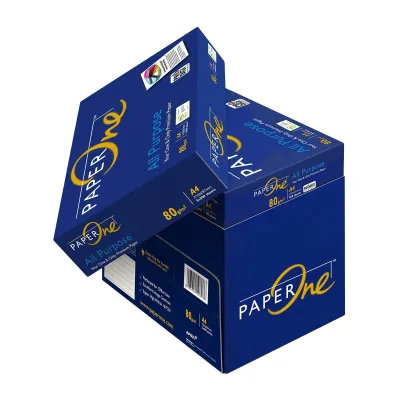
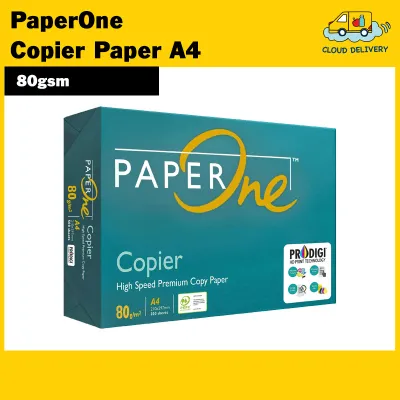
Products mentioned in this guide

![[2 REAMS] A4 PaperOne Copier Papers 80gsm Printing Papers - Plain - Office Supplies](https://img.lazcdn.com/g/p/4423a9fbe2ff198d8701511f17f420ad.png_400x400q80.png_.webp)
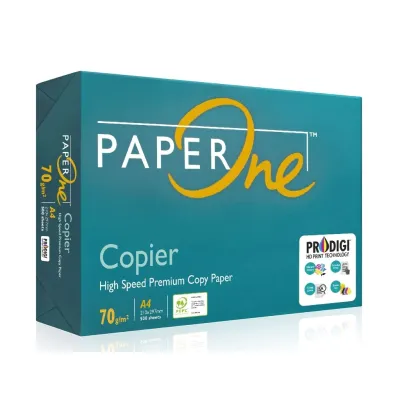
Prices are valid at publication and may change. Please refer to the product page for the latest price.

Smoothness, Dust Levels, and Printer Health
The physical texture of a sheet of paper determines how effectively marking media like ink or toner adheres to its surface. In laser printers, a smoother surface ensures that dry toner powder is evenly transferred and fused by the heated rollers, resulting in crisp text edges and solid blacks. For inkjet printers, controlled surface smoothness prevents liquid ink from spreading too rapidly along the paper fibers, which can otherwise cause fuzzy text and blurred lines.
Another critical but often overlooked factor is paper dust, which consists of tiny loose cellulose fibers and mineral fillers left over from the manufacturing and cutting process. High-speed printers generate friction that shears these loose fibers off the sheet, creating a fine lint that accumulates inside the machine. Over time, this dust coats the rubber feed rollers, causing them to lose traction and slip, and can even bake onto the fuser unit, leading to persistent paper jams and expensive service calls.
When evaluating paper options, you should inspect the packaging for explicit mentions of “low dust” manufacturing processes or specialized surface treatments. You can also perform a simple manual check: run a clean, dry fingertip firmly across a fresh sheet from the ream, then inspect your skin under bright light. If you notice a visible white powdery residue or a gritty texture, the paper may have high dust levels that could compromise your printer’s long-term reliability.
Opacity and Show-Through on Double-Sided Prints
Choosing an 80gsm paper over a thinner 70gsm option is the standard starting point for double-sided (duplex) printing, as the extra thickness naturally helps block light. However, weight alone does not guarantee that the text printed on one side will not show through to the other. True opacity is determined by the paper’s bulk—its thickness relative to its weight—and the inclusion of mineral fillers like titanium dioxide or clay, which scatter light and prevent visual bleed-through.
High-coverage prints present a particular challenge for standard copy paper. If your documents contain dense black headings, heavy charts, or dark background graphics, the high volume of toner or ink applied can easily saturate the sheet, making the reverse side unusable if the opacity is insufficient. Liquid inks from inkjet printers are especially prone to soaking deep into the paper fibers, which exacerbates show-through compared to dry laser toner that sits primarily on the surface.
To avoid double-sided legibility issues, look beyond the 80gsm rating on the wrapper and check for specific opacity percentages, with premium duplex papers typically targeting 90% opacity or higher. Many manufacturers will also explicitly state “suitable for double-sided printing” or “duplex optimized” on the packaging. If you frequently print data-heavy reports with colored charts, verifying these details on the ream wrapper is essential to ensure your documents remain clean and legible on both sides.
PaperOne 80gsm A4 Profile: Expected Performance and Trade-offs
PaperOne 80gsm A4 is widely recognized in Singapore as a staple office consumable, positioned as a versatile mid-tier option. Produced by April Group, this paper is engineered with specific structural characteristics designed to meet the demands of modern office environments. Understanding its typical performance profile helps you determine if its technical specifications align with your daily printing tasks.
Typical Strengths for Everyday Office Use
One of the primary advantages of PaperOne 80gsm is its excellent performance in high-speed office copiers and laser printers. The paper is manufactured with a level of stiffness that allows it to feed smoothly through complex paper paths without buckling or folding. This rigidity is particularly beneficial when utilizing automatic document feeders (ADFs) for scanning or multi-page copying, where thinner or more flexible papers frequently catch and jam.
For standard text-heavy documents, such as letters, invoices, and standard office memos, the paper provides highly legible contrast. The paper’s brightness levels, which are typically measured and displayed as CIE whiteness on the packaging, are optimized to ensure that black text stands out sharply against the white background. This makes it an efficient and professional choice for the vast majority of day-to-day administrative paperwork.
Additionally, the paper’s surface chemistry is designed to dry quickly when used with standard inkjet printers, reducing the risk of smudging as pages stack in the output tray. This balanced absorption profile makes it a reliable cross-platform media, allowing offices to stock a single paper type that performs predictably across different printer brands and technologies.
Potential Limitations for Specialized Printing
Despite its versatility, PaperOne 80gsm is not a universal solution for all printing needs, particularly when high-density color graphics are involved. When printing full-bleed color images or large solid shapes, the high volume of water-based ink from an inkjet printer can saturate the uncoated fibers, causing the paper to warp, wave, or buckle. This moisture-induced distortion not only ruins the appearance of the document but can also cause head strikes inside the printer, leading to ink smears.
For archival documents, legal certificates, or high-end marketing brochures, standard copy paper falls short of the required tactile and visual premium. These specialized applications demand either a heavier gsm rating (such as 100gsm to 120gsm) or specialized coated finishes that prevent ink absorption and deliver vibrant, photo-like color reproduction. Using standard copy paper for these purposes can make your brand appear less professional.
Environmental factors also play a critical role in how this paper behaves, especially in Singapore’s tropical climate. High relative humidity can quickly introduce moisture into unsealed paper reams, causing the sheets to lose their stiffness and become limp. If you leave a stack of paper in an open printer tray for extended periods in a non-air-conditioned room, the edges may curl, leading to frequent misfeeds and jams when you next attempt to print.
Brand Matchup: PaperOne vs. Premium and Economy Alternatives
Selecting the right paper is not about finding a single absolute winner, but rather matching the paper’s specifications to your specific operational needs and budget. The copy paper market is generally divided into three tiers: economy, mid-tier (where PaperOne sits), and premium. By comparing these categories, you can determine where to allocate your stationery budget for the best return on investment.
- Choose PaperOne 80gsm if: You require a highly reliable, cost-effective workhorse for daily office administration, standard double-sided text reports, and high-volume printing. This tier is perfect if you want to minimize paper jams across a mixed fleet of standard laser and inkjet printers without paying a premium price, and your documents are primarily text-based with occasional simple charts or diagrams where extreme brightness is not strictly necessary.
- Choose a Premium Brand (e.g., Double A, HP Premium) if: You are preparing external client-facing proposals, executive reports, or marketing materials where a premium tactile feel and exceptional brightness are essential. These brands are also ideal if you operate high-speed, enterprise-grade multi-function copiers that are highly sensitive to paper stiffness and require guaranteed minimal jam rates, or if you need maximum opacity for heavy double-sided color printing.
- Choose an Economy or Store Brand if: Your primary printing tasks consist of internal drafts, temporary warehouse picking lists, or simple shipping labels that are discarded shortly after use. These papers are suitable if you are printing strictly single-sided documents on basic, low-speed printers where paper stiffness and brightness have minimal impact on utility, and your absolute priority is minimizing the cost per sheet.
- Verify first if: Before committing to a specific brand or tier, always consult your printer manufacturer's manual. Some high-speed enterprise copiers have strict requirements regarding paper moisture content, stiffness, and electrostatic properties, and using a non-recommended paper tier can void service contracts or lead to persistent operational issues.
Calculating True Cost and Value for Singapore Buyers
When purchasing copy paper in Singapore, looking solely at the price of a single ream can be highly misleading. To understand the true value, you must calculate the cost per sheet, which is determined by dividing the total price of the ream or carton by the number of sheets included (typically 500 sheets per ream, and 5 reams per carton). Buying by the carton (2,500 sheets) almost always offers a lower unit cost than buying individual reams, making bulk purchasing the standard practice for businesses.
However, the logistics of bulk delivery in Singapore can quickly offset these nominal savings if you are not careful. Because paper is exceptionally heavy—a single carton of 80gsm A4 paper weighs approximately 12.5 kilograms—delivery fees from online marketplaces or office supply retailers can add a significant premium to your total bill. When comparing suppliers, always calculate the landed cost, which includes both the paper price and any delivery charges, to ensure you are actually getting a discount.
While it is tempting to stock up on multiple cartons during major online promotional events or seasonal sales, Singapore’s humid climate requires a cautious approach to storage. Copy paper is highly hygroscopic, meaning it readily absorbs moisture from the surrounding air. If you store excess cartons in a non-air-conditioned storeroom or a damp utility closet, the paper will absorb moisture over time, causing the sheets to swell, lose rigidity, and curl, which inevitably leads to frequent printer jams and wasted paper.
For corporate buyers, value is also increasingly tied to environmental compliance and sustainability reporting. When purchasing paper, check the packaging for recognized eco-certifications such as the Programme for the Endorsement of Forest Certification (PEFC) or the Forest Stewardship Council (FSC). Choosing certified sustainable papers like PaperOne, which is PEFC-certified, can help your organization meet its green procurement guidelines, justifying a minor price premium over uncertified, low-cost economy alternatives.
Pre-Purchase Testing: How to Verify Paper Compatibility
To avoid the frustration and financial waste of purchasing a large volume of incompatible paper, it is highly recommended to perform a few simple, low-risk tests using a single trial ream. This hands-on evaluation allows you to verify how the paper interacts with your specific printer model and office environment before committing to a multi-carton order.
- The 50-Page Feed Test: Load exactly 50 sheets of the test paper into your printer's primary paper tray, ensuring the paper guides are adjusted snugly but not too tightly. Print a 50-page document containing a mix of standard text and simple layout graphics at normal office speeds. Observe the printer closely during this run to check for any double-sheet feeding, misfeeds, or signs of static cling, which can cause pages to stick together in the output tray.
- The Show-Through Check: Print a single page containing a block of heavy black text or a dark, solid graphic element. Once printed, flip the sheet over and hold it up against a standard office ceiling light or a bright window. Examine the reverse side to evaluate the level of show-through; if the text or graphic is clearly visible and distracting, the paper may lack the opacity required for professional double-sided documents.
- The Ink and Toner Adhesion Test: For inkjet printer testing, print a solid color block and immediately rub your thumb across the printed area upon ejection to check for smudging or slow ink drying. For laser printers, print a page of bold text, fold the paper sharply in half across the printed text, and rub the crease firmly; unfold the sheet and check if the dry toner flakes off or cracks along the fold line, which indicates poor toner fusion and surface compatibility.
If your trial ream fails any of these tests—resulting in frequent paper jams, severe curling, or poor print legibility—you should stop and consult your printer’s user manual. Review the manufacturer’s recommended specifications for paper weight, thickness, and coating types to identify a more compatible paper tier before making a larger financial commitment.
Frequently Asked Questions (FAQ)
Does 80gsm paper jam more often than 70gsm in home printers?
Generally, no. In fact, 80gsm paper is typically stiffer and has more structural integrity than 70gsm paper, which makes it less prone to bending, curling, and catching inside the printer’s feed mechanism. This increased rigidity usually results in fewer paper jams in modern home and office printers. However, if you are using an older or heavily worn home printer with degraded rubber feed rollers, the machine may struggle to grip and pull the slightly thicker 80gsm stock; in such cases, you should check your printer’s manual to confirm the supported paper weight range, which typically spans from 60gsm to 105gsm for standard consumer models.
Is PaperOne 80gsm suitable for printing high-resolution photos?
No, standard uncoated 80gsm copy paper, including PaperOne, is not suitable for printing high-resolution photos or image-heavy graphics. Because the surface of standard copy paper is highly porous and uncoated, it will rapidly absorb the liquid ink from an inkjet printer, causing the colors to appear dull, washed out, and lacking in sharp detail. Furthermore, the high volume of ink required for a photo will saturate the paper fibers, leading to severe warping and physical distortion of the sheet. For high-quality image printing, you should always use dedicated coated photo paper designed specifically to control ink absorption and deliver vibrant, high-contrast results.

Community discussion
Share your experience or ask a question. Comments are reviewed before publication.