
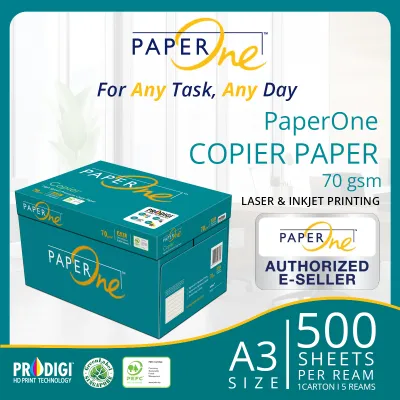
PaperOne 70gsm copy paper is a lightweight, highly economical paper option designed primarily for high-volume, single-sided everyday printing. The “70gsm” specification refers to its basis weight—70 grams per square meter—which translates to a thinner, more flexible sheet compared to standard 80gsm or heavy 100gsm office paper. While it offers excellent feed reliability and cost savings, its lower weight means reduced opacity, making it best suited for text-heavy documents, internal drafts, and single-sided prints rather than high-ink graphics or double-sided documents.
What 70gsm Actually Means for PaperOne Copy Paper
To understand paper performance, you must first demystify the technical specifications on the packaging. The term “GSM” stands for grams per square meter, which is a global standard metric used to measure the density and weight of paper. It does not measure the physical thickness of a single sheet directly, although higher GSM values generally correlate with thicker sheets. Instead, it indicates how much a single square meter of that specific paper stock weighs. At 70gsm, a sheet sits on the lighter, more flexible end of the standard office paper spectrum, which typically ranges from 70gsm up to 100gsm or more for premium presentation grades.
In practical terms, 70gsm paper feels noticeably lighter and more pliable in your hand than the standard 80gsm sheets found in most office copiers. When you hold a single sheet, it bends easily under its own weight and has a softer tactile presence. However, the physical feel of paper is not determined by weight alone. Manufacturers use different pulping and calendaring processes—the mechanical pressing of paper fibers during production—to smooth and compress the sheets. PaperOne utilizes specific fiber technology and calendaring techniques to compact the paper fibers tightly. This process gives their 70gsm sheet a surprisingly smooth, flat finish and a level of structural integrity that can make it feel more robust and less flimsy than lower-grade, unbranded 70gsm alternatives.
Products mentioned in this guide
![PaperOne™ Copier Paper 70gsm / 75gsm Copy Paper A4 [1 Box]](https://img.lazcdn.com/g/p/62f961291078a3b12171dd45eea2a9a4.jpg_400x400q80.jpg_.webp)

![PaperOne A3 A4 A5 Printing Paper | Double A A4 Printing Paper | Fujifilm A4 Printing Paper [70gsm | 80gsm | 100gsm]](https://img.lazcdn.com/g/p/60f9096753eaa3525ca43e2d0ec6e4ce.png_400x400q80.png_.webp)
Prices are valid at publication and may change. Please refer to the product page for the latest price.
How 70gsm Weight Impacts Print Quality and Performance
The weight of your paper directly influences how it interacts with different printing technologies, handles ink absorption, and behaves inside your printer’s mechanical feed system.

Ink and Toner Interaction Laser printers and inkjet printers interact with 70gsm paper in fundamentally different ways. Laser printers use dry toner powder, which is transferred to the page and fused onto the surface using high heat and pressure. Because the toner does not wet the paper, 70gsm paper handles laser printing exceptionally well, producing sharp, crisp text without warping the sheet. Inkjet printers, on the other hand, rely on liquid, water-based inks. When sprayed onto a lighter 70gsm sheet, the liquid ink penetrates deep into the relatively thin paper fibers. This can result in slight feathering, where the ink spreads outward along the fibers, reducing text sharpness. It also requires a longer drying time to prevent smudging, as the paper fibers absorb more moisture. To verify performance with your specific hardware, run a quick trial print of a single sheet to observe the drying speed and bleed resistance before committing to a large print job.
Opacity and Show-Through Opacity is directly tied to paper weight and density. Because 70gsm paper contains less fiber mass per square inch than heavier grades, it naturally allows more light to pass through the sheet. This lower opacity leads to a phenomenon known as show-through or ghosting, where text or graphics printed on one side of the page are clearly visible from the reverse side. If you are printing single-sided documents, this is rarely an issue. However, for double-sided prints, the high visibility of the text on the opposite side can make the document difficult and distracting to read.
Printer Feed and Jamming The flexibility of 70gsm paper makes it highly adaptable to the curved paper paths found in modern office copiers and desktop printers. It glides easily through rollers, making it highly efficient for rapid, high-volume printing. However, environmental conditions play a massive role in its performance. In Singapore’s tropical climate, high relative humidity can cause paper to absorb moisture from the surrounding air. Because 70gsm paper is thin, it is highly susceptible to moisture absorption, which can cause the sheets to curl, warp, or become limp. If you store your paper in humid conditions or leave it exposed in the printer tray for extended periods, this moisture uptake can lead to misfeeds, multi-sheet pulling, or paper jams. To prevent this, always store your paper in its original moisture-resistant wrapper and only load what you plan to use immediately.
Image and Graphic Reproduction If your documents contain high-resolution photographs, heavy color charts, or solid blocks of dark ink, 70gsm paper may struggle to maintain its shape. High ink saturation overloads the thin fiber network, causing the paper to cockle—a term for the wavy, buckled texture that occurs when paper fibers swell from moisture and dry unevenly. For documents with significant graphic elements, the paper will likely feel saturated, limp, and physically warped once the print job is complete.
Single-Sided vs. Double-Sided Printing on 70gsm Paper
While most modern printers feature automatic duplexing (double-sided printing) and can physically feed a 70gsm sheet twice without issue, the practical results depend heavily on the content of your document.
Duplex printing on 70gsm paper is entirely feasible for informal, internal, or text-only documents where perfect visual presentation is not a priority. For example, personal study notes, rough draft manuscripts, or system logs can easily be printed on both sides to save paper and reduce physical storage space. In these scenarios, the environmental and cost benefits of using less paper outweigh the minor distraction of back-page show-through.
However, show-through becomes a significant issue when reading dense text columns, viewing intricate charts, or presenting documents to external clients. If you must print double-sided on 70gsm paper, you can apply several practical adjustments to minimize visual distraction and improve readability:
- Adjust Printer Settings: Access your printer's properties menu and select "Draft," "Ink Saver," or "Toner Save" mode. This reduces the volume of ink or toner deposited onto the page, lowering the overall saturation and decreasing show-through.
- Optimize Typography and Layout: Avoid using exceptionally bold, heavy fonts or large, solid black headers on both sides of the page. Opt for medium or light font weights and increase your line spacing to make the text easier to read against any ghosted background images.
- Design with Generous Margins: Aligning your margins and paragraph grids on both sides of the page can help ensure that text lines up perfectly back-to-back, which naturally masks show-through by keeping the blank spaces aligned.
Is PaperOne 70gsm Right for Your Daily Printing Needs?
Choosing the right paper weight is a balancing act between cost efficiency, printer performance, and the professional image you want to project.
Ideal Use Cases PaperOne 70gsm is highly effective for high-volume, routine office tasks. It is the perfect choice for printing daily email printouts, internal memos, shipping labels, packing slips, and rough drafts. It is also highly advantageous for archival filing; because standard A4 (210 x 297 mm) 70gsm sheets are thinner and lighter than 80gsm sheets, a stack of 500 pages takes up less physical space and weighs less, making it easier to store in filing cabinets or mail out in standard envelopes.
Less Ideal Use Cases You should consider upgrading to a heavier paper weight, such as 80gsm or 100gsm, when your document’s presentation quality is critical. Client-facing proposals, official contracts, resumes, marketing brochures, and documents containing heavy color graphics demand a thicker, more opaque medium. Using a heavier sheet prevents show-through and gives the document a premium, substantial feel that conveys professionalism.
Cost vs. Quality Trade-off From a budgetary perspective, 70gsm paper offers a clear economic advantage, especially for businesses that go through multiple cartons of paper per month. Because it uses less raw wood fiber per sheet, it is generally priced lower than its heavier counterparts. This price difference can lead to significant cost savings over time without sacrificing the readability of standard, single-sided text documents.
To help you decide which paper weight to load into your machine, use this quick mental checklist before hitting print:
- Is the document single-sided? If yes, 70gsm is highly suitable.
- Is it for internal use only? If yes, 70gsm is the most economical choice.
- Does it contain heavy color graphics or images? If yes, upgrade to 80gsm or 100gsm to prevent wrinkling and bleed-through.
- Will it be presented to clients or external stakeholders? If yes, choose a heavier weight for a more professional impression.
Frequently Asked Questions (FAQ)
What is the main difference between PaperOne 70gsm and 80gsm?
The primary differences are thickness, stiffness, and opacity. PaperOne 80gsm is thicker and stiffer, providing a more premium tactile feel and significantly better resistance to show-through, making it the industry standard for double-sided printing. PaperOne 70gsm is lighter, more flexible, and more economical, making it highly efficient for high-volume, single-sided text documents where cost savings are a priority.
Can I use 70gsm PaperOne paper in an inkjet printer?
Yes, PaperOne 70gsm paper is fully compatible with standard inkjet printers. However, because inkjet printers use liquid ink, you should avoid printing high-density color graphics or photos on this paper weight, as the moisture can cause the thin sheet to warp or curl. For best results, use standard or draft print quality settings to limit ink volume.

Community discussion
Share your experience or ask a question. Comments are reviewed before publication.