
When selecting copy paper for an office or home printer, the sheer variety of technical specifications can be overwhelming. Among these, paper weight—almost always denoted as GSM—is the most critical factor influencing both print quality and machine reliability. Choosing the wrong weight can lead to frequent paper jams, messy ink bleeding, or documents that feel flimsy and unprofessional.
Understanding what these numbers mean is the first step toward optimizing your document workflow. While many assume that heavier paper is inherently better, the ideal choice depends entirely on your specific printing tasks, your printer’s mechanical capabilities, and even your local environment. Balancing these elements ensures smooth operations and crisp, readable prints.
What Does Paper Weight (GSM) Actually Mean?
GSM stands for Grams per Square Meter. This metric measurement represents the weight of a single sheet of paper measuring exactly one square meter (which is equivalent to an A0-sized sheet). It does not refer to the weight of a single cut piece of paper, such as a standard A4 sheet, but rather serves as a standardized measure of the paper’s density and thickness.
Products mentioned in this guide
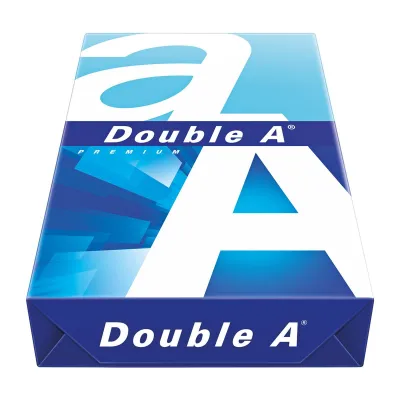
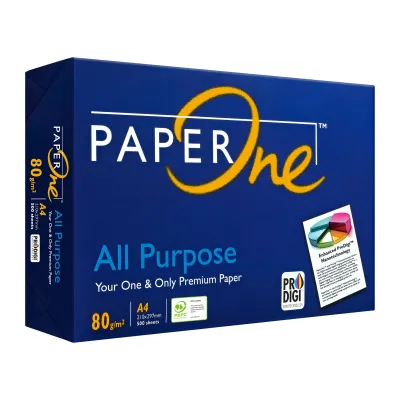
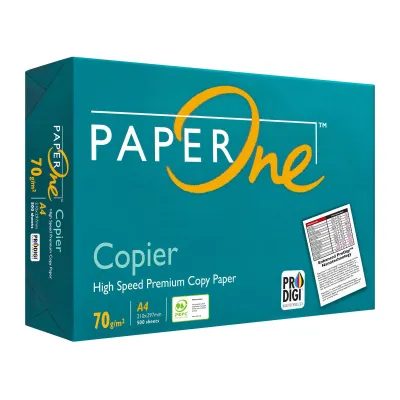
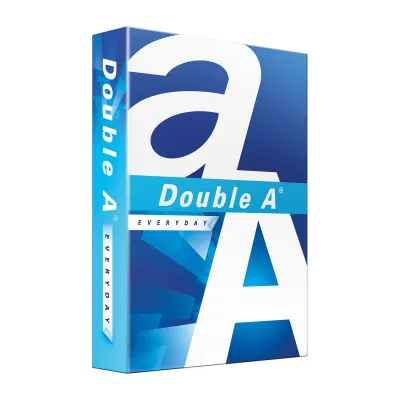
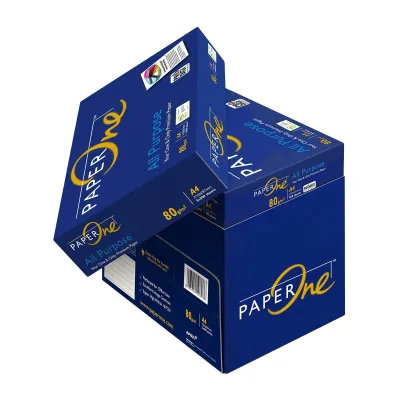
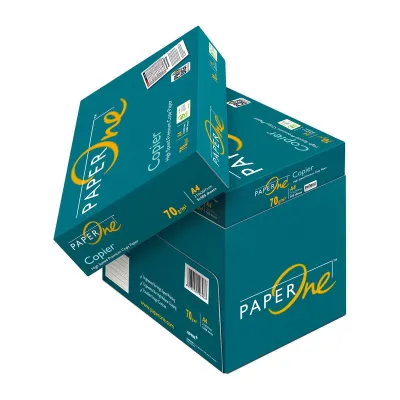
Prices are valid at publication and may change. Please refer to the product page for the latest price.
Generally, a higher GSM rating indicates a thicker, heavier, and more opaque sheet of paper. As the GSM increases, the wood fibers within the paper are packed more densely, which provides greater structural stiffness. This stiffness prevents the paper from flopping or tearing easily when handled or fed through high-speed machinery.
Standard office copy paper typically ranges from 70 GSM to 80 GSM. It is important to correct the common misconception that a higher GSM automatically translates to sharper text or better ink absorption. The clarity of your printed text is primarily determined by the paper’s surface coating and brightness, not its weight. A premium heavyweight sheet will not rescue poor print head alignment or low-quality ink.
How GSM Affects Your Printer and Print Quality
Printer feed rollers and internal transport mechanisms are calibrated to handle specific paper thicknesses. If you load paper that is too thick or stiff, it may fail to bend around the tight curves of the internal paper path, resulting in immediate paper jams. Conversely, paper that is too thin lacks the rigidity required to trigger sensor flags properly, often causing the rollers to pull multiple sheets at once or crumple the paper inside the machine.

Paper weight also directly impacts ink bleed and show-through. Lower-weight options, such as 70 GSM paper, have lower opacity, meaning that liquid inkjet inks or heavy laser toner can easily show through to the reverse side. This makes double-sided printing highly impractical, as the text from one side interferes with the legibility of the other. Stiffer, higher-GSM papers keep the front and back prints visually isolated.
Environmental conditions play a significant role in paper behavior, particularly in tropical, high-humidity climates like Singapore. Thin paper absorbs ambient moisture rapidly, which weakens its structural integrity. When this moisture-laden, low-GSM paper passes through the intense heat of a laser printer’s fuser unit, the sudden steam release causes the paper to curl severely. Choosing a slightly heavier, more rigid sheet helps mitigate this thermal curling and keeps your finished stacks neat.
Which GSM Should You Choose for Different Tasks?
Selecting the right paper weight requires matching your document’s purpose with the appropriate density. Using premium paper for temporary drafts is an unnecessary expense, while using ultra-thin paper for client proposals looks unprofessional.
| Paper Weight (GSM) | Best Use Cases | Opacity Level | Printer Compatibility |
|---|---|---|---|
| 70 GSM | High-volume printing, internal drafts, single-sided utility documents | Low (noticeable show-through) | Excellent for standard high-speed office copiers |
| 80 GSM | Everyday office documents, external letters, double-sided printing, standard reports | Medium-High (minimal show-through) | Universal compatibility across almost all printers |
| 100 GSM | Client presentations, formal contracts, documents with color charts and graphics | High (very low show-through) | Great for standard cassettes and multi-purpose trays |
| 120+ GSM | Brochures, flyers, certificates, heavy cover pages, high-impact marketing | Very High (completely opaque) | Often requires manual feed or bypass tray; check printer limits |
At 70 GSM, copy paper is highly cost-effective and takes up less physical storage space. This makes it the ideal candidate for high-volume, single-sided printing where aesthetic presentation is secondary, such as packing slips, internal system logs, or temporary reference drafts.
For general business operations, 80 GSM is the undisputed industry standard. It offers the optimal balance of tactile quality, opacity, and mechanical reliability. It is thick enough to support double-sided printing without distracting show-through, yet light enough to feed flawlessly through standard office copiers without causing feed errors.
When you need to make a strong impression, moving up to 100 GSM or higher is highly recommended. This weight feels substantial in the hand and easily supports colorful graphics without warping. However, for standard text documents, upgrading past 80 GSM is rarely necessary and will not provide a noticeable boost in readability.
How to Check Your Printer’s Supported Paper Weight
Before purchasing bulk cartons of specialty or heavyweight copy paper, you must verify your printer’s mechanical limits. To do this, consult your printer’s physical user manual or search the manufacturer’s official website for your specific model’s datasheet. Look closely for the “Supported Media Weight,” “Paper Handling Specifications,” or “Media Weight Range” section, which is typically listed in GSM.
Most standard printers feature a primary paper cassette that is optimized for everyday weights, typically supporting paper between 60 GSM and 105 GSM. If you attempt to feed heavier sheets, like 120 GSM or 160 GSM cardstock, through this main tray, you run a high risk of jamming. For these heavier media types, you should use the manual feed slot or the bypass tray. These alternative entry points utilize a much straighter paper path, preventing thick sheets from having to bend around tight internal rollers.
Because ink drying speed, bleed resistance, and overall smoothness depend on the exact combination of your printer’s ink chemistry and the paper’s fiber structure, always run a trial. Purchase a single, small pack of your chosen paper weight to test. Print a few sample pages to verify that the sheets feed smoothly, the toner fuses completely without flaking, and the ink dries quickly without smearing before committing to a large-volume purchase.
Frequently Asked Questions (FAQ)
Is 80 GSM paper noticeably thicker than 70 GSM?
Yes, the physical difference is immediately noticeable when handled. While a 10 GSM variance sounds minor, 80 GSM paper has a distinctly stiffer, more robust feel. It resists tearing and bending much better than 70 GSM paper and provides a level of opacity that makes double-sided printing highly legible, whereas 70 GSM paper often suffers from distracting show-through.
Does a higher GSM always mean better print quality?
No, GSM only measures the physical weight and density of the paper, not its surface properties. Actual print quality—such as text sharpness, contrast, and color accuracy—depends on the paper’s surface smoothness, brightness rating, and specialized coatings. Standard uncoated copy paper will produce identical text sharpness at both 70 GSM and 80 GSM; to improve image resolution, you need coated media rather than simply heavier paper.

Community discussion
Share your experience or ask a question. Comments are reviewed before publication.