
When sourcing office supplies in Singapore, you might occasionally encounter search typos like “peper” weights, but the standard industry term you need to know is paper GSM. GSM stands for Grams per Square Meter, serving as the universal metric for measuring paper weight and density. Understanding this specification is essential for achieving professional print results, preventing frustrating paper jams, and ensuring your physical documents suit their intended purpose.
Choosing the right paper weight is not just about how thick a sheet feels. It directly influences how ink or toner behaves on the page, how much light passes through the sheet, and whether your office printer can feed the medium without failing. By matching the GSM to your specific task, you can optimize your printing budget while maintaining high-quality output.
What Does Paper GSM Actually Mean?
GSM is a standardized measurement representing the weight of a single sheet of paper measuring one square meter. For example, a sheet of paper measuring exactly one square meter weighing 80 grams has an 80 GSM rating. Because this measurement is based on a fixed area, it remains consistent regardless of the sheet size you purchase, whether standard A4, A3, or letter size, allowing easy comparison across brands.
Products mentioned in this guide
Prices are valid at publication and may change. Please refer to the product page for the latest price.
However, a common misconception is that a higher GSM always equates to a physically thicker sheet of paper. In reality, GSM measures mass per unit area, not caliper (the actual physical thickness). During production, paper fibers undergo calendering, where the paper is pressed between heavy rollers. High-calendered paper is compressed more tightly, resulting in a thinner, denser sheet that retains its original GSM weight. Conversely, less compressed paper may feel thicker and bulkier despite having the same weight. Surface coatings, such as matte or glossy finishes, also add weight to the paper without necessarily increasing the thickness of the underlying paper pulp.
How GSM Affects Print Quality and Handling
The weight of your paper plays a decisive role in both the visual appeal and the physical handling of your printed materials. This specification directly impacts three key performance areas:

Opacity and Show-through: Opacity refers to how much light is blocked by the paper. Lower GSM papers are more translucent, leading to show-through or ghosting where text from the reverse side is visible. For double-sided printing, selecting a higher GSM is critical to ensure both sides remain clean and legible.
Ink Absorption and Drying: Heavier papers are better equipped to handle high ink loads from inkjet printers without warping or buckling. Lightweight paper can saturate quickly under heavy graphics, causing fibers to expand and curl. A heavier sheet absorbs ink more effectively, allowing pigments to dry evenly.
Stiffness and Durability: Higher GSM papers offer greater stiffness and resistance to bending, which elevates the perceived quality of your work. Stiffer papers are also far more durable, resisting tears and dog-ears during frequent handling.
Common Paper Weights and Their Best Uses
To help you navigate the wide variety of options available in Singaporean stationery shops and office supply stores, it is helpful to categorize paper into distinct weight brackets. Each range is designed for specific tasks, balancing cost-effectiveness with performance.
70 to 80 GSM (Standard Everyday Printing)
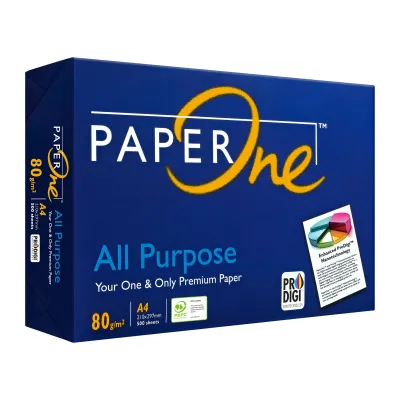
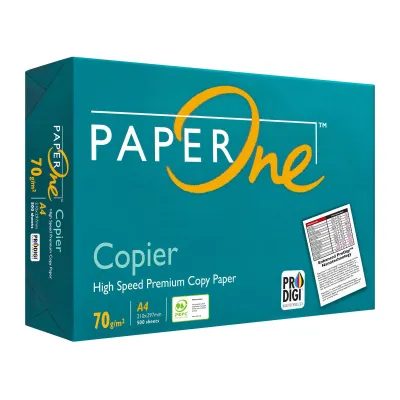
This range represents the absolute workhorse of home and office environments. If you are printing high-volume text documents, internal memos, draft reports, or student worksheets, 70 to 80 GSM paper is the most practical choice. In Singapore, standard office copy paper is almost always 80 GSM, as it offers a reliable balance between affordability and printability. A standard 500-sheet ream of 80 GSM A4 copy paper typically costs between S$5 and S$8 in local retail shops.
While highly cost-effective and easy to feed through standard printers, papers in this range have limitations. The 70 GSM variety is quite thin and prone to noticeable show-through, making it unsuitable for double-sided printing or heavy color graphics. In tropical environments like Singapore, high humidity can also cause lighter 70 GSM sheets to absorb moisture and curl more easily, leading to feed issues. If you must print duplex documents, sticking to 80 GSM is highly recommended to minimize visual bleed-through.
90 to 120 GSM (Premium Documents and Presentations)
When your documents are client-facing or intended to make a strong impression, stepping up to the 90 to 120 GSM range is a smart decision. This weight class is the sweet spot for professional resumes, formal business proposals, corporate letterheads, and high-quality double-sided brochures.
The primary advantage of this range is its superior opacity and luxurious tactile feel. The paper feels smooth, substantial, and premium underhand, signaling quality to the recipient. Despite its increased weight, 90 to 120 GSM paper is still highly compatible with standard office laser and inkjet printers, feeding smoothly through standard paper trays without requiring specialized manual bypass settings.
130 to 200+ GSM (Cardstock, Flyers, and Photo Paper)
This heavy-duty category is reserved for marketing collateral, creative projects, and specialty applications. Weights between 130 and 170 GSM are commonly used for high-end flyers, restaurant menus, and brochure covers. Once you exceed 200 GSM, the material behaves more like cardstock, making it perfect for business cards, postcards, and professional photo prints.
Because of their rigidity, these heavy papers require careful handling. They do not bend easily, meaning they cannot negotiate the tight rollers of a standard printer’s internal paper path. Attempting to feed 200+ GSM paper through a standard tray will almost certainly result in a severe paper jam. Instead, these media must be fed through a manual bypass tray or a dedicated rear feed slot, which provides a flatter, more direct path through the printing mechanism.
Checking Printer Compatibility Before You Buy
Before purchasing premium heavy-weight paper, you must verify that your printing equipment can handle it. Every printer model has a maximum paper weight limit listed in its user manual.
Ignoring these limits poses mechanical risks. If you attempt to feed paper that is too heavy, the pickup rollers may fail to grab the sheet, or the paper may jam in the feed path. Over time, forcing heavy media through standard rollers leads to premature wear on drive gears. For laser printers, there is an additional risk involving the fuser unit. The fuser uses heat and pressure to melt toner powder onto paper fibers. If the paper is too thick, it absorbs too much heat, preventing the fuser from reaching the temperature required to bond the toner. This results in prints that smudge easily and can eventually damage the fuser itself.
To ensure successful prints, always adjust your printer’s software settings. In your print dialogue box, select the “Paper Type” or “Media Type” that matches your paper, such as “Heavy Paper” or “Cardstock.” This setting slows down the feeding speed, giving the fuser more time to heat the thicker sheet.
Quick Guide to Choosing the Right GSM
Selecting the perfect paper weight does not have to be a guessing game. Follow this simple checklist to match your project with the ideal GSM:
- Step 1: Identify the primary purpose. Determine if the document is for internal reference (70-80 GSM) or an external client presentation where a premium impression is required (90-120 GSM).
- Step 2: Determine if double-sided printing is required. If you plan to print on both sides, choose at least 80 GSM for text, and 100 to 120 GSM if the document contains charts, images, or heavy color blocks.
- Step 3: Verify the printer's maximum supported weight. Check your printer's manual to ensure the target GSM falls within its safe operating limits, and identify whether you need to use the rear feed or bypass tray.
- Step 4: Consider post-print finishing requirements. If you need to fold the final product, keep in mind that folding paper heavier than 150 GSM without scoring it first can cause the paper fibers to crack along the crease.
Frequently Asked Questions (FAQ)
Is 80 GSM paper better than 70 GSM?
Yes, 80 GSM paper is generally superior for most professional applications because it is denser and more opaque. This extra density reduces show-through, making it much better suited for double-sided printing, and gives the paper a more robust, professional feel. However, 70 GSM paper is highly economical and lighter, making it an excellent, cost-effective choice for draft printing, high-volume internal documents, and reducing shipping weight.
Can I use inkjet photo paper in a standard laser printer?
No, you should never use standard inkjet photo paper in a laser printer. Inkjet photo papers are treated with specialized plastic or synthetic coatings designed to absorb liquid ink. When subjected to the intense heat of a laser printer’s fuser unit, these coatings can melt directly onto the fuser rollers, causing catastrophic and irreversible hardware damage. Always check the packaging to ensure the photo paper is explicitly rated as compatible with laser printers.

Community discussion
Share your experience or ask a question. Comments are reviewed before publication.