
The choice between a NETS prepaid card and an EZ-Link card depends entirely on your primary daily spending habits and commuting needs. If your routine revolves around hawker centers, wet markets, and local heartland merchants, a NETS prepaid card generally offers broader acceptance. Conversely, if seamless public transit and quick purchases at convenience stores are your top priorities, an EZ-Link card remains the standard. Because merchant networks, transit compatibility, and fee structures can update over time, this guide outlines the core decision dimensions and verification steps to help you choose the right reloadable card for your lifestyle in Singapore.
Navigating the cashless landscape in Singapore requires understanding how different payment networks operate. While both cards are reloadable contactless payment options, they run on distinct infrastructures. Carrying the wrong card can lead to minor daily inconveniences, such as having a card declined at a favorite food stall or being unable to pass through an MRT gantry. By analyzing where you spend your money and how you travel, you can select the card that integrates most smoothly into your daily routine.
Core Differences in Payment Acceptance and Usage Scenarios
To make an informed decision, you must first look at where each card is accepted. The NETS prepaid card operates on the extensive NETS payment network, which is deeply embedded in Singapore’s local food and retail sectors. This network is particularly dominant in heartland areas, including hawker centers, coffee shops, and wet markets. If you frequently buy meals or groceries in neighborhood estates, a NETS prepaid card offers an exceptionally convenient way to go cashless.
Products mentioned in this guide
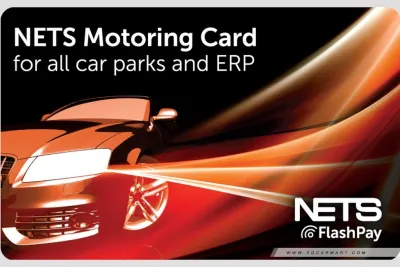

Prices are valid at publication and may change. Please refer to the product page for the latest price.
In contrast, the EZ-Link card operates on a transit-centric network that has progressively expanded into retail spaces. Its strength lies in major convenience stores, fast-food chains, supermarkets, and specific retail partners. While you can use an EZ-Link card at convenience stores or major food court chains, its acceptance at smaller, independent heartland stalls is generally less widespread than NETS.
These gaps mean that relying solely on one card without checking merchant compatibility can limit your cashless spending options. A local coffee stall might accept NETS but not EZ-Link, while certain vending machines might do the opposite. Visualizing your typical daily transactions helps identify which network aligns better with your routine.
To avoid payment issues, the most practical approach is to visually inspect the payment terminals at your most frequently visited locations. Look for the distinct payment decals displayed near the cash register or on the terminal itself. The presence of the blue-and-red NETS logo or the yellow-and-blue EZ-Link logo will give you immediate, real-world confirmation of which card is accepted at your favorite spots.
Public Transit and Commuting Compatibility
Public transit compatibility is another critical factor when choosing between these two reloadable cards. The EZ-Link card has a long-established role as the primary transit payment method in Singapore. It is fully compatible with the entire public transport network, including the MRT, LRT, and public buses. Tapping an EZ-Link card at transit gantries is highly efficient, offering rapid processing speeds that help commuters move quickly through busy stations during peak hours.

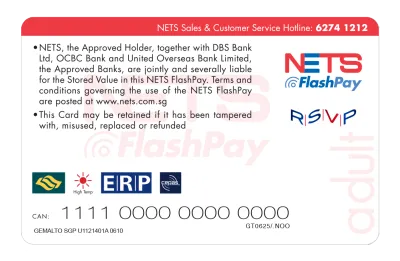
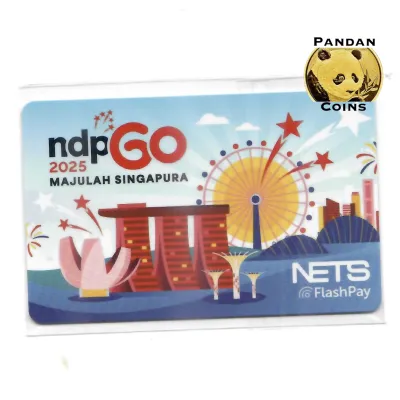
The transit capabilities of NETS prepaid cards require closer inspection. Standard retail-only prepaid cards may not support transit gantry taps. To commute with a NETS card, you must ensure you have a transit-enabled variant, such as those utilizing NETS FlashPay or account-based ticketing.
Always check the physical card packaging or official specifications before purchasing. Look for logos indicating transit compatibility, such as SimplyGo or FlashPay. Purchasing without verifying could leave you with a card that works at retail but fails at transit gantries.
Many commuters now use contactless bank cards or mobile wallets to pay for transit fares directly. If you already use a contactless bank card for your commute, your need for a dedicated transit card might be reduced, allowing a retail-focused NETS prepaid card to serve as a supplementary tool for heartland spending.
Reloading Methods and Daily Convenience
Both card systems offer physical reloading options, but locations and potential fees differ. EZ-Link cards can be reloaded at transit station ticketing machines, self-service kiosks, and convenience store counters. NETS prepaid cards can be topped up at self-service terminals, participating retail outlets, and bank ATMs. Note that physical top-ups at convenience stores may incur a small service fee, which you should verify at the counter.
Through the official NETS and EZ-Link mobile applications, users can manage and top up balances directly from their smartphones. These apps utilize Near Field Communication (NFC) to write data to the physical card or manage balances digitally via account-based systems, eliminating the need to queue at physical kiosks.
Verify the current minimum and maximum reload limits on the official apps beforehand. These limits, along with daily transaction caps, protect your funds but can vary depending on card registration status. Checking these specifications ensures you do not encounter unexpected limits during a busy day.
Both systems allow you to set up automatic top-ups by linking a bank account or credit card to the official app. The system automatically reloads your card with a pre-determined amount when the balance falls below a specific threshold, preventing the hassle of running out of funds at a transit gantry.
Fees, Card Expiry, and Balance Management
When purchasing a new card, you will typically encounter a non-refundable card issuance fee that does not contribute to your usable balance. Replacement costs for lost or damaged cards also apply, and some cards may incur dormancy fees if left inactive. To avoid unexpected costs, verify the latest fee schedules on the official NETS and EZ-Link websites.
EZ-Link and NETS prepaid cards carry specific validity periods and expiry dates. Once expired, they can no longer be used for transit or retail transactions. You can check your card’s expiry date by tapping it at transit ticketing machines, viewing card details within the official mobile apps, or checking the physical markings on the card.
If your card expires, both issuers provide procedures for requesting a refund of the remaining balance. For EZ-Link, refunds can be processed at transit station customer service counters or requested via the official app. For NETS prepaid cards, refund requests are managed through the NETS app or designated customer service channels. Processing times and eligibility criteria can vary based on card condition.
Registering your card on the issuer’s official app is highly recommended. Unregistered cards are equivalent to cash; if lost, anyone can spend the remaining balance. Registering links the card to your personal account, allowing you to remotely lock or freeze it if it goes missing, protecting your remaining balance and facilitating a smoother refund process.
Decision Framework: Which Card Should You Get?
Aligning your primary card with your dominant daily activities will provide the smoothest experience. Your choice does not have to be exclusive, but focusing on your main spending environments will help narrow down the options.
Choose the NETS prepaid card if your primary goal is cashless convenience at local heartland merchants, hawker centers, and neighborhood coffee shops. It is highly optimized for the local food ecosystem and is a practical option if you want to easily manage, monitor, and freeze the card via a centralized mobile app.
Choose the EZ-Link card if your absolute priority is seamless public transit commuting across the MRT, LRT, and bus networks, combined with quick purchases at major convenience stores. Its long-standing integration with the transit system ensures rapid, reliable tapping at gantries.
Alternatively, consider carrying both cards or supplementing one with a contactless bank card. If your daily routine involves both extensive transit commuting and frequent dining at heartland hawker centers, having both payment options ensures you are prepared for any terminal configuration.
Before making your final purchase, go through this quick pre-purchase checklist:
- Verify transit compatibility on the card packaging or official specifications.
- Check current fee structures, including non-refundable issuance costs, on the official issuer platforms.
- Confirm that your smartphone is compatible with the official app to utilize digital reload and balance management features.
Frequently Asked Questions (FAQ)
Can I use a standard NETS prepaid card for MRT and bus rides?
Standard NETS prepaid cards designed purely for retail transactions typically cannot be used at transit gantries. To use a NETS card for public transit, you must ensure it is a transit-enabled variant, such as those featuring NETS FlashPay or SimplyGo compatibility. Always check the card’s official specifications or packaging before purchase.
How do I get a refund for my remaining EZ-Link balance?
To obtain a refund for an EZ-Link card, you can visit a transit station customer service counter (such as a SimplyGo Ticket Office) or submit a refund request through the official EZ-Link mobile application. The processing time and eligibility may vary depending on whether the card is active, expired, or physically damaged.
Do these reloadable cards offer rewards or cashback?
Standard reloadable cards do not typically offer direct cashback or rewards on their own. However, users can access occasional merchant-specific promotions and discounts through the official NETS and EZ-Link mobile apps. To earn rewards, consider linking a rewards-earning credit card or debit card to fund the automatic top-up function of your reloadable card.

Community discussion
Share your experience or ask a question. Comments are reviewed before publication.