
Quick Answer: Which Card Should You Keep or Get?
Choosing between a NETS CashCard and an EZ-Link card depends primarily on whether you spend more time driving or commuting on public transport in Singapore. Each card is optimized for different payment ecosystems, meaning your daily routine dictates which one is more practical to keep in your wallet or vehicle.
If your daily routine revolves around driving, navigating Electronic Road Pricing (ERP) gantries, and parking in various multi-storey car parks, a NETS CashCard—or its modern CEPAS-compliant equivalent, the NETS Motoring Card—is often the more practical choice. This is due to its widespread compatibility with vehicle In-vehicle Units (IUs) and car park payment systems.
Conversely, if your primary mode of travel is the MRT, LRT, or public buses, an EZ-Link card serves as the standard transit companion. It offers seamless integration with the national public transport ticketing system, supports various concession schemes, and is widely accepted at retail outlets, convenience stores, and vending machines.
Products mentioned in this guide
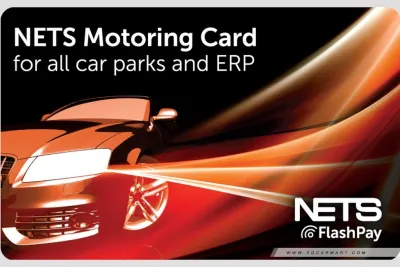
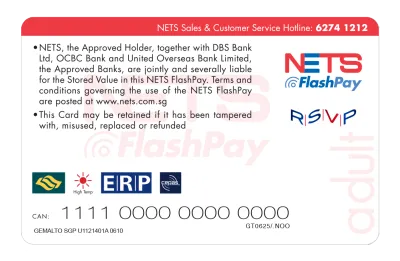
Prices are valid at publication and may change. Please refer to the product page for the latest price.
For individuals who both drive and commute regularly, holding both cards is a common and highly practical approach. Since no single card perfectly covers every niche payment terminal without exception, maintaining both ensures you are never caught off guard at a transit gantry or a car park exit.
Comparing Core Payment Scenarios
ERP and Car Park Payments
When managing vehicle-related expenses, compatibility with your vehicle’s In-vehicle Unit (IU) is the first factor to verify. Older first-generation IUs typically require a physical chip-based card, which is the classic format of the NETS CashCard. Newer dual-mode IUs and the upcoming On-Board Units (OBUs) are designed to accept contactless CEPAS cards, which include both EZ-Link cards and newer NETS motoring cards. Before purchasing or reloading a card, look at your IU model to determine which physical card format fits the slot and is recognized by the system.

Car park payment terminals across Singapore utilize different reading technologies. While many modern car parks have transitioned to the Full EPS (Electronic Parking System) that accepts CEPAS-compliant cards, some older or private car parks may still rely on specific card networks. To avoid getting stuck at an exit gantry, always check the physical labels on the car park payment terminal or the entrance signage. Look for the distinctive CEPAS logo or the specific brand logos of NETS and EZ-Link.
It is also wise to check official operator lists or signage for any cashless-only zones or specific car park restrictions. Some commercial buildings or private estates may have exclusive arrangements with one payment provider, meaning a card that works perfectly at a nearby public housing estate car park might not be accepted there. Keeping an eye on these localized signs prevents unnecessary delays and the inconvenience of having to reverse out of a tight exit lane.
Public Transport (Buses and Trains)
For public transport commuters, the acceptance framework on public buses, MRT, and LRT systems is highly standardized, but card compatibility still requires attention. EZ-Link cards are natively integrated into the transit network, allowing for rapid tap-in and tap-out actions at fare gates. While certain NETS-branded CEPAS cards are also accepted at transit gates, older chip-based CashCards cannot be used for public transit. Commuters must ensure their card carries the CEPAS logo on the reverse side to guarantee it will be read by transit sensors.
Concession eligibility and monthly travel passes are another critical differentiator. If you qualify for student, senior citizen, or workfare transport concessions, these profiles are typically linked directly to specialized EZ-Link concession cards issued by the transit authorities. Standard NETS CashCards do not support these subsidized fare structures or monthly unlimited travel passes. If you rely on these concessions to manage your monthly commuting budget, verifying your card’s eligibility on official transit authority channels is an essential step.
Fare structures and card-readability can occasionally change as transit networks upgrade their backend systems. To ensure your card remains fully functional and that you are charged the correct distance-based fares, periodically check for updates on official transit websites. These platforms provide real-time information on system compatibility, card registration procedures, and any upcoming transitions in the ticketing infrastructure that might affect older card generations.
Reload Methods and Card Maintenance
Maintaining a sufficient balance on your card requires access to convenient reload channels. EZ-Link cards offer a broad range of top-up options, including transit station ticketing machines, convenience stores, designated bank ATMs, and mobile applications that utilize Near Field Communication (NFC) technology on your smartphone. NETS CashCards can similarly be reloaded at local bank ATMs, AXS stations, and select convenience stores, though the availability of digital top-ups may vary depending on whether you are using an older chip card or a newer contactless version.
Before choosing a preferred reload method, it is important to check for potential top-up fees and minimum reload amounts. Some physical merchant channels, such as convenience stores, may levy a small service fee for manual top-ups, whereas bank ATMs or official mobile apps might offer fee-free reloads. Additionally, setting up auto-reload services—where your card is automatically topped up from a linked bank account or credit card when the balance falls below a certain threshold—can save time, but you should verify the terms, conditions, and any associated registration fees on the official provider sites first.
The physical lifespan of these cards is finite, and regular use can lead to wear and tear that affects performance. A standard reloadable card typically has a validity period of several years from the date of manufacture. You can check the remaining validity of your card at transit ticketing machines, merchant terminals, or via the respective provider’s mobile app. If you notice physical wear indicators—such as deep scratches over the chip, peeling plastic layers, or visible bending—it is advisable to seek a replacement. Using a physically compromised card increases the risk of it failing at a critical moment, such as when passing through an ERP gantry or exiting a busy car park.
Card Compatibility and Physical Checks
To help you quickly verify whether your card is fit for your intended use, the following table outlines the key physical and functional attributes you should check. Regular inspection of these details can prevent transaction failures and ensure smooth payments across all terminals.
| Checkable Attribute | NETS CashCard (Classic Chip) | EZ-Link / CEPAS Cards |
|---|---|---|
| IU Slot Fit | Fits standard physical chip slots in older IUs | Fits contactless slots in dual-mode IUs and OBUs |
| CEPAS Logo Presence | Typically absent on classic chip cards | Must be visible on the back of the card |
| Physical Card Condition | Must be flat; chip must be clean and scratch-free | Must be free of cracks, severe bends, or peeling |
| Primary Reading Method | Physical contact via the embedded gold chip | Contactless radio-frequency identification (RFID) |
| Validity Check Method | Verified at bank ATMs or specific top-up terminals | Verified at transit machines, apps, or retail readers |
For the most accurate and up-to-date technical specifications, always refer to the official guidelines provided by the respective card issuers. Supported terminal lists, system compatibility updates, and hardware requirements can evolve as Singapore’s smart nation infrastructure undergoes upgrades. Checking these official resources ensures you are always using a card version that aligns with current standards.
If your card exhibits any physical defects, such as being bent, cracked, or showing signs of delamination, stop using it immediately. A damaged card can become lodged inside a vehicle’s IU or fail to register at a transit gate, leading to potential transaction failures. In such cases, consult the respective issuer’s customer service channels to inquire about formal replacement procedures, card deactivation, and the transfer of any remaining monetary balance to a new card.
Final Decision Framework
To simplify your choice, you can use the following actionable guidelines based on your daily lifestyle, vehicle equipment, and commuting habits:
Choose NETS CashCard if:
- Your vehicle is equipped with an older first-generation In-vehicle Unit (IU) that strictly requires a physical chip-based card for ERP and parking payments.
- Your driving route consists of car parks that explicitly require NETS payment systems and do not support broader CEPAS networks.
- You prefer reloading your card primarily through local bank ATMs or dedicated AXS terminals.
Choose EZ-Link if:
- Your daily routine relies heavily on public transit, including buses, MRT, and LRT networks, where seamless tap-in and tap-out are required.
- You qualify for specific transit concession rates, student passes, or senior citizen travel schemes that must be linked to a compatible card.
- You want a single card that can also be used for quick retail purchases at convenience stores, supermarkets, and vending machines across Singapore.
Verify first if:
- You are uncertain about the specific CEPAS readiness of the car parks you visit most frequently.
- You need to confirm your vehicle's IU model and its compatibility with contactless payment cards.
- You are unsure of the remaining validity period or the exact concession eligibility of an older card in your possession.
Frequently Asked Questions (FAQ)
Can I use both NETS CashCard and EZ-Link in the same car?
While you can physically keep both cards in your vehicle, you cannot use them simultaneously in a single In-vehicle Unit (IU) slot. Standard IUs are designed to read only one card at a time. Attempting to insert or place two cards in close proximity to the reader can cause signal interference, resulting in reading errors at ERP gantries or car park barriers.
If you need to switch between cards—for instance, using a NETS CashCard for certain car parks and an EZ-Link card for others—you must physically swap the cards in the IU slot while the vehicle is stationary. Always ensure the card is fully inserted in the correct orientation before driving through an active gantry. To avoid transaction failures, refer to the official guidelines provided by the Land Transport Authority regarding dual-card usage and IU compatibility.
What should I do if my card is not detected at the reader?
If a card reader fails to register your card, start with a quick visual inspection. Check the card for any obvious physical damage, such as cracks along the edges, deep scratches across the chip or antenna area, or dirt buildup on the surface. If the card is dirty, gently wipe it with a clean, dry microfiber cloth to remove any residue that might block the signal or physical contact.
Next, verify that you are presenting the card in the correct orientation. For physical chip cards, the gold contact chip must face the direction indicated by the reader or IU slot. For contactless cards, ensure you are holding the card flat against the center of the reader target for at least one to two seconds. If the reader surface itself appears dirty or obstructed, try using an alternative lane or terminal if available. If the card consistently fails to read across multiple different terminals despite being physically intact, stop troubleshooting and contact the card issuer to arrange for a formal diagnostic check, replacement, or balance refund.

Community discussion
Share your experience or ask a question. Comments are reviewed before publication.