
Your ezlink melody card is far more than a cute collectible or a simple ticket for your daily MRT and bus commutes. Because it operates on the standard contactless e-purse application (CEPAS) system, this card functions as a fully fledged contactless payment method across Singapore. You can use it to pay for your morning coffee, grab groceries, or settle bills at thousands of merchant touchpoints island-wide. While transit remains its most common use case, the convenience of tapping your card at retail cashiers, food courts, and automated kiosks makes it a versatile daily companion. However, keep in mind that while acceptance is incredibly widespread, it is not universal, and you will need to look for specific payment terminals to ensure a successful transaction.
Daily Groceries: Supermarkets and Convenience Stores
When you are running quick errands or doing your weekly grocery run, your ezlink melody card can save you the hassle of fumbling with loose coins or waiting for mobile payment apps to load. Major supermarket chains across Singapore, including NTUC FairPrice, Cold Storage, Giant, and Sheng Siong, support CEPAS payments at their checkout counters. This means you can easily tap your card to pay for fresh produce, household essentials, or quick meals without needing to pull out a credit card or cash.
The physical checkout process is straightforward and designed for speed. When you reach the cashier or a self-service kiosk, simply select or inform the cashier that you wish to pay via EZ-Link or CEPAS. Once the terminal is activated, place your card firmly on the contactless reader until you hear a confirmation beep and see the transaction approved on the screen.
Products mentioned in this guide

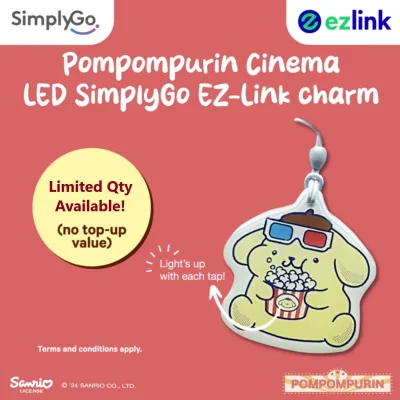
Prices are valid at publication and may change. Please refer to the product page for the latest price.
Neighborhood convenience stores such as 7-Eleven and Cheers also fully support these transactions. This makes the card incredibly useful for micro-transactions, such as buying a cold drink or a quick snack on your way to work. By relying on a quick tap, you bypass the need to unlock your smartphone, authenticate biometric security, or deal with slow cellular connections in crowded basements.
Food and Beverage: From Food Courts to Fast Food Chains
Grabbing a bite in Singapore is incredibly convenient when you use your contactless card at various dining establishments. Major managed food courts, including Kopitiam and Food Republic, have widely integrated card readers at their individual stalls, allowing you to pay for your chicken rice or iced kopi with a single tap. Additionally, selected hawker centres across the island accept EZ-Link payments, often integrated into unified payment terminals.

However, it is important to understand the practical difference between payment systems. Many hawker stalls utilize QR-code-only systems (such as SGQR) that require you to scan a code using a mobile banking or e-wallet app on your phone. Because your physical card relies on Near Field Communication (NFC) technology, it cannot scan a QR code. You must look for a physical payment terminal where you can tap your card to complete the purchase.
To ensure a smooth dining experience, always check for the official EZ-Link or CEPAS logo displayed at the register, on the counter, or on the table tent cards before placing your order. Popular fast-food chains like McDonald’s, Subway, and various local cafes also feature these terminals, making your daily coffee runs and quick lunches completely cashless.
Unexpected Spots: Vending Machines, Kiosks, and Retailers
Beyond supermarkets and food courts, your card’s utility extends to several unexpected, highly convenient locations. Automated vending machines dispensing drinks, snacks, ice cream, and even hot meals across Singapore are frequently equipped with CEPAS readers. This allows you to grab a quick refreshment at a park, void deck, or office lobby without needing exact physical change.
Self-service laundromats, automated photo booths, and selected ticketing kiosks at entertainment venues also accept the card. For health and beauty needs, major pharmacy chains like Watsons and Guardian allow you to tap your card at the counter. Utilizing your card in these scenarios serves as an excellent payment “hack” when you are dealing with poor cellular reception that might otherwise cause mobile wallets or banking apps to fail.
Furthermore, some specialized retail environments, leisure attractions, and theme parks accept the card for entry fees or merchandise purchases. Whether you are paying for parking at CEPAS-compliant gantries or purchasing a souvenir, having your card handy ensures you always have a reliable backup payment method that does not depend on internet access or battery life.
Smart Tapping: How to Verify Acceptance and Manage Your Balance
To make the most of your card outside the transit network, you must understand how to verify merchant acceptance and manage your funds. The most reliable indicator is the official EZ-Link or CEPAS logo, which is typically sticker-branded on the merchant’s point-of-sale terminal or checkout counter. If you do not see the logo, it is always best to ask the cashier if they accept EZ-Link payments before they ring up your items.
Crucially, you must be aware of the difference between transit and retail balance requirements. When you use public transport, the system allows a negative balance buffer, meaning you can complete your final bus or MRT ride even if your card balance falls slightly below zero. However, retail and F&B merchants do not support this buffer. For any retail transaction, you must have the full, exact purchase amount available on your card upfront, or the terminal will decline the payment.
To avoid the embarrassment of a declined transaction, keep your card topped up regularly. You can easily manage your funds by linking your card to the official EZ-Link mobile app, which allows you to check your balance on the go. You can also perform quick top-ups at MRT station ticketing machines, convenience stores, or designated self-service kiosks across Singapore to ensure you always have sufficient funds for your daily purchases.
Frequently Asked Questions (FAQ)
Can I use my EZ-Link Melody card to pay for taxis or private hire cars?
Yes, you can use your card to pay for standard street-hailed taxis in Singapore, provided the vehicle is equipped with a functional CEPAS card reader. However, app-based private hire car services do not support physical card tapping. For these ride-hailing services, you must register a digital payment method, such as a credit card or digital wallet, within their respective mobile applications.
What happens if my card balance is too low for a retail purchase?
If your card balance is lower than the transaction total, the point-of-sale terminal will immediately decline the payment. Unlike transit rides, retail terminals do not allow partial payments or negative balances. You will need to either top up your card at a nearby convenience store or MRT station, or use an alternative payment method like cash or a credit card to complete the purchase.
Can I get a refund for the remaining balance on my EZ-Link Melody card?
Yes, you can request a refund for the remaining stored value on your card. To do this, visit any SimplyGo Ticket Office or SimplyGo Kiosk located at major MRT stations and bus interchanges across Singapore. Please note that while the stored cash balance is fully refundable, the initial cost of purchasing special edition cards or collectible charms is non-refundable.

Community discussion
Share your experience or ask a question. Comments are reviewed before publication.