
Quick Answer: Choosing Between 70gsm and 80gsm IK Paper
When selecting between IK 70gsm and 80gsm copier paper for your office in Singapore, the ideal choice depends on your daily print volume, double-sided requirements, and the age and speed of your office printers. IK 70gsm serves as an exceptionally cost-effective, high-yield solution designed for high-volume, single-sided printing such as internal drafts, delivery orders, and everyday memos. This lighter variant helps businesses minimize per-page expenses and reduces the physical weight of archived files.
Conversely, IK 80gsm is the industry-standard choice for double-sided (duplex) printing, professional client-facing presentations, legal contracts, and documents featuring heavy ink or toner coverage. The extra thickness and density of the 80gsm variant prevent distracting show-through, offer superior resistance to paper jams in high-speed multi-function printers, and provide a premium tactile feel that reflects quality. By matching the paper weight to your specific office workflows, you can balance operational costs with professional presentation.
Understanding the Baseline: 70gsm Economy vs 80gsm Premium
To make an informed purchasing decision, it is essential to understand what these specifications represent physically and how they affect paper behavior. The term GSM stands for grams per square meter, the standard metric unit used to measure paper density and weight. It is calculated by weighing a single sheet of paper measuring exactly one square meter. While GSM does not directly measure thickness, a higher GSM rating almost always correlates with a thicker, stiffer, and more opaque sheet because more wood fibers are packed into the same surface area.
Products mentioned in this guide
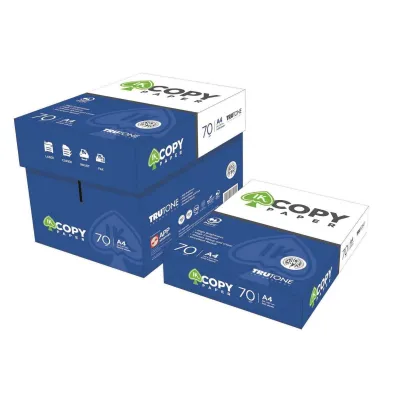
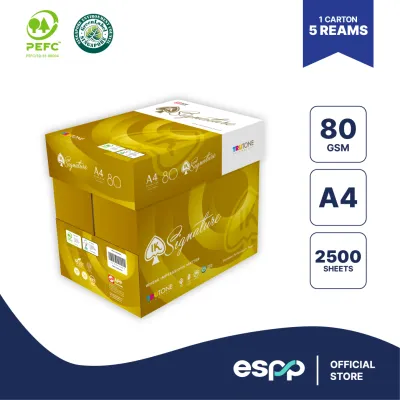
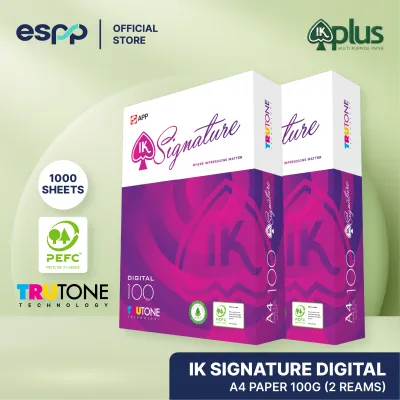
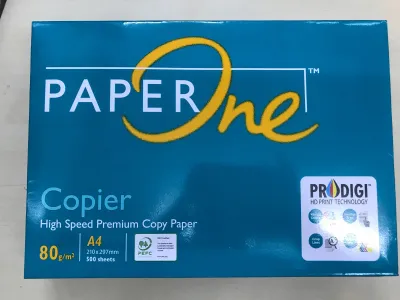
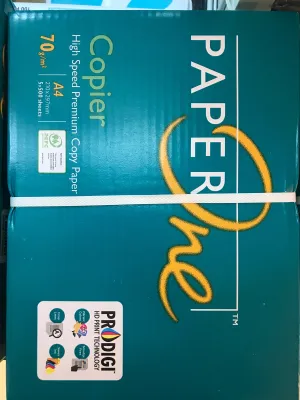
Prices are valid at publication and may change. Please refer to the product page for the latest price.

The IK 70gsm copier paper variant is engineered specifically as an economy, high-yield option. By utilizing slightly less raw wood pulp per sheet, the manufacturer produces a thinner, lighter paper that remains highly functional for standard office tasks. This design minimizes raw material consumption, translating directly into a lower purchase price per ream. For businesses generating massive amounts of single-sided paperwork daily, such as logistics companies printing shipping manifests, the 70gsm variant offers a practical way to manage overheads without sacrificing basic readability.
In contrast, the IK 80gsm variant represents the standard for modern office environments. This weight is widely considered the baseline for multi-purpose office paper because it strikes an optimal balance between structural integrity and cost. The additional fiber density provides a noticeable increase in stiffness, tensile strength, and opacity. When you hold an 80gsm sheet, it feels substantial and rigid. This variant is designed to handle the rigorous demands of modern office machinery, including high-speed laser printers, heavy-duty copiers, and complex finishing equipment.
While both the 70gsm and 80gsm variants are fully compatible with standard laser and inkjet printers, their physical differences dictate their optimal environments. Thinner paper heats up and cools down faster, which can affect toner adhesion and paper flatness during high-temperature laser printing. Thicker paper, meanwhile, provides a more stable substrate that can absorb liquid ink and withstand high fuser temperatures without warping. Understanding these baseline physical properties allows office managers to look beyond the price tag and evaluate how each paper type interacts with their specific office infrastructure.
Evaluating Performance: Quality, Compatibility, and Cost
Print Quality, Opacity, and Duplex Printing
Print quality is not merely a function of your printer’s resolution; the medium you print on plays a decisive role in the final visual output. Opacity is the measure of how much light is blocked from passing through a sheet of paper, and it is directly linked to the paper’s fiber density. When printing double-sided documents on IK 70gsm paper, the lower opacity often results in “show-through” or “ghosting,” where text and graphics from the reverse side are clearly visible. This can make professional reports difficult to read, distracting clients and staff alike. The IK 80gsm variant, with its denser fiber structure, provides significantly higher opacity, ensuring that double-sided text remains crisp, clean, and completely legible on both sides.
Another critical aspect of print quality is how the paper handles different types of marking agents, such as liquid inkjet inks and dry laser toners. Inkjet printers deposit wet ink onto the paper surface, which must dry quickly to prevent feathering and smudging. Because 70gsm paper is thinner, it has less capacity to absorb liquid carriers without the moisture penetrating deep into the sheet. This can cause the paper fibers to expand unevenly, leading to a wavy, warped appearance known as cockling. Laser printers, on the other hand, use intense heat and pressure to fuse plastic toner powder onto the paper. The rapid temperature change can cause thin 70gsm paper to curl excessively as it exits the fuser. The robust structure of IK 80gsm paper absorbs liquid inks more evenly and resists thermal curling, maintaining a flat, professional profile even after high-coverage color printing.
Beyond the visual aspects, the tactile experience of handling a document carries subtle but powerful psychological weight. A document printed on thin, flexible 70gsm paper can unintentionally convey a sense of budget-cutting or temporary status. Utilizing 80gsm paper provides a firm, premium feel that immediately suggests professionalism and attention to detail. For any document that leaves your office and enters a client’s hands, the small investment in 80gsm paper pays dividends in brand perception.
Printer Compatibility and Jamming Risks
The mechanical reliability of your office printers is heavily dependent on the physical properties of the paper you feed into them. Inside a modern printer or copier, sheets are pulled from a tray by rubber pickup rollers, guided through a series of tight turns, and passed through high-temperature fusers at high speeds. To navigate this complex paper path without buckling, the paper must possess a specific degree of stiffness, often referred to as bend resistance. If a sheet of paper is too flexible, it cannot push past the internal guidance fingers or exit rollers smoothly, leading to accordion-like folds and immediate paper jams.
The IK 80gsm paper variant is engineered with sufficient stiffness to feed reliably through almost all office machinery. Its structural rigidity allows it to pass through high-speed commercial copiers that process over 50 pages per minute, where the mechanical forces acting on each sheet are intense. It also performs exceptionally well in older office printers where the pickup rollers and separation pads may be slightly worn. The stiffness of the 80gsm sheet helps it separate cleanly from the stack, reducing the likelihood of the roller pulling multiple sheets simultaneously.
Conversely, the lighter weight of IK 70gsm paper introduces several mechanical risks. Because it is thinner and more flexible, 70gsm paper is highly susceptible to static electricity, especially in air-conditioned office environments in Singapore where the humidity is kept artificially low. Static charge causes adjacent sheets in the paper tray to cling to one another, frequently resulting in multi-sheet feeding. Furthermore, in non-air-conditioned storage areas, the high natural humidity of Singapore can cause 70gsm paper to absorb moisture rapidly, making it limp and highly prone to curling and jamming when it hits the hot fuser rollers of a laser printer. To minimize these operational disruptions, verify that your printer is rated to handle 70gsm paper, particularly for duplex printing paths which involve reversing the sheet mid-cycle.
Cost Efficiency and Storage Logistics
Managing the operating budget of a busy office requires a careful analysis of both direct and indirect costs. From a direct procurement perspective, IK 70gsm paper offers a clear cost-per-sheet advantage. Because it uses fewer raw materials, a ream of 70gsm paper is priced lower than its 80gsm counterpart. For departments that generate massive volumes of internal documentation that are read once and discarded—such as daily picking lists in warehousing, transaction logs in finance, or draft copies in legal firms—the accumulated savings of using 70gsm paper over a year can be substantial.
The benefits of the lighter variant also extend to physical logistics and workplace safety. A carton of 70gsm paper is noticeably lighter than a carton of 80gsm paper, making receiving deliveries, moving stock, and loading printer trays physically easier for administrative staff. This weight reduction minimizes the risk of back strain during handling. Additionally, because 70gsm sheets are thinner, they take up less vertical space, allowing you to stack more reams on standard office shelves and maximize your storage footprint.
However, focusing solely on the purchase price of paper can create a false economy. If using 70gsm paper results in frequent printer jams, the cost of wasted toner, ruined paper sheets, employee downtime while clearing jams, and premature wear on printer rollers can quickly erase any initial savings. If a business must frequently call out service technicians to clear deep jams or replace worn feed rollers degraded by paper dust, the total cost of ownership rises. For general office environments where administrative efficiency is paramount, standardizing on IK 80gsm paper often proves to be the most cost-effective strategy in the long run, as it minimizes printer downtime and keeps office workflows moving without interruption.
What to Check on the Packaging and Printer Manual
When purchasing IK copier paper, it is important to look closely at the specifications printed on the packaging to ensure you are getting the correct variant for your needs. The outer wrapper of a ream of paper contains critical technical data that goes beyond simple brand labeling. One of the most important metrics to check is the CIE whiteness rating, which indicates the brightness and color cast of the paper. A higher CIE rating (such as CIE 150 or above) means the paper is a bright, neutral white, which provides excellent contrast for both monochrome text and color graphics. Additionally, look for labels indicating precision rotary cutting, which ensures that each sheet has perfectly clean, dust-free edges. Low-dust paper is essential for protecting the delicate optical sensors and rubber rollers inside your office printers from debris buildup.
Equally important is verifying your printer’s physical compatibility with different paper weights by consulting the manufacturer’s user manual. Every printer model has a designated paper handling specification sheet, usually found in the appendix of the manual or on the manufacturer’s official support website. This specification sheet details the supported paper weight range for each input tray. In many multi-function printers, the main paper cassettes are optimized for standard 80gsm paper, while the manual bypass tray is designed to handle a wider range of weights, from light 60gsm drafts to heavy 220gsm cardstock. If you plan to run 70gsm paper, ensure that your printer’s feed rollers and software settings are configured to accept this weight to prevent feeding errors.
Finally, pay close attention to the integrity of the packaging itself and the storage conditions in your office. IK paper is packaged in specialized wrappers that incorporate a moisture-barrier layer to protect the paper from ambient humidity. In Singapore’s tropical climate, where indoor relative humidity can fluctuate wildly between air-conditioned offices and open-air corridors, keeping paper dry is a constant challenge. If a ream’s wrapper is torn or left open, the paper will absorb moisture from the air, causing the edges to wave and leading to severe curling when printed. Always inspect the packaging seals before buying or opening a ream, and store unopened cartons in a dry, temperature-controlled environment.
Decision Framework: Matching Paper to Your Print Volume
To simplify your purchasing process, you can use this condition-based decision framework to match the right IK copier paper variant to your specific office requirements.
Choose IK 70gsm if:
- Your printing is primarily single-sided: You generate high volumes of internal drafts, system logs, or temporary worksheets where show-through is not an issue.
- Direct cost reduction is your primary goal: Your department operates on a strict administrative budget and prints thousands of pages daily, making cumulative per-sheet savings highly attractive.
- You prioritize lighter physical handling: You need to manage physical storage constraints or want to reduce the weight of archived document boxes stored on overhead shelving.
- Your printers are modern and well-maintained: You use relatively new printing equipment with clean pickup rollers that can reliably handle lighter, more flexible paper weights.
Choose IK 80gsm if:
- You regularly print double-sided documents: You produce multi-page reports or training manuals where high opacity is required to prevent text from bleeding through.
- You produce client-facing materials: You print proposals, contracts, or presentations where a professional, substantial tactile feel is necessary to make a positive impression.
- Your documents contain graphics or charts: You require a stable paper substrate that can absorb liquid inkjet inks or withstand high laser fuser temperatures without warping.
- You want to minimize printer downtime: You operate high-speed copiers or older office printers and want to reduce paper jams, static cling, and multi-sheet feeds.
Verify first if:
- You use specialized high-speed production equipment: Consult your printer's technical representative to ensure running 70gsm paper does not exceed the machine's operational tolerances.
- Your office experiences high humidity: If your storage area is not air-conditioned, test how the paper behaves after exposure to the local climate before committing to a bulk purchase.
How to Verify Paper Performance Before Bulk Buying
Investing in a bulk order of copier paper without testing can lead to costly mistakes if the paper performs poorly in your specific office environment. To mitigate this risk, implement a small-scale pilot test before finalizing your purchase. Start by purchasing a single ream of both the IK 70gsm and IK 80gsm variants. Run a test batch of 50 to 100 sheets of each weight through your office’s most heavily utilized printers, testing both single-sided and double-sided print jobs.
During the test run, observe the printing process and document any performance issues. Check the printer’s output tray for signs of excessive paper dust, which can accumulate and cause feed errors over time. Monitor the feed mechanism to ensure that the printer does not pull multiple sheets at once, which is a common symptom of static cling or insufficient paper stiffness. Inspect the finished test prints for visual quality, checking if the text is sharp, if color graphics cause the paper to warp, and if the show-through on double-sided prints is acceptable.
To ensure your test results are accurate, allow the test paper to acclimatize to your office environment for at least 48 hours before running it through the printer. Remove a small stack of paper from the protective wrapper and place it in the printer tray, leaving it exposed to your office’s typical temperature and humidity levels. This acclimatization period is crucial in Singapore, as it reveals how the paper fibers react to the local climate. If the paper maintains its flatness and feeds smoothly after exposure, you can confidently proceed with a bulk order, knowing that the selected variant is perfectly suited to your office’s specific equipment.

Community discussion
Share your experience or ask a question. Comments are reviewed before publication.