
Quick Answer: Matching IK Paper Weights to Your Print Volume
Selecting the right paper weight for your office or home printer depends on your printing volume, document purpose, and budget. For high-volume, text-heavy internal drafts where cost efficiency and storage space are your primary concerns, IK 70GSM copy paper is the most practical choice. It minimizes bulk and reduces the overall cost per sheet, making it ideal for everyday internal documentation.
For standard daily printing, IK 80GSM copy paper offers the most reliable balance. It provides a professional appearance and consistent feeding across almost all standard desktop laser and inkjet printers, making it the default choice for general office correspondence, reports, and school assignments.
When you need to print client-facing documents, double-sided reports, or pages with heavy ink graphics, IK 100GSM copy paper is the preferred option. Its high opacity and structural stiffness prevent ink show-through and give your documents a premium, substantial feel. Before committing to a bulk purchase of any weight, always verify your printer’s maximum supported paper weight in the device manual to ensure smooth feeding.
Products mentioned in this guide

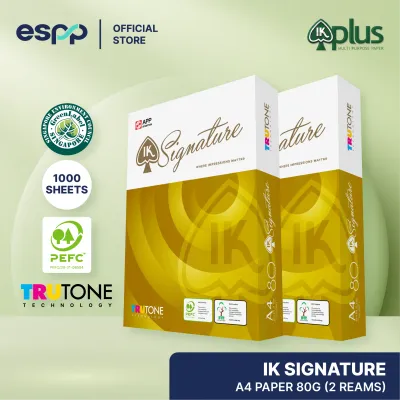
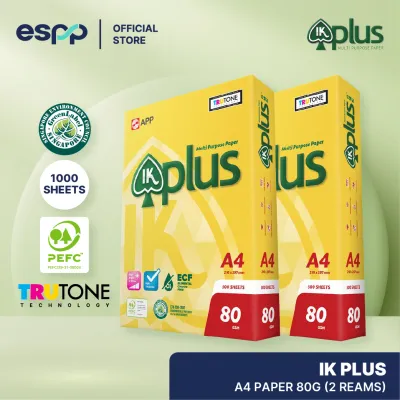


Prices are valid at publication and may change. Please refer to the product page for the latest price.
Understanding GSM: How Paper Weight Affects Print Quality
To make an informed choice, it is essential to understand what GSM means and how it influences the physical behavior of paper. GSM stands for Grams per Square Meter, which is a standard metric unit measuring the density and weight of a single sheet of paper. While a higher GSM indicates a heavier and thicker sheet, it is a measure of weight rather than a direct indicator of surface smoothness or brightness.

As the GSM of paper increases, the physical properties of the sheet change in several key ways. First, higher GSM paper contains more fiber mass, which naturally increases its opacity. Opacity determines how much light can pass through the sheet; higher opacity means that text or images printed on one side will not easily show through to the reverse side, making heavier paper far more suitable for double-sided printing.
Second, paper weight directly affects structural stiffness. Thicker sheets have higher bending resistance, helping them remain flat and rigid during handling. In contrast, lighter sheets are more flexible and can feel limp, especially when handled frequently.
In regions with high relative humidity, such as Singapore, environmental moisture plays a significant role in paper performance. Paper fibers naturally absorb moisture from the air, which can cause the sheets to lose their stiffness and begin to curl. Lighter papers like 70GSM are particularly sensitive to this humidity-induced limpness, which can lead to feeding issues in printers. Heavier papers like 80GSM and 100GSM retain their structural integrity better under humid conditions, though proper storage remains critical for all weights.
Finally, paper weight influences how ink is absorbed. When liquid ink from an inkjet printer hits a thin sheet of paper, the moisture can cause the fibers to swell and warp. Heavier papers have more fiber depth to absorb the liquid carrier of the ink, allowing the sheet to remain flat and dry quickly without warping.
IK 70GSM vs 80GSM vs 100GSM: Detailed Use Case Breakdown
The IK copy paper range offers three distinct weight variants designed to meet different printing demands. Each weight represents a specific set of physical trade-offs, balancing cost, thickness, opacity, and printer compatibility. Understanding these trade-offs allows you to match the right paper to your specific office or home environment.
IK 70GSM: High-Volume Drafts and Internal Documents
IK 70GSM copy paper is engineered primarily for high-volume, single-sided printing where operational efficiency and cost control are the main priorities. This lightweight paper is highly suitable for printing internal memos, draft documents, archival records, and high-speed batch print runs that do not require a premium presentation.
One of the primary physical advantages of 70GSM paper is its thin profile. Because each sheet is thinner than standard paper, a single ream or carton takes up less physical storage space on your office shelves. This thinness also means that bound documents, folders, and archival boxes remain compact and lightweight, which can significantly reduce shipping and transport costs when sending large volumes of documents.
However, the lighter weight comes with specific trade-offs that you must consider. The lower opacity of 70GSM paper means that double-sided printing is generally not recommended, as text from the reverse side will be highly visible, reducing readability. Additionally, because the sheets are thinner and more flexible, they are more susceptible to static cling and minor curling, which may require careful adjustment of your printer’s paper tray guides to prevent multi-sheet feeding or minor jams.
IK 80GSM: The Standard for Everyday Office and Home Use
IK 80GSM copy paper is widely recognized as the standard weight for general-purpose office and home printing. It is designed to offer a reliable, middle-ground solution that handles everyday printing tasks with ease, providing a professional look and feel without the premium price tag of heavier specialty papers.
The primary benefit of 80GSM paper is its balanced stiffness, which allows it to feed reliably through almost all standard consumer and commercial printers. Whether you are using a high-speed office laser copier or a compact home inkjet printer, 80GSM paper is thick enough to resist curling under the heat of the fuser unit while remaining flexible enough to navigate tight paper paths without jamming.
In terms of print quality, 80GSM paper offers sufficient opacity for standard double-sided text documents. While very heavy ink coverage or bold color graphics may still show through slightly, standard black text prints cleanly on both sides with minimal distraction. This makes it the ideal choice for everyday business reports, school assignments, invoices, and standard correspondence where a clean, professional presentation is required.
IK 100GSM: Premium Presentations and Double-Sided Printing
IK 100GSM copy paper is a premium, heavy-duty option designed for high-quality documents that require a substantial tactile feel and excellent visual clarity. This weight is specifically formulated to handle demanding print jobs that involve heavy ink coverage, vibrant colors, and double-sided layouts.
The most noticeable characteristic of 100GSM paper is its impressive stiffness and thickness. When you hand a document printed on 100GSM paper to a client or colleague, the physical weight of the sheet immediately conveys a sense of quality and professionalism. This makes it the ideal choice for client proposals, formal presentations, marketing flyers, certificates, and official contracts.
From a technical standpoint, the high density of 100GSM paper provides exceptional opacity. Even when printing full-color graphics, charts, or heavy text on both sides of the sheet, there is virtually no show-through, ensuring that your documents look clean and easy to read. However, because of its thickness, you must verify that your printer’s feed rollers and paper path are rated to handle 100GSM paper, as some compact home printers may experience feed roller slippage if the paper is too heavy.
Side-by-Side Comparison and Decision Framework
To help you choose the right IK paper weight for your needs, the following table summarizes the key physical characteristics and recommended applications for each option:
| Feature | IK 70GSM | IK 80GSM | IK 100GSM |
|---|---|---|---|
| Relative Thickness | Thin and flexible | Medium and balanced | Thick and rigid |
| Opacity Level | Low (high show-through) | Medium (low show-through for text) | High (virtually no show-through) |
| Ideal Use Case | High-volume drafts, internal memos | Daily office reports, schoolwork | Client proposals, presentations |
| Printer Feed Reliability | Good (requires correct tray alignment) | Excellent (standard for most devices) | Good (requires high-weight support) |
| Storage Sensitivity | High (prone to humidity curling) | Medium (standard handling required) | Low (retains stiffness well) |
When making your final decision, you can apply this simple decision framework based on your primary printing requirements:
- Choose IK 70GSM if your primary goal is to minimize paper costs, you print high volumes of single-sided internal drafts, and you want to save physical storage space in your filing cabinets.
- Choose IK 80GSM if you need a versatile, worry-free paper for daily office or home use that feeds reliably through any printer and offers a professional appearance for standard documents.
- Choose IK 100GSM if you are printing high-quality, double-sided documents with heavy ink or color graphics, or if you want to make a strong impression on clients with a premium, heavy-weight feel.
To calculate the true cost of your paper procurement, it is highly recommended to check current pricing per ream (500 sheets) or per carton (typically 5 reams) from local stationery suppliers or online marketplaces. In Singapore, prices are quoted in S$ and can vary depending on the volume purchased. While 70GSM paper offers the lowest upfront cost, high-volume offices should weigh these savings against the potential cost of printer downtime if their specific machines are prone to jamming with lighter paper weights.
Avoiding Paper Jams: Printer Compatibility and Feed Checks
To ensure a smooth printing experience and avoid frustrating paper jams, it is crucial to verify that your chosen paper weight is fully compatible with your printing equipment. Every printer has specific mechanical limitations regarding the minimum and maximum paper weights it can reliably pull through its feed rollers and paper path.
Before purchasing paper in bulk cartons, always consult your printer’s user manual or check the specification label located on the back or inside of the device. Most standard office printers are rated to handle a wide range of paper weights, typically from 60GSM up to 105GSM, which easily accommodates all three IK paper weights. However, some compact home printers or specialized high-speed copiers may have narrower limits, particularly on their automatic duplexing (double-sided) units.
If you are planning to transition to a different paper weight, such as moving from 80GSM to 70GSM to save costs, or upgrading to 100GSM for premium documents, it is wise to purchase a single test ream first. Run a trial print job of 20 to 50 pages to observe how your printer handles the paper. Watch for signs of static cling, multi-sheet feeding, or curling as the paper exits the fuser unit.
Proper paper storage is also essential for preventing feed issues, especially in humid climates. Always keep unused paper sealed in its original moisture-resistant wrapper until you are ready to load it into the printer tray. If paper is left exposed to high humidity for extended periods, it will absorb moisture, causing the edges to wavy and significantly increasing the risk of misfeeds and jams.
If you experience feeding issues with heavier weights like 100GSM, try adjusting the paper guides in the printer tray to ensure they are snug but not overly tight against the paper stack. You can also try feeding the heavier sheets through the printer’s manual bypass tray, which typically has a straighter paper path that reduces the mechanical strain on the feed rollers. If persistent jams occur, stop using that specific weight and consult your printer manufacturer or a qualified service technician.

Community discussion
Share your experience or ask a question. Comments are reviewed before publication.