
Navigating Singapore’s public transport network is exceptionally efficient, thanks to SimplyGo. SimplyGo is Singapore’s unified account-based ticketing system that allows you to pay for your MRT (metro) and bus rides using contactless bank cards, mobile wallets, or registered physical transit cards. By routing transactions directly to a secure back-end cloud server, this system eliminates the need to queue at ticketing machines or manually pre-load funds before every journey.
Whether you are a daily commuter, a newly arrived resident, or a visitor exploring the city, understanding how to configure and use this system ensures a seamless travel experience. Deciding which payment method fits your routine involves weighing convenience against budget-tracking capabilities.
Understanding SimplyGo and Choosing Your Payment Method
SimplyGo operates on an Account-Based Ticketing (ABT) architecture. In legacy card-based systems, your card’s balance and transaction history are stored directly on the physical chip. With SimplyGo, the transit card or mobile device acts as a secure identifier, while the actual fare calculation and balance management occur on back-end servers. This cloud-based processing is what enables standard bank cards and mobile devices to function as transit passes.
Products mentioned in this guide
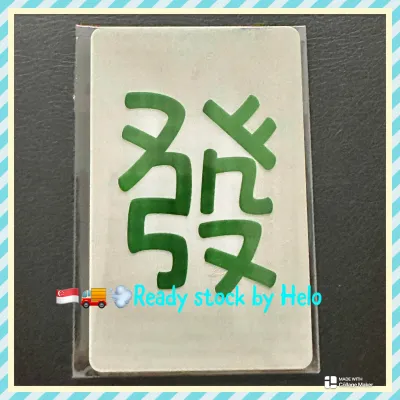
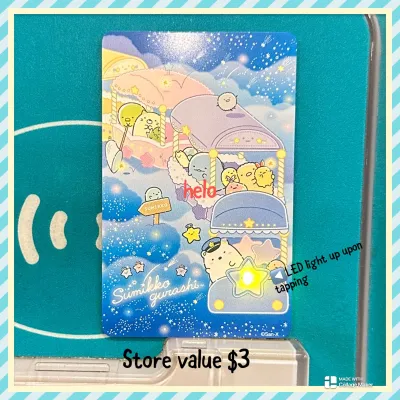

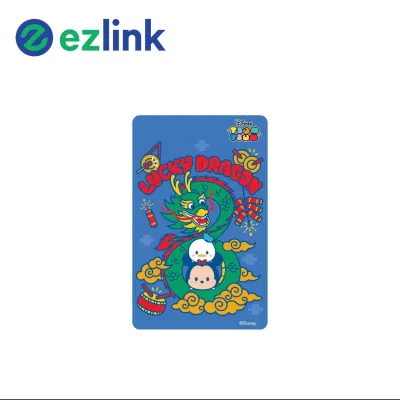

Prices are valid at publication and may change. Please refer to the product page for the latest price.
Commuters can choose from three primary payment methods to access the transit network. You can use a physical SimplyGo transit card, a contactless credit or debit card, or a mobile wallet linked to a smartphone or wearable device. Each option serves different commuter profiles and offers distinct operational advantages.
Physical SimplyGo Cards vs. Contactless Bank Cards
Physical SimplyGo cards are standard ID-1 size smart cards (measuring 85.60 mm by 53.98 mm) that comply with the CEPAS electronic payment standard. These cards are ideal for families, students, seniors, or anyone who prefers to keep transit expenses strictly separated from personal bank accounts. They are also necessary for accessing subsidized concession fares, which are tied to verified user profiles.
Contactless bank cards, including Visa, Mastercard, and NETS cards, offer the highest level of convenience for adult commuters. Because these cards link directly to your existing bank account, you never have to worry about running out of travel funds or queuing at top-up machines. To verify if your bank card is compatible, look for the wave-like contactless payment symbol printed on the front or back of the plastic.
Using Mobile Wallets and Wearables
Mobile wallets turn your smartphone or smartwatch into a digital transit pass. By adding a compatible credit or debit card to Apple Pay, Google Pay, or Samsung Pay, you can pass through transit gantries without reaching for a physical wallet. The system communicates via Near Field Communication (NFC) to process your entry and exit instantly.
Using a mobile wallet requires strict adherence to the single-device rule. When you add a card to a mobile wallet, the device generates a unique virtual token that differs from your physical card number. You must tap in and tap out using the exact same device. Tapping in with an iPhone and tapping out with an Apple Watch—or the physical plastic card itself—will cause the system to record two incomplete journeys, resulting in maximum fare penalties on both accounts.
Step 1: Getting and Activating a Physical SimplyGo Card
If you choose to use a physical transit card, you can purchase a SimplyGo EZ-Link card at several authorized locations across Singapore. These include Passenger Service Centres inside MRT stations, SimplyGo Ticket Offices, and local convenience stores such as 7-Eleven or Cheers. A standard physical card generally costs between S$10 and S$12, which includes a non-refundable card fee (usually S$5) and a pre-loaded travel value that you can use immediately.

To unlock the full benefits of a physical card, you should register it on the official mobile application. Download the SimplyGo app from your device’s app store and create an account using your email address or Singpass. Once logged in, select the option to add a card and input the 16-digit CAN (Card Access Number) found on the back of your physical card.
While an unregistered physical card still functions at transit readers, registration provides critical security and convenience features. Registered cards allow you to track your travel history in real time, receive instant push notifications of your fares, and block the card remotely if it is lost or stolen to protect your remaining balance. It also enables you to apply for automatic top-ups directly through the app.
Step 2: Topping Up and Managing Your Transit Funds
Managing your travel funds depends entirely on whether you use a physical transit card or a direct bank card. Keeping your account funded prevents unexpected delays at the transit gantries.
- Physical SimplyGo Cards: You can top up physical cards manually at General Ticketing Machines (GTMs) located in all MRT stations, at SimplyGo Kiosks, or at authorized convenience stores. Alternatively, you can configure Auto Top-Up on the SimplyGo app. This service automatically charges your linked credit or debit card to add a pre-selected amount (such as S$10 or S$20) whenever your card balance falls below a specific threshold, typically S$3.
- Contactless Bank Cards and Mobile Wallets: These methods require no manual topping up or pre-loading of funds. Fares are charged directly to your linked bank account or credit card limit. If you are using an overseas bank card, contact your issuing bank before traveling to verify that international transactions are enabled, and inquire about potential foreign transaction fees or currency conversion markups.
Always check the active display screens on ticketing machines or the official app to verify current minimum and maximum top-up limits. These limits are subject to administrative adjustments and can vary depending on the payment channel you choose.
Step 3: Tapping In and Out on Buses and MRT
Passing through Singapore’s transit network requires correct physical tapping techniques to ensure accurate fare calculations. Because fares are distance-based, the system must precisely record both your starting and ending points.
When entering an MRT station, locate the contactless reader on top of the entry gantry. Hold your card or mobile device flat against the center of the reader, keeping it steady for a split second. Wait for the green indicator light to illuminate and a single beep to sound before walking through. When you reach your destination station, repeat this exact action at the exit gantry.
On buses, the card readers are mounted near the boarding and alighting doors. Tap your card or device on the reader near the front door when boarding the bus. When preparing to exit, tap your card or device on the reader near the middle or rear exit doors just before stepping off. Failing to tap out on a bus results in the system charging you the maximum possible fare for that bus route.
To prevent payment errors, you must avoid “card clash.” Card clash occurs when you tap a wallet or cardholder containing multiple contactless cards against a reader. The reader may detect more than one signal, resulting in the wrong card being charged, a failure to open the gantry, or double-charging. Always remove your preferred transit card from your wallet or use a single mobile device to tap in and out.
Step 4: Tracking Fares, History, and Capping
Monitoring your transit transactions helps you manage your monthly commuting budget and verify that you are being billed correctly. The SimplyGo app serves as your central dashboard for all travel data.
Once your cards are linked to the app, you can view a detailed breakdown of your journeys. The app displays the boarding and alighting times, the exact stations or bus stops used, and the precise fare deducted for each trip. Enabling push notifications on your smartphone allows you to receive these details immediately after tapping out of an exit gantry.
It is important to understand that billing cycles differ between physical cards and bank cards. Physical SimplyGo cards deduct fares instantly, and the remaining balance is updated on the gantry screen as you exit. Bank cards and mobile wallets aggregate transit fares over a period of one to five days, or until a specific spending threshold is met, before posting a single consolidated charge to your bank statement.
For frequent travelers, Singapore’s transit system offers concession passes and monthly travel schemes that cap your total transport expenditures. These programs are typically tied to registered physical concession cards for students, seniors, and eligible low-wage workers, allowing unlimited travel on buses and trains for a fixed monthly fee.
Troubleshooting Common SimplyGo Issues
Even with a highly reliable transit system, you may occasionally encounter operational issues or errors during your daily commute. Knowing how to resolve these situations quickly prevents travel delays.
If a transit reader rejects your card and displays a red light or an error message like “Hold Card Space,” check for physical issues first. Ensure your card is not bent or cracked, as physical damage can break the internal antenna. For physical cards, verify at a ticketing machine that you have sufficient balance. For bank cards, check your mobile banking app to ensure the card has not been temporarily blocked, expired, or reached its credit limit.
If you forget to tap out when alighting from a bus or exiting an MRT station, the system will record an incomplete journey and charge you the maximum flat fare for that service. To resolve this, open the SimplyGo app, navigate to your trip history, select the incomplete journey, and submit a digital claim form within 14 days of the incident. Customer service will review the GPS and transaction logs to adjust the fare and process a refund if eligible.
When you encounter an insufficient balance at an MRT gantry, step out of the commuter flow immediately to keep the path clear for others. Walk to the nearest General Ticketing Machine to top up your card using cash, a bank card, or a mobile payment. Alternatively, you can use the SimplyGo app on your phone to perform an instant digital top-up before attempting to pass through the gantry again.
Frequently Asked Questions (FAQ)
Can tourists use SimplyGo without buying a physical card?
Yes, tourists can use their overseas contactless credit or debit cards, as well as mobile wallets like Apple Pay and Google Pay, directly at transit readers. You do not need to purchase a physical transit card. However, you should check with your home bank regarding foreign transaction fees and currency conversion charges that may apply to daily transit transactions.
What happens if I accidentally use two different cards for one trip?
If you tap in with one card or device and tap out with another, the system cannot link the two transactions. It will treat this as two separate, incomplete journeys. You will be charged the maximum possible fare on both the entry card and the exit card. To avoid this, always keep your transit cards physically separated and use the exact same card or device for the entire trip.

Community discussion
Share your experience or ask a question. Comments are reviewed before publication.