
Topping up your EZ-Link card in Singapore is a straightforward process that can be completed through physical ticketing machines, retail outlets, mobile applications, or automated systems. Depending on whether you prefer using cash at a transit station, tapping your phone on the go, or setting up an automatic link to your bank account, there is a method tailored to your daily routine. Keeping your card sufficiently funded ensures uninterrupted travel across the MRT, LRT, and bus networks, as well as seamless payments at participating retail merchants.
Preparing for Your EZ-Link Top-Up
Before you initiate a top-up, it is important to identify the specific type of card you hold. Singapore uses several card variants, including standard adult EZ-Link cards, concession cards for students or seniors, and co-branded bank cards. Additionally, many older cards have transitioned to the SimplyGo system, which changes how transactions are processed and where balances can be viewed. Knowing your card type helps you determine which top-up channels are compatible and whether certain concessions apply to your account.
Checking your current balance and card expiry date is the next crucial step. You can easily view these details by tapping your card at any MRT station ticketing machine, checking a bus card reader upon exiting, or scanning the card with a compatible mobile app. Standard EZ-Link cards generally have a lifespan of five years from the date of issue. If your card has expired or is nearing its expiry date, you will need to replace it or transfer the remaining balance to a new card rather than attempting another top-up.
Products mentioned in this guide
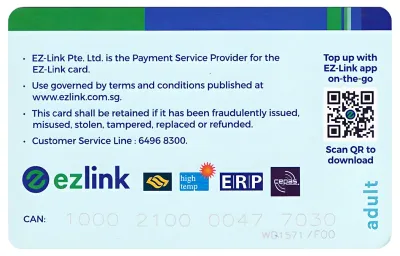
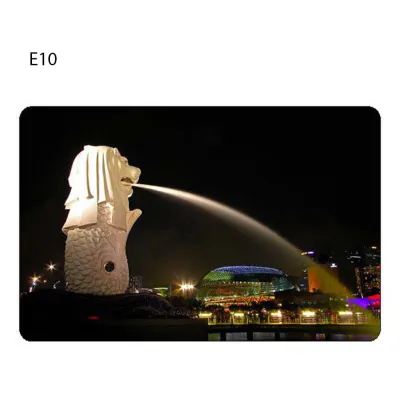
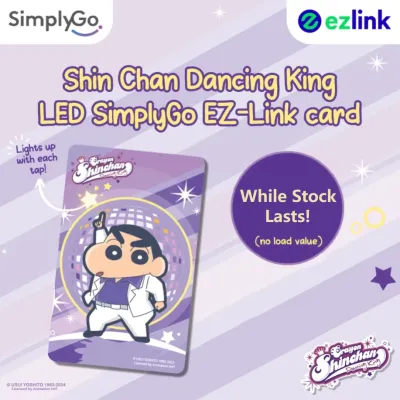
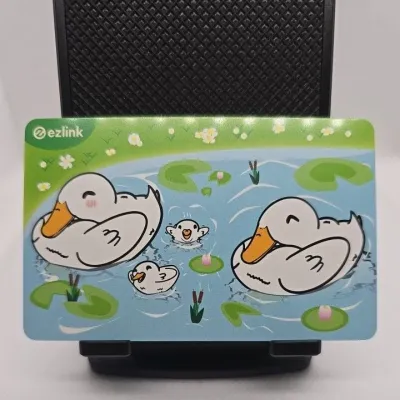

Prices are valid at publication and may change. Please refer to the product page for the latest price.
Finally, familiarize yourself with the general reload increments and maximum balance limits. Physical machines and digital apps usually require a minimum top-up amount, often starting from S$2 or S$10 depending on the payment channel. The maximum stored value limit for standard cards is typically S$500. Keeping these limits in mind prevents transaction failures and helps you manage your commuting budget effectively without overfunding a single card.
Physical Top-Up Locations for Immediate Reloads
For commuters who prefer in-person transactions or do not have access to digital payment apps, physical top-up locations are widely available across the island. The most common points are the self-service ticketing machines located at all MRT and LRT stations, as well as major bus interchanges. These machines feature clear on-screen instructions and support multiple languages, making it easy to complete a reload in under a minute.

In addition to self-service terminals, passenger service centers at transit stations offer manual assistance for card management. While some service counters have transitioned to cashless operations, they remain a reliable resource if you encounter issues with a machine or need to clarify card status. It is helpful to check the signage at individual stations, as some counters may direct you to nearby digital kiosks for standard top-ups.
Authorized retail partners provide another convenient physical reload option during your daily routine. Convenience stores such as 7-Eleven and Cheers, along with selected supermarkets and specialized ticketing kiosks, accept EZ-Link top-ups at their cash registers. Keep in mind that retail partners may charge a nominal service fee for processing manual top-ups. Always confirm the exact fee and accepted payment modes—such as cash, NETS, or local credit cards—with the cashier before initiating the transaction.
Digital and Mobile App Top-Ups for Convenience
Digital top-ups offer the ultimate convenience, allowing you to reload your card anytime and anywhere using your smartphone. The official SimplyGo app serves as the primary digital portal for managing your transit cards. To use this method, your smartphone must have Near Field Communication (NFC) capabilities enabled in its settings.
To perform a digital top-up, open the official app and select the top-up option. You will be prompted to place your physical card against the NFC antenna on the back of your phone. It is crucial to hold the card steadily against the device without moving it until the app confirms that the transaction is complete. Moving the card too quickly can interrupt the data transfer, resulting in a failed transaction or a temporary hold on your payment.
Supported third-party banking applications and e-wallets also offer integrated transit card reload features. Major local banks allow users to top up EZ-Link cards directly through their mobile banking portals. These digital platforms accept payments via linked bank accounts, debit cards, or credit cards, providing a seamless way to manage your transit expenses alongside your daily banking.
Setting Up Auto-Reload for Uninterrupted Travel
If you want to eliminate the hassle of monitoring your balance entirely, setting up an automatic reload facility is the most efficient solution. This service automatically tops up your EZ-Link card with a pre-selected amount whenever the remaining balance falls below a specific threshold. This ensures you never face an “insufficient balance” error at the MRT gantry or when boarding a bus.
To qualify for auto-reload, you typically need to link your EZ-Link card to a valid bank account, debit card, or credit card. This can be configured through the official SimplyGo app or via your bank’s online portal. During the setup process, you can choose your preferred trigger threshold and the fixed top-up amount that fits your typical weekly travel expenditure.
Managing your auto-reload settings is highly flexible. If you change bank accounts, receive a new credit card, or wish to pause the service temporarily, you can update your preferences directly through the linked app or banking portal. If you decide to cancel the auto-reload facility permanently, ensure you complete the deactivation process online before attempting to refund or dispose of the physical card.
Troubleshooting Common Top-Up Issues
Even with a reliable system, you may occasionally encounter issues when attempting to top up your card. If a digital or app-based payment is declined, first verify that your bank account has sufficient funds and that your payment card is authorized for online transactions. In the event of a failed transaction where funds were deducted but not credited to your EZ-Link card, the system typically initiates an automatic refund to your bank account within a few business days.
If your phone or a physical machine displays a “card not detected” error, the issue is often physical rather than digital. Try removing any thick protective phone cases, metal cards, or magnetic accessories that might interfere with the NFC signal. Additionally, inspect the physical card for visible cracks, deep scratches, or severe bending, as physical damage to the internal antenna chip can render the card permanently unreadable.
For unresolved issues or discrepancies in your transaction history, you can access detailed logs through the official SimplyGo app or at any transit ticketing machine. If you notice an incorrect deduction or a top-up that failed to register despite a successful payment, visit a Passenger Service Centre at any MRT station. The staff can scan your card, verify its status, and guide you through the manual dispute or replacement process.
Frequently Asked Questions (FAQ)
Can I top up my EZ-Link card using a credit card at physical stations?
Yes, you can use credit cards for top-ups at physical stations, but availability depends on the specific machine you use. Most modern self-service ticketing machines accept local credit and debit cards, alongside NETS payments. However, older machines or specific cash-only terminals may not support credit card transactions. Always look at the payment icons displayed on the machine’s screen or physical casing before starting your transaction to confirm which payment methods are accepted.
Is there a maximum balance limit I can hold on my EZ-Link card?
Yes, standard EZ-Link cards have a maximum stored value limit, which is typically S$500. This limit is designed to protect your funds in case the card is lost or stolen, as unregistered cards cannot easily be blocked or refunded. It is advisable to monitor your balance and avoid keeping excessively high amounts on your card unless your daily commuting or retail purchasing habits require it. You can check your exact remaining capacity at any ticketing machine or via the official mobile app.
What happens to my auto-reload if my linked bank card expires?
If the bank card or account linked to your auto-reload facility expires or is cancelled, the automatic top-up service will be suspended. To prevent travel disruptions, you must proactively update your payment details in the official transit app or your bank’s portal before the card’s expiry date. If a transaction fails due to an expired card at the transit gantry, you will need to perform a manual top-up using cash or an alternative card until your auto-reload details are successfully updated.

Community discussion
Share your experience or ask a question. Comments are reviewed before publication.