
Navigating Singapore’s public transport network is remarkably efficient when you use an EZ-Link card. This contactless smart card serves as your primary ticket for the Mass Rapid Transit (MRT) trains and public buses operating across the island. By eliminating the need to purchase single-trip tickets or calculate individual fares before every journey, the card streamlines your daily commute into a simple tap-and-go process. Setting up your card involves acquiring the physical card, ensuring it is loaded with sufficient funds, and understanding the precise rules of the transit fare system.
To get the most out of your daily travel, you need to know where to buy your card, how to manage its balance digitally or physically, and how to troubleshoot common issues at the transit gantries. This guide provides step-by-step instructions to help you navigate Singapore’s transit network seamlessly, whether you are a daily commuter, a new resident, or a visitor exploring the city.
Getting Your EZ-Link Card
Acquiring your first physical EZ-Link card is a straightforward process, as they are widely available at key transit hubs and retail outlets throughout Singapore. If you are arriving in the city or starting your commuting routine, the most convenient places to purchase a card are the Passenger Service Centres or SimplyGo Ticket Offices located within major MRT stations. Additionally, you can find them at major convenience store chains, such as 7-Eleven or Cheers, which often have branches located both inside and outside transit stations.
Products mentioned in this guide
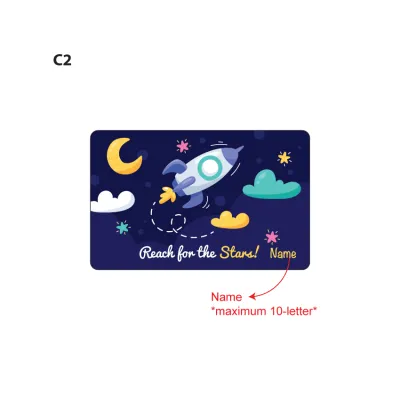
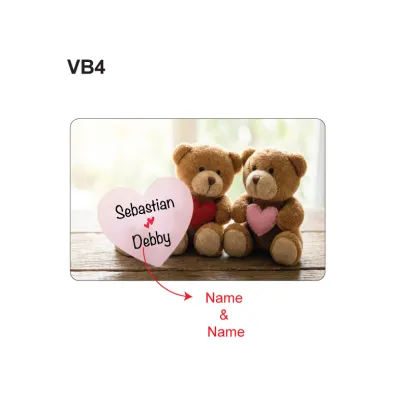
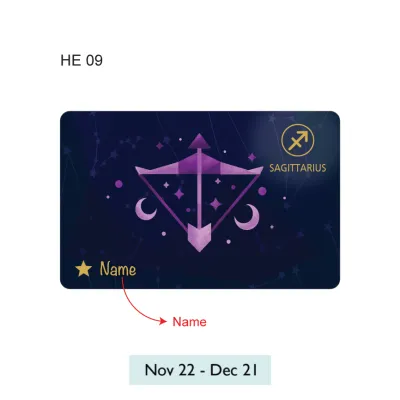

Prices are valid at publication and may change. Please refer to the product page for the latest price.
When purchasing your card, it is important to understand its cost structure, as the total price you pay at the counter is divided into two distinct components. A portion of the purchase price is a non-refundable card issuance fee, which covers the cost of the physical card itself, while the remaining balance is credited directly to your card as initial stored value that you can use immediately for travel. Because these pricing structures and initial values can vary depending on where you buy the card—such as at an MRT station versus a convenience store—always verify the exact pricing breakdown with the retail staff before completing your transaction.
For those who prefer a more personalized touch, customized or limited-edition card designs are frequently available at select retail outlets and specialized vending machines. These cards often feature popular pop-culture characters, local artistic designs, or commemorative themes, making them popular collectible items. Keep in mind that these specialty cards may carry different pricing terms, higher non-refundable fees, or may be sold with zero initial stored value, requiring you to top them up immediately before your first journey.
Before you leave the purchase counter, take a moment to physically inspect your new card to ensure there are no deep scratches, bends, or visible defects along the edges that could interfere with the internal antenna. It is also highly recommended to keep your physical purchase receipt in a safe place, as this serves as proof of purchase and is essential if you encounter any immediate activation issues or technical faults when attempting your very first tap at the gantry.
Topping Up Your EZ-Link Card
Maintaining a sufficient balance on your card is crucial to ensuring uninterrupted travel across the transit network. You have access to a variety of top-up methods, ranging from traditional physical kiosks located at every station to modern digital solutions that manage your balance automatically.

Top-Up at Transit Stations and Retailers
The most common way to add value physically is by using the self-service ticketing machines, such as SimplyGo Kiosks and Ticket Machines, located near the passenger service areas at all MRT stations. To use these machines, place your card on the designated reader tray, select your desired top-up amount on the touchscreen interface, and complete your payment. These machines accept a wide range of electronic payment methods, including local NETS cards, credit cards, debit cards, and in some locations, cash.
If you are not near an MRT station, you can also top up your card at authorized third-party retail locations, including major convenience stores and selected bank ATMs, such as those operated by DBS/POSB. When opting for these convenient off-site locations, be sure to verify the minimum top-up amounts and maximum stored-value limits, which may differ from transit station kiosks. Additionally, note that some convenience stores may charge a small administrative transaction fee for performing top-up services, so it is wise to check the counter signage or ask the cashier before proceeding.
Digital and Auto Top-Up Options
For a more seamless, cashless experience, you can link your physical card to the official mobile application on your smartphone. Once registered within the app, you can track your transaction history, monitor your real-time balance, and perform instant digital top-ups directly from your phone using your saved credit or debit cards. This digital connection saves you from having to queue at physical ticketing machines during peak commuting hours.
To completely eliminate the risk of running out of funds, you can enroll in the auto top-up service, which automatically reloads your card with a pre-selected amount whenever the balance falls below a specific threshold. This service can be configured through the mobile app and linked to your preferred credit card, debit card, or bank account. If you choose to link this service to a credit card, especially one issued by an overseas financial institution, remember to check your bank’s specific terms and conditions regarding potential cash advance fees, billing cycles, or foreign transaction fees that might apply to automated transit charges.
Tapping In and Out on MRT and Buses
Singapore’s public transit system uses a distance-based fare structure, which requires highly accurate tracking of your entry and exit points. Understanding the precise rules for tapping in and out is essential to avoid being overcharged or encountering errors at the fare gates.
MRT Travel Rules
When entering an MRT station, approach the fare gantry and firmly tap your card flat against the designated card reader. Wait for the gantry screen to display a green light, accompanied by an audible beep, before walking through the gates. Avoid rushing or tapping your card before the previous commuter has fully cleared the gantry, as this can cause the system to misread your card.
Upon reaching your destination station, you must tap out at the exit gantry using the exact same card you used to tap in. This complete loop allows the transit system to calculate the precise distance traveled and deduct the correct fare. You must never mix your payment methods during a single trip—for example, tapping in with your physical EZ-Link card and attempting to tap out with a contactless bank card or a mobile wallet. Doing so breaks the journey record, resulting in both devices being flagged for incomplete trips and charged the maximum possible fare for that route.
Bus Travel Rules
When traveling by bus, the same distance-based fare principles apply, requiring you to interact with the readers at both the start and end of your ride. Upon boarding the bus, tap your card on the reader located near the front entrance next to the driver. Ensure the reader registers the tap with a beep and displays your remaining balance before you move into the bus cabin.
When preparing to alight, you must tap your card on the reader located next to the rear exit doors before stepping off the bus. If you forget to tap out when alighting, the transit system cannot verify where you ended your journey; consequently, it will assume you traveled to the very end of the bus route and deduct the maximum possible fare for that specific service. Additionally, always ensure your card has a positive balance before boarding, as bus drivers do not carry cash change for fares and cannot perform card top-ups on board.
Managing Your Card and Troubleshooting
Keeping your card in good working order and knowing how to handle unexpected gantry errors will help keep your daily commute stress-free. Monitoring your balance regularly is the first step in avoiding transit delays. You can easily check your remaining funds at any MRT gantry screen during a tap, at self-service ticketing kiosks, on retail payment terminals, or via the official mobile application.
If your card becomes physically damaged, demagnetized, or repeatedly fails to read at transit gantries, you should seek immediate assistance. Take the card to any MRT Passenger Service Centre, where transit staff can test the card’s chip and help diagnose the issue. If the card is faulty, they can guide you through the process of obtaining a replacement.
When replacing a lost or damaged card, the transfer of any remaining stored value to a new card depends heavily on whether your card was registered. Registered cards can be blocked remotely to protect your funds, and the remaining balance can typically be refunded or transferred to your new card according to official transit policies. Unregistered cards, however, do not carry these protections, meaning any remaining balance on a lost unregistered card may be permanently lost.
If a fare gantry rejects your card with a red light or an error message, step out of the commuter flow to troubleshoot. First, check the card for physical bends or cracks that might have severed the internal antenna. Next, ensure you are not experiencing “card clash”—this occurs when your card is kept in a wallet next to other RFID-enabled cards, such as credit cards or office security badges, causing the reader to receive conflicting signals. If separating the card does not resolve the issue, approach the station’s passenger service counter for manual verification and assistance.
Frequently Asked Questions (FAQ)
Can I use my EZ-Link card for retail purchases?
Yes, your card is highly versatile and can be used for cashless retail payments at thousands of participating merchants across Singapore, including supermarkets, food courts, convenience stores, and vending machines. To determine if a shop accepts this payment method, look for the official acceptance decal displayed near the cashier counter or on the electronic payment terminal before making your purchase.
What happens if my card has insufficient balance at the MRT gantry?
If your card balance falls below the minimum required entry amount, the MRT gantry will display an error message and the gates will remain closed. If this occurs, step aside and walk to the nearest self-service ticketing machine or the passenger service office to top up your card. While the system may allow you to exit a station with a low balance, maintaining a healthy positive balance is the best way to prevent being temporarily stranded at your destination.
Can tourists and non-residents use an EZ-Link card?
Absolutely, anyone visiting or residing in Singapore can purchase and use a standard card for their daily travel needs. The card does not require any local identification, registration, or residency status for basic transit usage, making it an ideal plug-and-play travel option. Before departing Singapore, tourists should check the card’s validity period and visit a ticket office to inquire about refund options for any remaining stored value.

Community discussion
Share your experience or ask a question. Comments are reviewed before publication.