
Navigating Singapore’s highly integrated public transport network is incredibly seamless once you have the right payment tool. The EZ-Link card, which operates on the contactless CEPAS (Contactless e-Purse Application System) standard, is the most common reloadable smart card used by millions of commuters daily. Whether you are a newly arrived resident, a long-term local, or a visitor, understanding how to secure, set up, and manage this card is essential for effortless travel across the island.
While contactless bank cards and mobile wallets are also accepted on transit, a dedicated EZ-Link card remains a preferred choice for many due to its reliable offline processing, compatibility with specialized concession rates, and widespread acceptance at retail outlets. Getting started involves choosing the correct card type, purchasing it from an authorized dealer, and registering it digitally to safeguard your funds. This guide outlines every step of the journey, ensuring you can travel, shop, and manage your transit balance with complete confidence.
Choosing the Right EZ-Link Card for Your Needs
Selecting the correct card type ensures you pay the correct fares and enjoy any subsidies for which you are eligible. For the vast majority of adult residents and tourists, the standard adult EZ-Link card is the default choice. This reusable, stored-value card requires no special application process and can be used immediately upon purchase for buses, trains, and retail transactions. It is designed for long-term use and can be easily topped up whenever the balance runs low.
Products mentioned in this guide
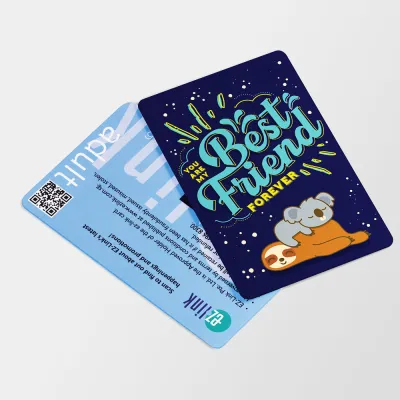
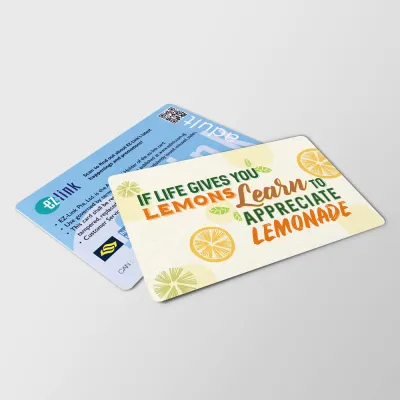
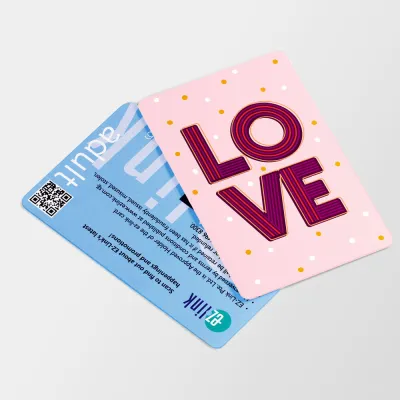
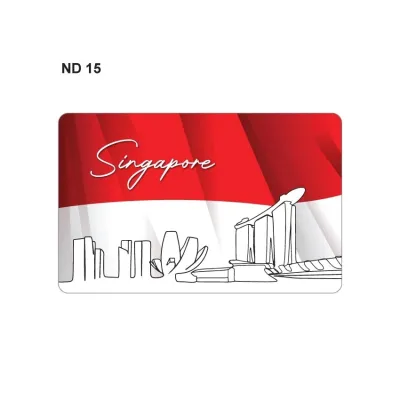
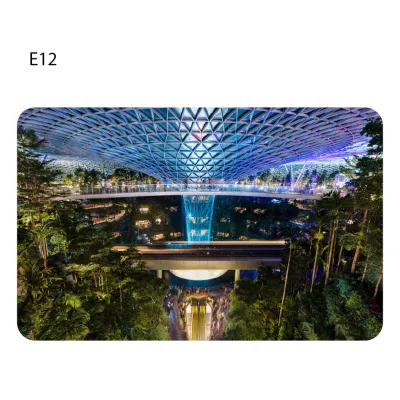
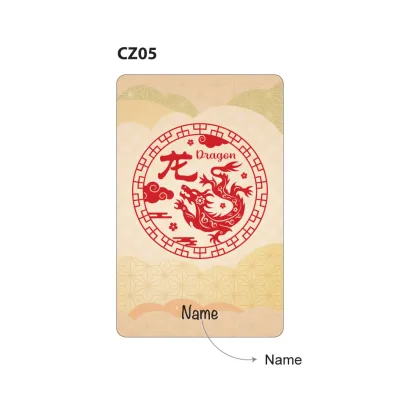
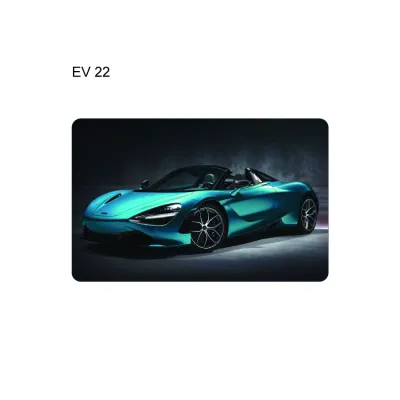
Prices are valid at publication and may change. Please refer to the product page for the latest price.
If you are visiting Singapore for only a few days and plan to travel extensively, the Singapore Tourist Pass might be a more economical alternative. This specialized variant offers unlimited travel on basic bus services, MRT, and LRT trains for a fixed period of one, two, or three days. Unlike standard cards, tourist passes are tailored for high-frequency travel over a short duration, though they may require a rental deposit or have specific return conditions depending on the package chosen.
For students, senior citizens, persons with disabilities, and work pass holders, specialized concession cards offer significantly discounted travel rates. Before attempting to purchase one of these cards, you must verify your eligibility against the official criteria set by TransitLink and the Land Transport Authority. Applying for a concession card requires submitting specific documentation, such as a student matriculation card, proof of age, or employment passes, and these applications are typically processed through designated concession card replacement offices or official online portals.
Where to Purchase Your EZ-Link Card
Acquiring a physical EZ-Link card is straightforward, with numerous sales points conveniently located across Singapore. If you prefer buying in person, you can visit any SimplyGo Ticket Office or Passenger Service Centre located inside major MRT stations. Purchasing directly at a transit hub is highly recommended for immediate assistance, and staff can help clarify any initial usage questions you might have.

Authorized convenience stores, such as 7-Eleven and Cheers, also stock physical EZ-Link cards. These retail outlets are highly accessible, often operating 24 hours a day, making them an excellent option if you arrive late at night or are not near a major transit station. Additionally, automated ticketing machines and SimplyGo Kiosks located within MRT stations allow you to purchase cards directly through an intuitive digital interface.
For those who prefer digital convenience, cards can be ordered through official online stores and authorized ecommerce marketplaces for home delivery. When purchasing online, ensure you are buying from an official store to avoid counterfeit or expired cards. Regardless of where you buy, always verify the current card issuance fee. Typically, a physical card costs S$10 at MRT stations, which includes a non-refundable S$5 card fee and S$5 of initial stored value. At convenience stores, the price is often S$10 but may carry different split ratios between the card cost and the usable balance, so checking the packaging details before paying is highly recommended.
Registering and Activating Your EZ-Link Card
Registering your physical card is a critical step that transitions it from a simple piece of plastic into a secure, digitally managed payment tool. Unregistered cards carry a significant risk: if you lose the physical card, anyone who finds it can spend the remaining balance, and you will have no way to recover those funds. Digital registration links the card to your identity, unlocking advanced security and convenience features.
Setting Up the Official EZ-Link App
To begin the registration process, download the official SimplyGo app (which integrates EZ-Link services) from the Apple App Store or Google Play Store. Once the app is installed on your mobile device, you will need to create a user account. This setup typically requires entering a valid mobile phone number and email address, followed by a one-time verification code sent to your phone.
After successfully logging into your account, locate the option to add or link a new card. You can do this easily by using your smartphone’s camera to scan the barcode or QR code printed on the back of your physical card. Alternatively, you can manually type in the 16-digit Card Identification Number (CAN) found on the card’s reverse side. For Singapore residents, linking your account via Singpass may be required to verify your identity, which unlocks full digital features and ensures seamless account management.
Enabling Auto Top-Up and Security Features
Once your card is linked to the mobile app, you can configure auto top-up services, commonly referred to as EZ-Reload. This feature automatically reloads your card with a pre-selected amount whenever the balance falls below a specific threshold, such as S$3. To set this up, you must link a compatible credit card, debit card, or bank account within the app’s payment settings.
Before finalizing this connection, check with your financial institution regarding compatibility, daily transaction limits, and any potential administrative fees associated with automatic transit reloads. Some banks offer specialized rewards or cashback for transit spending, making it beneficial to choose your linked card carefully.
In addition to convenience, registering your card provides vital security protections. If your card is lost or stolen, you can log into the app and immediately report it lost. This action blocks the card from further transactions, protecting your remaining funds. Subject to the provider’s current terms and conditions, any remaining balance on the blocked card can then be refunded directly to your linked bank account or transferred to a replacement card, giving you peace of mind during your daily commute.
Using Your Card for Public Transit and Retail Payments
Using your EZ-Link card is incredibly simple, but adhering to correct usage protocols is important to ensure smooth transactions and avoid unnecessary charges.
Tapping In and Out on Public Transport
When using the MRT, LRT, or public buses, you must tap your card on the electronic reader at both the start and the end of your journey. This “tap in and tap out” rule is strictly enforced to calculate distance-based fares accurately. If you fail to tap out when exiting a bus or train station, the system will automatically charge you the maximum possible fare for that route, which can quickly drain your card balance.
To tap correctly, hold your card flat and steady against the center of the reader’s designated sensor area. Avoid waving the card rapidly, as this can cause reading errors. Within a fraction of a second, the reader will provide visual and audio feedback; a green light and a single short beep indicate a successful tap, and the screen will briefly display your remaining balance or the fare deducted. Ensure your card has a sufficient minimum entry balance—typically at least S$3 for trains—before attempting to pass through the gantries, as readers will deny entry if your balance is too low.
Paying at Retail and F&B Outlets
Beyond public transit, your EZ-Link card serves as a versatile payment tool at thousands of retail merchants, convenience stores, vending machines, and food centers across Singapore. To pay, simply look for the EZ-Link, SimplyGo, or CEPAS acceptance logos displayed clearly at the merchant’s checkout counter or on their point-of-sale terminal.
It is important to note that while the card utilizes a unified purse, transit and retail payment terminals may operate under slightly different system rules. For instance, some merchants may enforce their own minimum transaction limits for card payments, or certain specialized concession cards may not be accepted for retail purchases. Always verify acceptance with the cashier before initiating payment, and check your physical receipt or mobile app notification immediately after tapping to confirm that the correct deduction amount was applied.
Topping Up and Checking Your Card Balance
Maintaining a healthy balance on your card prevents unexpected gate rejections and ensures you are always ready to travel. There are several convenient channels available for manual top-ups. You can use SimplyGo Kiosks, Assisted Service Kiosks, and ticketing machines located at all MRT and LRT stations. These machines accept payments via debit/credit cards, mobile wallets, and local banking apps.
If you prefer cash payments, you can top up your card at authorized convenience stores, such as 7-Eleven or Cheers, as well as at selected merchant partners. Keep in mind that some retail outlets may charge a small administrative fee for cash top-up services. For maximum convenience, if your smartphone is equipped with Near Field Communication (NFC) capabilities, you can top up directly through the official mobile app. Simply hold your physical card against the back of your phone, select the top-up amount, and complete the payment securely within the app.
Monitoring your balance regularly is easy and can be done through multiple methods. The quickest way is checking the dashboard on your mobile app, which updates your card status in real-time. You can also view your balance on the reader screens at transit gantries, on bus exit readers, or at any station ticketing machine. If you require a physical record of your transactions, you can request a printed transaction history at any passenger service counter. Before adding funds, verify the current minimum top-up limits (usually S$2 or S$10 depending on the channel) and note that the maximum card capacity is typically capped at S$500 to prevent excessive financial risk in case of loss.
Frequently Asked Questions (FAQ)
Can I use my EZ-Link card if the physical card is damaged?
If your physical card is bent, cracked, or deeply scratched, you should not attempt to repair it yourself using tape or adhesives, as this can damage transit readers or cause the card to get lodged inside ticketing machines. A damaged card may fail to register on contact readers, making it unusable. To resolve this, bring the faulty card to any SimplyGo Ticket Office. The customer service staff can test the card’s microchip; if it is unreadable, they will guide you through the process of applying for a replacement card and initiating a balance transfer. Note that administrative fees may apply for physical replacements if the damage is determined to be caused by improper handling or physical neglect.
Does the EZ-Link card have an expiry date?
Yes, standard EZ-Link cards have a physical lifespan and typically expire five years from the date of manufacture. You can easily check your card’s expiry date by looking at the print on the back of the card, viewing your card details within the official mobile app, or placing the card on a station ticketing machine. Once a card expires, it can no longer be used for transit or retail payments. To maintain uninterrupted travel, you can exchange your expiring or expired card for a new one at any SimplyGo Ticket Office or SimplyGo Kiosk. The remaining balance on your old card can be transferred directly to the new card, though a nominal card replacement fee may apply depending on current promotional offers and transit policies.

Community discussion
Share your experience or ask a question. Comments are reviewed before publication.