
Navigating Singapore’s public transport network is exceptionally straightforward once you have the right payment tool. The EZ-Link card is the city-state’s signature contactless stored-value card, widely used by millions of commuters to pay for journeys on the Mass Rapid Transit (MRT) subway, Light Rail Transit (LRT), and public buses. Beyond transit, this versatile card serves as a convenient payment method at thousands of retail outlets, convenience stores, vending machines, and neighborhood food centers across the island.
While Singapore’s transit network supports direct payments via contactless bank cards under the SimplyGo system, holding a physical EZ-Link card remains highly practical. It is an excellent option for travelers wanting to avoid foreign transaction fees on international credit cards, parents managing transit allowances for children, and anyone who prefers keeping their daily commuting budget separate from their primary bank accounts. This guide provides a comprehensive walkthrough on how to acquire, register, top up, and maintain your physical card to ensure a seamless travel experience.
Where to Buy an EZ-Link Card in Singapore
Physical EZ-Link cards are highly accessible and can be purchased immediately upon your arrival in Singapore. Because pricing structures, administrative costs, and initial travel values are subject to periodic updates by the transit authority, you should always verify the exact cost breakdown at your chosen point of sale. Generally, the purchase price consists of a non-refundable card fee (which covers the physical card and its embedded chip technology) combined with a pre-loaded travel value that is ready for immediate use.
Products mentioned in this guide
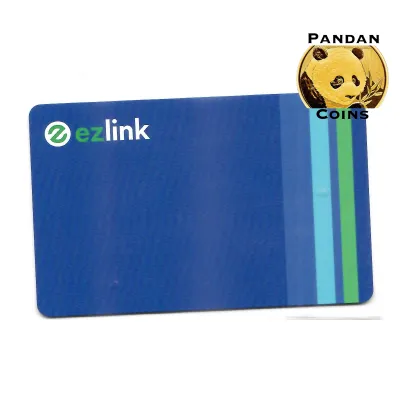
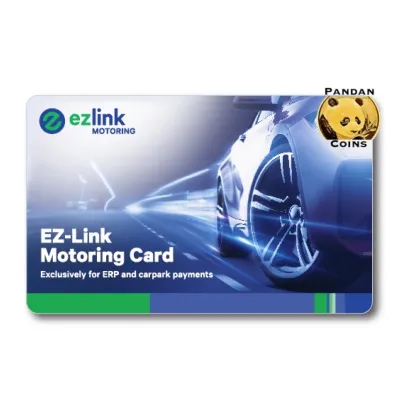
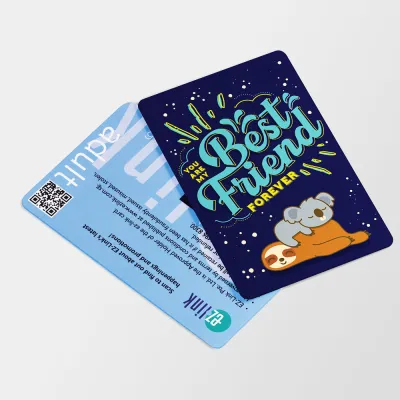
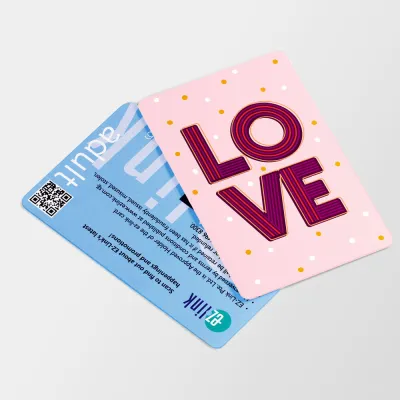
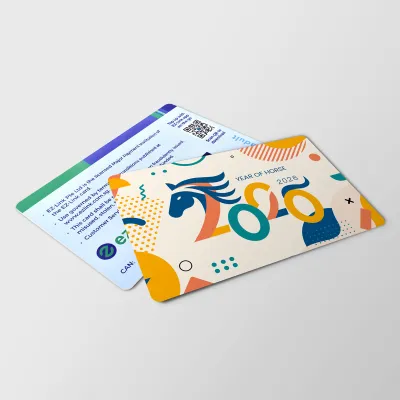
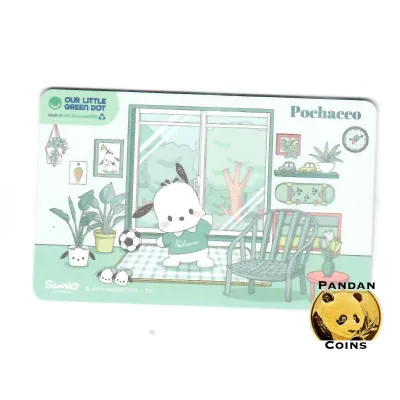
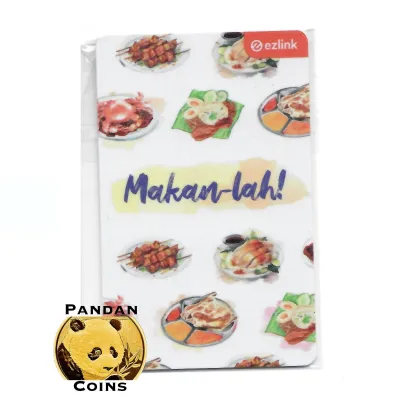
Prices are valid at publication and may change. Please refer to the product page for the latest price.
Purchasing at MRT Stations and Transit Hubs
The most common and convenient places to buy a card are the Passenger Service Centres and SimplyGo Ticket Offices located within major MRT stations and bus interchanges. These manned counters are easily identifiable and are typically situated near the fare gates of almost every station across the island, including the Changi Airport MRT station.
To purchase a card, simply approach the customer service counter and request a standard adult EZ-Link card. You can make your payment using cash, local debit cards, or major credit cards, depending on the specific station’s payment terminals. The customer service officer will hand you an active card that is pre-loaded with a starter balance, allowing you to tap through the fare gates immediately.
If you require specialized cards, such as concession cards for students, senior citizens, or tourists seeking multi-day unlimited travel passes, the staff will direct you to the appropriate application counters or ticketing kiosks. Keep in mind that standard adult cards are issued instantly without any paperwork, making them the fastest option for first-time users.
Buying from Convenience Stores and Official Online Channels
If you are not near an MRT station, you can purchase an EZ-Link card at major convenience store chains across Singapore, including 7-Eleven and Cheers outlets. These stores are located in almost every neighborhood, shopping mall, and petrol station, providing a highly accessible retail alternative.
When buying from a convenience store, ask the cashier at the register for an EZ-Link card. It is important to ask the retail staff whether the card comes with a pre-loaded travel value or if it is sold empty. Many retail purchases require you to perform an immediate top-up at the counter before you can use the card to board a bus or enter an MRT station.
For those who prefer planning ahead, official EZ-Link cards can also be purchased online through authorized e-commerce platforms and official digital storefronts. Buying online is useful for securing limited-edition card designs or character-themed cards. However, you must factor in shipping times to your local address or hotel, and you should always check if the online card requires manual activation and value loading upon arrival.
How to Register Your Card for Rewards and Balance Protection
Registering your physical card is a highly recommended step that safeguards your money and unlocks exclusive benefits. If your card is unregistered and you happen to lose it, anyone who finds the card can spend your remaining balance, and there is no way to recover the lost funds. Registration links the physical card to your personal identity, allowing you to freeze the card immediately in the event of loss or theft.

Additionally, registering your card allows you to participate in the official loyalty program. Every journey you take on public transit and every payment you make at participating retail merchants earns you reward points. These points can be accumulated and redeemed via the mobile app for retail discounts, dining vouchers, and transport rebates.
To register your card, follow these step-by-step instructions:
- Download the official EZ-Link mobile application from your smartphone's authorized app store.
- Open the app and create a secure user account by entering your email address, mobile number, and setting up a secure password.
- Once logged in, navigate to the main dashboard and select the "Add Card" or "Register Card" option.
- Turn your physical card over to find the 16-digit Card Access Number (CAN) printed on the back, usually accompanied by a barcode.
- Enter this 16-digit CAN into the app, assign a personalized nickname to the card (such as "My Daily Commute"), and confirm the registration.
For security and privacy, only enter your card details and personal information into the official, verified mobile application. Avoid using third-party utility apps, unofficial transit planners, or unverified websites that promise card management services, as these platforms may compromise your financial data and card security.
Step-by-Step Guide to Topping Up Your EZ-Link Card
To travel without interruption, you must maintain a positive balance on your card. If your balance falls below the minimum travel threshold required to enter the transit system, the fare gates will display an error message and refuse entry. To prevent this, it is helpful to understand the various top-up channels, their minimum and maximum limits, and any associated transaction fees.
Using General Ticketing Machines (GTM) at Stations
General Ticketing Machines (GTMs) and SimplyGo Kiosks are self-service terminals located near the entrance of every MRT and LRT station. These machines are free of administrative fees, making them the most cost-effective way to add value to your card using cash or bank cards.
To top up your card at a GTM, follow these physical steps:
- Locate a vacant ticketing machine and place your physical card flat onto the designated yellow card reader slot.
- Keep the card still; the screen will automatically update to display your current card balance, card expiry date, and transaction history.
- Select the "Add Value" or "Top-Up" option on the touchscreen interface.
- Choose your preferred payment method, such as cash, local debit card (NETS), or a credit card.
- Select your desired top-up amount from the on-screen options or enter a custom value.
- Insert your cash notes into the slot or insert/tap your payment card on the terminal as prompted.
- Wait for the screen to display a "Transaction Successful" confirmation message before removing your card.
- Collect your printed receipt and your physical card from the reader slot.
Topping Up at Convenience Stores and Retail Counters
If you prefer a personal touch or are running errands, you can top up your card over the counter at authorized convenience stores (such as 7-Eleven and Cheers), select supermarkets, and designated retail partners across Singapore.
To perform an over-the-counter top-up, hand your physical card to the cashier and state the exact amount you wish to add to your balance. You can pay the cashier using cash, debit cards, or other accepted store payment methods. The cashier will place your card on their terminal, process the transaction, and hand back your card along with a printed receipt.
Before proceeding with an over-the-counter top-up, always ask the cashier if there is an administrative surcharge. Some retail chains charge a small convenience fee (typically ranging from S$0.20 to S$0.50) per top-up transaction. While this fee is minor, it can add up over time, so using station ticketing machines or digital channels is recommended if you wish to avoid these extra costs.
Digital Top-Ups and Auto-Top-Up via the Official App
For the ultimate convenience, you can top up your card instantly using your smartphone’s Near Field Communication (NFC) capabilities, eliminating the need to stand in queues at stations or retail stores.
To perform an instant digital top-up, open the official app on an NFC-enabled smartphone. Select your registered card from the dashboard, tap the “Top-Up” button, and enter your desired amount. Choose your linked payment method, such as a credit card, debit card, or digital wallet. When prompted, hold your physical card steady against the back of your smartphone (near the top camera module for iOS devices, or the center back for most Android devices) until the app confirms that the value has been successfully written to the card.
If you want to automate this process entirely, you can apply for the “Auto-Top-Up” service (also known as EZ-Reload) through the official app. This service links your card directly to a credit or debit card. Whenever your card balance falls below a predefined threshold (such as S$3.00) while tapping through an MRT gantry or boarding a bus, the system will automatically charge your linked bank card and add a pre-selected value (such as S$20.00) to your card instantly.
To enable these digital features, your smartphone must have a functioning NFC chip, and your physical card must be successfully registered and linked to your active account within the official app.
How to Use Your Card for Transit and Retail Payments
Using your card on Singapore’s public transport network relies on a strict “Tap In, Tap Out” system. When boarding a public bus or entering an MRT/LRT fare gate, you must tap your card flat against the electronic reader. When alighting from the bus or exiting the train station, you must tap the exact same card against the exit reader. This process allows the transit computing system to calculate your precise distance-traveled fare; failing to tap out correctly will result in the system charging you the maximum possible route fare for that journey.
To ensure a successful scan, hold your card flat and steady against the center of the reader for a split second. A successful transaction is indicated by a single audible beep and a green light on the reader’s display screen. The screen will also briefly display the fare deducted for that specific journey leg and your remaining card balance. If you hear multiple rapid beeps or see a red light, the transaction has failed, and you must check the screen for error messages or try tapping again.
It is a strict transit rule that one EZ-Link card can only be used by one passenger per journey. You cannot tap your card at a fare gate or bus reader and then hand it backward to a companion to tap in behind you. Every commuter must carry their own individual payment card to ensure the distance-based fare tracking functions correctly.
To use your card for retail payments, look for the contactless terminal at participating merchants, food courts, and vending machines. Inform the cashier that you would like to pay using your EZ-Link card. Once the cashier activates the payment terminal, simply tap your card on the reader. The transaction is instantaneous, and the purchase amount will be deducted directly from your card’s stored balance without requiring any PIN or signature.
Troubleshooting Common Card Issues and Maintenance
Even with robust technology, you may occasionally encounter issues where your card fails to read, displays error codes at fare gates, or shows unexpected balance discrepancies. Understanding how to diagnose these common issues can save you time and prevent transit delays.
If your card is rejected at a fare gate, first check your balance. You can easily do this by tapping your card on a station ticketing machine or scanning it with your smartphone’s official app. The most common cause of a rejected tap is simply an insufficient balance that falls below the minimum entry fare.
If your balance is sufficient but the card still fails to read, inspect the card for physical damage. The card contains an embedded microchip and a thin, delicate antenna wire running along its perimeter. Bending, creasing, or punching holes in the plastic card can easily sever this internal antenna, rendering the card permanently unreadable. Additionally, keep your card away from strong magnetic fields, such as wireless charging pads, heavy-duty magnets, or magnetic clasps on bags, as these can disrupt the card’s internal circuitry.
To prevent scanning errors known as “card clash,” avoid keeping multiple contactless cards (such as credit cards, access cards, and transit cards) in the same wallet slot. When you tap a wallet containing multiple contactless cards against a reader, the machine may become confused by the overlapping signals, resulting in a failed transaction or an unintended charge on the wrong card. Always remove your card from your wallet or use a dedicated card holder slot that isolates your transit card.
If your card is physically undamaged and has a positive balance but consistently fails to scan at multiple readers, do not force the tap or repeatedly strike the card against the terminal. Instead, stop and seek professional assistance. Approach the nearest MRT Passenger Service Centre or SimplyGo Ticket Office. The customer service staff can perform a diagnostic scan on your card, assist with transferring your remaining funds to a new card, or guide you through the official refund assessment process.
Frequently Asked Questions (FAQ)
Can I use my contactless bank card instead of an EZ-Link card?
Yes, Singapore’s transit system fully supports SimplyGo, which allows you to tap in and out of buses and trains using contactless Visa, Mastercard, and NETS bank cards, as well as compatible mobile payment wallets on your smartphone or smartwatch. However, a physical EZ-Link card remains highly useful for travelers who want to avoid foreign currency transaction fees charged by overseas banks, parents who want to manage transit spending for children without bank accounts, and individuals who prefer immediate balance updates at the fare gates rather than waiting for bank statements.
What happens to my balance if the card is damaged or expires?
If your card is registered on the official mobile app, your funds are protected. You can report the card as lost, stolen, or damaged directly through the app to freeze the remaining balance and prevent unauthorized usage. To recover funds from an expired or physically faulty card, take the card to any SimplyGo Ticket Office or Passenger Service Centre. The customer service staff can verify your ownership, transfer the remaining balance to a active replacement card, or initiate a refund directly to your local bank account, subject to standard operator processing times and administrative policies.
Are there any fees or minimum limits when topping up?
Top-ups performed at MRT station General Ticketing Machines, SimplyGo Kiosks, and via the official mobile app using linked bank cards are free of administrative fees. However, over-the-counter top-ups conducted at third-party retail partners, such as convenience stores or supermarket registers, may incur a nominal convenience fee per transaction. The minimum top-up amount varies depending on the channel; physical ticketing machines usually require a minimum of S$2.00 or S$5.00, while digital app top-ups and retail counters may enforce their own specific minimum thresholds.

Community discussion
Share your experience or ask a question. Comments are reviewed before publication.