
Acquiring and setting up your first EZ-Link card in Singapore is a simple process that grants you instant access to the city’s highly efficient public transportation network, including MRT trains and public buses. To get started, you can purchase a physical card at transit ticket offices or convenience stores, top it up with stored value, and tap it on contactless readers to pay for your fares. This guide details where to buy your card, how to activate and manage its balance, and how to troubleshoot common usage issues.
Where to Purchase an EZ-Link Card
To obtain a physical card, you have several reliable options depending on your location and convenience. The most direct route is visiting a SimplyGo Ticket Office, located at major MRT stations and bus interchanges across Singapore. These staffed counters allow you to buy a card directly from transit personnel who can answer immediate questions. Alternatively, you can purchase cards at local convenience stores such as 7-Eleven or Cheers. These retail outlets are highly accessible, with many operating 24 hours a day, making them ideal if you arrive late at night or are not near a major transit hub.
For those who prefer digital convenience, cards can also be purchased through official online channels, including the SimplyGo mobile application or authorized stores on major ecommerce platforms. Online purchases often feature unique, limited-edition designs or popular culture themes, which are delivered directly to your local address.
Products mentioned in this guide
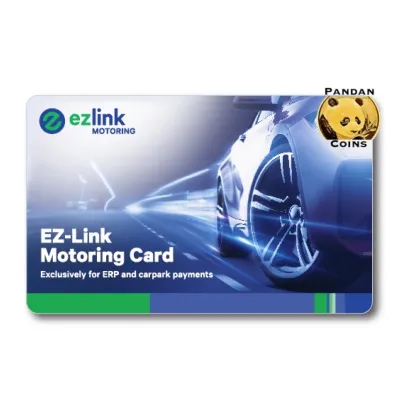
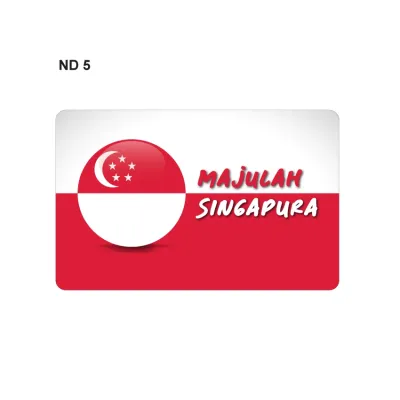
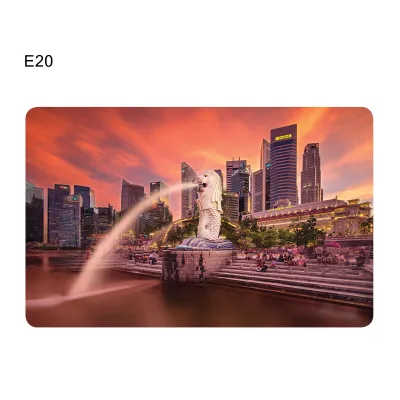
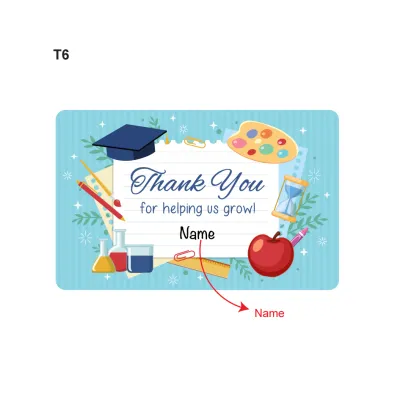
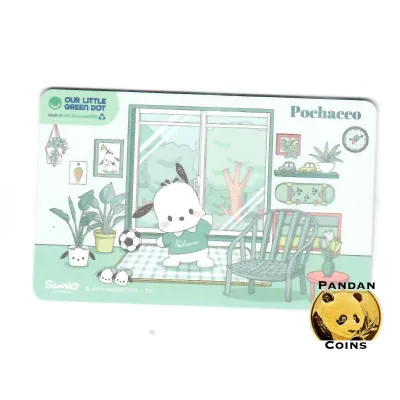

Prices are valid at publication and may change. Please refer to the product page for the latest price.
When purchasing a card, it is important to understand the cost structure. A standard physical card typically costs S$10 at transit ticket offices, which includes a non-refundable S$5 card fee (covering the physical card’s manufacturing and distribution) and S$5 of pre-loaded, usable travel value. If you purchase the card at a convenience store, the price is often S$10 or S$12, with S$5 or S$7 of usable credit respectively. Keep these standard retail practices in mind when planning your initial transit budget.
Activating and Topping Up Your Card
Standard physical cards purchased over the counter at transit ticket offices or convenience stores are pre-activated and ready for immediate use. You can walk straight from the counter to the transit gates and tap in. However, if you purchase a special edition card online or receive one through a promotional campaign, you may need to link it to the official mobile app to activate its full digital features or verify its status before your first journey.

To ensure your card is always ready for travel, you must keep it funded. There are several convenient top-up methods available:
- SimplyGo Kiosks: Located at all MRT stations and bus interchanges, these self-service machines accept local debit cards, credit cards, and mobile payment options.
- Over-the-Counter: You can top up with cash or card at SimplyGo Ticket Offices or passenger service centers.
- Convenience Stores: Outlets like 7-Eleven and Cheers offer top-up services at their cash registers, though a small administrative fee may apply for cash transactions.
- Mobile App: By downloading the official SimplyGo app, you can top up your card directly using your smartphone's NFC reader or link your card to a local payment method for automatic top-ups (Auto-Reload) whenever the balance falls below a certain level.
Before heading to the transit gates, always verify your card’s balance. The public transit system requires a minimum stored value of S$3.00 to enter MRT stations or board buses. If your balance is below this threshold, the reader will display an error message, and the gate will remain closed. Regularly checking your balance ensures a smooth, uninterrupted commute.
Tapping for Transit and Retail Payments
Using your card for public transport relies on a simple “tap in and tap out” system. When boarding a bus or passing through an MRT fare gate, hold your card flat against the yellow reader panel. Wait for a single beep and a green light before proceeding. When exiting the station or stepping off the bus, you must tap out on the exit reader. This step is crucial because fares are calculated based on the exact distance traveled. If you fail to tap out, the system defaults to charging the maximum possible fare for that transit route, which can rapidly deplete your stored value.
Beyond trains and buses, the card is widely accepted for retail transactions. You can use it to make contactless payments at supermarkets, convenience stores, fast-food outlets, and many stalls within local hawker centers and food courts. Simply look for the contactless payment terminal displaying the card’s logo at the checkout counter and inform the cashier that you wish to pay using your transit card.
To ensure successful transactions, pay attention to card compatibility and physical placement. The card is designed to standard CR80 dimensions (85.6 mm by 54 mm), making it compatible with standard wallet slots, lanyards, and cardholders. However, keeping multiple contactless cards—such as credit cards, office access passes, or other smart cards—in the same wallet can cause “card clash.” When you tap a wallet containing multiple RFID or NFC cards, the reader may detect multiple signals simultaneously, resulting in a read error or an accidental charge to the wrong card. To prevent this, keep your transit card in a separate sleeve or remove it from your wallet before tapping.
Managing Balances, Replacements, and Refunds
Monitoring your card’s balance and transaction history is straightforward. You can view your remaining funds instantly on the reader screen every time you tap out of a transit gate or bus. For a detailed transaction history, you can tap your card at any SimplyGo Kiosk or link the card to the official mobile app, which displays real-time balance updates and a breakdown of your recent journeys.
Registering your card on the mobile app is highly recommended for security. If you lose your physical card, an unregistered card’s value is lost forever. However, if the card is registered to your account, you can use the app to report it lost and block it immediately. This prevents unauthorized usage and allows you to transfer the remaining balance to a new card or directly to your bank account.
Physical cards have a standard lifespan of 5 years from the date of manufacture, after which they expire and can no longer be used for transit or retail payments. You can check your card’s expiry date at any ticketing machine or via the mobile app. If your card is nearing its expiry date or becomes physically damaged, visit a SimplyGo Ticket Office. The staff can assist in transferring your remaining balance to a new card, though standard card fees may apply. If you are leaving Singapore or no longer require the card, you can request a full refund of the remaining active stored value at any transit ticket office. Note that the initial S$5 card fee is non-refundable as it covers the physical card’s cost.
Frequently Asked Questions (FAQ)
Can I use my overseas contactless bank card instead of an EZ-Link card?
Yes, the public transit system supports contactless payments from major international credit and debit cards (such as Visa and Mastercard). You can tap your overseas card directly at the transit gates without purchasing a separate transit card. However, be aware that your card issuer may charge foreign transaction fees or administrative fees for each day of travel. Additionally, some foreign cards may experience compatibility issues or security blocks, so it is wise to verify with your bank before relying solely on your overseas card.
What should I do if the card reader shows an error when I tap?
If a card reader displays an error message or a red light, first try repositioning the card. Hold it flat and still against the center of the reader for a full second. Ensure it is removed from thick wallets or phone cases that might block the signal. If the reader continues to reject the card, check your balance at a nearby kiosk to ensure you have met the minimum S$3.00 requirement. If the card is physically damaged or has a faulty internal chip, visit the passenger service center or a SimplyGo Ticket Office at the station for immediate diagnostic assistance and replacement options.

Community discussion
Share your experience or ask a question. Comments are reviewed before publication.