
Purchasing a genuine EZ-Link card online requires navigating directly to the official EZ-Link website, using their official mobile application, or visiting verified brand storefronts on major e-commerce platforms. Because reloadable contactless cards hold monetary value and are essential for daily transit in Singapore, counterfeit cards present a significant financial and operational risk. To protect your funds and ensure your card functions seamlessly at transit readers and retail terminals, you must verify seller credentials before buying, inspect the physical card upon arrival, and test its digital compatibility using official mobile tools.
Where to Find the Legitimate EZ-Link Official Store
Finding the authentic source starts with the official EZ-Link website, which serves as the primary portal for all legitimate card sales, special edition releases, and corporate orders. When purchasing online, always look for direct links pointing to the official domain. The official website typically hosts its own e-commerce shop or redirects users to authorized digital partners through clearly marked, official links.
In addition to the main website, the official mobile application is a highly secure channel for purchasing and managing your cards. Downloading the app from official mobile operating system app stores allows you to buy digital or physical cards directly within a secure environment. This integration ensures that any transaction you make is linked directly to the official backend systems, eliminating the risk of third-party interception.
Products mentioned in this guide
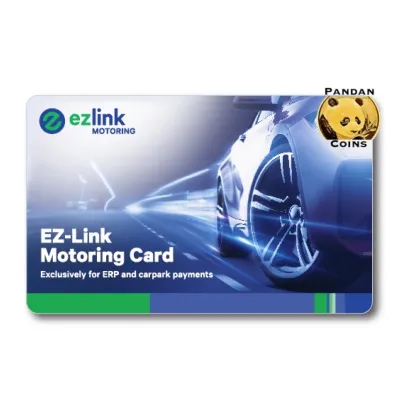

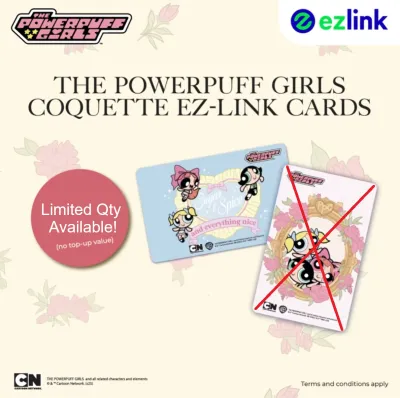
![[🇸🇬 SG SELLER]EZLINK CHARM/Personalised NETS Charm/EZ LINK Card customise/Bus MRT Card/Perfect Gift/KeyChain/phone charm](https://img.lazcdn.com/g/ff/kf/S6caef990103e40f78c2cac056e19a7658.jpg_400x400q80.jpg_.webp)
![[🇸🇬 SG SELLER]EZLINK CHARM/Personalised NETS Charm/EZ LINK Card customise/Bus MRT Card/Perfect Gift/KeyChain/phone charm](https://img.lazcdn.com/g/ff/kf/S0a1bade718f345df8170fec00ca841417.jpg_400x400q80.jpg_.webp)

Prices are valid at publication and may change. Please refer to the product page for the latest price.
If you prefer shopping on large online marketplaces, you must look for the official brand store badge. Legitimate brand stores on these platforms are marked with specific verification tags, such as “Mall” or “Preferred” labels, which indicate that the platform has verified the seller’s business registration and authorization. Always double-check that the seller name matches the official brand entity exactly, rather than a third-party reseller using a similar name.
Before entering any payment details, verify the URL and security certificates of the checkout page. A secure checkout page will always display a padlock icon in the browser address bar and use a URL starting with “https://”. Inspecting the domain name carefully helps prevent phishing scams, where fraudulent sites mimic the official store’s design to steal payment card details and personal information.
Red Flags of Counterfeit Cards on Online Marketplaces
One of the most common indicators of a counterfeit card listing is an unrealistic discount or a price that falls significantly below standard retail value. Official cards have regulated pricing structures, and while minor promotional discounts may occur during official sales events, listings offering bulk cards or special editions at a fraction of their standard cost should be treated with extreme caution. If a deal seems too good to be true, it is highly likely that the product is a counterfeit or an unauthorized replica.

Evaluating seller ratings and review history is another critical step in identifying fraudulent listings. Legitimate sellers typically maintain high positive feedback ratings and have a history of consistent sales over several months or years. Be wary of stores with very few reviews, a sudden influx of highly repetitive reviews, or numerous complaints from buyers who received non-functional cards or experienced delivery issues.
Carefully scrutinize the listing photos for visual inconsistencies. Authentic cards feature sharp, high-resolution graphics, precise alignment of logos, and clear security markings. Counterfeit listings often use low-quality, blurry images, or stock photos copied from the official website. Look closely for missing security holograms, altered brand logos, or unusual fonts that do not match the official branding guidelines.
Pay close attention to the product description and specifications provided by the seller. Legitimate listings will clearly state the card type, compatibility with transit systems, and whether the card comes with any preloaded value. If the description is vague, contains numerous grammatical errors, or avoids mentioning compatibility with official transit readers, the seller may be attempting to bypass platform detection filters for counterfeit goods.
How to Verify Card Authenticity Upon Delivery
Once your package arrives, perform a thorough physical inspection of the card and its packaging. Genuine cards are typically delivered in sealed, high-quality packaging that features clear branding, instructions, and legal disclaimers. The card itself should have a smooth, professional finish with clean edges and no signs of peeling, bubbling, or uneven lamination. The printing should be crisp, with vibrant colors and no bleeding or misalignment of text.
Next, verify the card’s serial number format. Every genuine card features a unique serial number printed on the back, which follows a specific alphanumeric structure. Check this number against official documentation or guidelines provided on the official website. If the serial number is missing, printed in an unusual font, or appears to be easily scratched off, the card is likely a counterfeit.
The most reliable way to confirm authenticity is to test the card’s digital functionality. You can do this by scanning the card using the official mobile app on an NFC-enabled smartphone. The app should immediately recognize the card, display its unique serial number, and show the current balance (which is typically S$0 for new, unloaded cards). If the app fails to read the card or displays an error message indicating an invalid card number, do not attempt to use it.
You can also verify the card at a physical transit reader or retail terminal. A genuine card will elicit a standard response, such as displaying the balance or a successful scan message on the reader screen. If the reader displays a system error, rejects the card, or fails to detect it entirely, the card may contain a faulty or counterfeit chip that does not comply with local contactless payment standards.
What to Do If You Suspect a Fake Card
If your physical inspection or digital tests suggest that the card is counterfeit, halt any further use or top-up attempts immediately. Do not load any funds onto the card, as counterfeit cards may have compromised security chips that allow unauthorized parties to access or drain your balance. Using a suspected fake card at transit gates can also lead to the card being confiscated or your transit account being flagged.
Next, initiate a formal return or refund request through the e-commerce platform’s buyer protection program. Most reputable online marketplaces have policies that protect consumers from counterfeit goods, provided you report the issue within the specified protection window. Submit clear evidence, such as photos of the physical defects, screenshots of the app error messages, and details of the seller’s listing, to support your claim.
Finally, report the fraudulent listing to the e-commerce platform to help prevent other consumers from falling victim to the scam. You should also report the incident to relevant consumer protection authorities in Singapore, such as the Consumers Association of Singapore (CASE). Providing details about the seller’s account, the platform used, and the nature of the counterfeit product helps authorities track and shut down illicit operations.
Frequently Asked Questions (FAQ)
Can I use a counterfeit EZ-Link card for public transit?
No, you cannot use a counterfeit card for public transit. The transit network in Singapore relies on secure, encrypted contactless technology to process fares. Counterfeit cards lack the authorized security chips and cryptographic keys required to communicate with transit readers. If you attempt to tap a fake card at a gantry, the system will reject it, and you may face delays, card confiscation, or potential flagging of your transit account.
Do official EZ-Link cards come with a warranty?
Yes, genuine cards purchased from the official store or authorized partners come with a limited warranty against manufacturing defects. This warranty typically covers chip failures and reading issues that occur under normal usage conditions within the specified warranty period. However, the warranty does not cover physical damage, such as cracks, bends, or water damage caused by improper handling. To make a warranty claim, you must present the physical card and valid proof of purchase from an authorized channel.

Community discussion
Share your experience or ask a question. Comments are reviewed before publication.