
Selecting the right paper shredder machine requires balancing your daily document volume, the sensitivity of your information, and the physical constraints of your workspace. A mismatched shredder can lead to frequent paper jams, overheated motors, or compromised security. By identifying your specific operational needs before purchasing, you can find a machine that integrates seamlessly into your workflow, whether you are managing a compact home office or coordinating a busy corporate department.
Assess Your Document Volume and Usage Frequency
To choose an efficient paper shredder machine, start by estimating how many sheets of paper you need to destroy on a typical day and how often you will use the machine. Shredders are generally categorized by their intended environment: light-duty models for occasional home use, medium-duty machines for small office routines, and heavy-duty commercial units for continuous, high-volume document destruction. Matching your actual usage to the machine’s design prevents premature wear and operational frustration.
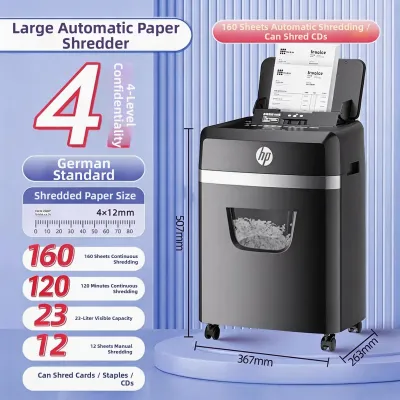
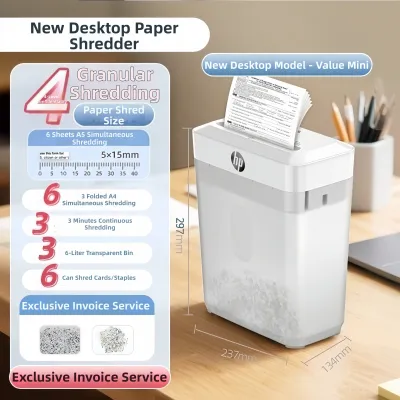
Always check the manufacturer’s specifications for two critical metrics: sheet capacity and continuous run time. Sheet capacity indicates the maximum number of paper sheets the machine can accept in a single pass. Keep in mind that this rating is typically based on standard paper weights; using thicker paper stocks or feeding sheets at an angle can reduce this limit.
Products mentioned in this guide
![[SG] Aurora AS600SB Strip Cut Paper Shredder [Evergreen Stationery]](https://img.lazcdn.com/g/p/a83d00938a5835ef19bbb5b828e93374.jpg_400x400q80.jpg_.webp)
![[SG] A4 Multi-Functional Electric Paper Shredder with Built-in Basket](https://img.lazcdn.com/g/p/e13a5b4a0cd7800074c9a408a1f0b8e7.jpg_400x400q80.jpg_.webp)
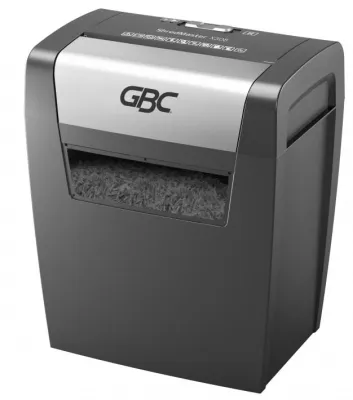
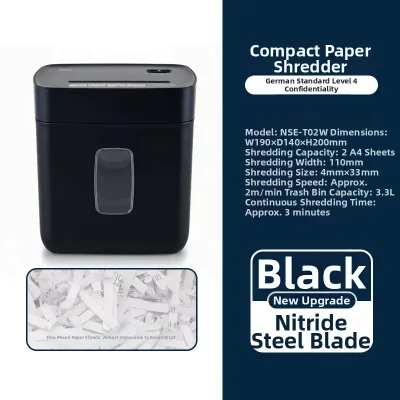
Prices are valid at publication and may change. Please refer to the product page for the latest price.
Continuous run time, or duty cycle, refers to how long the motor can operate continuously before it must shut down to cool. While a light-duty home shredder might run for only a few minutes before requiring a twenty-minute cool-down period, commercial-grade machines can often run continuously for hours. Exceeding these rated capacities forces the motor to work under excessive strain, which frequently results in thermal overload shutdowns, stubborn paper jams, or permanent motor burnout.
Determine Your Required Document Security Level
The level of security you require dictates the cut type of your paper shredder machine. Shredders typically fall into three main categories based on how they destroy documents: strip-cut, cross-cut, and micro-cut. Each cut type offers a different balance of security, processing speed, and waste volume.

Strip-cut machines slice paper into long, parallel ribbons. While these models process documents quickly, they offer minimal security because the resulting strips can often be reassembled with relative ease. Cross-cut shredders provide a higher level of security by cutting paper diagonally and horizontally, turning a single sheet into hundreds of small, rectangular confetti-like pieces. For highly sensitive financial records, legal documents, or personal identification data, micro-cut shredders offer the highest protection by reducing paper to tiny, unreadable particles that are virtually impossible to reconstruct.
When comparing models, verify the recognized security levels in the product specifications, often designated by the international DIN 66399 standard, which ranges from P-1 for low security to P-7 for ultra-high government security. Most standard office and home security needs are met by a P-3 or P-4 cross-cut rating, while P-5 or higher micro-cut machines are recommended for highly confidential information. Note that higher security cuts require more precise blade alignment, which can result in slightly slower feed rates and a greater need for regular maintenance compared to basic strip-cut models.
Evaluate Bin Capacity and Operational Features
A shredder’s bin capacity directly influences your daily workflow efficiency. If you select a machine with a bin that is too small for your document volume, you will find yourself constantly interrupting your work to empty the wastebasket. Conversely, an excessively large bin may take up unnecessary space in your work area.
Consider how different cut types affect how quickly the bin fills. Micro-cut particles pack together much more densely than bulky strip-cut ribbons, meaning a micro-cut shredder can often hold more shredded documents before requiring emptying, even if the physical bin volume is identical. Look for models with clear viewing windows or bin-full indicator lights so you can easily monitor the waste level and avoid overfilling, which can cause paper to back up into the cutter assembly.
Beyond bin size, evaluate the machine’s built-in safety and convenience features. Essential features include an auto-start sensor that activates the blades when paper is inserted, a manual reverse switch to help clear minor jams, and thermal overload protection that automatically shuts down the motor if it begins to overheat. Additionally, verify whether the shredder is rated to handle non-paper items. If your daily mail includes stapled documents, credit cards, or optical discs, choosing a machine with blades certified to cut through these materials will save you the time-consuming task of prepping documents before shredding.
Match the Shredder to Your Workspace Constraints
Before making a final decision, verify that the physical dimensions of the paper shredder machine match your available workspace. In compact environments, such as a home study or a shared co-working space, floor and desk space are highly valuable. Measure the footprint of the machine and ensure there is sufficient clearance to pull out the waste bin or access the power switch comfortably.
Noise level is another critical environmental factor, especially if the shredder will be placed near your desk or in a quiet, shared office. Review the manufacturer’s product manual or specifications for noise level indicators, usually measured in decibels. Models designed with insulated casings or quiet-motor technology help maintain a peaceful working environment without distracting phone calls or nearby colleagues.
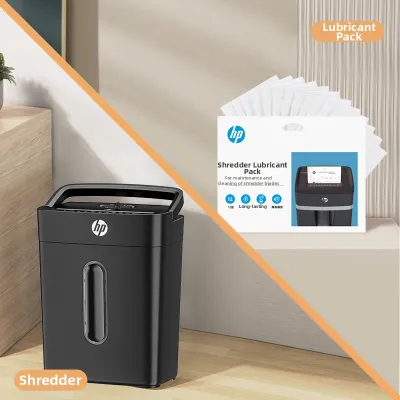
Finally, plan for the routine maintenance required to keep the machine operating smoothly. High-humidity environments, common in tropical climates like Singapore, can cause paper to absorb moisture from the air, making it softer and more prone to sticking to the cutting blades. Regular lubrication using manufacturer-approved shredder oil or specialized lubricant sheets is essential to prevent friction, reduce noise, and extend the lifespan of the blades. Be sure to review the care instructions provided by the manufacturer to understand the recommended maintenance schedule for your chosen model.
Frequently Asked Questions (FAQ)
Can I shred glossy paper or documents with thick ink coverage?
Always consult the user manual for your specific paper shredder machine to check for restrictions on glossy or coated paper stocks. Coated papers and heavy ink coverage can leave behind a sticky residue or generate fine paper dust that accumulates on the cutting blades. Over time, this buildup can reduce shredding efficiency or cause the blades to bind, requiring more frequent cleaning and lubrication to maintain performance.
What should I do if the shredder jams during operation?
If a jam occurs, immediately stop the machine to prevent the motor from overheating. Most modern shredders feature a manual reverse function; switch the machine to reverse to gently back the paper out of the feed slot. Never use excessive force, scissors, or metal tools to pry jammed paper out of the blades, as this can permanently damage the cutting mechanism and pose a safety hazard. If the jam persists, refer to the troubleshooting section of the manufacturer’s guide.
How often should I lubricate the shredder blades?
The frequency of lubrication depends on your usage patterns and the specific recommendations in your product manual. As a general rule, cross-cut and micro-cut shredders require more frequent oiling than strip-cut models to keep their complex gear systems running smoothly. If you frequently shred adhesive-backed items like envelopes, shipping labels, or stickers, the adhesive residue will build up quickly, meaning you will need to lubricate the blades more often to prevent clogs.

Community discussion
Share your experience or ask a question. Comments are reviewed before publication.