
Selecting the correct copier paper weight is essential for maintaining smooth office operations, ensuring professional document presentation, and preventing frustrating printer jams. The ideal paper weight depends entirely on the task at hand: use 70 to 75 GSM for high-volume, single-sided internal drafts; standardise on 80 GSM for everyday double-sided printing and standard reports; and step up to 90 to 120 GSM for client-facing presentations, proposals, and marketing materials. Matching the paper weight to your specific printer specifications and printing needs not only elevates the tactile quality of your documents but also extends the lifespan of your office equipment.
Understanding Copier Paper Weight (GSM) and Printer Limits
To make an informed decision, it is first necessary to understand how paper weight is measured and how it interacts with office hardware. The standard unit of measurement for paper weight is GSM, which stands for “grams per square meter.” This metric represents the weight of a single sheet of paper measuring one square meter. While GSM is technically a measure of weight, it directly correlates with the physical thickness, density, and stiffness of the paper. A higher GSM value indicates a thicker, more rigid sheet, whereas a lower GSM value results in a thinner, more pliable sheet.
Before purchasing any copier paper, you must verify your printer’s physical specifications to ensure compatibility. Every office printer, copier, and multi-function device has a designated paper weight range that it can safely process without causing mechanical issues. This information is typically located in the printer’s user manual under “Technical Specifications,” “Media Handling,” or directly on the manufacturer’s official support website. Standard office desktop printers generally support weights ranging from 60 GSM up to 120 GSM through their standard paper trays, while heavy-duty commercial copiers may accommodate up to 220 GSM or more.
Products mentioned in this guide
![PaperOne™ All Purpose Premium Quality 80gsm Copy Paper A4 [2 Reams]](https://img.lazcdn.com/g/p/6fe22f63efd1aeac13600887dc29a7da.jpg_400x400q80.jpg_.webp)


![PaperOne™ Copier Paper 70gsm / 75gsm Copy Paper A4 [1 Box]](https://img.lazcdn.com/g/p/62f961291078a3b12171dd45eea2a9a4.jpg_400x400q80.jpg_.webp)
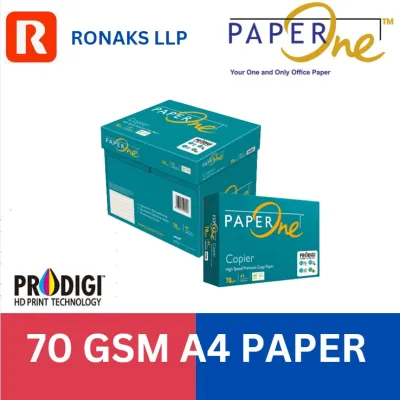
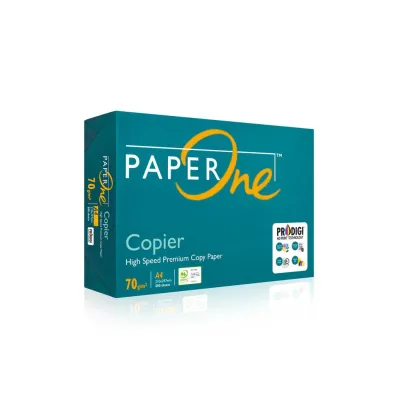
Prices are valid at publication and may change. Please refer to the product page for the latest price.
Ignoring these limits poses significant risks to your office hardware. Loading paper that is too light (under 60 GSM) often leads to misfeeds, where the printer’s pickup rollers grab multiple sheets simultaneously, causing immediate jams. Conversely, using paper that is too heavy for the standard feed path can cause severe roller wear, failure to feed, or physical blockages as the stiff sheets struggle to navigate the tight curves of the internal paper path.
To handle heavier paper stocks safely, most office printers feature a bypass tray or manual feed slot. Unlike the standard bottom paper cassettes, which pull paper through a complex, curved path, the bypass tray provides a flatter, more direct route through the printing mechanism. This straight-through path minimizes bending, allowing the device to feed heavier sheets—such as 100 GSM to 160 GSM cardstock—without jamming or putting excessive strain on the internal rollers.
Matching Copier Paper Weight to Office Printing Scenarios
Selecting the right copier paper requires balancing cost, presentation quality, and machine compatibility. Different office tasks demand different paper characteristics, and using a single weight for every job can lead to unnecessary expenses or unprofessional results. By categorising your printing tasks, you can allocate your stationery budget more effectively while ensuring that every document looks and feels exactly as intended.

Everyday Documents and High-Volume Drafts (70–75 GSM)
For routine, high-volume office tasks where cost-efficiency and speed are the primary concerns, lighter paper weights ranging from 70 to 75 GSM are the most practical choice. This category is ideal for printing internal memos, rough drafts, bulk training manuals, and temporary reference documents that will eventually be recycled.
The primary advantage of 70 to 75 GSM copier paper is its economic efficiency. It is significantly less expensive per ream than heavier alternatives, making it highly cost-effective for large-scale print runs. Additionally, lighter paper reduces the physical storage space required in the office and lowers shipping or transport weights, which is a key consideration when purchasing stationery in bulk. High-speed office copiers also experience less mechanical resistance when running lighter paper, allowing for rapid, continuous printing during massive administrative tasks.
However, these lighter weights come with distinct physical limitations. Because the paper is thinner and less dense, it has lower opacity, leading to a high risk of “show-through” or “ghosting” if you attempt double-sided printing. Ink or toner from one side will easily be visible from the other, making the document difficult to read. Furthermore, 70 GSM paper has a flimsier tactile feel, which may not convey the desired level of professionalism if distributed to external clients or partners.
Double-Sided Printing and Internal Reports (80 GSM)
The undisputed standard for general office use is 80 GSM copier paper. This weight represents the sweet spot between structural integrity, print quality, and cost-effectiveness. It is the recommended choice for double-sided (duplex) reports, standard external correspondence, daily contracts, and any document containing moderate graphics or solid blocks of ink and toner.
The primary benefit of 80 GSM paper is its increased opacity compared to lighter utility papers. This added density significantly minimizes show-through, ensuring that text and images printed on the reverse side do not interfere with the readability of the front page. This makes it the minimum viable weight for professional duplex printing, helping offices reduce their paper consumption by half without sacrificing document clarity.
In addition to its opacity, 80 GSM paper offers an excellent balance of stiffness and flexibility. It is rigid enough to feed reliably through standard laser and inkjet printers without curling or misfeeding, yet flexible enough to navigate standard paper cassettes and duplexing units smoothly. It provides a clean, professional appearance and a substantial tactile feel that is suitable for both internal communication and standard client-facing correspondence.
Presentations, Proposals, and Client-Facing Documents (90–120 GSM)
When a document is intended to make a strong impression, represent your brand, or endure frequent handling, premium paper weights between 90 and 120 GSM are necessary. This range is reserved for high-stakes materials such as client proposals, marketing brochures, presentation handouts, resumes, and official certificates.
The tactile difference of 90 to 120 GSM paper is immediately noticeable. It possesses a premium stiffness and thickness that conveys quality, attention to detail, and professionalism the moment a client holds it. Beyond the physical feel, heavier paper offers superior brightness and a smoother surface finish, which enhances color reproduction, sharpens text contrast, and prevents ink bleed-through, even when using heavy color graphics or high-density inkjet printing.
Despite these aesthetic benefits, printer compatibility is a critical consideration when using premium paper. Standard bottom paper cassettes are often optimized for 80 GSM paper and may struggle to feed 100 or 120 GSM sheets reliably, leading to multi-sheet pulls or roller slippage. To prevent jamming, always check your printer’s specifications and consider feeding these heavier sheets through the manual bypass tray, which handles thicker media with ease.
Preventing Paper Jams and Print Quality Issues
While choosing the correct paper weight is a critical first step, print quality and machine reliability are also heavily influenced by environmental conditions, paper handling, and device settings. Understanding these variables can help you troubleshoot and prevent common printing issues that are often mistakenly blamed on the paper weight itself.
Moisture and Climate In tropical climates like Singapore, high relative humidity is one of the leading causes of paper-related printer jams. Copier paper is highly hygroscopic, meaning it readily absorbs moisture from the surrounding air. When paper absorbs moisture, its edges expand faster than the center, causing the sheets to curl, wave, or stick together. This moisture absorption ruins the flat profile required for smooth feeding, leading to frequent misfeeds and jams in the fuser unit. To prevent this, always store unused paper in its original, moisture-proof wrapper, and only load as much paper into the printer tray as you expect to use within a short period. If your office is air-conditioned, keep the paper stored in a climate-controlled room rather than a humid storage cupboard.
Paper Grain and Curling The direction of the paper fibers, known as the paper grain, plays a significant role in how paper behaves inside a printer. Standard copier paper is typically “long-grain,” meaning the fibers run parallel to the longer side of the sheet. When laser printers apply intense heat and pressure to fuse toner onto the paper, the heat can cause the paper to curl along the direction of the grain. If you notice excessive curling after printing, check if the paper is loaded correctly according to the manufacturer’s guidelines. Most paper reams feature an arrow on the packaging indicating which side should be printed first to minimize heat-induced curling.
Printer Settings A common cause of poor print quality—such as flaking toner, smudged ink, or faint text—is failing to match the printer’s driver settings to the actual paper weight loaded in the tray. Modern laser printers adjust their fuser temperature and feed speed based on the selected media type. If you load 100 GSM paper but leave the printer setting on “Plain Paper” (which assumes 70–80 GSM), the fuser may not reach a high enough temperature to melt the toner completely, resulting in text that easily rubs off. Conversely, running light 70 GSM paper under a “Heavy Paper” setting can overheat the sheet, causing extreme curling or scorching. Always adjust the print properties in your computer’s print dialog box to reflect the correct weight class.
Static and Fanning When paper is tightly packed and shipped in reams, static electricity can build up between the sheets, causing them to cling together. If loaded directly into the printer tray, the pickup mechanism may pull two or three sheets at once, causing an immediate jam. To prevent this, always fan the paper stack before placing it in the tray. Hold the stack firmly at one end and flex it back and forth to introduce air between the sheets, breaking any static bonds and ensuring the printer can pull single sheets cleanly.
Cross-Scenario Compatibility: Can One Paper Weight Do It All?
For many businesses, managing multiple paper weights can complicate inventory tracking, lead to accidental misfeeds when the wrong paper is loaded, and increase procurement costs. Standardizing on a single, versatile paper weight is an attractive strategy to simplify office administration.
If your office decides to adopt a single-weight strategy, 80 GSM copier paper is the most viable “universal” option. It is compatible with virtually every standard office printer, copier, and multi-function device without requiring special bypass tray configurations. It provides sufficient opacity for double-sided printing, handles moderate color graphics without excessive bleeding, and offers a neutral, professional feel that is acceptable for both internal reports and routine external correspondence.
However, standardizing on 80 GSM involves clear trade-offs. Using 80 GSM paper for high-volume, single-sided drafts increases your overall paper expenditure and storage weight compared to using 70 GSM. On the other hand, using 80 GSM for high-stakes client proposals or marketing flyers may fail to deliver the premium, tactile impression that a heavier 100 or 120 GSM sheet provides, potentially putting your business at a disadvantage during competitive pitches.
To resolve this, organizations should choose a paper strategy based on their size and printing diversity. A single-weight strategy (standardizing on 80 GSM) is ideal for small offices, co-working spaces, or businesses with limited storage and low printing volumes. For larger organizations, corporate offices, or creative agencies with diverse printing needs, a dual-weight strategy is more efficient: maintain a stock of 70 GSM paper for high-volume drafts and internal administrative tasks, and keep a separate inventory of 100 GSM premium paper specifically for client-facing presentations and official documentation.
Frequently Asked Questions (FAQ)
Can I use 100 GSM paper in a standard office laser printer?
Yes, most standard office laser printers can process 100 GSM paper, but it often requires using the manual feed or bypass tray instead of the standard bottom paper cassette. Standard cassettes are designed for high-speed feeding of lighter, more flexible sheets like 80 GSM. Loading stiffer 100 GSM paper into these cassettes can lead to feed failures or roller slippage. To prevent damage to your equipment, always consult your printer’s user manual to verify its maximum supported weight for each specific input tray before printing.
Does a higher paper weight always mean better print quality?
No, a higher paper weight does not automatically guarantee sharper text or more vibrant colors. Print quality is primarily determined by the paper’s surface finish, smoothness, coating, and brightness, rather than its weight alone. A premium, ultra-smooth 80 GSM paper designed for laser printers can deliver significantly sharper text and better toner adhesion than a rough, uncoated, or low-quality 100 GSM sheet. When high-quality image reproduction is required, look for paper specifically rated for high smoothness and brightness, in addition to selecting an appropriate weight.

Community discussion
Share your experience or ask a question. Comments are reviewed before publication.